


[Office Worker Honey Item] Quickly Create Design Content Without a Designer feat. Mango Board
With the free design platform "Mango Board", you can quickly create content by combining design elements and templates. Create designer-level content yourself with the full-fledged Mango Board usage course.

Reviews from Early Learners
What you will gain after the course
How to use Mango Board
How to create content by type
Living business skills for office workers, the secret to office worker success!
Lecture Introduction 📖
※ Please note that this course does not provide [Questions/Answers] from the instructor.
For inquiries: 1544-9001 (Weekdays 8:00-20:00, Holidays 9:00-18:00 *Lunchtime 12:00-13:00)
It's OK even if you don't know Photoshop or Illustrator!
Design content that I can create with my own hands ⌨️
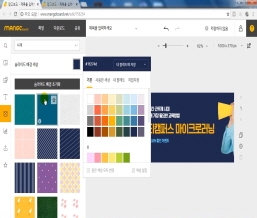
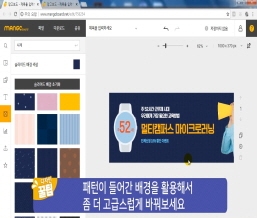
Did you know you can create design content without using complex, specialized design tools? In this course, we'll learn how to utilize Mango Board, a tool that allows even non-design professionals to create and edit a variety of design content, including card news, banners, thumbnails, and templates.
Become a versatile worker with a single, effective tip! Even if you've never used Photoshop before, we'll teach you step-by-step tips to create simple, compelling content with your own hands.
Learning Objectives
- You will understand the basic principles of digital content design and be able to use the design tool Mango Board.
- You can use Mango Board to select the type of content you need and create and utilize it.
Recommended points! 💯
How to Use Mango Board to Create Designs Even for Those Who Don't Know Design
• Using the free design platform “Mango Board,” you can quickly create content by combining design elements and templates.
• Are you having trouble creating content because you don't have a sense or a designer?
• Create designer-level content yourself with this comprehensive Mango Board usage tutorial.
※ Learn more about Mango Board ▶ www.mangoboard.net
Content creation tutorials by type that you can learn by following along.
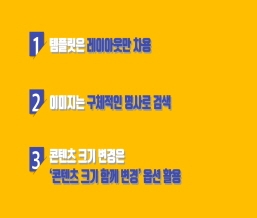
• Choose only the types you need at the time, learn them, and apply them immediately to your work.
• We will show you the production process of the most useful content types in public relations/marketing/planning/proposal work, such as online banners, promotional pages, card news, and posters, so that you can immediately follow along in your work.
10 minutes is all it takes! Microlearning whenever you need it, without the hassle.
• Learn briefly and concisely when needed during work with a 10-minute video that extracts only the essentials and contains no unnecessary details.
Recommended for
these people
Who is this course right for?
People who have difficulty creating content
Anyone who needs content creation

Curriculum
All
10 lectures ∙ (1hr 51min)
Reviews
All
24 reviews
4.9
24 reviews
 onyoobaek9242
Reviews 1
∙
Average Rating 5.0
- minhalee7384
Reviews 3
∙
Average Rating 5.0
- swseok4736
Reviews 2
∙
Average Rating 5.0
- kwjeong7561
Reviews 2
∙
Average Rating 5.0
- beomjoonlee6900
Reviews 1
∙
Average Rating 4.0