

강의

멘토링

커뮤니티

Design

/

UI/UX

Design Sense? It's Not Innate. UX/UI Design Principles Engineered with 'Neuroscience'

UX/UI Design Principles from a Product Designer at a Major E-commerce Service "Don't design by intuition, solve it with logic." It's okay if you're a developer without design sense or a designer without a mentor. Once you grasp the 'principles' of design with me, your screens will definitely transform.

(5.0) 4 reviews

110 learners

Level Beginner

Course period Unlimited

  • Doo it
Web Design
Web Design
ui
ui
ux
ux
product design
product design
psychology
psychology
Web Design
Web Design
ui
ui
ux
ux
product design
product design
psychology
psychology

Reviews from Early Learners

Reviews from Early Learners

5.0

5.0

love123

100% enrolled

Wow~ This lecture hit me like a revelation;; I never knew design had such clear concepts and principles~ I'd recommend watching this before learning any tools~ It seems to give you an analytical perspective on why things look good~ The practical examples included make it even more useful~ Of course, it'll take practice to get comfortable with it😊😊 There are many lectures on Inflearn that teach tool functions, but theory lectures that establish design fundamentals like this are truly rare! If you're a design beginner, I strongly recommend watching this video before learning any tools~ Good~

What you will gain after the course

  • An eye for design (discernment)

  • The persuasiveness of logically explaining the reasons behind a design

  • The 'Director' Leading AI


1. An era where AI does all the design for you?

"But in the end, it's up to you to choose 'what the right answer is.'"

AI tools have advanced to the point where anyone can create dozens of design mockups in a short time.
But can you determine which of them is a 'good design' that users will find comfortable?
While you can have AI create designs, it's ultimately people (planners, developers, designers) who select and take responsibility for the results.

  • ❌ Without discernment: You'll end up choosing plausible-looking images that AI creates for you.

  • ⭕ With discernment: You become a 'competent director' who can command AI like your own hands and feet.

This course will help you develop 'an eye for design (discernment)' that AI cannot replicate.

2. After taking this course, you'll gain these abilities!

  • Equipped with design discernment: You'll be able to logically explain not just "this is better," but "why this is better."

  • Layout based on priority: Learn how to design so that users' brains can comfortably absorb even complex information.

  • Turning proposals into design: Learn practical skills to transform blocks of proposal text into intuitive screens.

3. A process that transforms vagueness into logical skills

Learn, verify, and make it your own.

4. Proven by 'principles', not 'intuition'

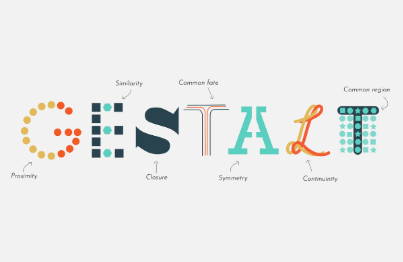
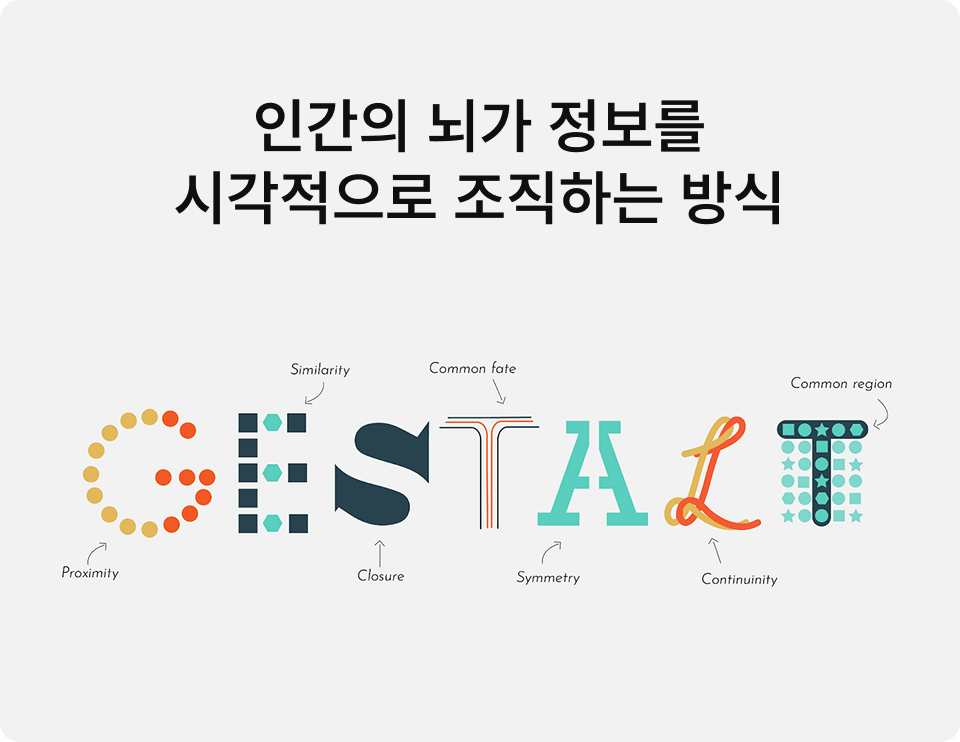
This course doesn't give you the irresponsible advice to "just make it pretty." Based on [Gestalt psychology], which explains how the human brain processes visual information, we explain why designs look good as if it were a mathematical formula.

✅ 10 Core Principles We'll Learn

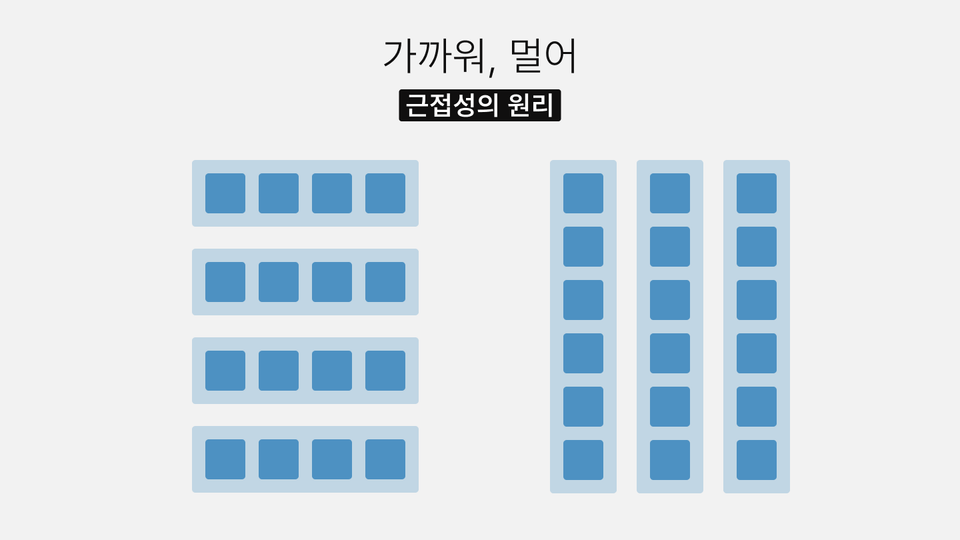
Principle of Proximity: Things that are close together appear grouped

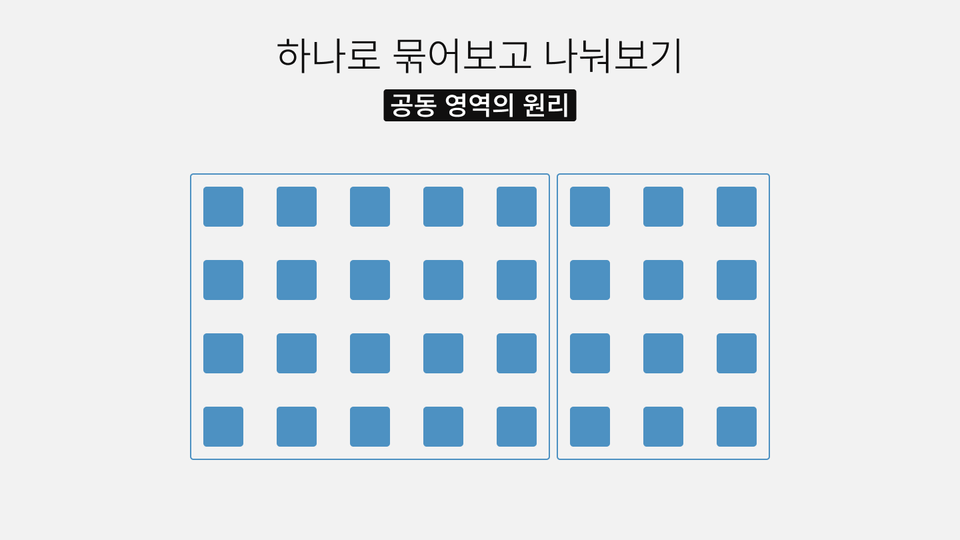
Principle of Common Region: When enclosed in a box, perceived as one unit

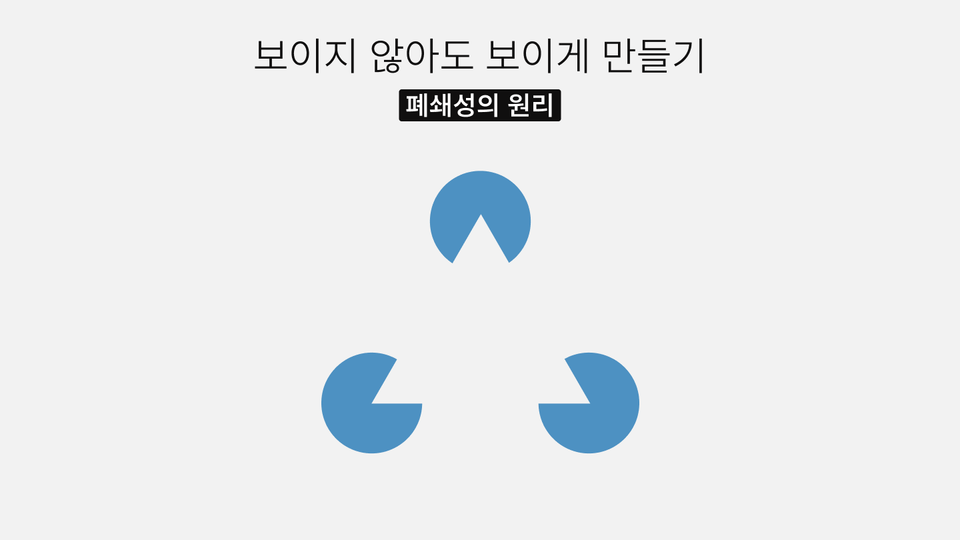
Principle of Closure: We imagine the whole even when parts are missing

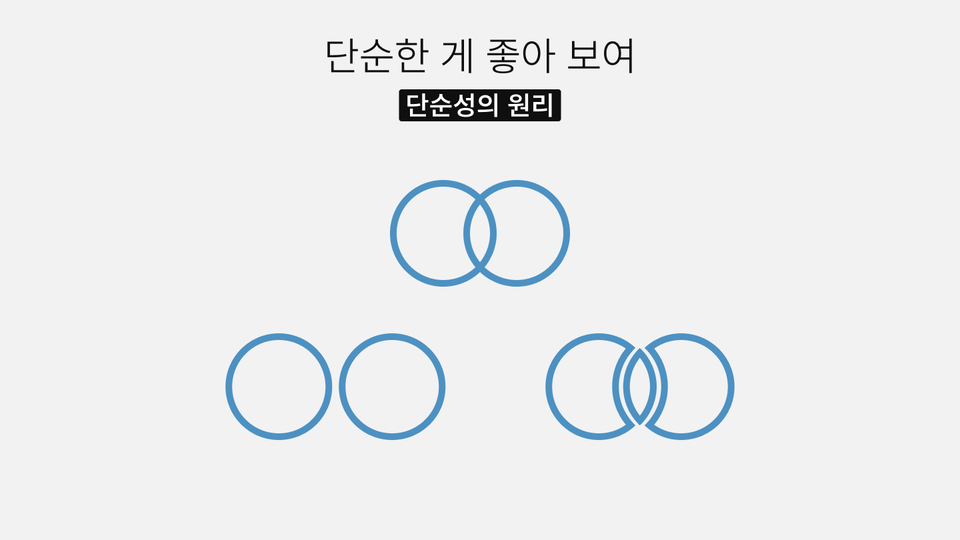
Principle of Simplicity: The brain prefers simplicity

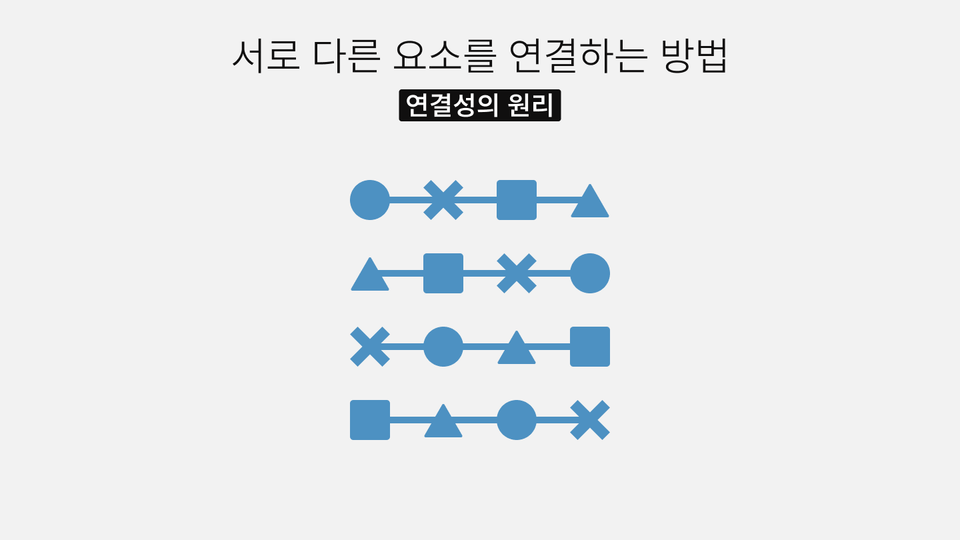
Principle of Connectivity: Creating order and flow with a single line

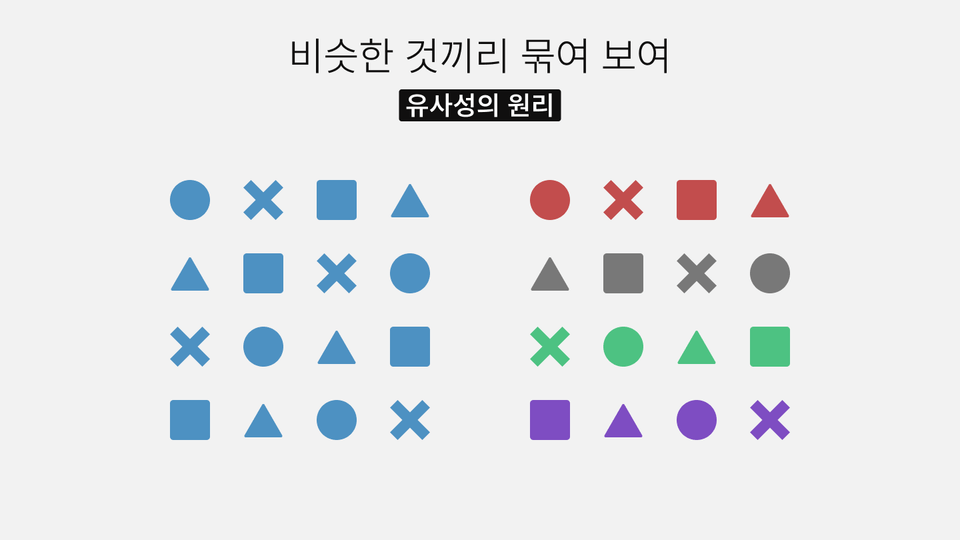
Principle of Similarity: Elements with the same color are perceived as the same group

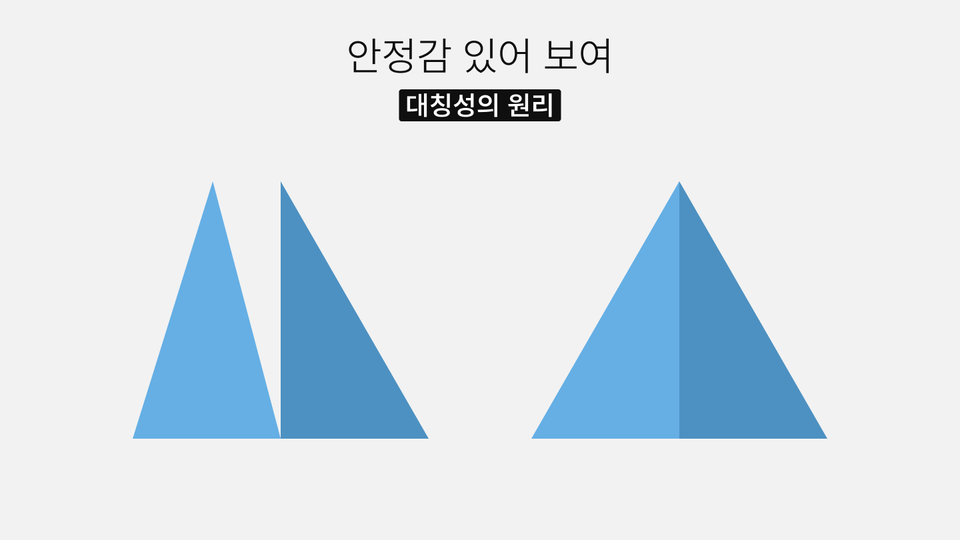
Principle of Symmetry: Symmetrical forms provide a sense of stability

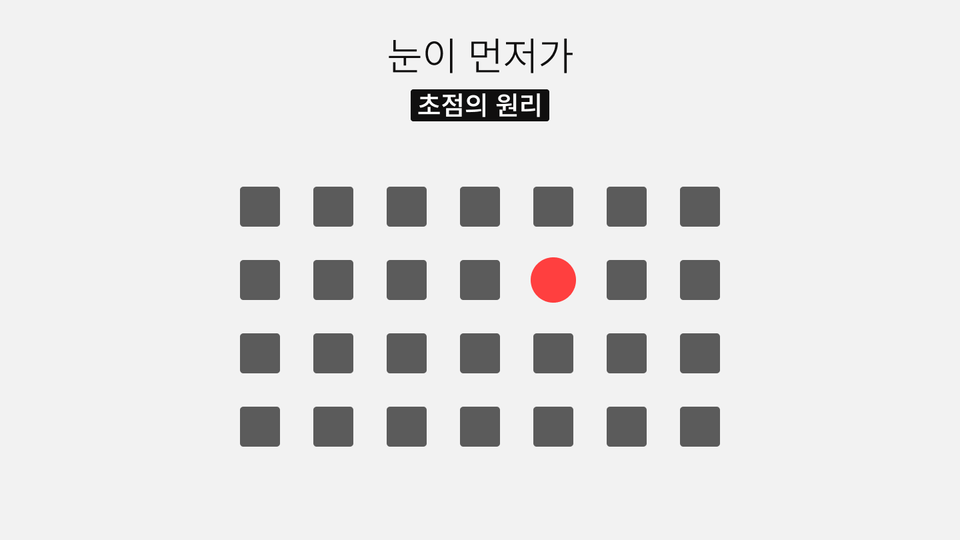
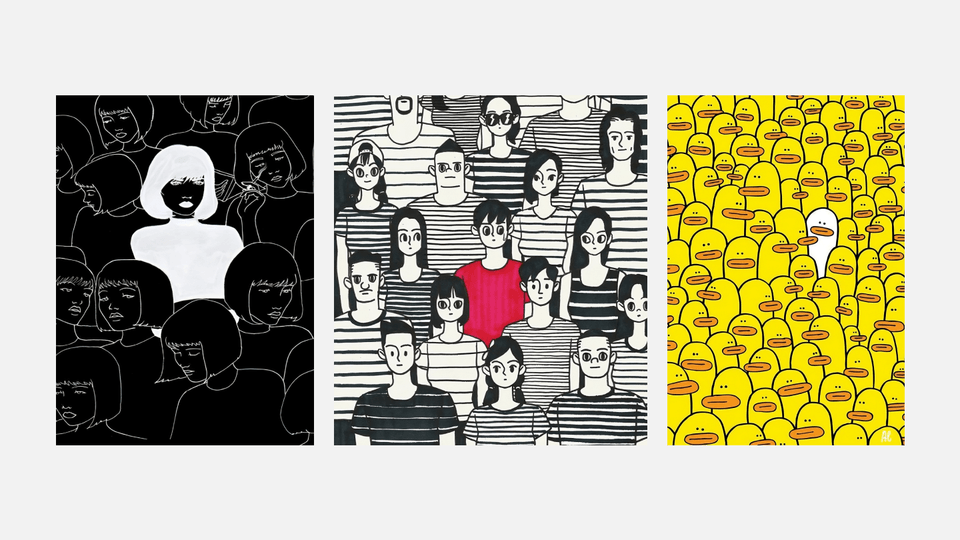
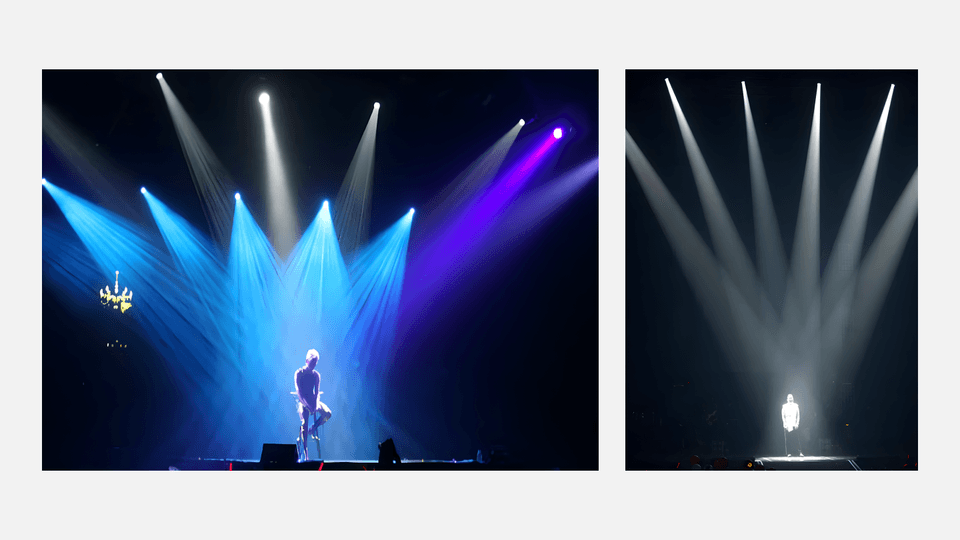
Principle of Focal Point: Attention is drawn to elements that stand out from their surroundings

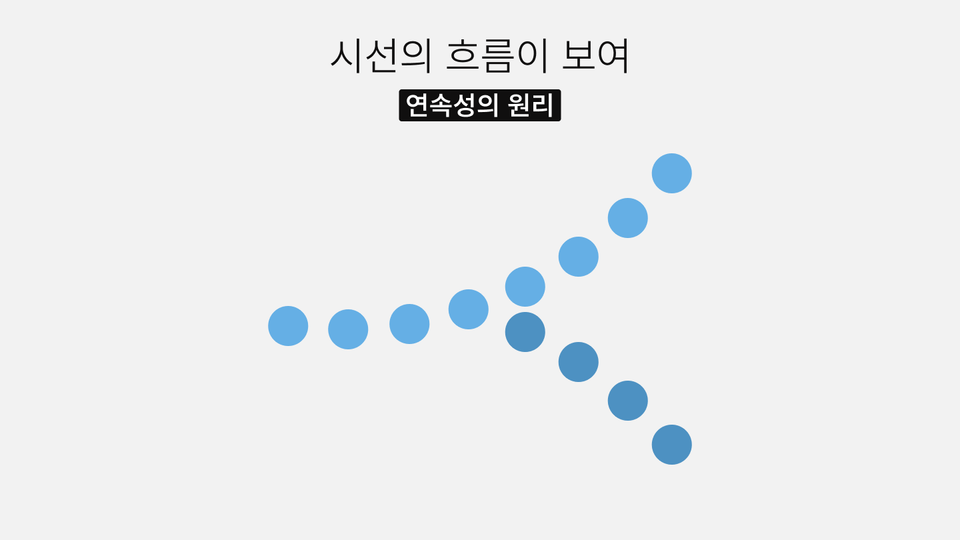
Principle of Continuity: Elements are connected as a flow even when interrupted

Principle of Parallelism: Elements with the same direction are perceived as a group

5. Theory is 10%. 'Real-world examples' are 90%

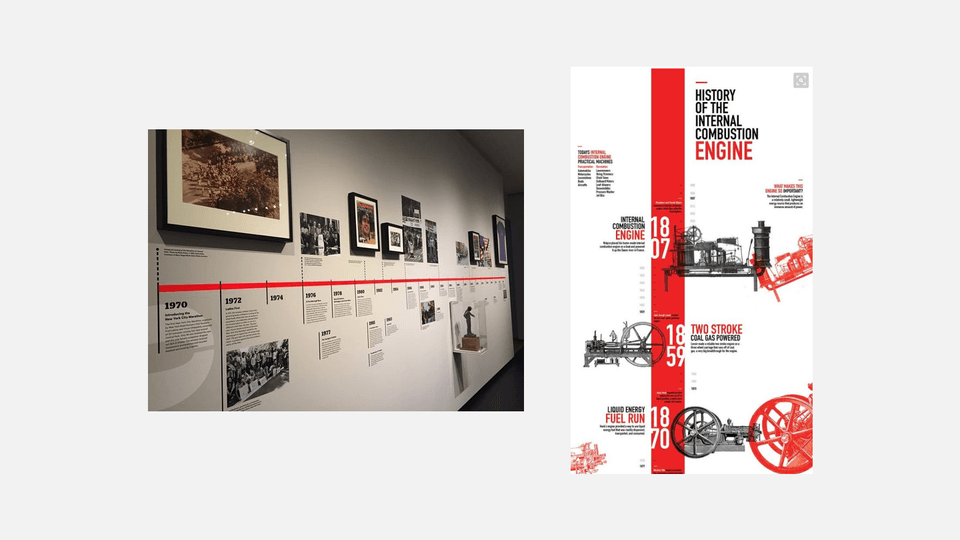
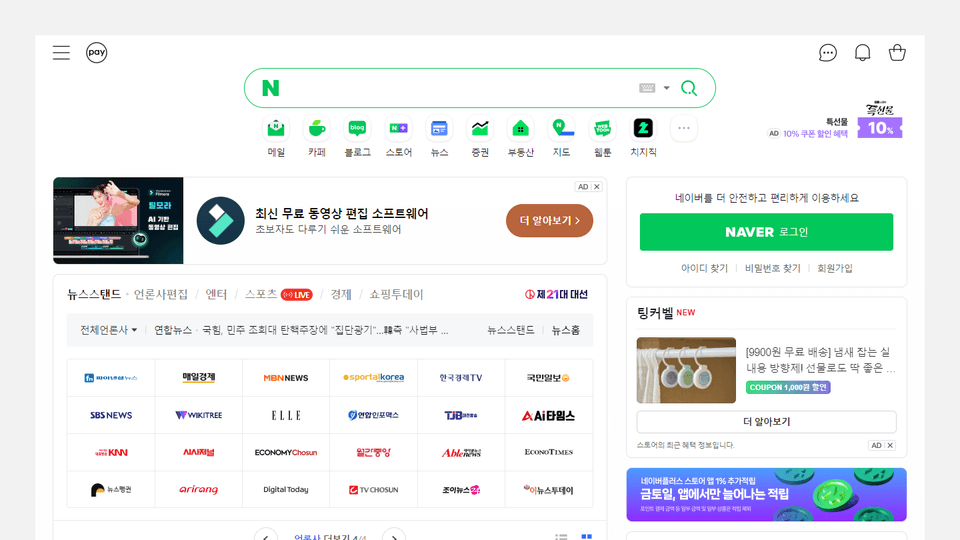
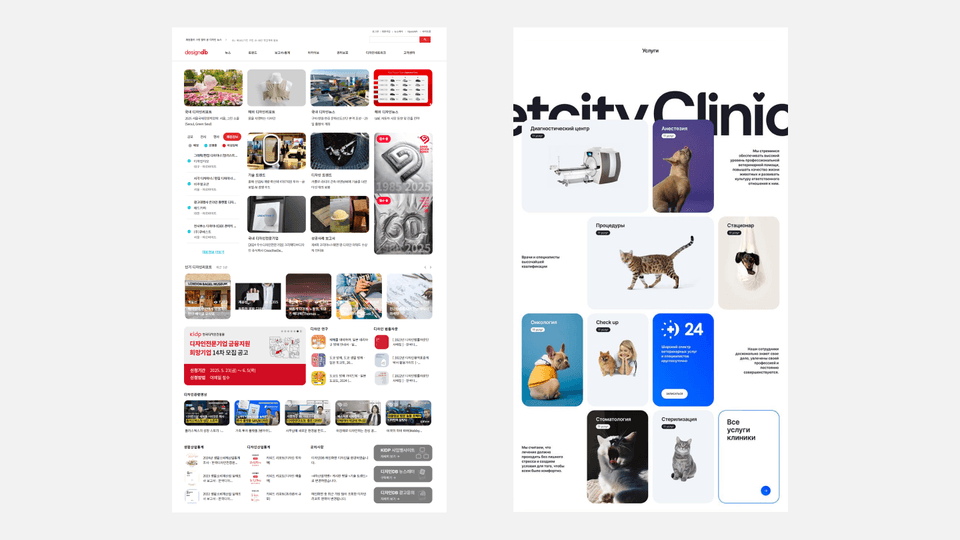
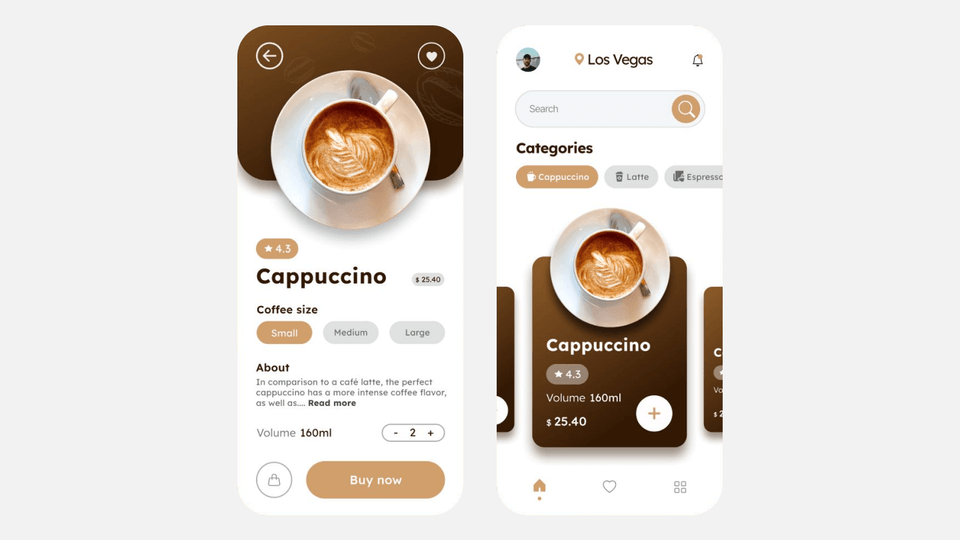
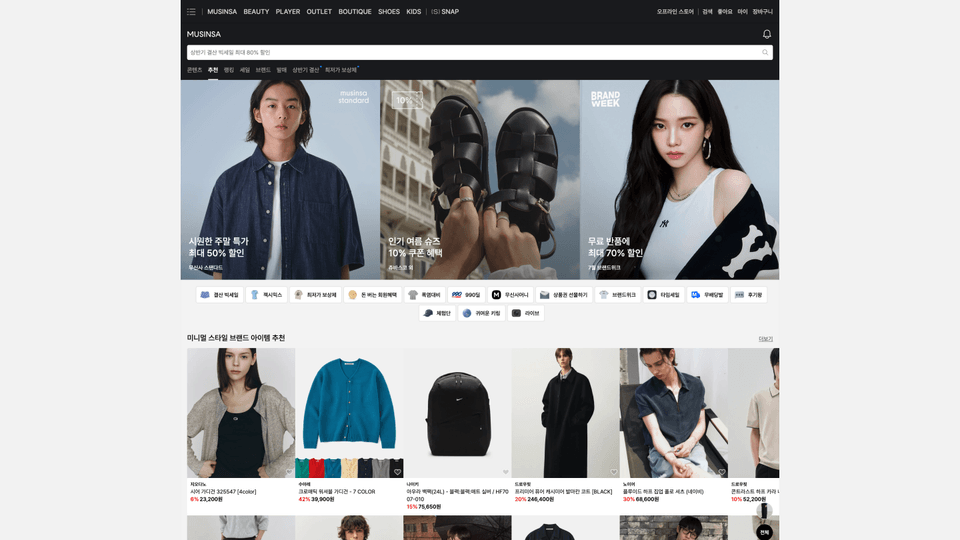
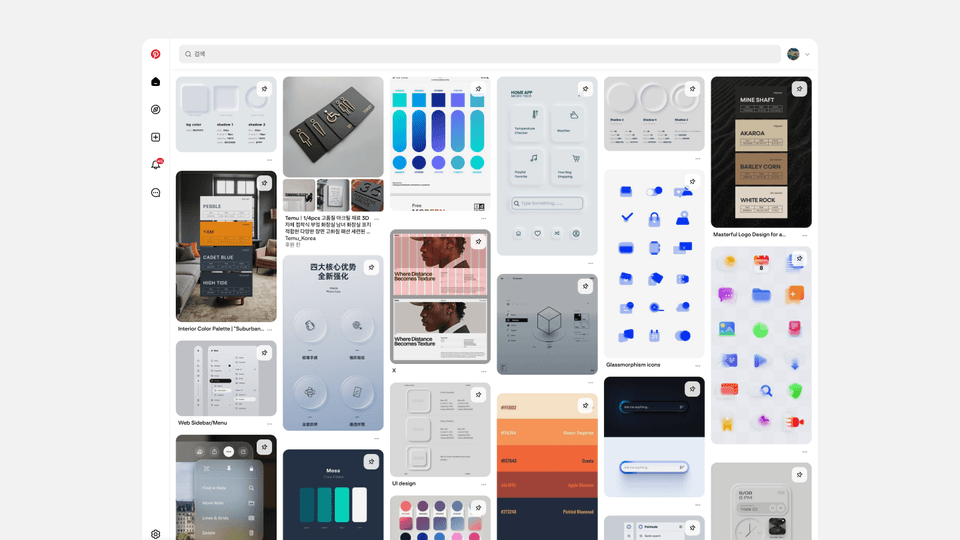
We minimize conceptual explanations and analyze various examples and actual service screens one by one.
Visually confirm the principles of 'why it looks good' and take away design formulas you can apply to your own work.

6. Real-world examples to make the principles 100% yours

It doesn't end with just learning theory.
We show you from start to finish the process of transforming actual project briefs you might encounter in the field into 'logical UX/UI'.

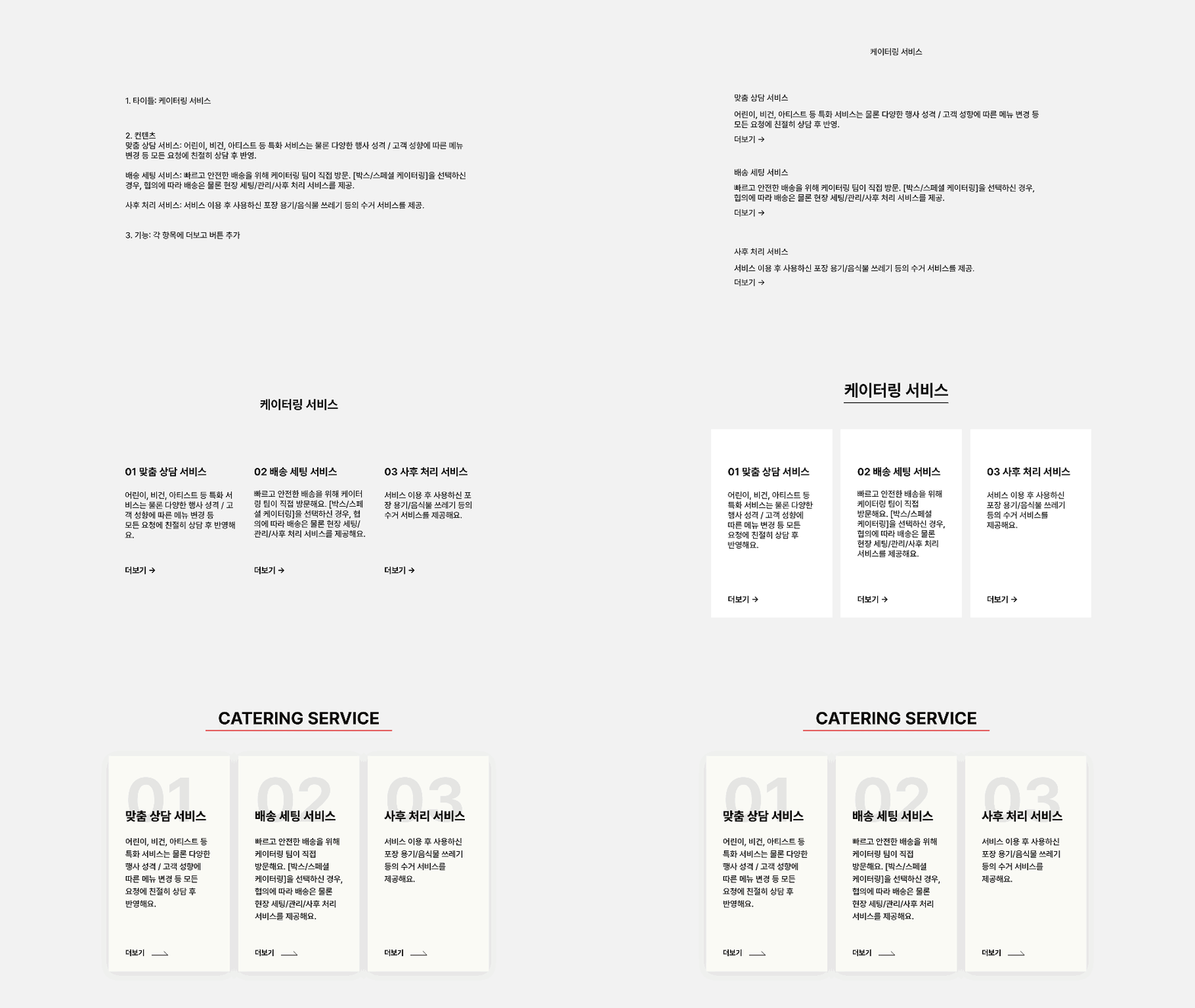
1. Service Introduction Screen

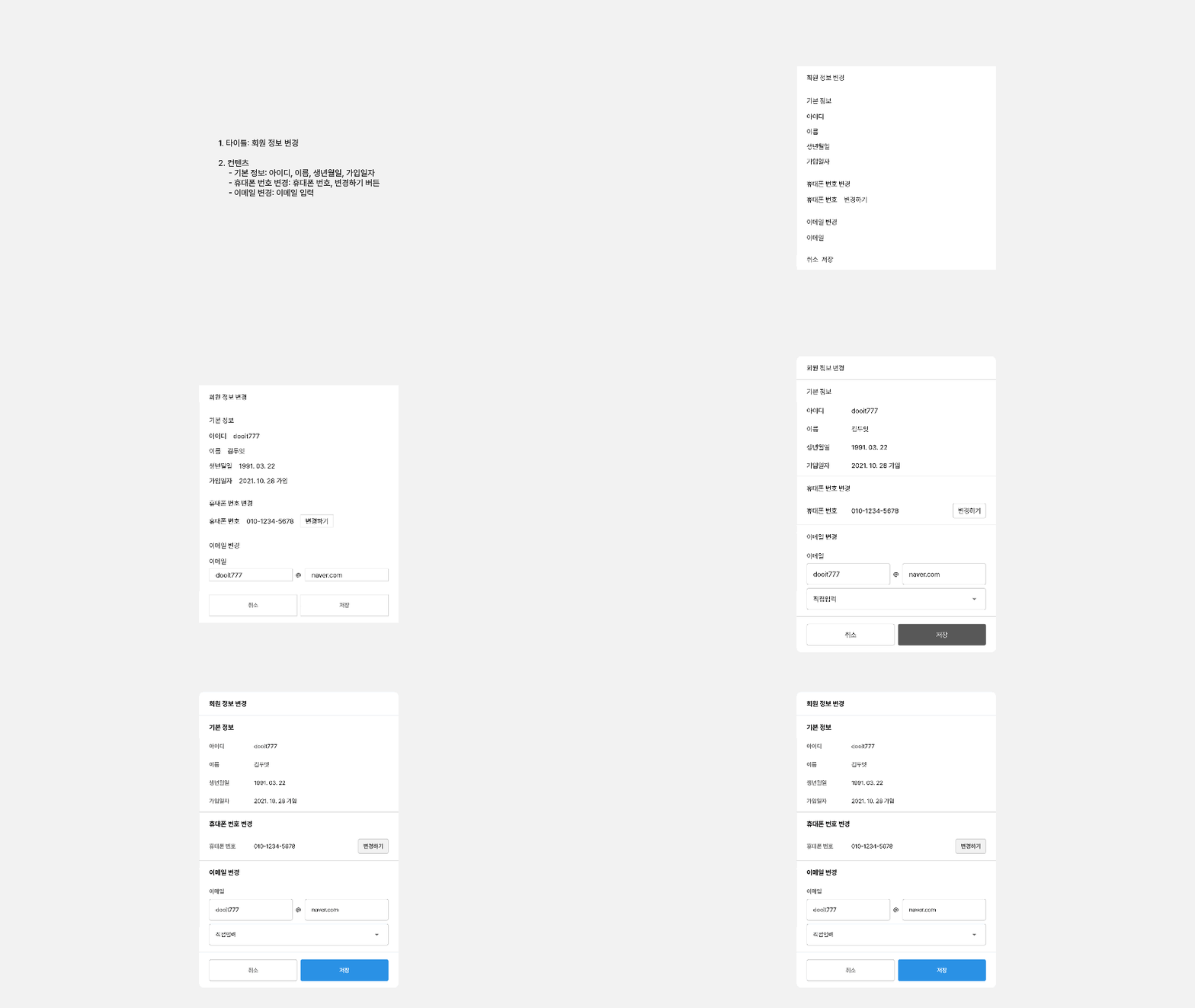
2. Member Information Modification

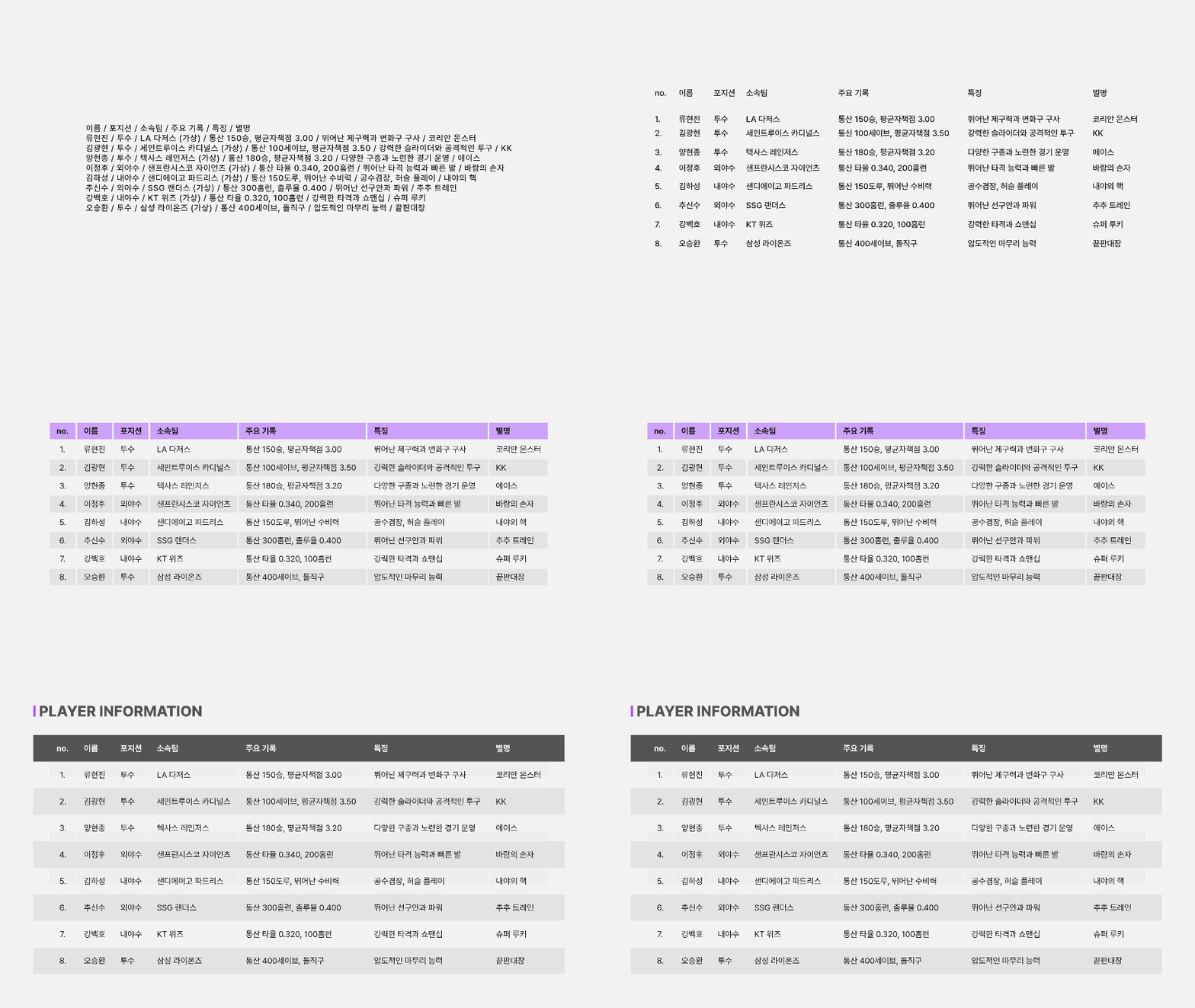
3. Table Design

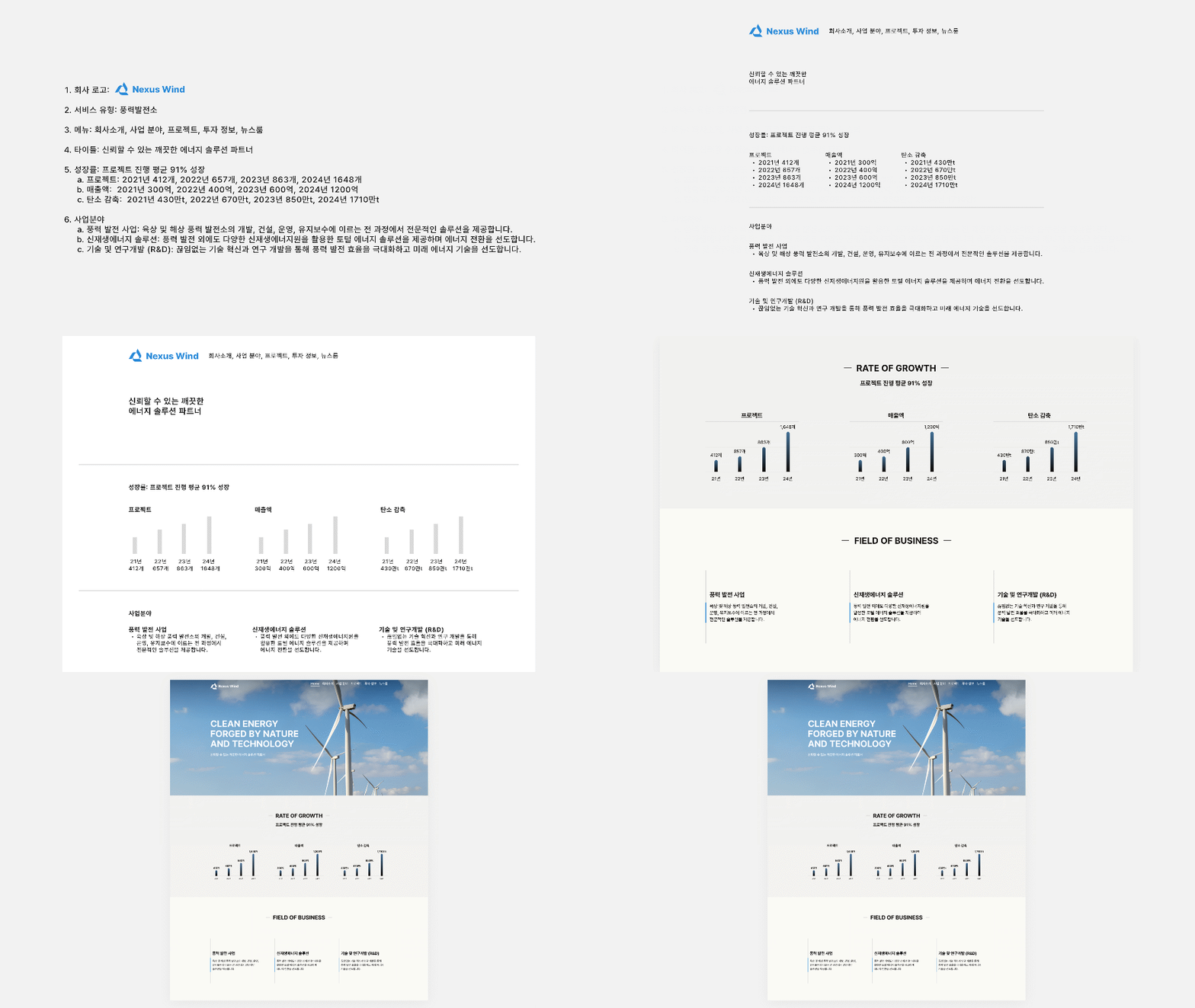
4. Corporate Service Main Page

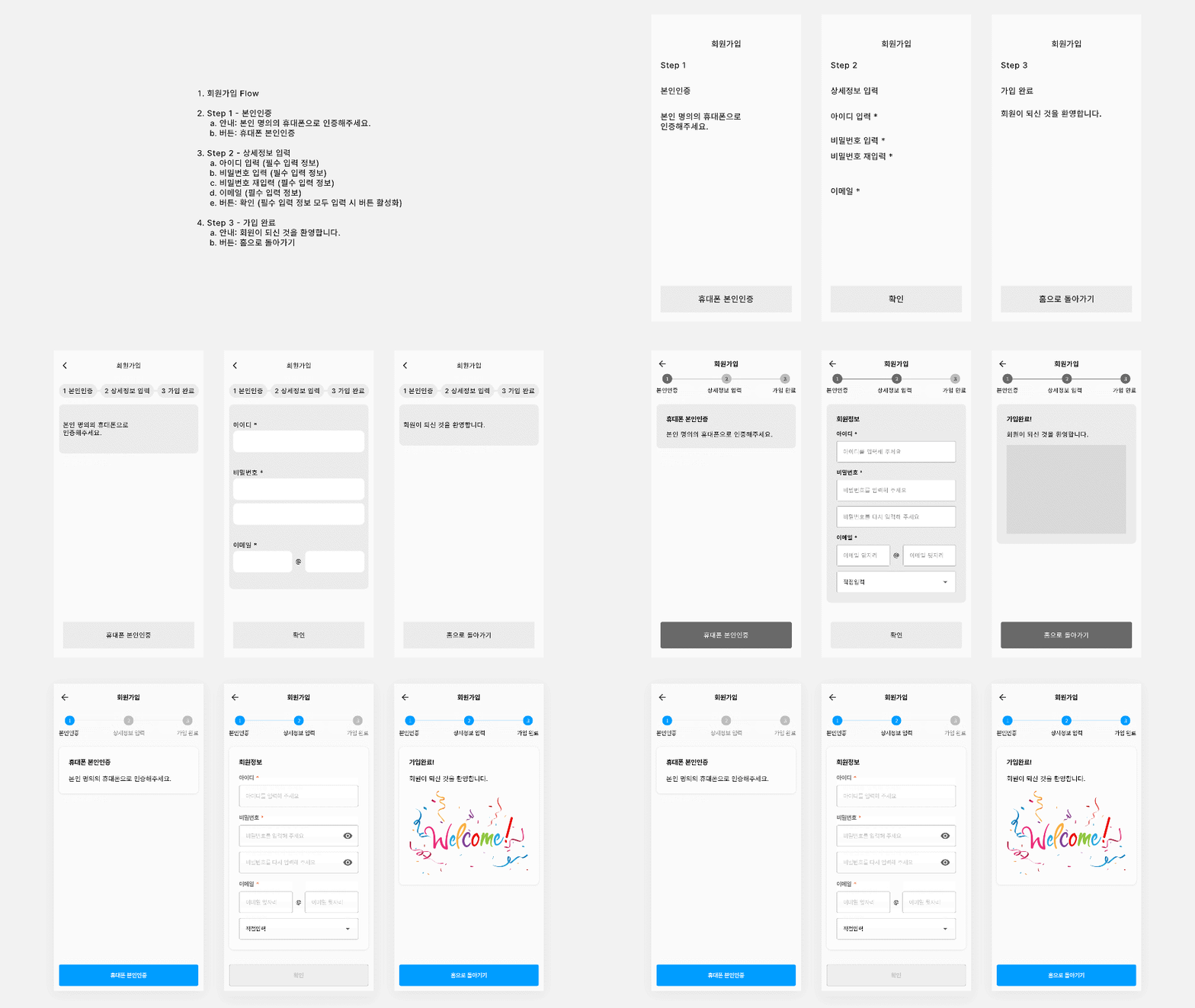
5. Sign-up Flow

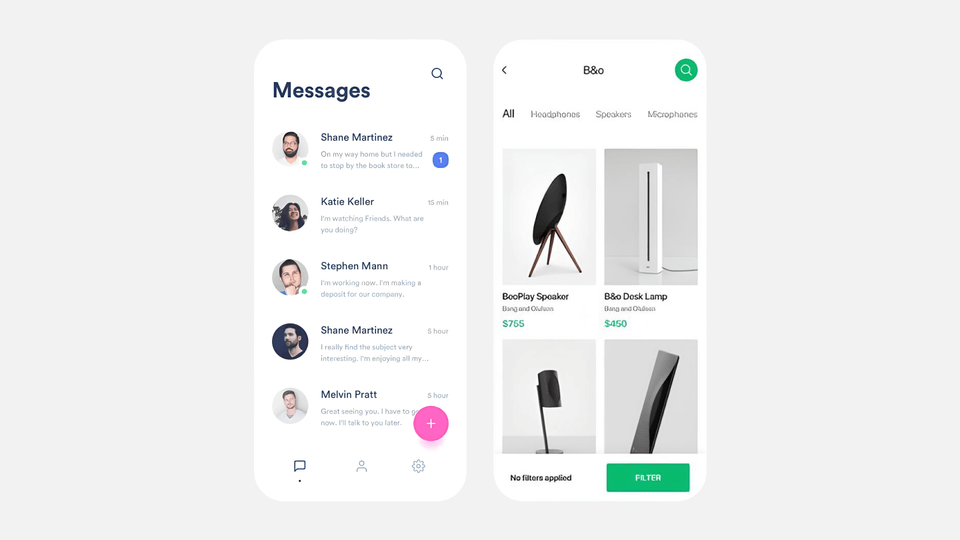
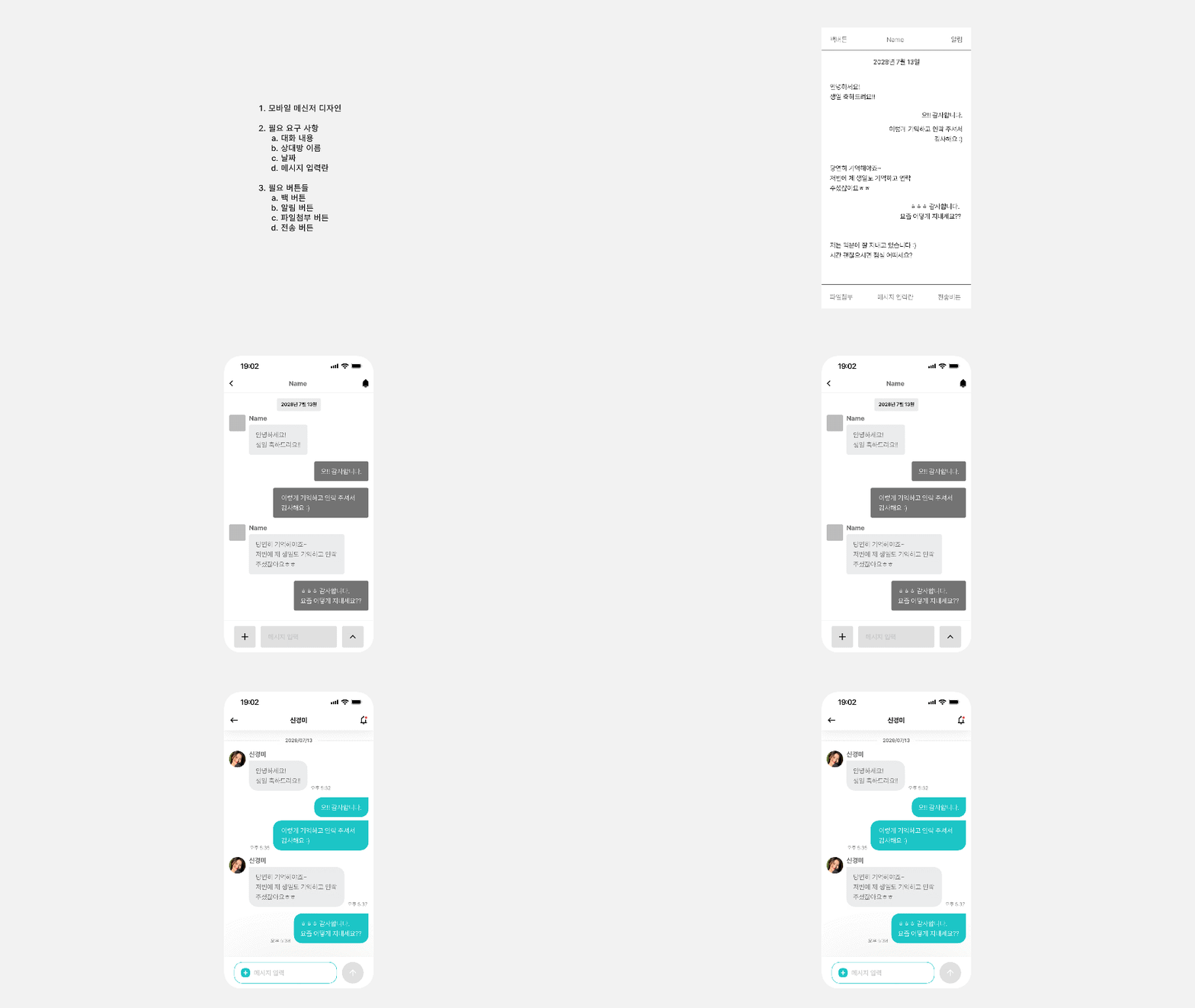
6. Mobile Messenger

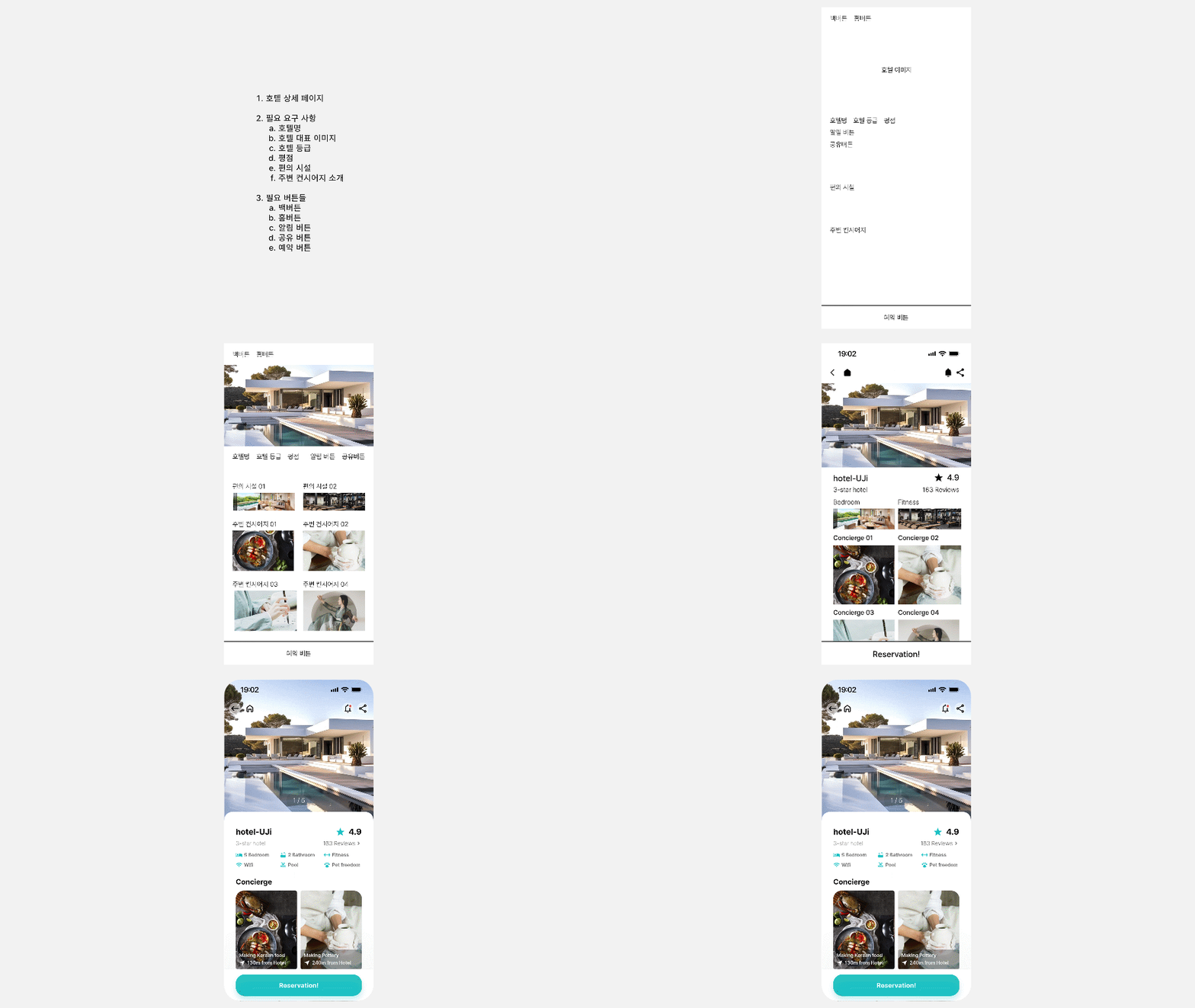
7. Detail Page

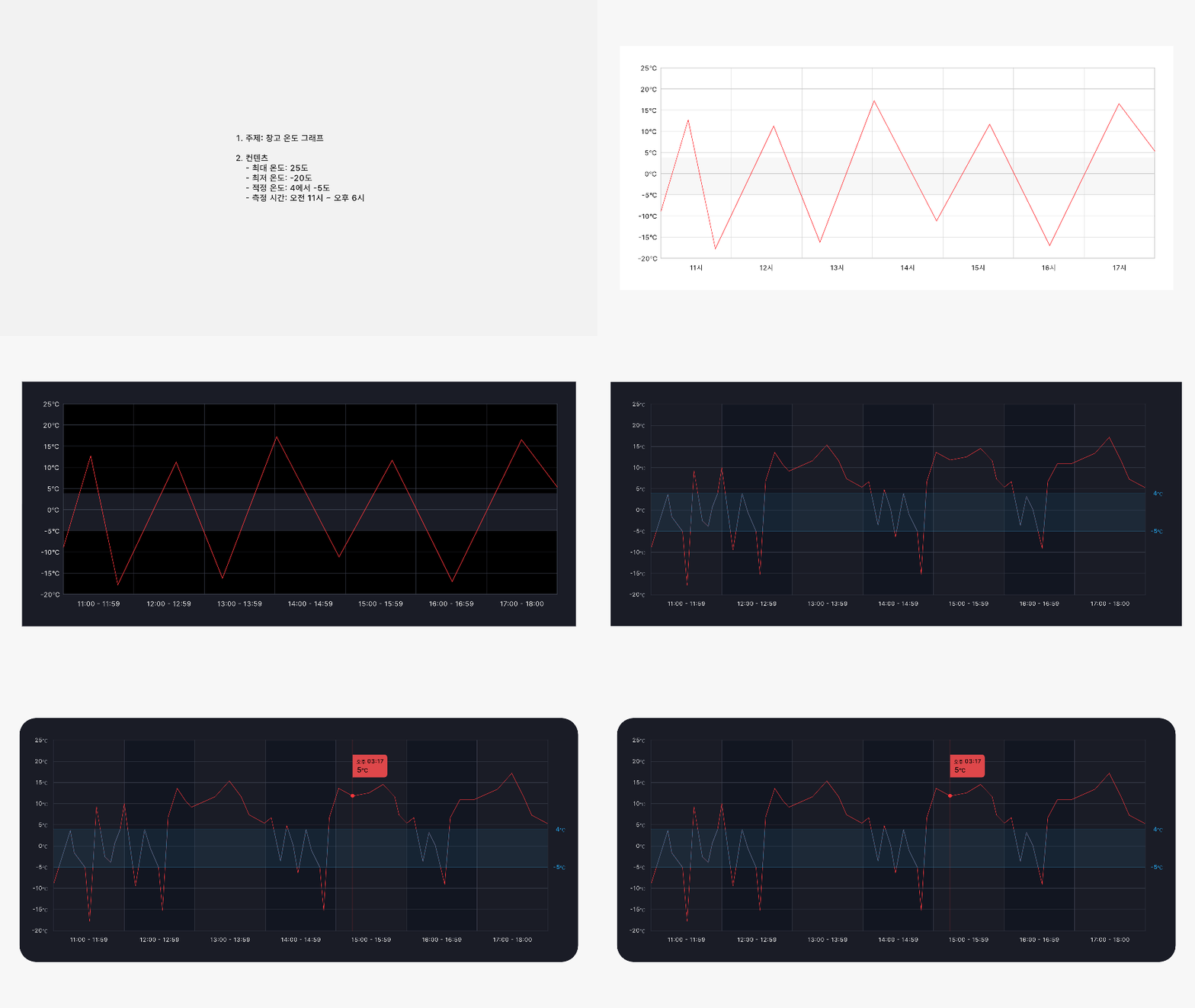
8. Graph Design

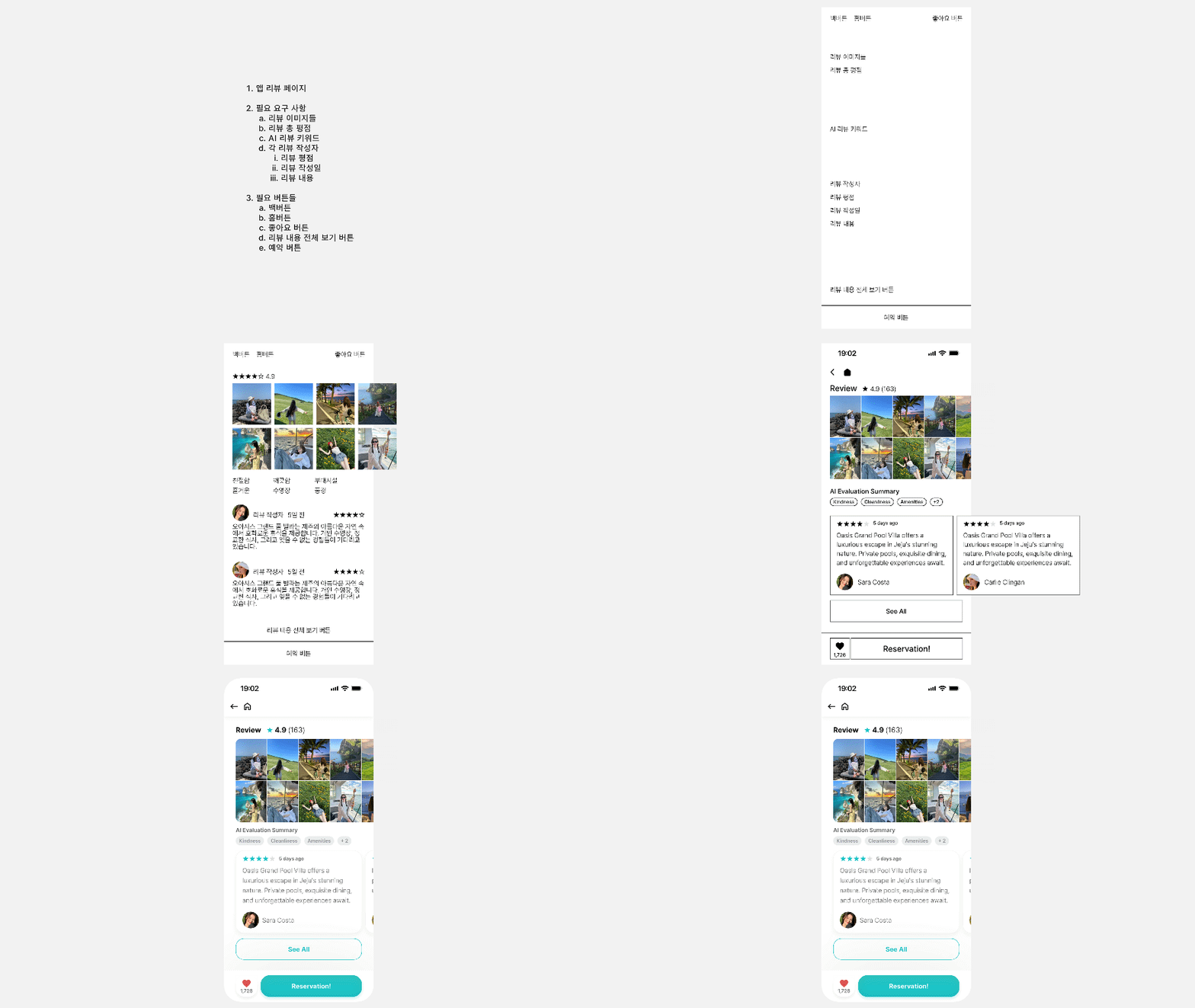
9. Review Page

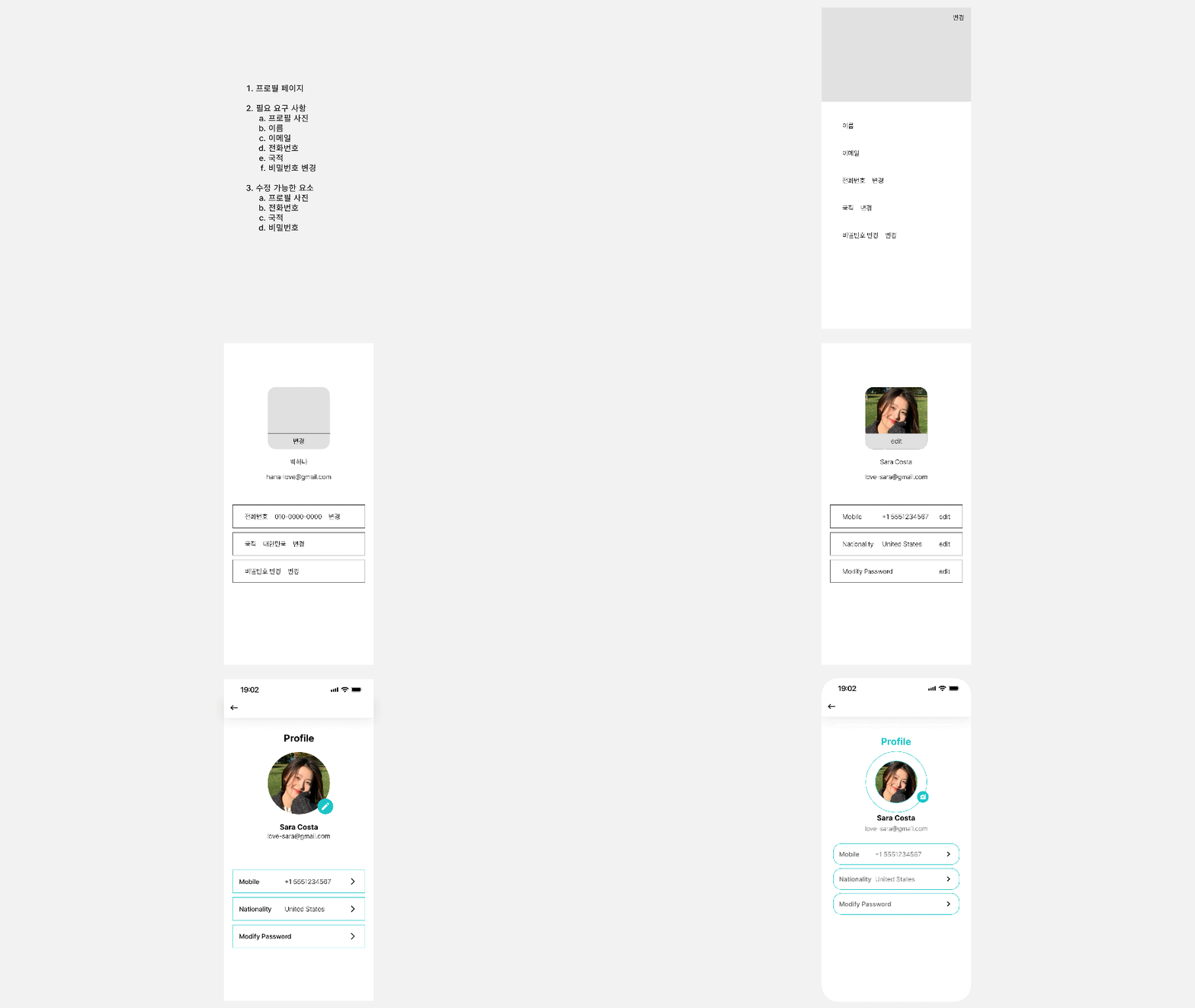
10. Profile Page

🎯 Highly recommended for these people

  • Those who use AI tools but lack confidence in the results: We provide clear standards for those who are always uncertain whether their design choices are correct.

  • Developers who struggle with design sense: Those who want to learn design with clear-cut logic, just like coding.

  • Junior designers/planners without a mentor: Those who are at a loss for words when asked "Why did you design it this way?"

💡 Student Q&A Preview


Q. Do I need to be proficient in design tools (like Figma)?
A. No! This course focuses on developing 'design thinking (Why)' rather than tool usage (How). Once you understand the principles, you can create excellent designs even with PowerPoint or hand-drawn sketches.


Q. Can non-majors understand this too?
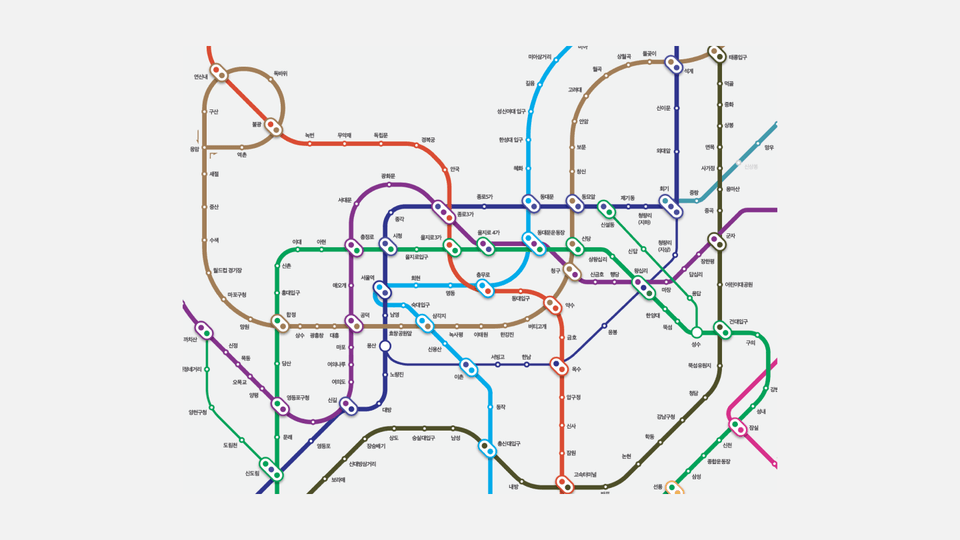
A. Yes! While psychology terms (like Gestalt) appear, they're explained through easy everyday examples such as supermarket displays, closet organization, and subway maps, so you don't need to worry.

🚀 Enroll now and equip yourself with a lifelong 'design eye'!

Recommended for
these people

Who is this course right for?

  • A designer who finds themselves in an awkward position when asked "Why did you design it this way?" and can only answer "I just felt it looked good"

  • A planner staring at a blank screen, unable to figure out how to arrange things for users to view comfortably

  • A frustrated developer whose self-made UI looks somewhat sloppy and outdated

Hello
This is

110

Learners

4

Reviews

1

Answers

5.0

Rating

1

Course

반갑습니다! 여러분의 멘토 Doo it입니다.

UX/UI 디자인 시장에서 16년, 강산이 한 번 반이나 변하는 시간 동안 현장을 지켜온 디자이너에게는 특별한 노하우가 있습니다. 저는 ERP, 여행, 포털, 이커머스 등 가장 복잡하고 설계하기 까다로운 산업 현장에서 수많은 경험을 해왔습니다. 이러한 경험과 노하우를 전해 드리고 싶습니다.


최고의 지원자

저는 여러분이 디자인 분야에서 꿈을 이루고, 최고의 전문가로 성장할 수 있도록 아낌없이 지원할 것입니다. 저와 함께 즐겁게 배우고, 함께 성장하는 경험을 만들어 보세요!


주요 이력

(현) 대형 이커머스 서비스 프로덕트 디자이너

(전) 스타트업 CDO, 대기업 프로덕트 디자이너

Curriculum

All

38 lectures ∙ (2hr 23min)

Course Materials:

Lecture resources
Published: 
Last updated: 

Reviews

All

4 reviews

5.0

4 reviews

  • cs100410046827님의 프로필 이미지
    cs100410046827

    Reviews 1

    Average Rating 5.0

    Edited

    5

    100% enrolled

    Wow~ This lecture hit me like a revelation;; I never knew design had such clear concepts and principles~ I'd recommend watching this before learning any tools~ It seems to give you an analytical perspective on why things look good~ The practical examples included make it even more useful~ Of course, it'll take practice to get comfortable with it😊😊 There are many lectures on Inflearn that teach tool functions, but theory lectures that establish design fundamentals like this are truly rare! If you're a design beginner, I strongly recommend watching this video before learning any tools~ Good~

    • hcs76164182님의 프로필 이미지
      hcs76164182

      Reviews 4

      Average Rating 5.0

      5

      60% enrolled

      • kimseungwu6026님의 프로필 이미지
        kimseungwu6026

        Reviews 4

        Average Rating 5.0

        5

        30% enrolled

        • apep79752님의 프로필 이미지
          apep79752

          Reviews 3

          Average Rating 5.0

          5

          60% enrolled

          Limited time deal

          $34,100.00

          20%

          $33.00

          Similar courses

          Explore other courses in the same field!