강의

멘토링

커뮤니티

Design

/

UI/UX

[Inflearn X BoldUX] Designer Growth Guide and Figma Utilization Tips Collection

This lecture, which is a collaboration between Inflearn and BoldUX, will teach you the latest Figma usage tips and various BoldUX-only insights and work know-how. It is an opportunity to gain valuable information on how to effectively use Figma, along with Bold’s professional knowledge based on 9 years of practical experience in the product design field.

(4.8) 72 reviews

3,261 learners

Level Beginner

Course period Unlimited

  • bolduxlab
Figma
Figma
Portfolio
Portfolio
Design System
Design System
product design
product design
Figma
Figma
Portfolio
Portfolio
Design System
Design System
product design
product design
Thumbnail

Reviews from Early Learners

Reviews from Early Learners

4.8

5.0

쿠카이든

12% enrolled

I learned a lot about Bold UX. Thank you for the great lecture~!

5.0

김은경

31% enrolled

It's great to easily learn about the new concept, Design System. I truly appreciate this knowledge and experience sharing.

5.0

이혜리

31% enrolled

Question and answer communication is not smooth.

What you will gain after the course

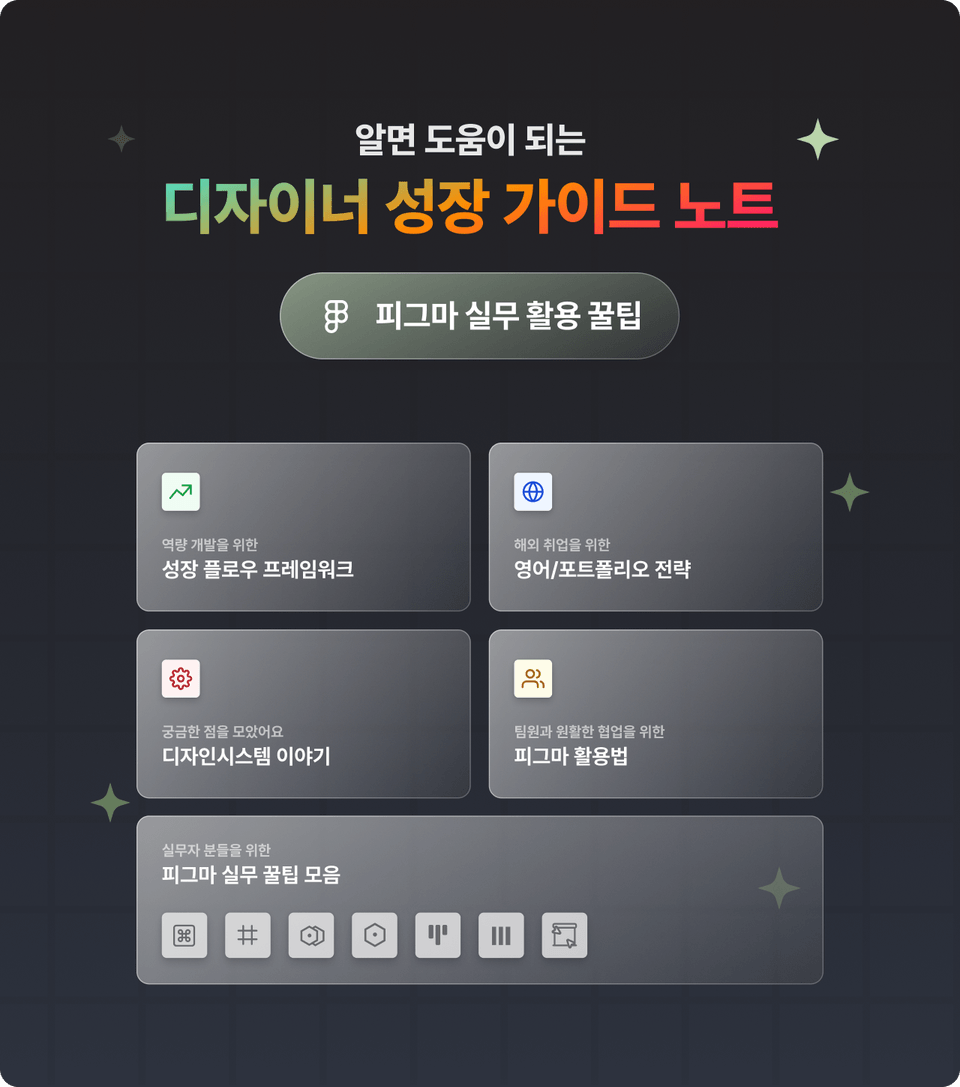
  • Five Steps to Growth Flow for Capacity Development

  • English/Portfolio/Visa Strategies for Overseas Employment

  • 4 Ways to Use Figma to Collaborate Smoothly with Your Team

  • A collection of Figma tips that can be used in practice

Has your growth stagnated?

Looking to revitalize your career as a designer?
Introducing Bold's vivid growth notes, condensed from his nine-year London-based designer experience and expertise:


A customized growth framework for those who have stalled.

Practical strategies for advancing to the global stage

A guide to design system introduction and utilization

How to facilitate collaboration with diverse stakeholders

How to Maximize Figma Work Speed


This lecture was created based on questions asked by students at a meetup held at Gathertown.

Now, I'm sharing with you the growth notes I created with my students.

Online meetup held in Gather Town

Introducing the knowledge sharer

Designer, Bold

Hello, I'm Bold. I'm passionate about sharing my practical UX/UI skills and insights gleaned from my nine years of design experience. I share more information on my Instagram, so be sure to check out my Instagram and Brunch pages! I'm eager to share my experiences and engage in diverse conversations with other designers.

Bold's Growth Notes Release

Section 1. Notes for Growth

For those seeking a path to growth, we present growth notes from Bold's experience.

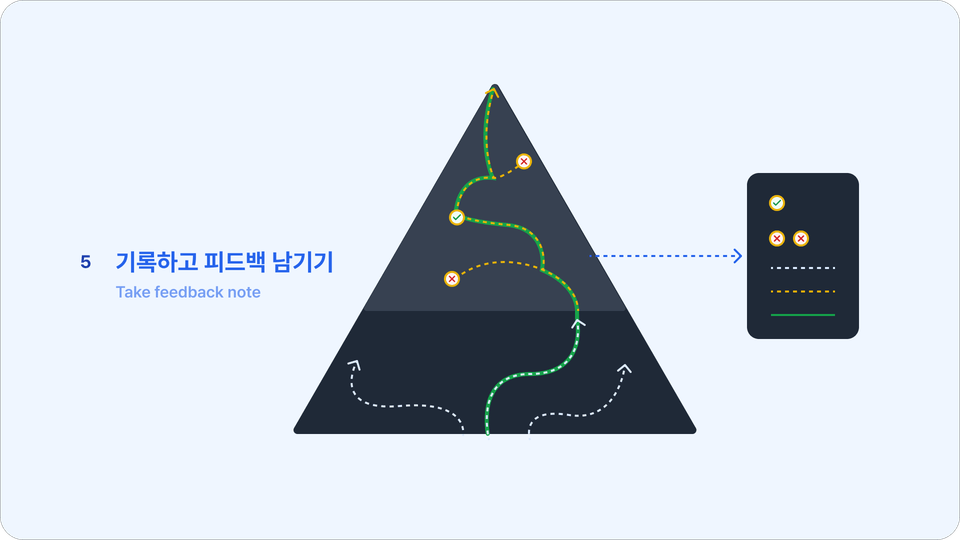
  • 5 Steps to Overcome Stagnant Growth

  • The strategy that led to the five-fold growth experienced by Bold.

  • Why You Must Persevere Through the Difficult Path of Growth

Section 2. Overseas Employment Guide Notes

For those of you dreaming of working abroad, we've prepared answers to three key questions you might have.

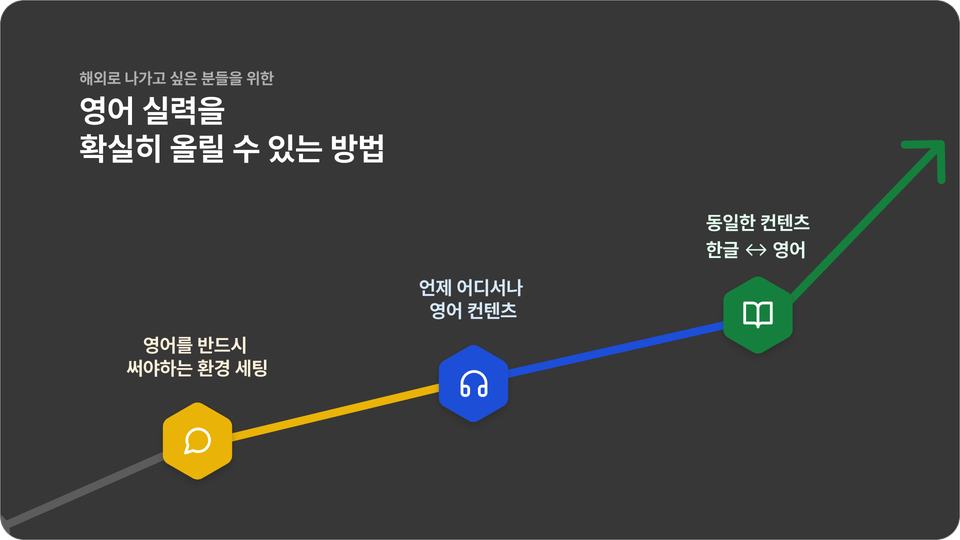
  • 3 Things to Do to Improve Your English in Everyday Life

  • 4 Portfolio Questions for Overseas Employment

  • Visa information for working abroad (UK)

Section 3. Introductory Notes on Design Systems

We'll answer three of the most common questions students have about design systems.

  • 3 Strategies for Effectively Leveraging Design Systems

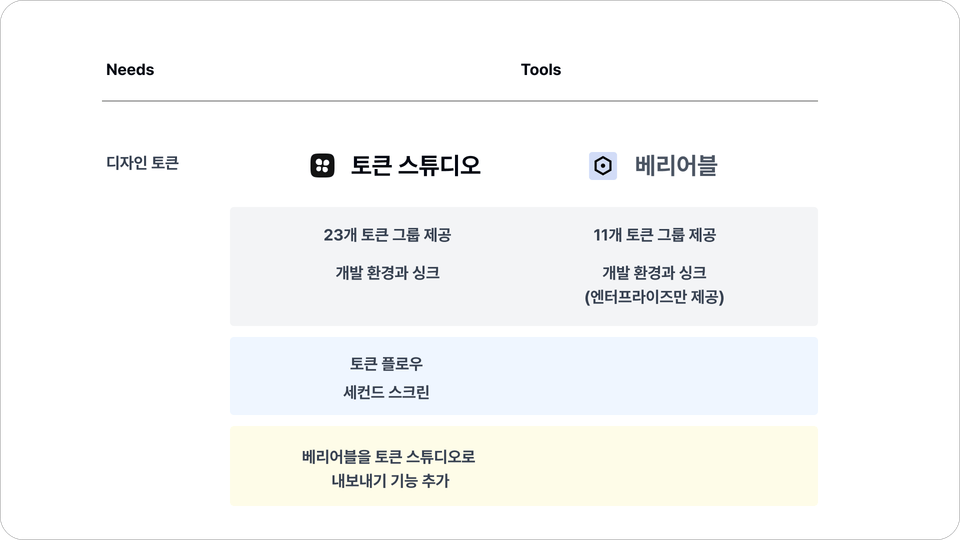
  • Bold's Vision for the Future of Token Studios

  • Uncovering the Capabilities of Platform Designers

Section 4. Design Notes for Collaboration

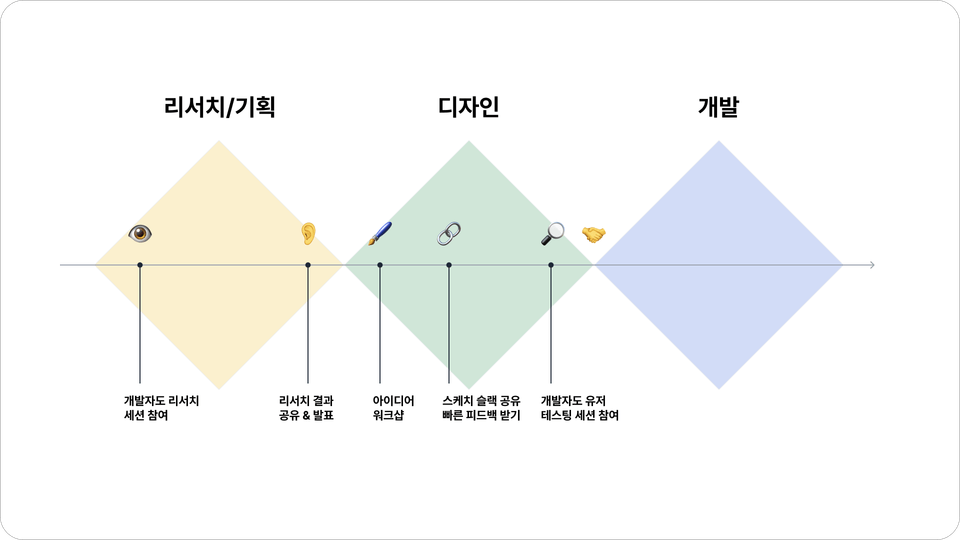
We share our know-how for effective collaboration between designers, developers, and stakeholders.

  • Efficient folder/page management and version control methods

  • Three Strategies for a Smooth Handoff with Developers

  • 4 Tips for Sharing Designs with Stakeholders

Here are two ways to double your efficiency when using Figma.

Here are some useful tips for quickly moving or selecting frequently used frames.

Let's find the optimal settings by combining various maximum and minimum values with Auto Layout's Wrap function.

I'll show you the overall process of how to create a UI Kit using Variable.

We'll explain the definitions and usage of two easily confused terms: Variants and Variable.

Here are some useful tips to keep in mind when giving a presentation using Figma.

Things to note before taking the course

  • The lecture was filmed on MacOS, but you can use Figma anywhere, regardless of OS.

  • For Figma tips, we provide Figma files, but not the full UI kit and style guide Figma files.

  • The provided Figma files are designed to help you follow the exercises as closely as possible.

  • In the case of Variable's multi-mode, it is not possible with a free account.

Recommended for
these people

Who is this course right for?

  • People who don't know how to work because they don't have a shooter

  • Those interested in working abroad

  • For those who want to make better use of Figma

Hello
This is

5,345

Learners

282

Reviews

243

Answers

4.9

Rating

7

Courses

I am Bold, the lead tutor at Bold UX Lab, where we help product designers grow. I started my career as a researcher before transitioning to product design, and I have since gained experience in various fields including fintech, cloud tech, and marketing. Despite holding a master's degree from Korea and having no prior education abroad, I successfully secured employment overseas and have been gaining diverse professional experience, focusing on the following areas in my practice:

  • Establishing and managing user research systems

    Building and managing design systems; coaching and mentoring on Figma UI/prototyping design capabilities. Through Inflearn, I share the practical know-how I have acquired, which also allows me to...

  • Design system development and management,

    Figma UI/Prototyping

  • Design competency coaching and mentoring

I want to share the practical know-how I've gained through Inflearn and hope to learn a lot myself in the process.

Thank you.

Experience & Career (Current) Senior Product Designer at a Data Solutions Company (Former) Product Designer in various fields including Global Research, Fintech, and Cloud Computing

Experience & Career

(Current) Senior Product Designer · Data Solutions Company

(Former) Product Designer in various fields including global research, fintech, and cloud computing

Researcher at Yonsei University Cognitive Engineering Lab

Curriculum

All

26 lectures ∙ (1hr 24min)

Course Materials:

Lecture resources
Published: 
Last updated: 

Reviews

All

72 reviews

4.8

72 reviews

  • oliviasunhee875951님의 프로필 이미지
    oliviasunhee875951

    Reviews 3

    Average Rating 5.0

    5

    96% enrolled

    • hs3193kim9549님의 프로필 이미지
      hs3193kim9549

      Reviews 7

      Average Rating 4.1

      4

      31% enrolled

      • kukaeden님의 프로필 이미지
        kukaeden

        Reviews 489

        Average Rating 5.0

        5

        12% enrolled

        I learned a lot about Bold UX. Thank you for the great lecture~!

        • bolduxlab
          Instructor

          Thank you! Kukaiden-nim. I hope it was helpful.

      • silverwithtwin5069님의 프로필 이미지
        silverwithtwin5069

        Reviews 2

        Average Rating 5.0

        5

        31% enrolled

        It's great to easily learn about the new concept, Design System. I truly appreciate this knowledge and experience sharing.

        • ninety25296님의 프로필 이미지
          ninety25296

          Reviews 145

          Average Rating 5.0

          5

          100% enrolled

          • bolduxlab
            Instructor

            Hello dmax, thank you for completing the course and for leaving a review. If you have any questions or difficulties while taking the course, please feel free to ask at any time. Thank you.

        Free

        bolduxlab's other courses

        Check out other courses by the instructor!

        Similar courses

        Explore other courses in the same field!