Rhino 'Tips and Tricks' for 3D Modeling Beginners Part.1
Difficult 3D modeling to get started with..? Modeling stuck and not progressing..? 'Honey tips' for first-time entry? With Rhino, skill improvement OK! Frustrating classes with no feedback..? 👉 Adding feedback to online lectures! (Don't hesitate to ask!)👍🙆♀
234 learners
Level Beginner
Course period 18 months

News
6 articles


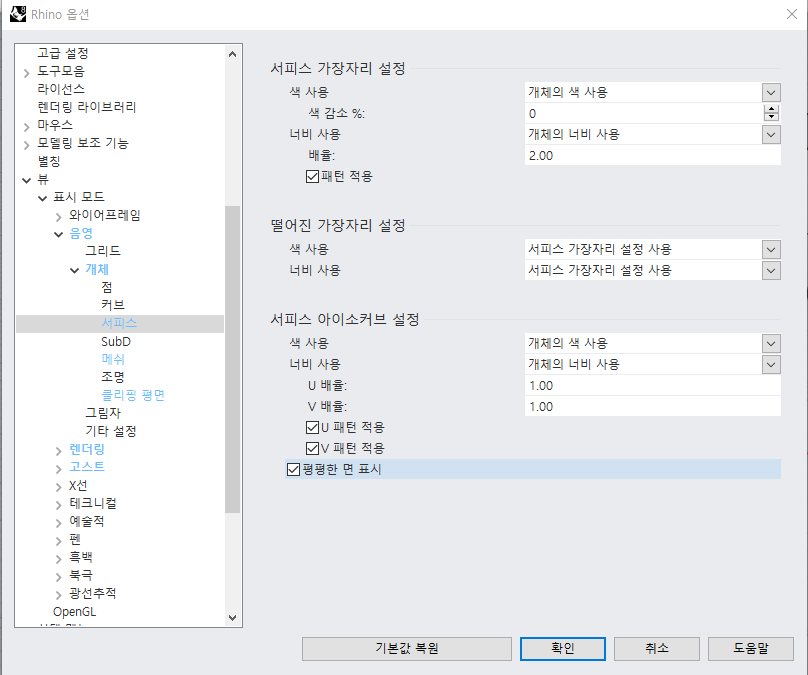
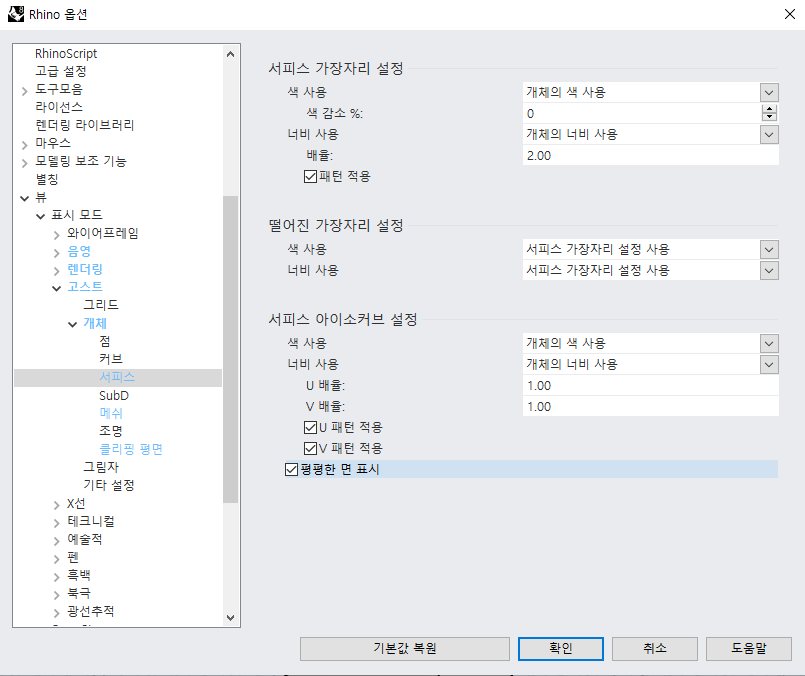
지금 보이시는 것과 같이 뷰-음영-개체-서피스- 평평한 면 표시 눌러주세요!
서피스도 마찬가지입니다!
이 2개를 해주셔야지 쓰실때 가이드라인이 보입니다!
Hello. This is SOO.
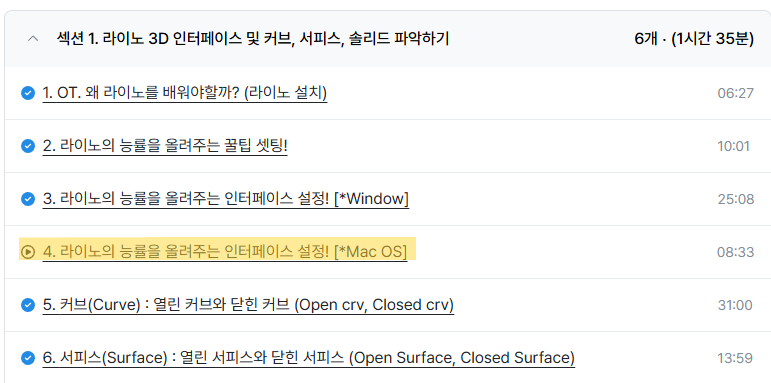
There were a lot of difficulties for Mac users when setting up Rhino because they only had Windows.
To make up for that, I personally helped with remote control, but due to limitations in not being able to use work computers such as company PCs, I created it separately. I made it public, so I think it would be good for both students and non-students to refer to it.
I hope you find it useful. Thank you 😃
The roadmap is divided into Rhino Part.1, Part.2 / Keyshot Part.1, Part.2.
Those who have applied for at least one of the four studies can apply for the remaining classes through the roadmap.
We are offering a much higher discount rate than the existing discount rate, and the course is also extended to 24 months.
Master Rhino Keyshot with Soo's roadmap!
Thank you 😀
Hello. This is SOO. For the recently opened KeyShot Lecture Part 1 / Part 2, we are offering discounts upon university student verification.
For university students who want to take the course but are hesitant due to the cost, I am providing high-discount coupons. When I was in university, there were many times I wanted to take courses but ended up teaching myself because of the high costs. I want to offer this small gesture of consideration for those who might be going through the same experience I had.
Additionally, for those who fall under the category of basic livelihood security recipients or the next-lowest income bracket according to National Scholarship standards, please email me regarding this, and I will look into providing free classes in a positive direction after we have a discussion.
How to Verify Your University Student Status
Please verify your identity by sending an email with a photo showing your university, department, and student ID number, with any sensitive personal information redacted.
When taking the photo, you must also include the date and time written on a post-it note for the verification to be accepted.
Please refrain from using images taken from Google. (I can find them all by searching. Please make sure to provide your own verification.)
*Verification photos will be disposed of immediately after confirmation. No graduates, Design Department students only.
National Scholarship Standards - Basic Living Security Recipients·Next Lowest Income Class
It seems that supporting documentation regarding this matter is required. I will discuss this with you and then we can make a decision. Please do not feel pressured and feel free to contact me via email.
Thank you. Happy New Year.
I wish you a more rewarding and fruitful college life this year than last year 😄Hello. This is SOO. Starting today, we have opened a KeyShot lecture on Inflearn.
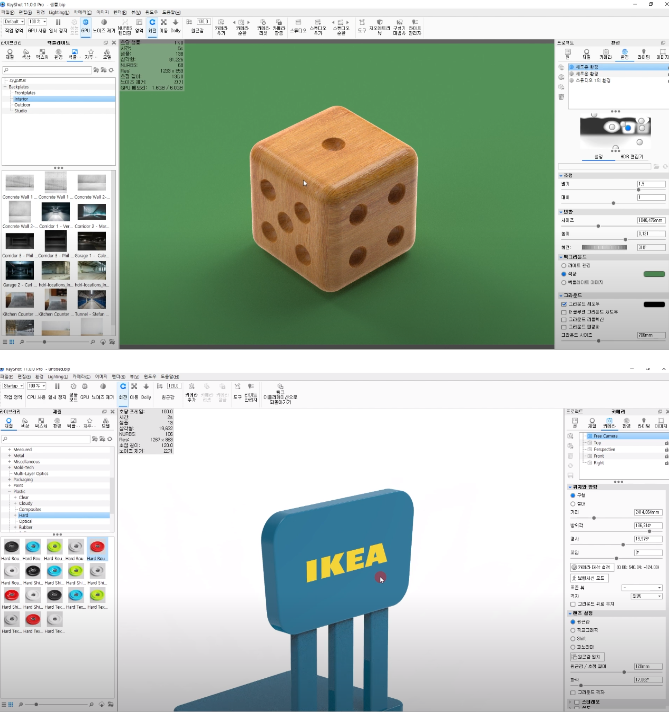
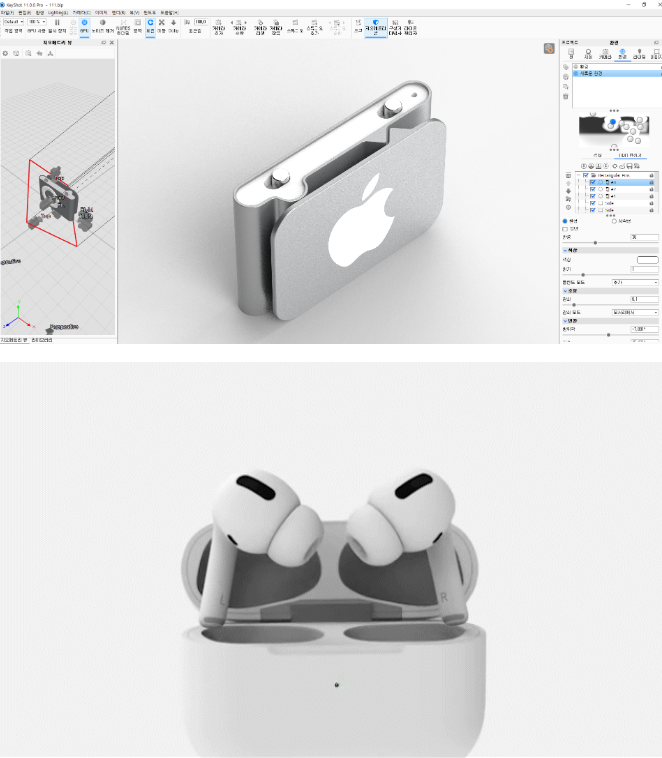
KeyShot Introduction/Beginner: KeyShot Rendering & Post-processing for Ultra-Realistic Product Images Part 1
https://inf.run/L6iihKeyShot Intermediate/Advanced: KeyShot Rendering & Post-processing for Ultra-Realistic Product Images Part 2
https://inf.run/AxKDzYou can learn everything about materials, lighting, staging, composition, texture mapping, unwrapping, labeling, Photoshop post-processing, material graphs, etc.
This time, we are also organizing a review event to provide additional videos for students who are running towards the end of the course.
Although it only consists of parts 1 and 2, since there are many lectures and it is long, you can think of it as parts 1 to 5 of other lectures. If you learn only parts 1 and 2, I can guarantee that you will have done everything that can be done in KeyShot.
I put all my know-how, tips, and soul into making it with all my heart.
Thank you SOO Dream
★Write a review and get a KeyShot rendering video! :-)
We are providing additional content in addition to the video provided as a review event.
For those of you who have previously received the video, please request additional videos and we will send them to you.
* For those who are not familiar with Keyshot, we also provide additional videos explaining the overall interface of Keyshot, how to use materials, how to use rendering, labeling, how to use material graphs, and Keyshot animation techniques. Once you listen to them, you will be able to escape from beginner rendering. :-)
Thank you. SOO Dream