It's good because it's easy to understand and focuses on practice. It's very good for Auto Cad beginners.
5.0
델피언
35% enrolled
You explain it so well and easily.
What you will gain after the course
Learn the commands for 2D drawing and memorize the command shortcuts.
Learn when to use each command.
2D Drawing, Let's Get Started with AUTOCAD 2022! 🧐📐
Lecture Introduction 📖
AutoCAD currently occupies most of the CAD market in Korea! In this course, you will learn how to use the basic and core commands required for 2D drawing in AUTOCAD 2022 . The course is structured in a follow-through format, making it easy for anyone, even those unfamiliar with AutoCAD, to follow. Learn a variety of commands and shortcuts that will provide a solid foundation for practical work!
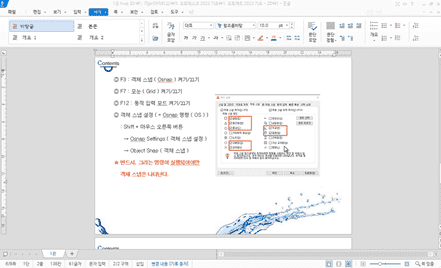
Let's learn and memorize commands and shortcuts (from 'Learning Environment Settings and Basic Operations').
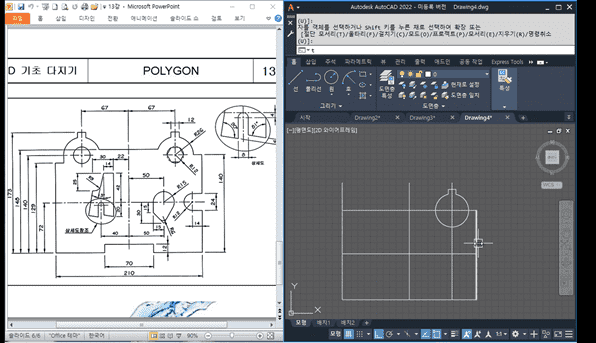
Let's learn various functions through examples (from 'Drawing an Ellipse').
📢 Please check before taking the class!
This lecture does not offer Q&A sessions with knowledge sharers . Please take the time to attend.
Before attending the class, please check the audio and video quality through the [Preview] function of the lecture.
Tools covered here🙌
AUTODESK AutoCAD 2022
This course uses AutoCAD 2022 (Korean version). Therefore, we recommend using that version. You can purchase the program from the official AUTODESK website or take advantage of various versions, including a free trial or short-term membership. Official website link
Expected Questions Q&A 💬
Q. Can non-majors/beginners also take the course?
Yes, this is an introductory course where you can learn about environment settings and basic operation methods. Before taking this course, please ensure you have installed AutoCAD 2022.
Q. Are lesson plans included in the lectures?
Yes, all lectures include lesson plans. You can download them by clicking the cloud-shaped icon on the left tab of the lecture playback screen.
Recommended for these people
Who is this course right for?
For those who want to learn the basics of AutoCAD 2D commands
For those who want to do simple drawing and editing