๊ฐ•์˜

๋ฉ˜ํ† ๋ง

๋กœ๋“œ๋งต

Productivity

/

Office

From beginner to practitioner! Creating Excel office automation documents

Even if you are an Excel beginner, we will upgrade your Excel skills to the level of a job seeker. You can also secure an Excel portfolio for employment.

(5.0) 3 reviews

46 learners

Level Basic

Course period 12 months

  • pisibook
Excel
Excel
VBA
VBA
Excel
Excel
VBA
VBA

Reviews from Early Learners

5.0

5.0

khyna7

70% enrolled

I saw it on a blog and signed up for the course. It was a really good decision. Thank you. I will work even harder.

5.0

lboram

75% enrolled

I like it because there are so many practical things to do.

5.0

์œค์ •์€

100% enrolled

I heard it well^^

What you will gain after the course

  • The concept of macros and various techniques for utilizing macros

  • An efficient way to design complex structured Excel documents

  • How to write a functional formula by combining multiple functions

  • How to manage a list of frequently added and deleted data

  • How to dynamically extract the data you need and obtain statistics

  • How to automatically process data for long-term storage

  • How to create a dynamic document using form controls such as scroll bars and option buttons.

  • How to package related Excel documents for work to increase efficiency

  • How to download the Excel document you need from the Internet and use it in your documents

  • Basic concepts of VBA code and how to use it for automation

Excel beginners gather around!
I'll show you how to package and automate Excel documents. ๐Ÿค–

"I have a general understanding of Excel's functions, but I'm not confident in practical applications."

"I don't know many functions, and writing functional formulas is especially difficult."

"I feel like I'm always hovering around the level of a beginner in Excel."


Excel's functions
Gather and gather ๐Ÿ›’

Many people use Excel like a word processor, using only a small portion of its features. This guide will help these novice users maximize Excel's capabilities to create automated, practical documents.
Unique features of this course โœจ

  • Even beginners who don't know all the Excel menus can create documents that can be used immediately in the field .
  • Learn techniques for automating and packaging Excel documents, not just plain documents.
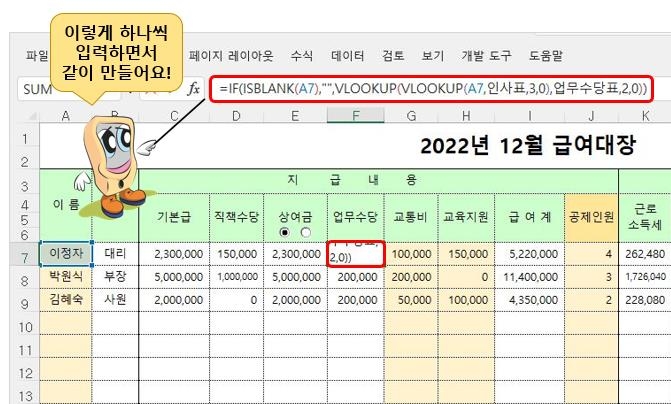
  • It is easy to understand because the lecture is conducted interactively, as if you are entering information one by one.
  • All lectures include a complete file, practice file, and explanation file (text file ).
  • The documentation file provides links to the functions used in the document, and clicking on a link will take you to the instructor's blog to learn more about that function.


What you'll learn ๐Ÿ’๐Ÿปโ€โ™‚๏ธ

#1.
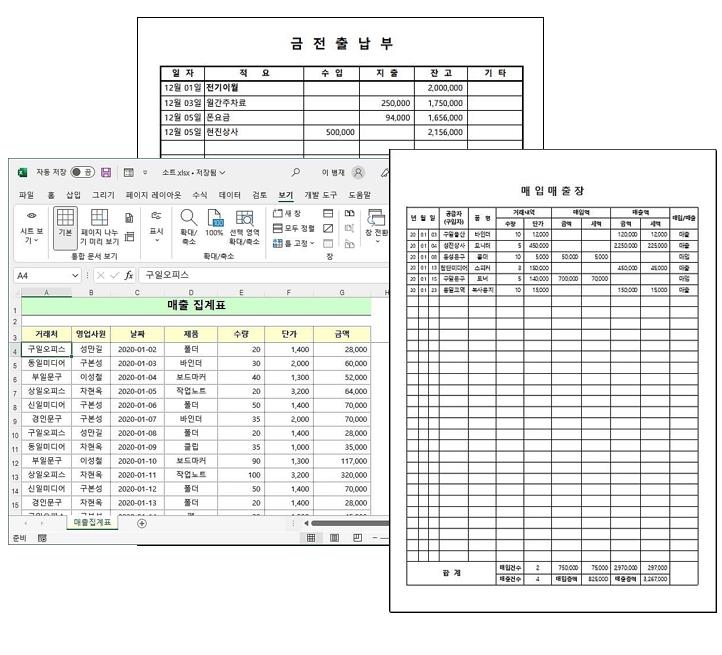
Creating a basic document

You will learn how to use and write macros, how to design complex Excel documents while creating two practical Excel documents, how to create automatically calculated items using functions, and how to automatically calculate using combo boxes.

#2.
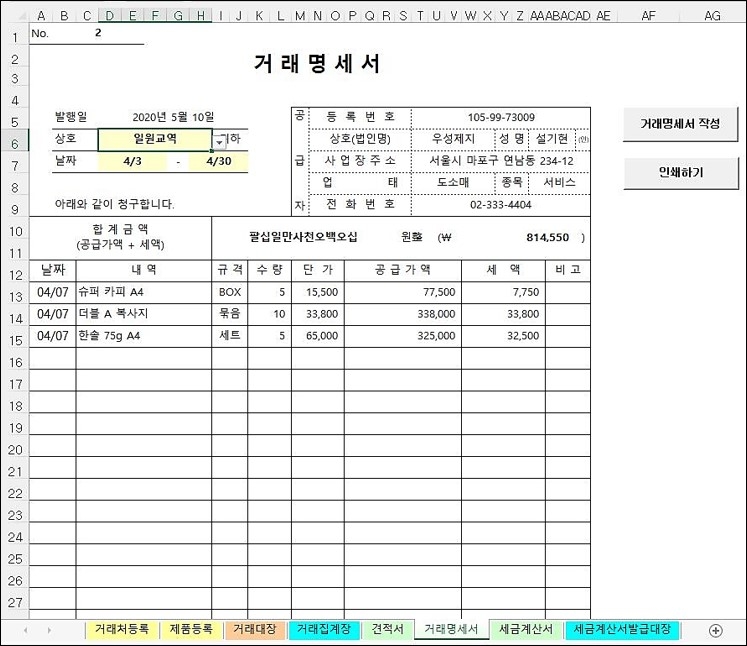
Sales Management Package 1

You'll learn how to create and package four practical documents required for sales management into a single file. You'll learn how to efficiently manage data modifications, additions, and deletions by establishing shared information among related documents. You'll also learn how to write complex functional formulas for automation. You'll also learn techniques for automatically managing data due daily, weekly, and monthly.
#3.
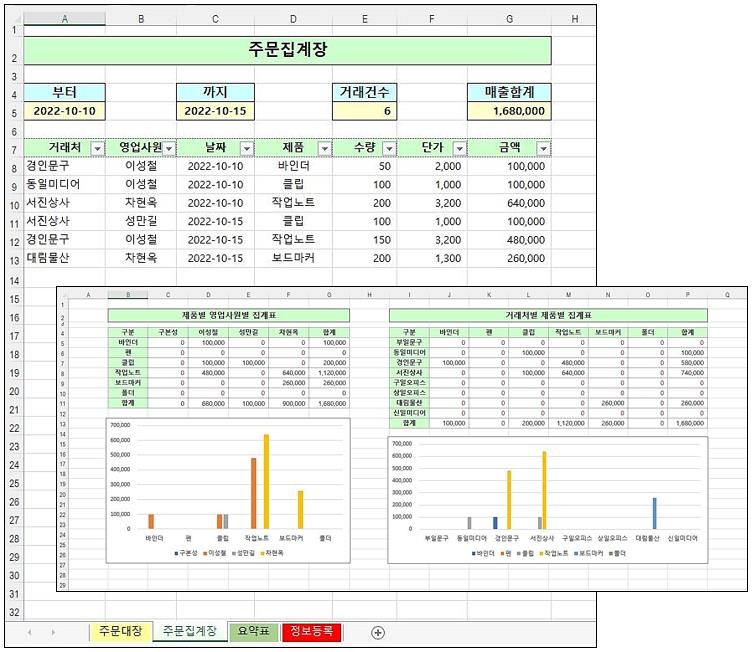
Sales Management Package 2


We'll automate the process of displaying simple statistics during the order entry process for the order book, accumulating and storing daily closing data separately, and dynamically creating charts and summary tables based on this accumulated data. This process uses simple VBA code and provides detailed guidance on its use.
#4.
Dynamic data extraction and
Get statistics


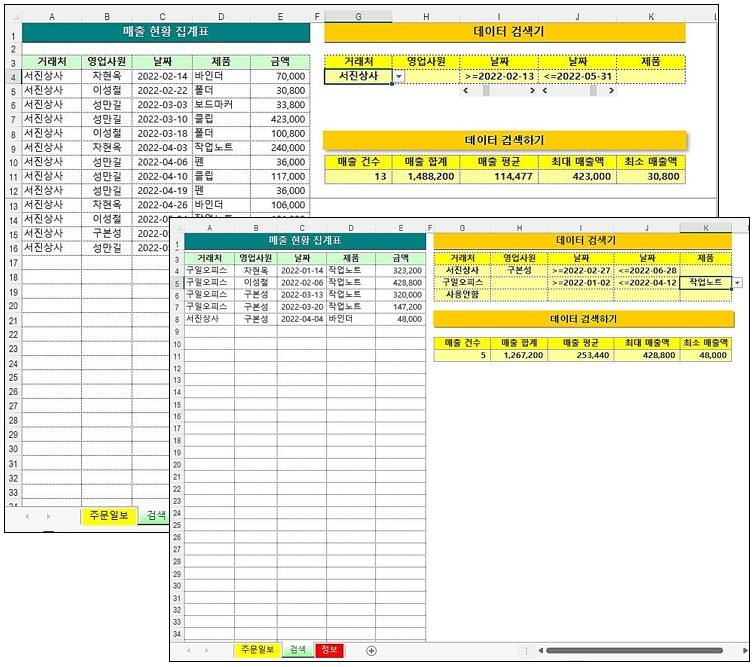
Learn how to quickly extract only the data you want from a large amount of data and obtain statistical values. You can set conditions for every item in the data, and you'll learn how to use the scroll bar to precisely specify numbers like dates. You'll also learn techniques for extracting data with complex conditions using multiple AND conditions.
#5.
HR and salary package


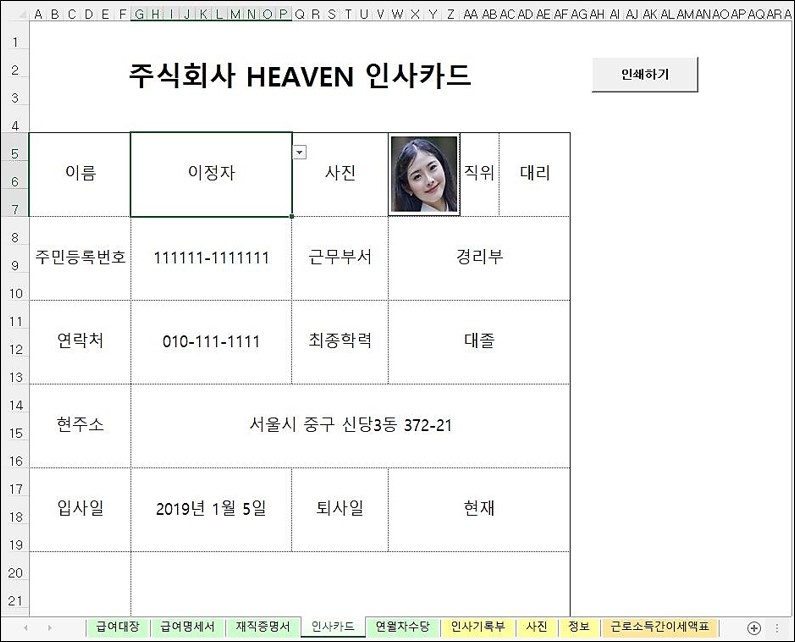
Learn how to package and create documents required for HR and payroll tasks. Based on the HR ledger, you'll learn how to share necessary data between documents, how to use option buttons to process bonuses, how to select images like photos using combo boxes, and how to write functions to calculate various taxes and annual leave allowances related to payroll.


Expected Questions Q&A ๐Ÿ’ฌ

Q. Which version of Excel should I use?

You can work with all versions of Excel starting from Excel 2007.

Q. I haven't learned Excel in a long time and don't know much. Will I be able to understand it?

If you can remember the IF function, that's possible. This lecture is geared towards those who are familiar with it.

Q. I'm preparing for employment and need practical experience.

The documents used in this course were written, distributed, and used by the instructor at the request of surrounding businesses while running his own business. By taking the course, you will gain hands-on experience in the field.


Introducing the Knowledge Sharer โœ’๏ธ

Calm

  • A programmer with a background in computer engineering
  • I run a small business and teach classes, and I create the Excel sheets I need myself.
  • Developed various sheets upon request from surrounding trading companies
  • Computer-related lectures at numerous companies, including the Korea Federation of SMEs, Dong-A Cultural Center, and Samdo Trading.
  • Published numerous books, including Practical Application of Excel Functions and Macros, C Language Coding and Algorithms, and First Steps to Python Coding.
  • Possess Level 1 Information Processing Engineer, Level 1 Electronic Computing Organization Application Engineer, and Level 2 Certified Teacher

Recommended for
these people

Who is this course right for?

  • For those who are beginners and are not familiar with Excel menus and want to advance to intermediate level

  • People who want to get an office job

  • People who are in charge of Excel work but are having difficulties

  • Those who use Excel as if it were Word by obtaining various Excel formats

Need to know before starting?

  • It will be easy if you know something about Excel's IF function.

Hello
This is

As a former programmer who majored in computer science, I have gained diverse IT-related experience through lecturing, serving as an editor-in-chief for a computer magazine, and running a small business.

I am active as a Naver blogger and influencer under the nickname "Damdam," primarily posting about Excel formulas and programming languages such as Python and C.

Although I spend my daily life with computers, I am also a naturalist who enjoys fishing and taking quiet walks along forest paths.

ย 

ย 

ย 

Curriculum

All

20 lectures โˆ™ (9hr 35min)

Course Materials:

Lecture resources
Published:ย 
Last updated:ย 

Reviews

All

3 reviews

5.0

3 reviews

  • khyna78707๋‹˜์˜ ํ”„๋กœํ•„ ์ด๋ฏธ์ง€
    khyna78707

    Reviews 1

    โˆ™

    Average Rating 5.0

    5

    70% enrolled

    I saw it on a blog and signed up for the course. It was a really good decision. Thank you. I will work even harder.

    • pisibook
      Instructor

      I hope this helps.

  • dbswjddms02211544๋‹˜์˜ ํ”„๋กœํ•„ ์ด๋ฏธ์ง€
    dbswjddms02211544

    Reviews 1

    โˆ™

    Average Rating 5.0

    5

    100% enrolled

    I heard it well^^

    • lboram5745๋‹˜์˜ ํ”„๋กœํ•„ ์ด๋ฏธ์ง€
      lboram5745

      Reviews 1

      โˆ™

      Average Rating 5.0

      5

      75% enrolled

      I like it because there are so many practical things to do.

      • pisibook
        Instructor

        I'm glad you're satisfied.

    Similar courses

    Explore other courses in the same field!