









Flutter Introduction - Android and iOS Development at Once (with Firebase)
survivalcoding
This introductory Flutter course lets you code once for Android and iOS.
Beginner
Flutter, iOS, Android
This is a [Android Concept Grasping] lecture for non-developers and beginner developers. It is explained in an easy way so that you can listen to it while eating with a light heart even if you don't know how to code.

Reviews from Early Learners
5.0
최현서
Because of my work, I often have meetings with Android staff, and there are so many things I don't understand, and I feel embarrassed to ask for explanations every time, so I decided to take this course. I was worried that it would only be easy to understand, but I was surprised that it was much more in-depth than I thought. Despite that, it was quite interesting because it was explained with easy examples. I took notes while listening, but it was so informative that I felt like I needed to listen to it again and organize it. I've become very interested in development, so if there's a course that goes into more depth, I'd like to take that course too. Thank you for making it easy to approach!
5.0
gnsqud24
I came across this lecture while looking for a basic lecture because I was tired of blindly following along. The content was really disorganized, but through this lecture, I was able to organize a lot of the things and solidify my basics. Thank you.
5.0
stdudd11
I was looking for a course like this. Thanks to this, I feel like I have a big framework for Android.
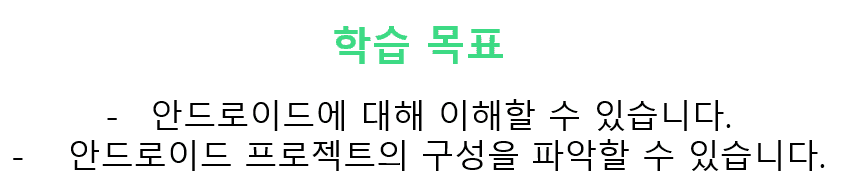
You can get the concept of Android.
You can understand how an Android project is structured.
Android concept?
Easy to take out and eat like chocolate! 🍫
I don't know
I majored in IT, but I don't know anything about Android.
From the concept
Why does the introductory course start with coding? I need to understand the concepts.
Non-developer
Communication with Android developers is so frustrating.
awe
I don't have the courage to ask because I'm afraid I'll be ignored for not even knowing the basics.
Everyone has a first time. And that first time is incredibly important. If you're too greedy to fill yourself up from the first sip, you'll quickly get bored.
I wanted to create a really easy Android course that anyone can listen to and understand without feeling pressured :)
We're all familiar with the name Android, but let's find out what it is and how to create an Android app!
Tools for creating Android projects
Process of creating an Android app
Components of an Android project
Understanding Android Project Structure with Sample Apps
Who is this course right for?
Non-developer but need to collaborate with Android developers
Students interested in Android
Anyone interested in Android
129
Learners
19
Reviews
1
Answers
4.5
Rating
1
Course
I worked at Samsung Electronics' Mobile Communications Division for 8 years and gained the following experience.
✔ Android app development
✔ Web app development
✔ VR app development
✔ Project Manager (Collaboration with Google-YouTube, MS-Office)
I am currently working as a freelancer, focusing on lecturing and content creation :)
All
15 lectures ∙ (1hr 35min)
All
19 reviews
4.5
19 reviews
Reviews 1
∙
Average Rating 5.0
5
I learned a lot about Android, which I didn't even know the basics about. Among them, I really wanted to know about testing apps, and it was fun.
Hello, JAI! :) I'm glad you were able to resolve your questions through the lecture. ^^ Thank you!
Reviews 1
∙
Average Rating 5.0
Reviews 3
∙
Average Rating 5.0
5
I like it because it's easily explained
Hello, Yuseok^^ I hope this lecture was of some help to you:) Thank you for taking the class!
Reviews 10
∙
Average Rating 5.0
5
It was a refreshing lecture. It was a great help in understanding the concepts of Android development. The materials are clean and the explanations are really calm. I look forward to the next lecture.
Hello, jinw^^ Thanks to your review, I feel more rewarded. Thank you :)
Reviews 1
∙
Average Rating 5.0
5
I had absolutely no knowledge of Android, but after listening to the lecture once, I was able to understand how Android Studio is divided and which files I need to change to change the values I want. If you don't know anything before starting a project, I highly recommend it!! I'm looking forward to the next lecture. ㅎㅎ
Hello, Yunwoo :) I'm glad the lecture was helpful! Thank you for taking the class^^
Explore other courses in the same field!
$13.20