Practical JSP (renew ver.) - A Course for Junior Programmers

It explains the basic concepts step-by-step and helps you build practical knowledge by creating various applications that run in real-world web environments. By completing this course, you will be ready to be deployed immediately as a professional programmer.

(4.6) 446 reviews

41,011 learners

Level Basic

Course period 12 months

Java
Java
JSP
JSP
Java
Java
JSP
JSP

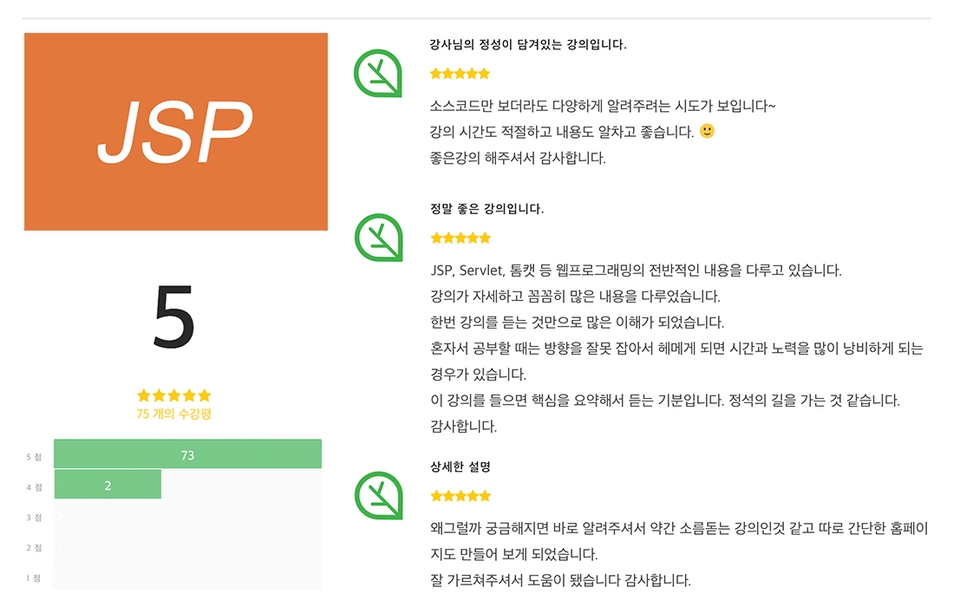
Reviews from Early Learners

4.6

5.0

D3F4ULT

100% enrolled

I needed to learn it quickly because it was used at work, so listening to the lectures for two days and going to work to practice was a huge help.

5.0

안송현

100% enrolled

The price is cheap and you can build up your basic skills. And the sound will definitely be low, If it's Chrome, I recommend installing Volume Master to amplify it.

5.0

kyj2933827

95% enrolled

I only learned how to do it, so I didn't understand why, but since the principles were explained here and there, I was able to remember it better and understand it better! It was very helpful for the price.

What you will gain after the course

  • Setting up the development environment for JSP and Servlet web programming

  • Servlet Mapping and User Request Processing

  • Understanding the Servlet Lifecycle

  • User form data processing

  • Implementing Web Programming Using JSP

  • Data Management using Oracle Database

  • Client-server connection management using cookies and sessions

First steps in JSP & Servlet. Join us with Inflearn 😀

Practical JSP Course for New Programmers (Renewal Ver.)

Lecture Announcements

  • <Practical JSP (renew ver.) - Course for New Programmers> was produced in 2018, and due to the expiration of the instructor's contract, Q&A support and updates are no longer provided for this course.
  • The initial volume was recorded at a low level. Please check several preview videos before taking the course!!
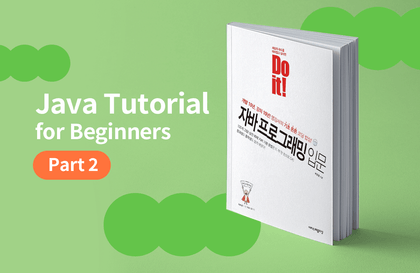
  • This course is the second part of a three-part Java development series. If you have not taken the previous course,
          I recommend taking it along with the courses in the related courses tab at the bottom 😀

JSP (Java Server Page) is an abbreviation for Java Server Pages, a tool for developing applications that run in a web environment. It is a must-know for anyone doing Java programming. But are you hesitating to study because of expensive tuition fees and long training periods?

This course will help you build practical knowledge through hands-on exercises, from basic concepts to creating various applications running in a web environment, in just 7 hours. Even beginners will be able to create JSP-based web applications if they faithfully follow the explanations and examples!


What you will learn 📚

In this course, we will cover the following topics:

First
Web Programming Basics / A Taste of JSP and Servlet!
 
We will explore the overview and operating principles of web programming, create simple JSP and Java files, and learn
about the actual structure of tasks within a web container.
Second
A Deep Dive into Servlets
 
We will explore the overall aspects of using Servlets, including how to map using specific characters, the objects responsible for user requests and web server responses,
and the creation, execution, and termination of Servlets.
Third
A Deep Dive into JSP
 
Learn how to create JSP files by inserting Java code into HTML files, explore the objects provided by default in JSP, and cover overall content necessary for using JSP.
Fourth
Maintaining Client and Server
 
Learn about Cookies and Sessions, which maintain the connection between the client and the server.
Fifth
JSP using Oracle Database
 
Learn how to install the Oracle Database, which is gaining immense popularity worldwide,
and explore what can be done using databases, such as SQL, JDBC, DAO, and DTO.

This course is recommended for 📚

  • Those who have taken the 'Introduction to Java Programming (renew ver.)' course
  • Those who want to learn programming
  • Liberal arts college students who want to get a job as a programmer
  • Beginner Java Developer
  • Intermediate Java developers who want to understand concepts accurately
  • Those who want to learn Java, the fundamental language for Android development.
  • And anyone else interested in learning the Java language and JSP.

5 out of 5 stars. There has never been a lecture like this before 👩‍💻

The much-loved 'Practical JSP Course for New Programmers' has been
renewed and opened with the latest technology version!
Learn JSP step-by-step with 21 lectures, totaling 7 hours and 41 minutes.

JSP


By any chance, have you also taken this course? ✨

Java Programming Series for Beginner Programmers

2Practical JSP - Course for Junior Programmers

Recommended for
these people

Who is this course right for?

  • Programming beginner

  • People interested in web programming

  • Someone with basic knowledge of Java

  • People who want to gain hands-on project experience

  • Someone interested in database management

Hello
This is inflearn

727,106

Learners

7,864

Reviews

118

Answers

4.8

Rating

152

Courses

I believe that opportunities for learning should be free from economic and physical limitations.
We pursue equality in opportunities for growth.

Published: 
Last updated: 

Reviews

All

446 reviews

4.6

446 reviews

  • ansong1002574님의 프로필 이미지
    ansong1002574

    Reviews 2

    Average Rating 4.0

    5

    100% enrolled

    The price is cheap and you can build up your basic skills. And the sound will definitely be low, If it's Chrome, I recommend installing Volume Master to amplify it.

    • resurrection042475님의 프로필 이미지
      resurrection042475

      Reviews 3

      Average Rating 4.7

      5

      100% enrolled

      I needed to learn it quickly because it was used at work, so listening to the lectures for two days and going to work to practice was a huge help.

      • jinyoon001145님의 프로필 이미지
        jinyoon001145

        Reviews 8

        Average Rating 4.4

        2

        100% enrolled

        The lecture content is... good. It's a bit vague to approach JSP for the first time, and it's good to organize theoretical details after learning it elsewhere. However, it's extremely difficult to listen to and see the good content. First of all, as many people have pointed out, the sound is really hard to hear until the end. Even if you turn up the volume to the max and block all other applications for fear of damaging your hearing due to KakaoTalk for PC or other computer sound effects, and then only listen to this lecture, you still can't hear important content well, and not only is the volume low, but the pronunciation is also muffled, so it's often hard to find what was said. And you can't see the text. Even if you set the resolution of the lecture video to the max and watch it in full screen, the text itself is often broken because it was filmed in low resolution and small text, so the source code is often not clearly visible. If you can't see the text, if you can hear the voice well, you can infer one of the two, but in many cases, both are broken. There have been more than a few times when I couldn't see a single letter, so I paused the video every 0.1 seconds and desperately searched for a frame where the letter was a little less broken. And lastly... I don't know if it's because the lecture is not for beginners but for those who already know JSP and covers theoretical elements that need to be briefly explained... but there are so many cases where the content that needs to be explained is hastily processed in less than a second with shortcut keys (without even showing what was entered) and then skipped over. Many of the reviews below point out that errors appear when you input and run the same code, but in my opinion, they don't show you all the source code that needs to be entered, and after pressing the auto-complete and auto-import shortcut keys, they say that the original coding is to copy and paste from somewhere else to increase accuracy, and so they skip over it all, saying, "I'm giving a lecture, so I'll show you this much. This isn't how you spend your time." So I think the problem occurs because you can't see the entire code that you entered. In particular, in the servlet file related to cookies or sessions, "import javax.servlet.http.Cookie;" "There are many cases where the same declaration syntax needs to be added to the top, but auto-completion doesn't work, so I often just hastily use a shortcut key to auto-import and then say 'Oh, that's it~' and that's it. (What happened? ㅜㅜ) No matter how slowly I play the video, I have to find each frame and check it with difficulty while freezing the screen every 0.1 seconds because I've been hastily using a shortcut key so that I can never see what letters were entered. I didn't want to write a negative review for a lecture that was almost free. Until last week, I just gave it four or five stars and wrote 'Thank you~' and tried to forget about it. However, if a personal YouTuber's lecture is like this, I can just avoid that person's lecture in the future, but since the provider's name is Inflearn Original, I can't avoid worrying about whether other Inflearn Original paid lectures will be like this in the future. These days, Wadiz has an Infren Original web programming package. Since it's web programming, what if the same person teaches all the lectures? Even for that paid lecture, even if you close KakaoTalk and all other applications and turn up the volume to the max, you can't hear the sound, so you have to repeat it several times to guess the content. Even for that paid lecture, the source code that appears on the screen is so small that it's all broken, so you have to freeze the screen every 0.1 seconds to desperately find a frame with even one less broken letter. I can't help but worry that I've wasted my money after paying in advance... Anyway, the lecture isn't bad. It's okay to organize after attending other lectures.

        • bs970391397님의 프로필 이미지
          bs970391397

          Reviews 1

          Average Rating 2.0

          2

          100% enrolled

          I think it's a good lecture, but there are many shortcomings. First, there's the volume issue. I've never turned my computer speakers to max, but this lecture was the first time I turned the speaker volume button to max. The sound was still low. It's a paid lecture, so it's a bit disappointing that they didn't pay attention to the volume. Also, when I actually import and run the files provided as lecture materials, red lines appear on all the codes and they don't run. I tried writing them down myself, but... It would be good if they explained things like connection pools in more detail, but it seems like they're explaining them briefly to save class time... I feel like I'm disappointed.

          • myungkyun01070609님의 프로필 이미지
            myungkyun01070609

            Reviews 4

            Average Rating 3.0

            1

            19% enrolled

            When I follow the examples in the lecture, I get a 404 error. I wonder if the lecturer reviews the source code.

            inflearn's other courses

            Check out other courses by the instructor!

            Similar courses

            Explore other courses in the same field!