
강의

멘토링

커뮤니티

Productivity

/

Office

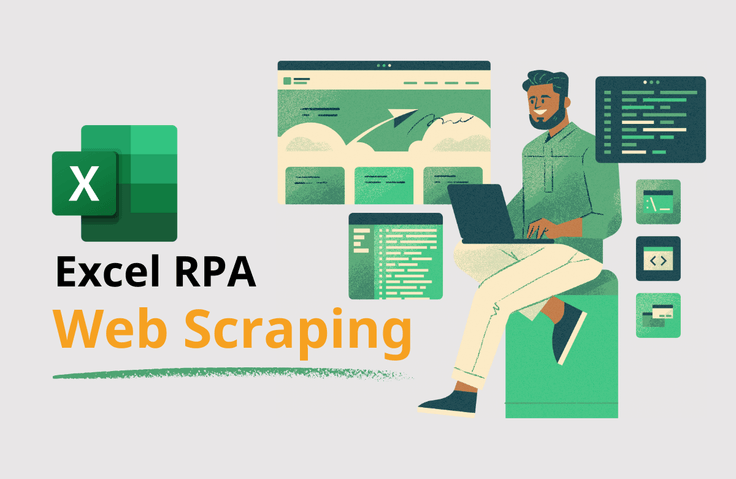
Automating data analysis with Excel RPA_Web scraping

Automating data scraped from the web using RPA to visual analysis in Excel.

(5.0) 16 reviews

1,018 learners

  • exceldesign
데이터분석
rpa
웹스크래핑
RPA
UiPath
Excel PowerQuery
Excel
Thumbnail

Reviews from Early Learners

What you will gain after the course

  • Installing UiPath, Handling the Basics

  • Learn various skills of web scraping with RPA

  • Learn data processing skills with Excel PowerQuery

  • Learn various visual analysis skills

  • Identify the process of automating the entire Excel work with RPA

Using UiPath and Excel
This course automates all steps, from data collection and processing to basic analysis and creation of visual analysis dashboards.
Automate Excel tasks with RPA

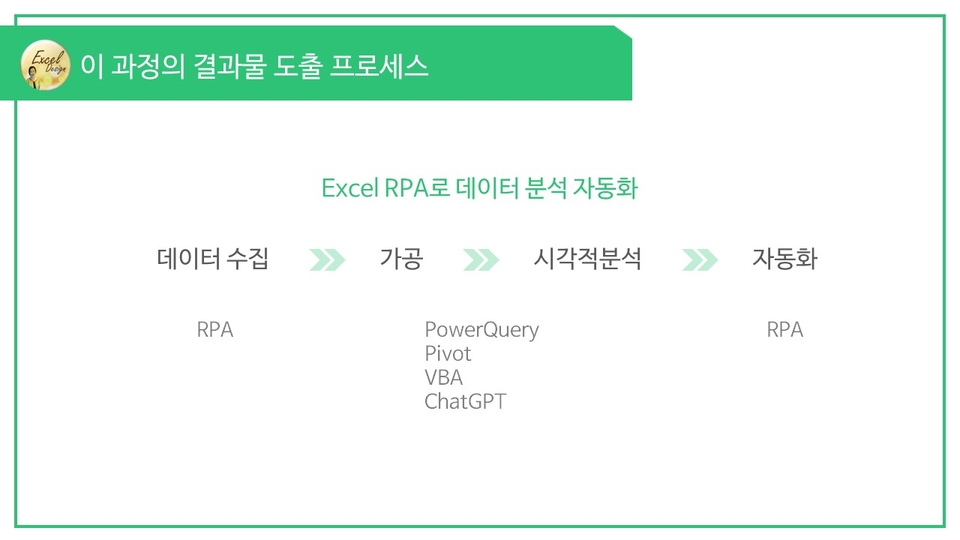
The process of deriving the results of this course

The process of automating Excel tasks with RPA varies depending on how developers develop the logic.
In this course, you will use RPA for data collection, Excel PowerQuery for processing and analysis, and RPA for automating the final, complete step to produce analytical results.

After taking the lecture, you will be able to create results like this.

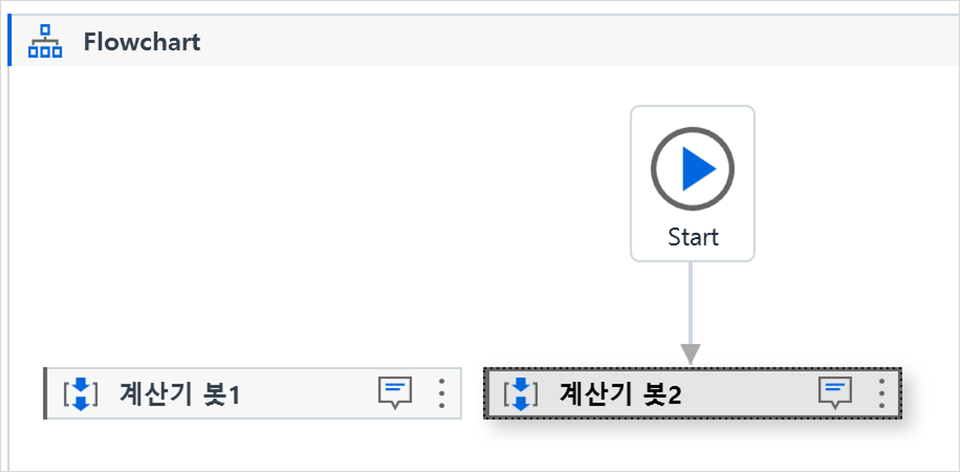
Calculator bot development

By developing a bot that automatically calculates the number a user wants using RPA, you can understand the entire RPA mechanism.

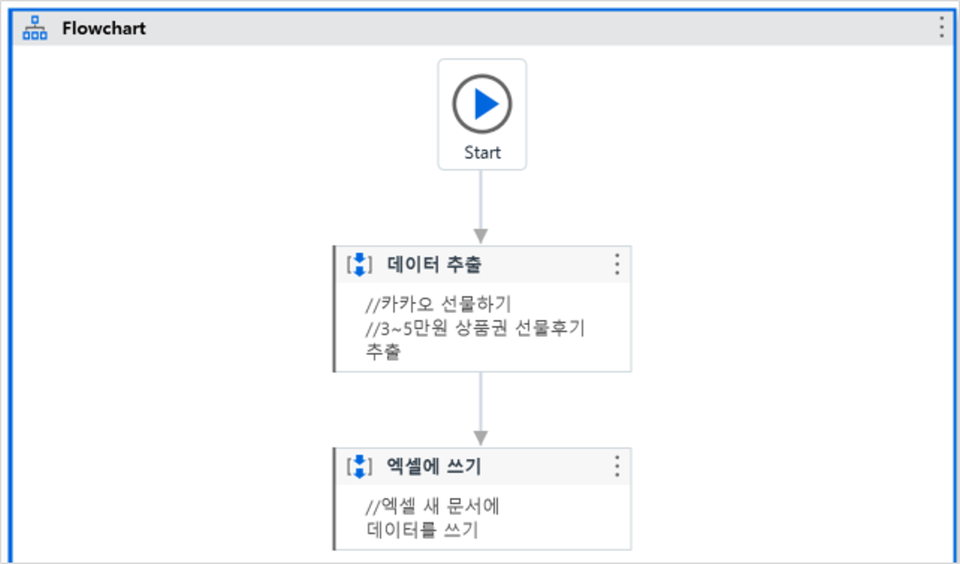
Development of a KakaoTalk gift data extraction bot

Data extracted through RPA web scraping
You can import it into Excel.

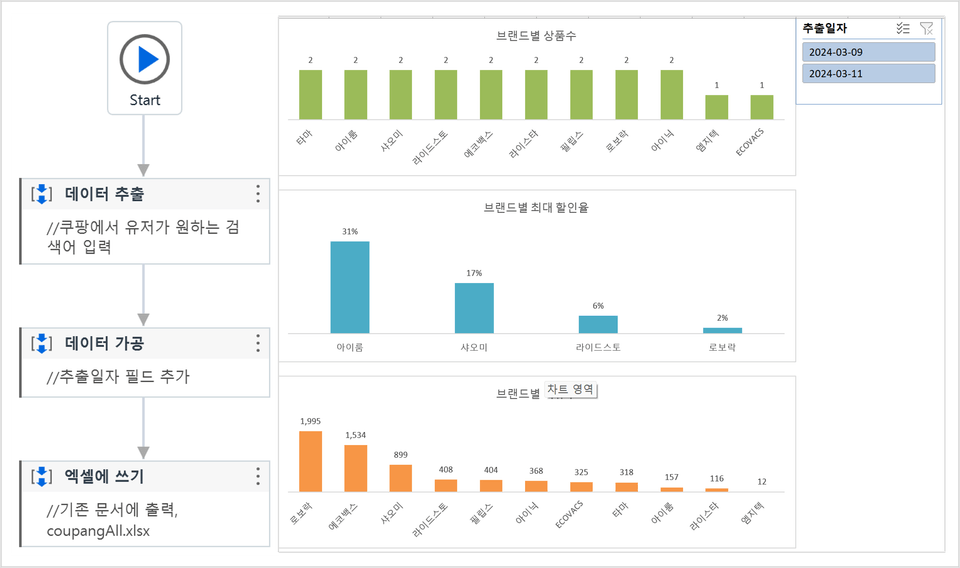
Development of a Coupang product sales status analysis bot

From web scraping to visual analysis
The entire process can be automated.

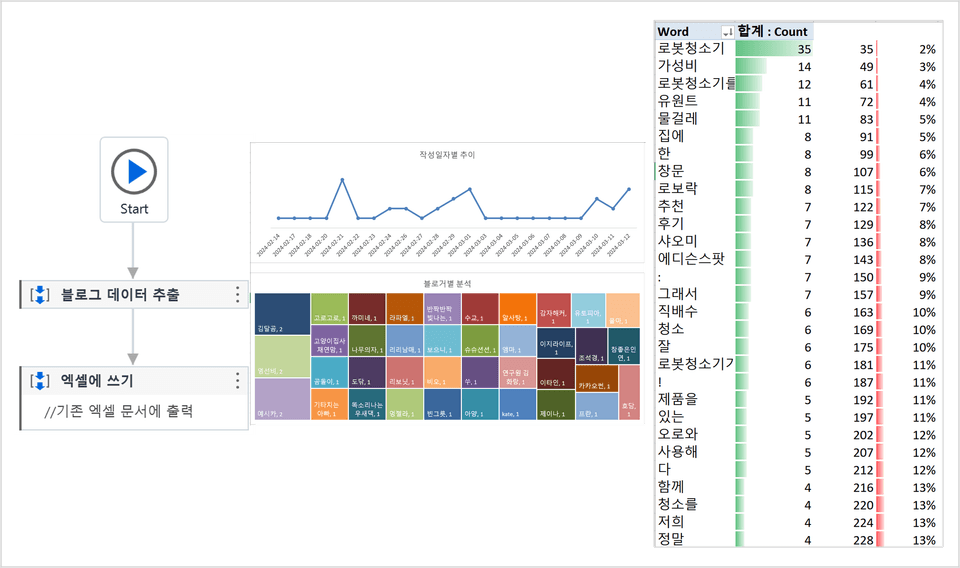
Development of a Naver blog analysis bot

From web scraping to text mining in Excel
The entire process can be automated.

  • You can understand the basic mechanism of UiPath.

  • You can automate various visual analyses in Excel using data extracted through RPA web scraping.

Practice environment

  • Operating System and Version (OS): Windows OS only

  • Tools used: UiPath, Excel, ChatGPT

  • PC specifications: Excel 2019 or later

Learning Materials

  • Required learning materials are uploaded for each chapter.

Player Knowledge and Precautions

  • Basic knowledge of Excel Power Query is required.

  • Development logic may change depending on whether the design of the platform referenced for learning changes.

  • Requests for logic modifications that significantly deviate from the learning category are not permitted.

  • The lectures and all learning materials are copyrighted by Bae Young-ja.

Recommended for
these people

Who is this course right for?

  • Those who trust Bae Young-ja's lectures

  • For those planning to automate Excel work with RPA

  • For those who want to learn the basics of UiPath

Need to know before starting?

  • Power Query

Hello
This is

9,119

Learners

355

Reviews

223

Answers

4.9

Rating

6

Courses

안녕하세요, 반갑습니다.

VBA 강사 및 개발자 배영자입니다.

유튜브 '엑셀디자인' 채널 운영 중.

Curriculum

All

13 lectures ∙ (4hr 26min)

Course Materials:

Lecture resources
Published: 
Last updated: 

Reviews

All

16 reviews

5.0

16 reviews

  • pink52994627님의 프로필 이미지
    pink52994627

    Reviews 1

    Average Rating 5.0

    5

    23% enrolled

    • exceldesign
      Instructor

      Thank you, Yeongseo (✿◡‿◡) Fighting!

  • m4send3109님의 프로필 이미지
    m4send3109

    Reviews 1

    Average Rating 5.0

    5

    100% enrolled

    Thank you so much for the great lecture. I learned how to integrate this into RPA using Excel and VBA. It is sufficient for now. If an in-depth course is created in the future, I will definitely take it.

    • exceldesign
      Instructor

      Thank you, Seongmin (✿◡‿◡)

  • chanho37283238님의 프로필 이미지
    chanho37283238

    Reviews 7

    Average Rating 4.1

    5

    100% enrolled

    Thank you for your excellent explanation. It was a very informative lecture. I highly recommend it.

  • hyunchul77an1011님의 프로필 이미지
    hyunchul77an1011

    Reviews 11

    Average Rating 4.8

    5

    100% enrolled

    • exceldesign
      Instructor

      Thank you, Hyuncheol Ahn (✿◡‿◡) There are so many automation tasks that can be done with RPA. Find small tasks and develop them one by one~

  • jang98223098님의 프로필 이미지
    jang98223098

    Reviews 2

    Average Rating 5.0

    5

    31% enrolled

    • exceldesign
      Instructor

      Jiyoung, thank you. Fighting o(*^▽^*)┛

Free

exceldesign's other courses

Check out other courses by the instructor!

Similar courses

Explore other courses in the same field!