There are only lectures on spreadsheets in Infraon, but I finally got an AppScript lecture, so I took it.
It's good that the necessary elements are organized into a curriculum, so I can find and listen to them.
The screen design is clean and well-organized, so I like that it's easy to understand.
I'm not good at it after listening to it once, but I'll try to apply it to my work. ㅜㅜ Fighting!!
5.0
박정현
71% enrolled
It seems like you made it with practical materials, so there are parts that can be applied right away.
The Melon and scraping parts are familiar and good.
And when it comes to actually using it, such as finding out the last line or mailing,
the point where you can learn know-how by going one step further stands out.
5.0
카린
100% enrolled
I was able to learn a bit more about how Google Spreadsheets work! It was great to learn about GAS and TensorFlow! Thank you!!
What you will gain after the course
Google Apps Script
Javascript
Google Spread Sheet
With online-based Google Spreadsheets Build an office automation system all in one go! ➰
Google Sheets is now a must!
Isn't Excel the most used tool in practice? I now use Google Spreadsheets instead of Excel. Google's powerful sharing features and diverse extensibility further enhance work efficiency.
Now programming When it starts! 💻
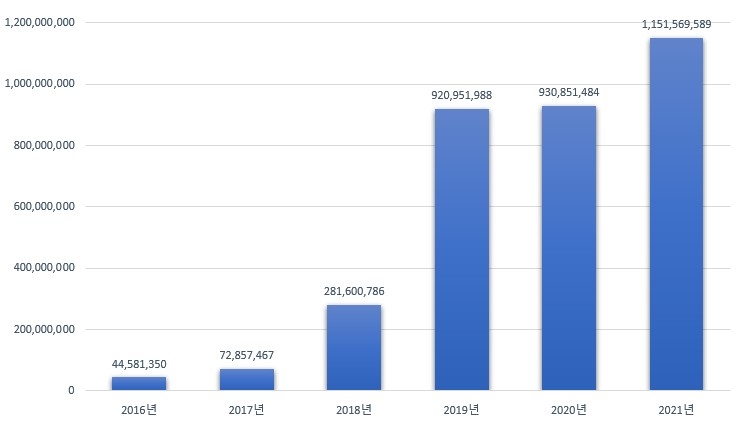
44,581,350 won in 2016 ⋮ 1,151,569,589 won in 2021
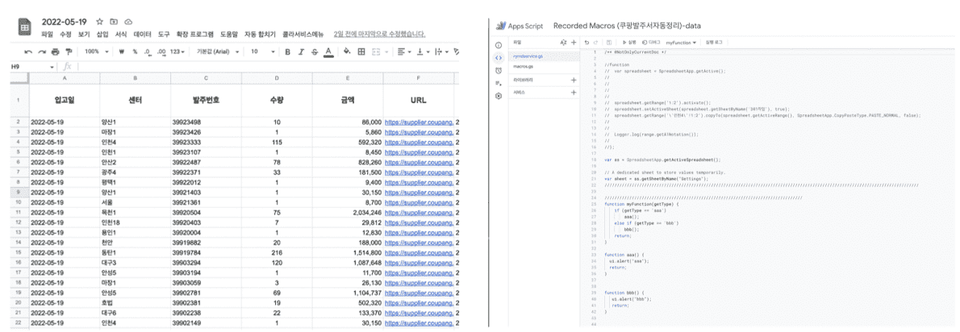
Have you ever wondered how our company, with its rapid growth over the past six years as KuO RocketOO, manages 5,400 products, an average of 50 purchase orders per week, and over 20 warehouses? From collecting purchase orders to sorting, inventory checks, and receiving, all tasks are automated. On the ordering and receiving confirmation dates , tasks are completed with just a few clicks. Even with 100 purchase orders registered, the actual processing time is just one second. This process is achieved through automated Google Spreadsheets .
Tired of repetitive tasks involving handling countless files and cells? Connect to Google Sheets and experience freedom from the constraints of location, as long as you have an internet connection.
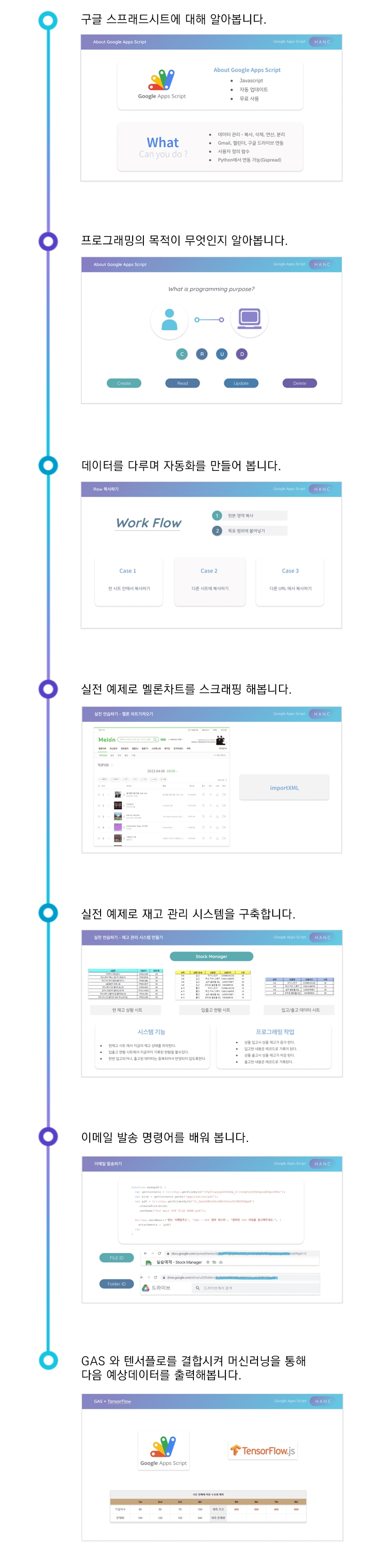
This course covers concepts essential for beginners in programming, including variables, loops, and control statements. It also covers practical examples of inventory management, and even predicting next quarter's sales using AI machine learning. After my class, you'll create your own work, including scraping and copying data from the web, finding and sorting sheets, and even sending them via email. Now, let's build automation through programming to create your own system!
Course Target Audience/Course Purpose 🔑
Available for work Bringing you inspiration 😎
Programming to manipulate spreadsheets? I was surprised, too. I used to do repetitive work in Excel every day at work, but it became incredibly convenient to use programming to automate office tasks like copying cells and sorting, deleting, and formatting data. The concepts of C and C++ enabled automation, automatically handling tasks that would normally be done by humans.
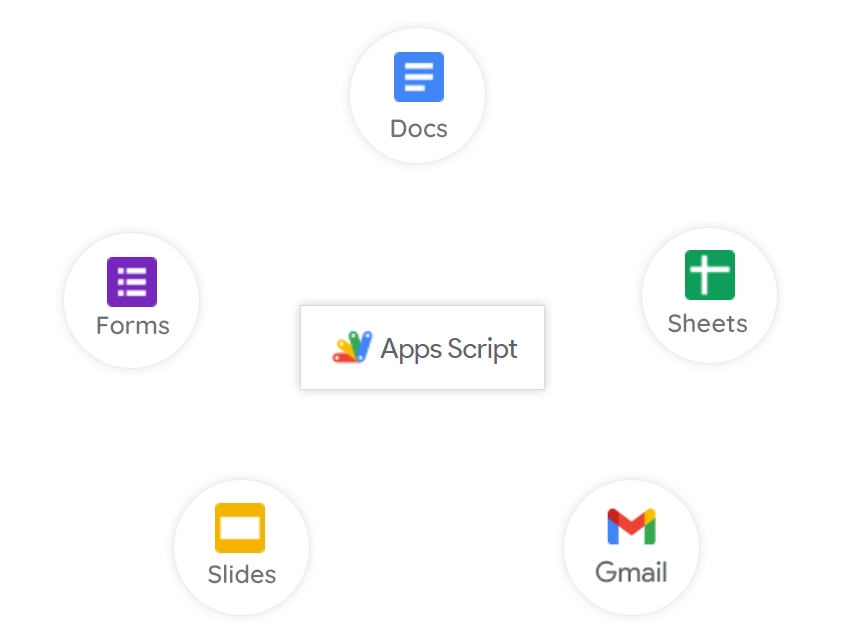
Google Apps Script (GAS)?
GAS is a language with powerful benefits. It is based on JS and is for those who have experience with the web. It's familiar, the grammar is simple, and it's easy to learn.
By applying GAS in practice, we've achieved significant time savings and work efficiency. It's fascinating to see how data is read and entered as programmed, integrity checked, blank spaces removed, columns sorted, and even report mailings completed with a single click.
Introducing the Knowledge Sharer ✒️
Hanc
Currently operating an interior brand
Pangcode Site Development (Barcode Generator)
Linux server development, HTML/PHP/MySQL-based web programming
Python / Google Apps Script Automation Development
KakaoTalk Chatbot Skill Development (Python Django-based)
Hello, I'm Hanc, and I'm the instructor for this course. I've incorporated the fundamentals of office automation that I've learned from my own work. This course focuses on how to access data, how to handle it, how to program it, and more, focusing on Google Apps Script to complete office automation.
The course is broadly divided into three parts: programming fundamentals, practical examples, and skill enhancement. The basics section can be tedious if you delve into it deeply, so the course progresses to a level where you can apply the material immediately. The practical examples cover sheets and cells in depth, and the skill enhancement section focuses on application and skills. I hope your journey with me will bear fruitful fruit.
Recommended for these people
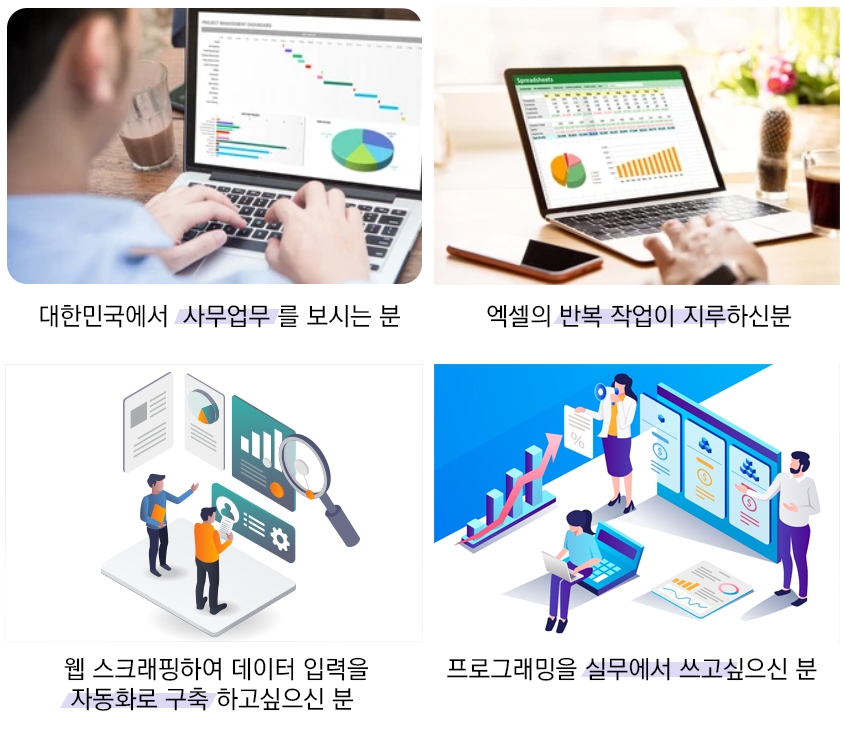
Who is this course right for?
For those new to coding
Anyone who wants to achieve office automation
For those who want to try machine learning
For those who want to go beyond the limits of macros
(Current) Operating an interior brand Developed the pangcode (pangcode.co.kr) website (Barcode Generator) Linux server setup, HTML/PHP/MySQL-based web programming Python / Google Apps Script automation development KakaoTalk chatbot skill development (Python Django-based)
It seems like you made it with practical materials, so there are parts that can be applied right away.
The Melon and scraping parts are familiar and good.
And when it comes to actually using it, such as finding out the last line or mailing,
the point where you can learn know-how by going one step further stands out.
It's a bit of a short lecture, but thank you for the good advice.
Please look forward to the next lecture that connects more practical Python and Google Sheets and expands on Google Apps. :D
There are only lectures on spreadsheets in Infraon, but I finally got an AppScript lecture, so I took it.
It's good that the necessary elements are organized into a curriculum, so I can find and listen to them.
The screen design is clean and well-organized, so I like that it's easy to understand.
I'm not good at it after listening to it once, but I'll try to apply it to my work. ㅜㅜ Fighting!!
I understand that the teacher is working hard and that the content is good,
but the boring part (concept lecture) is really, really long.
I don't think people who dream of being developers will take the GAS lecture,
but people in other jobs will take it for self-development purposes,
and they listen while thinking, "So what if I do this..?? What can I do???"
And that content comes out very late...
I think it would have been a little better if they had inserted visualized examples here and there.
People like us need to feel a sense of accomplishment right away..
In conclusion, it's a lecture like herbal medicine.
I know it's good for the body, but it's really bitter.









![[Google All-in-One AI] Building a system through 'AI Automation' for analog work sitesCourse Thumbnail](https://cdn.inflearn.com/public/files/courses/341706/cover/01kne729szsn3maef05r48zpsv?w=420)
![[Google All-in-One AI] Replacing Analog Work Habits with 'The Finishing Touch of AI Work'Course Thumbnail](https://cdn.inflearn.com/public/files/courses/341705/cover/01kne6zkmd960q90yfa1frgr03?w=420)