

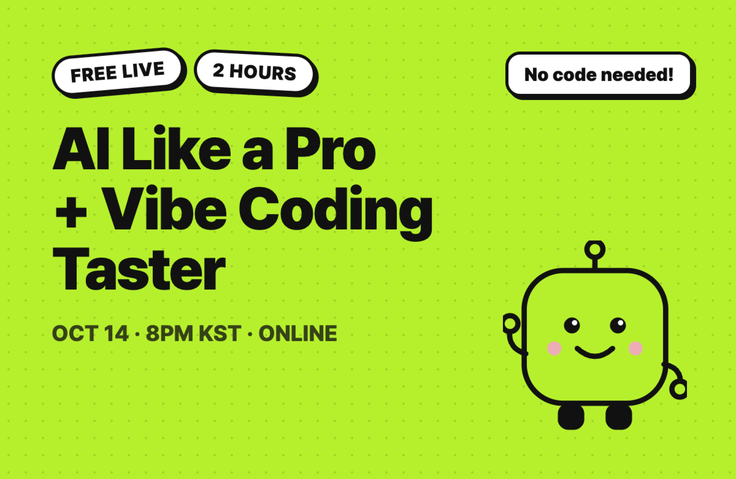
[Free Live] This Is How People Who Use AI Well These Days Use It - How to Use AI + A Taste of Vibe Coding
For non-developers who use ChatGPT and Gemini only to ask questions, we’ll show you exactly what the screens of people who use AI effectively these days actually look like. In this two-hour free live session, you’ll see follow-up prompts, your own AI assistant, and spreadsheet automation—and at the end, you’ll get to experience vibe coding firsthand with Gemini Canvas.
라이브 1 회
Recommended for people like this
For those who use ChatGPT and Gemini but don’t know what to do beyond asking questions and getting answers
For those who feel like everyone else is creating things with AI while they’re the only ones stuck in place
For those who have heard the term "vibe coding" but thought it was something only developers do
Those who find paid courses burdensome but want to get a feel for it first
Two hours later, you’ll be different like this
You only asked questions in chat → You’ll see how to use AI: By watching the screen, you’ll get a feel for the actual sequence that people who use AI effectively these days follow when giving instructions.
Vibe coding is for developers → You’ve had a taste: You’ll experience firsthand how screens can be created with words. Reaching the point of “Oh, it works” is today’s goal.
Not sure what to learn → The next step becomes clear: You’ll leave with a clear understanding of where to start applying it to your work and what you need to go further.
We show you exactly the screen the instructor actually uses.
01 Reverse-Question Prompt: "Don’t create it right away—ask me questions first," a single sentence that makes AI ask questions back.
02 My Own AI Assistant (Gem): Create an assistant that doesn’t need repeated explanations, using just one handover document.
03 Sheet Automation: Even if you don’t know formulas, the spreadsheet does it for you. This is automation the instructor actually uses to run a store.
04 Canvas Vibe Coding: Create screens with words and fix them with words. This is the part you’ll try yourselves today.
Agenda (Wednesday, October 14, 8:00–10:00 PM)
20:00 (40 minutes) This is how AI is actually used these days.
20:40 (25 minutes) What Is Vibe Coding?
21:05 (35 minutes) Hands-on introduction to Gemini Canvas (0 lines of code)
21:40 (20 minutes) Q&A · How to go further from here
What to Prepare
Laptop (hands-on practice is difficult on a phone)
Your usual Google account + log in to gemini.google.com in advance (the free version is sufficient. Gemini may be blocked on company or school accounts)
Instructor Introduction: Jiin Lee, CEO of Day Focus Lab
I help non-developers start using AI in their work right away.
Over 400 students have taken the course, and I’ve lectured at more than 20 companies, public institutions, and schools. (Including Hanwha Life, MUSINSA, the Korea Disease Control and Prevention Agency, the Gyeonggi Job Foundation, and the Chamber of Commerce and Industry.)
The previous Claude Code vibe coding one-day class received a satisfaction score of 5.0/5 and a colleague recommendation score of 9.3/10.
I run the AI community “AI Is Easier Than You Think,” with 600 non-developers, as well as the YouTube channel “Jini’s AI Is Easier Than You Think.”
Information
Since this is practice-oriented, replays (recordings) are not provided. Please be sure to join us live.

함께 소통할 수 있는 라이브가 예정되어 있어요!
10.14.수
오전 11:00
🔴 LIVE · 요즘 AI 사용법 + 바이브코딩 맛보기
10월
14일
챌린지 시작일
2026년 10월 14일 오전 11:00
챌린지 종료일
2026년 10월 14일 오후 01:00
챌린지 커리큘럼
All
1 lectures
Course Materials:
취소 및 환불 규정
챌린지는 지식공유자가 설정한 수업 최소 정원이 충족되지 않을 경우, 폐강 안내가 고지되며 결제 내역이 자동취소됩니다.