




Flutter 앱 개발 실전
DevStory
실전 Flutter 프로젝트를 진행하는데 필요한 경험과 노하우를 담은 수업입니다. 단순 구현을 넘어서 시각적으로, 데이터적으로 일관성 있고, 프로젝트가 커져도 지속가능한 서비스를 만드는 방법을 배울 수 있습니다.

중급이상
Flutter
Android와 iOS 앱을 하나의 코드로 만들 수 있는 Flutter를 여러가지 앱을 만들며 배우는 수업입니다. 기초 문법과 이론부터 실습까지 비전공자 왕초보 분들도 따라오실 수 있도록 준비했습니다.





쿠팡
임직원들도 이 강의를 듣고 있어요!
쿠팡
임직원들도 이 강의를 듣고 있어요!
먼저 경험한 수강생들의 후기
5.0
이해현
flutter를 정말 깊이 있게 공부해서 자유자재로 앱을 만들 수 있는 개발자를 꿈꾸는 초보 입문자입니다. 정말 최고의 강의입니다! 처음에 이것이 무엇인지에 대한 큰 틀의 개념을 잡기 쉽게 설명이 잘 되어 있으며, 전문 용어를 메인으로 쓰지 않고 처음 보는 사람도 이해할 수 있도록 잘 풀어서 설명해준 점이 정말 좋았습니다. 또 이전 시간에 배운 것을 한번 언급으로 끝나는 것이 아닌 반복해서 언급해주시면서 이전 강의 때 배운 것을 다시 기억을 떠올려주십니다. 무엇보다 구조를 정말 잘 풀어서 설명해주십니다. 어서 flutter을 활용해서 스스로 코드를 짜고 활용해서 만들 수 있는 실력이 되고 싶네요 다음 강의는 앱 개발 실전이며 그 다음 강의는 마스터 과정으로 빨리 나와서 flutter 완전 정복편 식으로 마무리 되었음 좋겠습니다. 감사합니다!
5.0
gofls1123
flutter를 완전히 처음 배워보는 입문자였는데, 최대한 알기쉽게 설명해주시려고 하는게 매 강의마다 느껴집니다! 너무 친절하시고 좋았고, 플러터가 이런 것이다 큰 흐름을 알 수 있어서 좋은 강의였어요. 질의응답도 빠르고 친절하게 답변해주셔서 정말정말 감사했습니다! 다음 강의나오면 꼭 수강할 계획입니다.
5.0
최민준
Flutter 강의중에서는 최고의 강의입니다. 원래 다른 강의들은 강의에서 말씀하시는 내용을 간략하게 노션에 요약들을 하시는데, 이 강의에서는 강의의 내용보다 노션의 내용을 부가적인 설명과 함께 너무 꼼꼼히 적어주셔서 놀랐어요! 특히 dart 문법이라던지, 실전 문제라던지, 실전 프로젝트 등을 스스로 학습할 수 있게끔 도와주시는것 같아서 좋았어요! 수강 100% 만족합니당~~
프로그래밍 언어 Dart 사용법을 익힐 수 있어요.
Widget을 이해하고, 원하는 화면을 만들 수 있어요.
HTTP, API, 상태 관리 등 기본적인 IT 배경지식을 쌓을 수 있어요.
Provider 패키지를 이용하여 앱의 상태를 관리할 수 있어요.
Firebase Authentication & Firestore를 사용할 수 있어요.
학습 대상은
누구일까요?
👧🏻 코딩을 처음 접하는 사람
👶🏻 열정과 노트북이 있는 왕초보
👩🏻🦰 나만의 앱 서비스를 만들고 싶으신 분
🧑🏻🦰 1인 개발자를 꿈꾸는 분
👩🏻🦱 Flutter를 도입하려는 스타트업 개발자
선수 지식,
필요할까요?
컴퓨터 켜고 끄는 법
인터넷 검색하는 법
한국어 필수
전체
44개 ∙ (7시간 38분)
전체
137개
5.0
137개의 수강평

수강평 5
∙
평균 평점 5.0
5
플러터를 처음 배우는데 쉽게 알려주셔서 도움이 많이 됩니다. 가장 최신 버전이라 강의들으면서 헤매지 않을 수 있어서 좋네요🙂 좋은 강의 감사합니다!! 이거 듣고 다음에 들을 중급 강의도 찍어주시면 더 좋을 것 같습니당ㅎㅎ 50% 수강 후기 앞부분만 듣고 후기를 먼저 남겼었는데 제가 경솔했네요 다 듣고나면 개인 앱을 만들 수 있을 것 같은 자신감이 생깁니다. 플러터 공식문서가 잘 되어있다고들 하시지만 초급자로써 공식문서를 보는 게 많이 부담이었는데 강사님 강의들으면서 공식문서도 한번씩 살펴봤는데 확실히 설명과 함께 보니 어렵지 않네요 앞부분의 강의만 살짝 들어보고 중급강의를 언급한 게 무색할 정도로 강의 퀄리티가 좋네요! 남은 강의가 더 기대됩니다. 잘 듣고 있습니다. 100% 수강 후기 끝까지 퀄리티가 좋습니다. 다른 플러터 강의 듣다보면 내용은 좋지만 초보 입장에서는 더이상 지원하지 않는 api를 사용하시는 경우가 있어서 듣다가 흐지부지된 경우가 많았는데 이 강의는 끝까지 퀄리티를 유지하시네요..! api, 상태관리, firebase 자료부터 강의 중간 중간 수강생이 막히는 부분을 예상해서 자료를 준비해주신 부분도 초보자 입장에서 큰 도움이 됐습니다. 나만의 앱개발을 하고싶다거나 플러터 개발자로 일해보고싶다는 분들 있으시면 이 강의 추천드립니다. 너무 좋은 강의를 착한 가격에 본 것 같습니다. 이건 다른 말이지만 저 강사님 덕분에 플러터에 재미를 느껴 스타트업에 플러터 개발자로 합류하게되었어여 감사합니다! 다음 강의 기다리고 있겠습니다👍
안녕하세요 모아님 강의를 어제 출시했는데, 설마 벌써 다 들으신 건가요?! 말씀해 주신 것처럼 Flutter는 정말 빠르게 업데이트되고 있어서 최신 강의 찾기가 어려운데, 이 강의는 최신 버전에서도 수강하시는데 문제없도록 지속적으로 업데이트할 예정이니 수강 중에 문제가 생기신다면 언제든지 연락 주세요 :) 요청해 주신 중급 강의도 향후 출시하도록 하겠습니다. 수강해 주셔서 감사합니다 🤗
수강평 3
∙
평균 평점 5.0
수강평 3
∙
평균 평점 5.0
수강평 9
∙
평균 평점 5.0
수강평 2
∙
평균 평점 5.0
5
강의 속도 : 전혀 빠르지 않고 천천히 하심 완전 초보자나 혼자서 화면 정도 그릴줄 아는 사람이 들어도 빠르거나 지루하지도 않음 설명: 정말 맘에 듬 노션을 통해 한번더 익히고 실전으로 들어가니 위젯들이 어떻게 동작되는지 이해가 쏙쏙됨 복습 할 수 있게끔 문제도 내주시는데 나 혼자 그릴때는 생각보다 어렵고 다른 위젯들을 많이 쓰거나 약간 창의적(?)으로 그려서 코드가 엉망인데 다 그리고 비교해보면 왜 여기에 이걸 써야하는지 더 자세히 이해가 되는 느낌임 아쉬운점: 개인적으로 강의 시간 7시간이면 생각보다 짧다고 생각 한다 그래서 얼른 flutter 초급,중급 외에도 더 생겼으면 싶다.
지식공유자님의 다른 강의를 만나보세요!
같은 분야의 다른 강의를 만나보세요!
이틀만 더! 추석맞이 30% 할인 중 (1일 남음)
월 ₩194,217
5개월 할부 시
29%
₩66,000
₩971,086
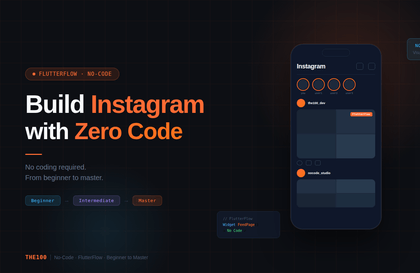

![[CLI] AI와 함께 코딩 없이 만드는 Flutter 앱 개발강의 썸네일](https://cdn.inflearn.com/public/files/courses/344365/cover/01m28ccjzp5ecbs85z3warw0r0?w=420)



![[Python 초보] Flutter로 만드는 ChatGPT 음성번역앱강의 썸네일](https://cdn.inflearn.com/public/courses/333668/cover/94589a80-ab05-4bd1-ad98-1e42b75a47fc/333668.png?w=420)
![[코드팩토리] [입문] Dart 언어 4시간만에 완전정복강의 썸네일](https://cdn.inflearn.com/public/courses/328577/cover/d7cd62c2-db07-45d8-af8d-a3fa728cd8e7/inflearn-logo.jpg?w=420)