인프런 커뮤니티 질문&답변
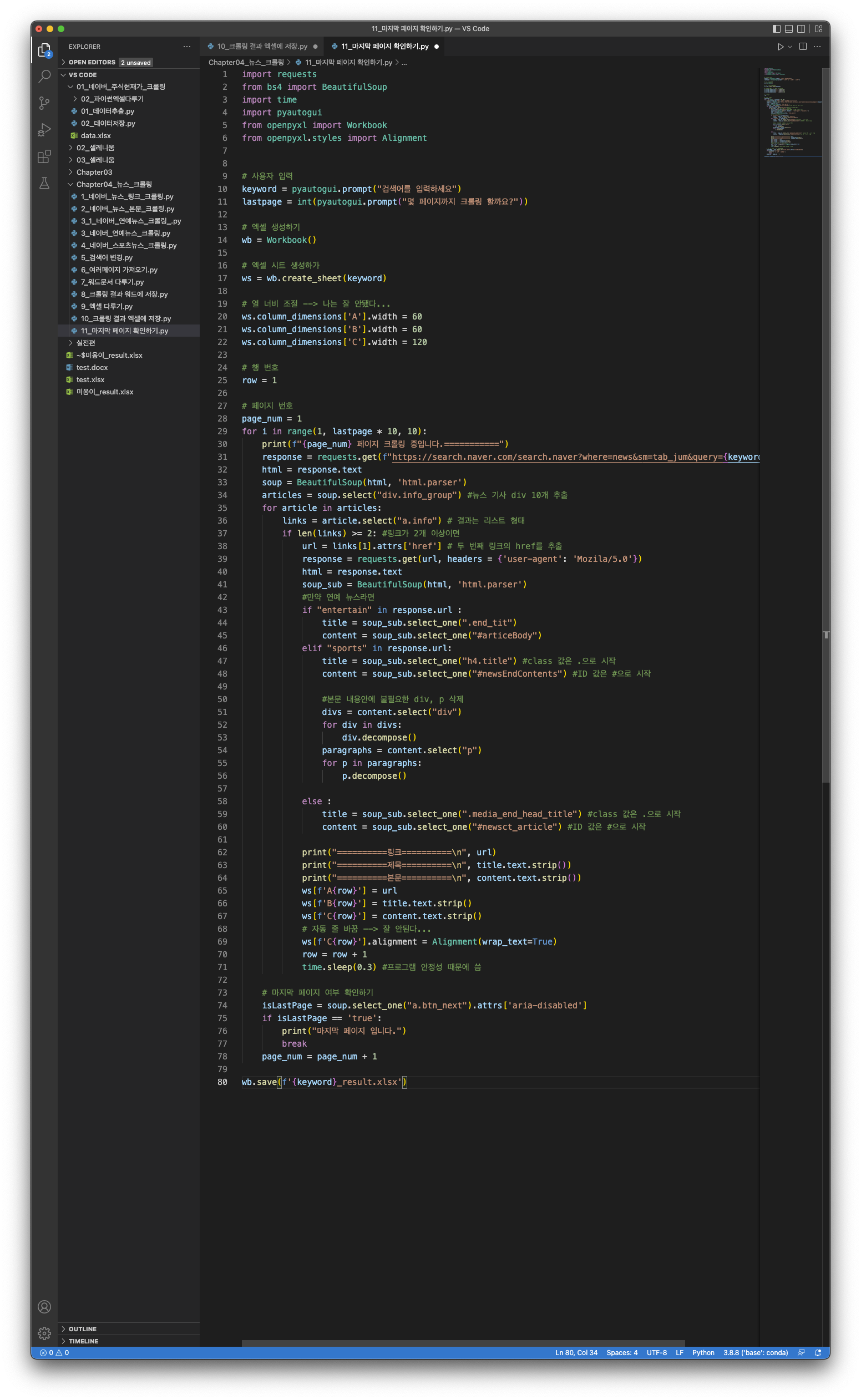
검색되는 페이지의 수와 크롤링 되는 페이지의 수가 다른 경우
해결된 질문
작성
·
375
답변 2
0
스타트코딩
지식공유자
아래 코드로 테스트해본 결과 마지막 페이지를 잘 체크 하고 있습니다.
참고해 보시기 바랍니다.

import requests
from bs4 import BeautifulSoup
import pyautogui
from openpyxl import Workbook
from openpyxl.styles import Alignment
# 사용자 입력
keyword = pyautogui.prompt("검색어를 입력하세요")
lastpage = int(pyautogui.prompt("몇 페이지까지 크롤링 할까요?"))
pageNum = 1
# 엑셀 생성하기
wb = Workbook()
# 워크 시트 생성하기
ws = wb.create_sheet(f"{keyword}")
# 열 너비 조절
ws.column_dimensions["A"].width = 60
ws.column_dimensions["B"].width = 60
ws.column_dimensions["C"].width = 80
# 행 번호
row = 1
for i in range(1, lastpage * 10, 10):
print(f"{pageNum}페이지 크롤링 중입니다 ================ ")
response = requests.get(f"https://search.naver.com/search.naver?where=news&sm=tab_jum&query={keyword}&start={i}")
html = response.text
soup = BeautifulSoup(html, 'html.parser')
articles = soup.select("div.info_group") # 뉴스 기사 div 10개 추출
for article in articles:
links = article.select("a.info")
if len(links) >= 2: # 링크가 2개 이상이면
url = links[1].attrs['href'] # 두번째 링크의 href 추출
# 다시 request를 날려 준다
response = requests.get(url, headers={'User-Agent' : 'Mozila/5.0'})
html = response.text
soup_sub = BeautifulSoup(html, 'html.parser')
# 연예뉴스 또는 스포츠뉴스는 사이트의 생김새가 다르다
# 즉, 오류가 날 수 있다.
if "entertain" in response.url:
title = soup_sub.select_one(".end_tit")
content = soup_sub.select_one("#articeBody")
elif "sports" in response.url:
title = soup_sub.select_one("h4.title")
content = soup_sub.select_one("#newsEndContents")
# 본문 내용안에 불필요한 div 삭제
divs = content.select("div")
for div in divs:
div.decompose()
else:
title = soup_sub.select_one(".media_end_head_headline")
content = soup_sub.select_one("#newsct_article")
print("=======링크======= \n", url)
print("=======제목======= \n", title.text.strip())
print("=======본문======= \n", content.text.strip())
# 엑셀에 링크, 제목, 본문 저장
ws[f'A{row}'] = url
ws[f'B{row}'] = title.text.strip()
ws[f'C{row}'] = content.text.strip()
# 자동 줄바꿈
ws[f'C{row}'].alignment = Alignment(wrap_text=True)
row = row + 1
# 마지막 페이지 여부 확인 (두번째 soup 변수 이름 변경)
isLastPage = soup.select_one('a.btn_next').attrs['aria-disabled']
if isLastPage == 'true':
print("마지막 페이지 입니다.")
break
pageNum = pageNum + 1
# 워드 문서 저장하기
wb.save(f"{keyword}_result.xlsx")
Chanwook Do
질문자
프로그램에 코드를 입력한 뒤, 실행을 하게 되면 적용이 바로 되지 않으나 프로그램을 한번 종료한 다음에 실행하게 되면 정상적으로 돌아가는 것을 확인할 수 있었습니다. 제 컴퓨터와 프로그램에 문제가 있는 거 같네요. 감사합니다..!
0


감사합니다. 허나 제 프로그램에 문제인지 제가 처음 올렸던 스크린샷의 코드에서 '마지막 페이지입니다'가 잘 나오는 반면, 선생님께서 올려주신 코드는 또 작동이 안되는 거 같습니다..