


레이아웃 실습 질문
321
작성한 질문수 17
안녕하세요 선생님!
매번 질문에 답변 주셔서 감사드립니다 :) 덕분에 많은 도움이 됩니다!
다름아니라 실습 강의 예제 듣고 나서 혼자서 레이아웃 잡는 연습을 하고 있는데요,
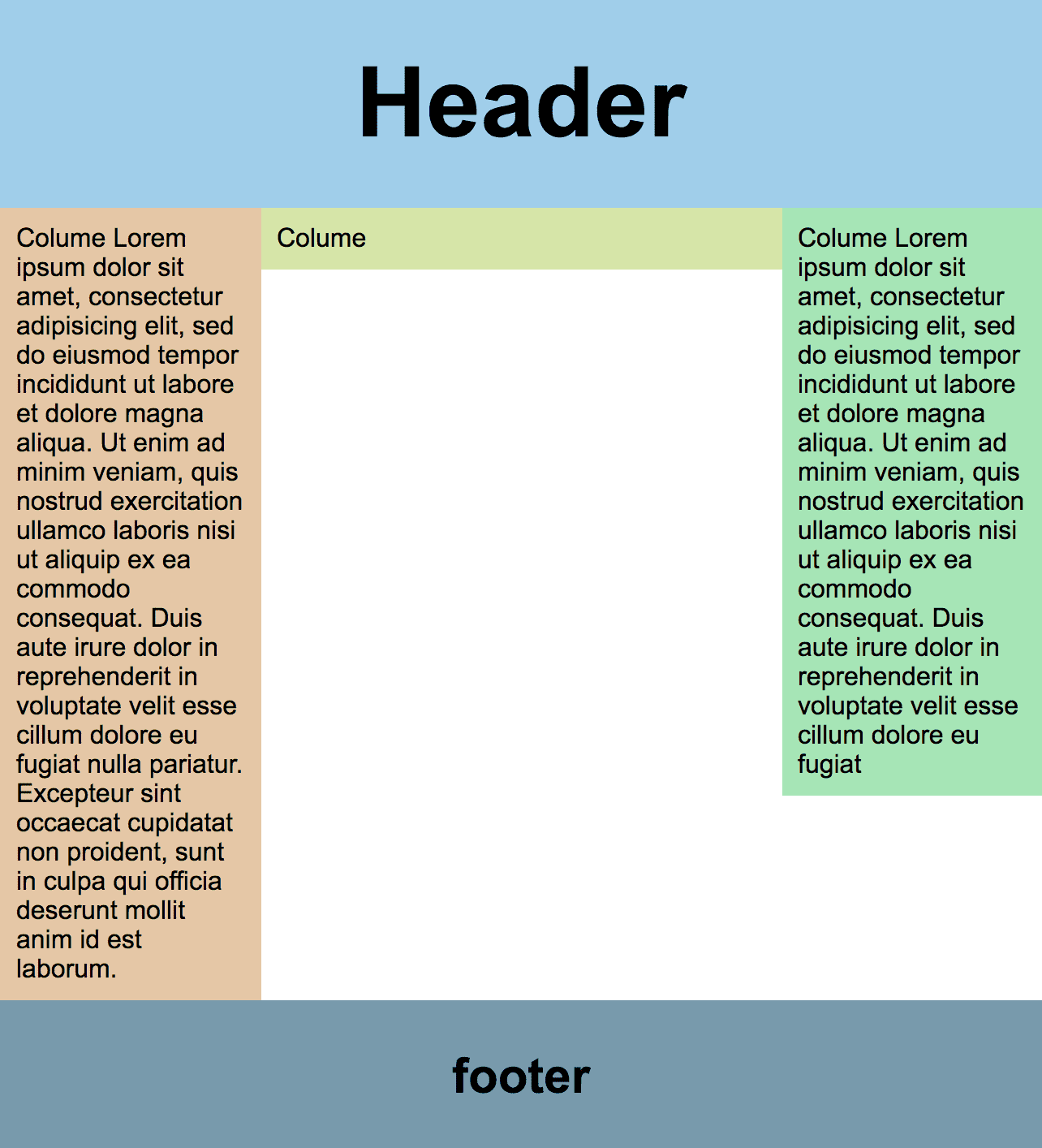
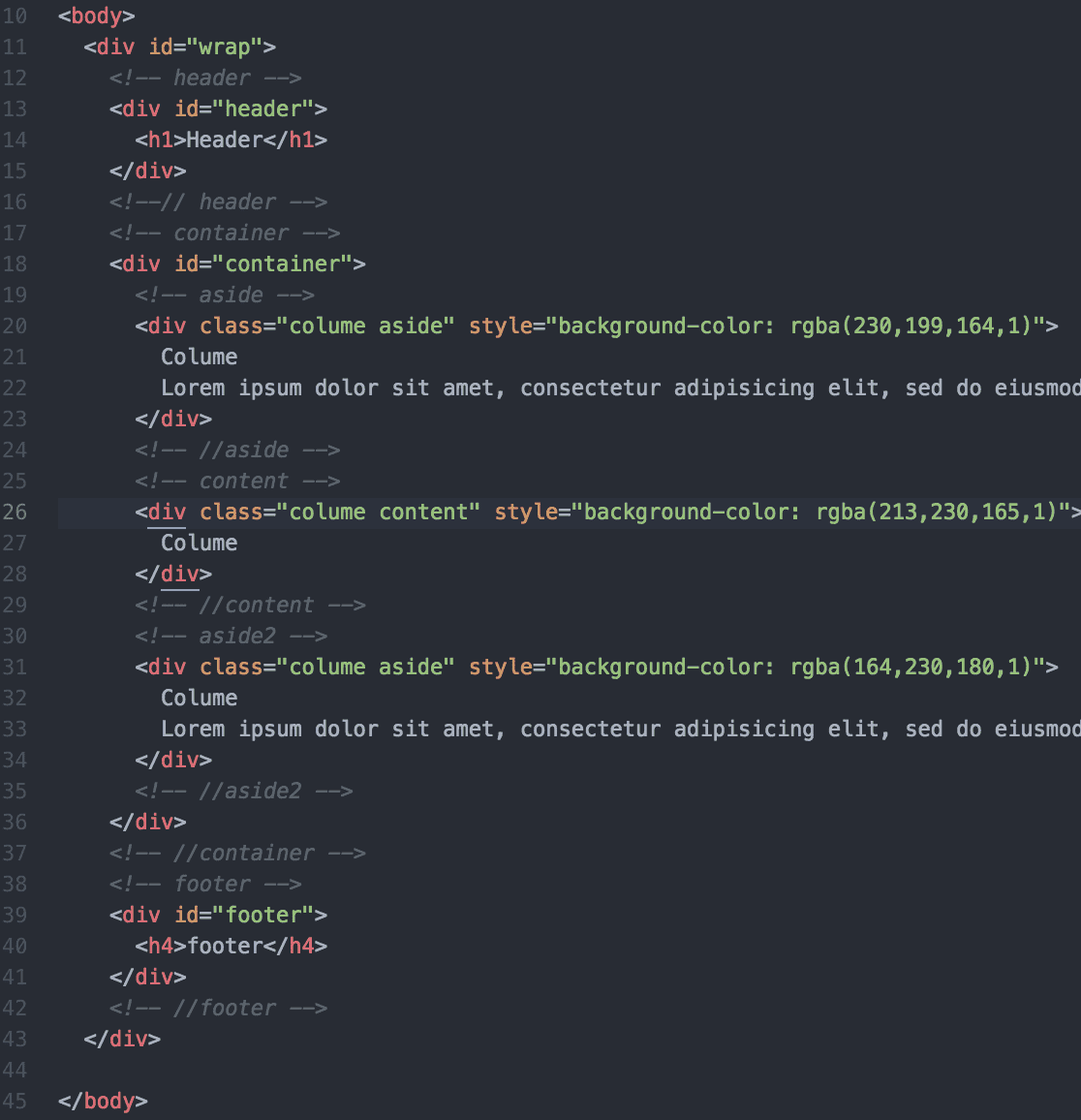
혹시 첨부한 사진과 같은, 각각 다른 column의 background를 동일하게 맞추고 싶다면,
어떤 속성이 있을까요? (단, 글씨의 양에 따라, 혹은 브라우저의 크기에 따라 플렉시블한 height를 원합니다.)
감사합니다.

답변 2
0
사실 이 부분은 제법 어렵습니다.
우선 container 부분에 height 값이 있다면 그 자식 요소에 height: 100% 지정할 수 있겠습니다만, 컨텐츠 내용에 따라 유동적이어야 한다는 전제가 있다면 쉽게 해결이 안됩니다. 그래서 고전적인 방법으로 container 에 배경을 깔아서 column 들이 꽉 찬 것처럼 작업을 많이 했었습니다.
요즘엔 display: flex 를 활용해서 간단히 해결하고 있습니다.
혹시 주석선택 중 마지막 /마크로되어있는거 선택 단축기가 뭔가요
0
76
2
img 이미지가 안나와요
0
96
2
이메일/이벤트 실습 예제 파일
0
432
2
마크업 실습 관련 질문입니다.
0
435
1
이미지를 안쓰고도 만들 수 있을거 같은데 이미지로 써서 만들때 어떤 장점이 있나요 ??
0
437
1
category를 top: 50% 했을 때 이동되는 위치들이 잘 이해가 안가네요ㅠ
0
572
1
css 하다가 궁금한게 있어서 질문드립니다 !
0
402
1
<li class ="m1" > 을 m2 m3으로 나눠서 해야되는 이유가 있을까요 ??
0
314
1
cover 의미 질문있습니다. !
0
341
1
탭 / 쉬프트 탭으로 들여쓰기와 들여쓰기 삭제하기
0
704
1
섹션닝으로 작성해봤는데 지적해주실만한 내용 있을까요 ?
0
361
1
섹셔닝하는 것에 대해서..
0
311
1
footer에 전화번호도 추가 됬는데 address에 같이 포함 시키면 되나요 ?
0
361
1
tab이 안 먹어요~
0
282
1
실무에서 이벤트 페이지를 작업할 때 이렇게 만드나요??
0
303
1
border 겹침은 어떻게 해결하나요?
0
4186
1
이메일 페이지라는게 이해가 잘 안되는데 ..
1
307
1
css backgrond 관련 질문입니다..!
1
312
2
선생님 공부 순서는 어떻게 하는게 좋을까요?
2
423
2
속성을 닫을때 작은따옴표로 쓰면 안될까요?
1
382
1
선생님 !! 질문있습니다.
1
361
2
선생님 !! button, input 버튼이 깨지는데 왜그런건가요??
1
351
2
안녕하세요 !! width값을 100으로 작게 줘도 변화가 없는데 왜그런걸 까요 ??
2
310
2
!+Tab 입력시
1
231
1