


select값이 출력이 안돼요
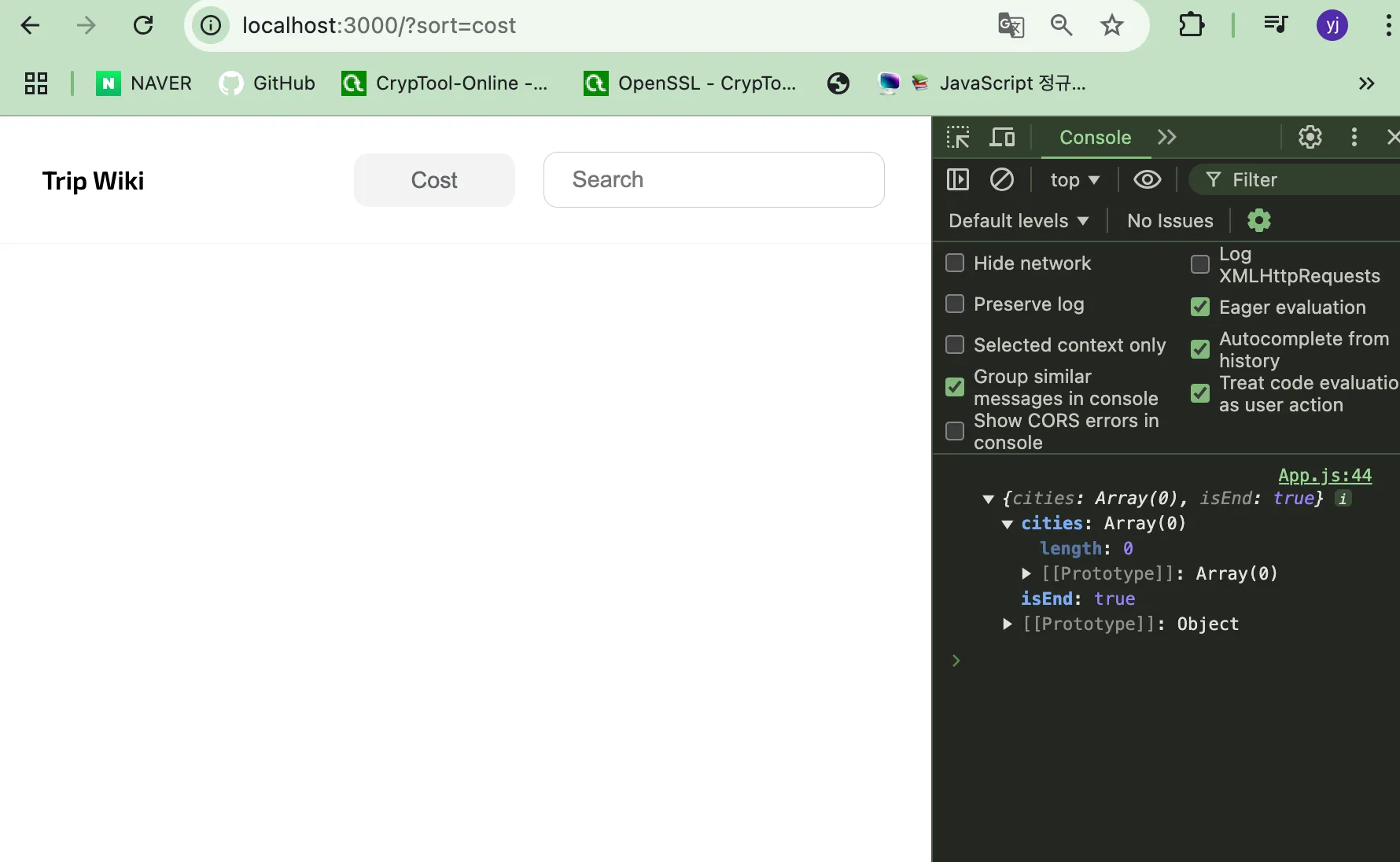
input 값은 나오는데 select 값은 출력이 안돼요 ㅠ 오류 메세지도 따로 나오는 건 없고 console.log로 cities 값을 볼려고 했는데 빈 Array가 나옵니다 ㅠ
import Header from "./components/Header.js";
import RegionList from "./components/RegionList.js";
import CityDetail from "./components/CityDetail.js";
import CityList from "./components/CityList.js";
import { request } from "./components/api.js";

export default function App($app){
  const getSortBy = () => {
    if (window.location.search){
      return window.location.search.split('sort=')[1].split('&')[0];
    }
    return 'total';
  };
  const getSearchWorld = () => {
    if(window.location.search && window.location.search.includes('search=')){
      return window.location.search.split('search=')[1]
    }  //뒤에 있는 값을 반환
    return '';
  };

  this.state={
    startIdx : 0,
    sortBy : getSortBy(),
    searchWorld: getSearchWorld(),
    region: '',
    cities:'',
  };
  const header = new Header({
    $app,
    initialState:{
      sortBy:this.state.sortBy,
      searchWorld:this.state.searchWorld
    },
    handleSortChange: async(sortBy) => {
      const pageUrl = `/${this.state.region}?sort=${sortBy}`;
      history.pushState(
        null,
        null,
        this.state.searchWorld ? pageUrl + `&search=${this.state.searchWorld}` : pageUrl
      );

      //변경된 정렬기준을 적용한 새로운 데이터를 불러옴 (매개변수로 전달받은 새로운 정렬기준인 sortBy 값을 넣어야함)
      const cities = await request(0, this.state.region, sortBy, this.state.searchWorld);
      console.log(cities)
      // 변경된 상태값을 업데이트
      this.setState({
        ...this.state,
        startIdx:0,
        sortBy: sortBy,
        cities: cities,
      });
    },

    handleSearch: async(searchWorld) => {
      //웹사이트 주소를 알맞게 변경
      history.pushState(
        null,
        null,
        `/${this.state.region}?sort=${this.state.sortBy}&search=${searchWorld}`
      );
      const cities = await request(0, this.state.region, this.state.sortBy, searchWorld);

      this.setState({
        ...this.state,
        startIdx:0,
        searchWorld: searchWorld,
        cities: cities
      })
    },
  });
  const regionList = new RegionList();
  const cityList = new CityList({
    $app,
    initialState:this.state.cities,
    // 아래는 더보기 버튼을 눌렀을 때 실행되는 것
    handleLoadMore: async() => {
      const newStartIdx = this.state.startIdx + 40;
      const newCities = await request(newStartIdx, this.state.sortBy, this.state.region, this.state.searchWorld);
      this.setState({
        ...this.state,
        startIdx : newStartIdx,
        cities:{
          cities:[...this.state.cities.cities, ...newCities.cities],
          isEnd: newCities.isEnd,
        }
      })

    }
  });
  const cityDetail = new CityDetail();

  this.setState = (newState) => {
    this.state = newState;
    cityList.setState(this.state.cities);
    header.setState({sortBy:this.state.sortBy, searchWorld:this.state.searchWorld});
  };

  const init = async() => {
    const cities = await request(this.state.startIdx, this.state.sortBy, this.state.region, this.state.searchWorld);
    this.setState({
      ...this.state,
      cities: cities, //api 호출의 결과인 cities
    });
  };

  init();
}
답변 2
0
안녕하세요 🙂 질문주셔서 감사합니다.
혹시 Header.js 파일의 코드도 첨부해주실 수 있을까요??
1
여기 있씁니다 !
export default function Header({$app, initialState, handleSortChange, handleSearch}){
  this.state = initialState;
  this.$target = document.createElement('div');
  this.$target.className = 'header';

  this.handleSortChange = handleSortChange;
  this.handleSearch = handleSearch;

  $app.appendChild(this.$target);

  this.template = () => {
    //구조분해할당
    const {sortBy, searchWorld} = this.state;
    let temp = `
      <div class="title">
        <a href="/">Trip Wiki</a>
      </div>
      <div class="filter-search-container">
        <div class="filter">
          <select id="sortList" class="sort-list">
            <option value="total" ${sortBy === 'total' ? 'selected':''}>Total</option>
            <option value="cost" ${sortBy === 'cost' ? 'selected':''}>Cost</option>
            <option value="fun" ${sortBy === 'fun' ? 'selected':''}>Fun</option>
            <option value="safety" ${sortBy === 'safety' ? 'selected':''}>Safety</option>
            <option value="internet" ${sortBy === 'internet' ? 'selected':''}>Internet</option>
            <option value="air" ${sortBy === 'air' ? 'selected':''}>Air Quality</option>
            <option value="food" ${sortBy === 'food' ? 'selected':''}>Food</option>
          </select>
        </div>
        <div class="search">
          <input type="text" placeholder="Search" id="search" autocomplete="off" value=${searchWorld}>
        </div>
      </div>`;

    return temp;
  };

  this.render = () => {
    this.$target.innerHTML = this.template();
    document.getElementById('sortList').addEventListener('change',(event) => {
      this.handleSortChange(event.target.value);
    });

    const $searchInput = document.getElementById('search');
    $searchInput.addEventListener('keydown',(event) => {
      if(event.key === 'Enter'){
        this.handleSearch($searchInput.value);
      }
    });
  };

  this.setState = (newState) => {
    this.state = newState;
    this.render()
  };

  this.render();
}
0
안녕하세요 🙂
보내주신 코드로 테스트 결과, CityList가 알맞게 출력되는 것으로 보입니다 🥲
hbin12212@gmail.com으로 작성하신 코드 파일들을 보내주시면 제가 다시 전체적으로 확인 후 알려드리겠습니다..!
2
안녕하세요 🙂 보내주신 메일 잘 받았습니다.
확인 결과 api.js 파일에서 request 함수의 매개변수들의 순서가 startIdx, sortBy, region, searchWord 순서인데요, App.js 에서 request 함수를 호출할 때에는 다음과 같이 작성해주셨어요.
const cities = await request(0, this.state.region, sortBy, this.state.searchWorld);
순서를 알맞게 변경해주시고, 되도록이면 제가 강의에서 작성한 코드와 동일하게 작성해주시면 좋을 것 같습니다!
추가적으로 searchWord를 searchWorld로 작성해주셨는데요, 이 부분에서는 오류가 발생하지는 않지만, 이후 강의를 수강하실 때 오류가 발생할 수 있으니 수정해주시면 좋을 것 같습니다! 감사합니다 :)
수업자료 링크 접속했는데 404에러 뜹니다 ㅠ
1
46
1
선생님 공유해주신 핸드북에 링크가 몇개 잘못되었어요
0
50
2
콜백 함수 메서드 등록
0
125
2
ssr방식 경험
0
116
1
compare 함수 설명에 오해의 소지가 있어보입니다.
0
130
2
API를 비동기 처리하는 이유가 끊겨서 그런건가요?
0
174
2
DOM 트리 보는 곳
0
119
1
배열과 객체의 구조분해할당 방법이 다른 이유
0
121
2
배열 메서드가 순수 함수인지 확인하는 방법
0
102
2
콜백 함수의 매개변수로 _를 쓰는 이유가 무엇인가요?
0
103
2
콜백 함수의 매개변수는 어떻게 구분되나요?
0
88
1
호이스팅 안쓰는게 좋나요?
0
88
2
함수 선언식과 함수 표현식은 어떤 경우에 쓰면 좋나요?
0
122
2
?. 연산자는 자바스크립트 연산자인가요?
0
71
1
JS의 논리 연산자 &&, ||가 리액트의 조건부 렌더링 &&, ||인가요?
0
127
2
자바스크립트 질문
1
146
2
동물앨범만들기 1-1 api 오류
0
89
2
CityList개발-handleLoadMore함수질문
0
100
1
객체와 배열의 const 차이
0
78
1
const 객체/배열 차이
0
101
2
header 개발 새로고침 오류
0
171
2
Promise 객체
1
83
2
cityList 렌더가 안되는 문제
0
83
2
init 함수 앞에 await
1
103
2