


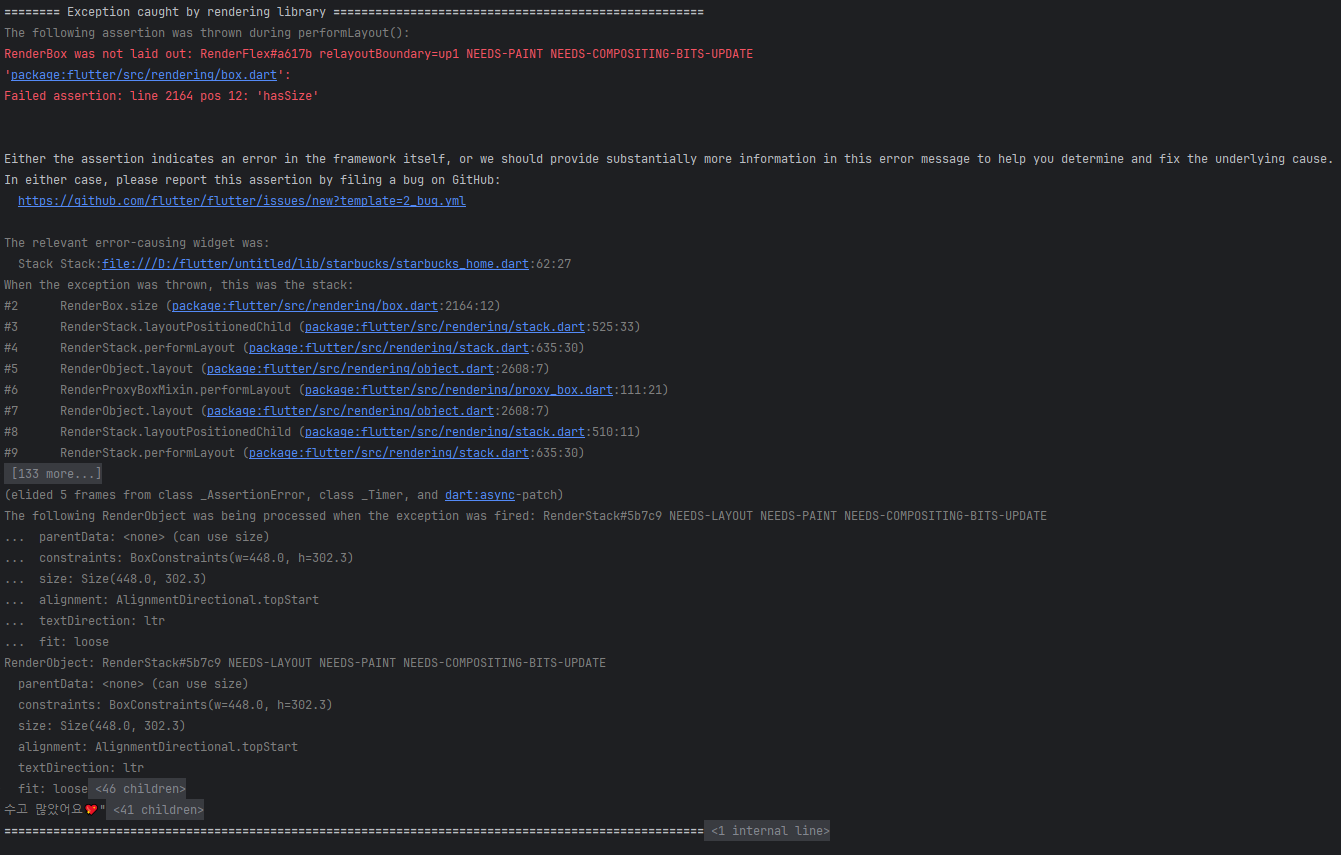
Expanded 하니 에러가 나는데 이유를 모르겠습니다.
2
사진에 빨간 박스 부분 Expanded 하는데 정답 코드와 비슷한데 무슨 이유인지 에러가 나는데 잘 모르겠네요.
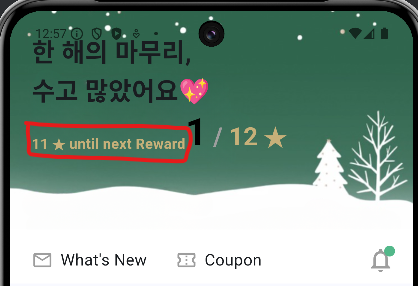
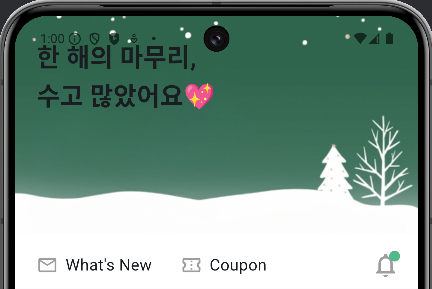
Expanded 적용 전 코드
Row(
  crossAxisAlignment: CrossAxisAlignment.end,
  children: [
    Column(
      crossAxisAlignment: CrossAxisAlignment.start,
      children: [
        /// 11 ★ until next Reward
        Text(
          "11 ★ until next Reward",
          style: TextStyle(
            color: starbucksAccentColor,
            fontWeight: FontWeight.bold,
            fontSize: 16,
          ),
        ),

        /// 진행율
      ],
    ),
...
Expanded 적용 후 코드(일부분)
Row(
  crossAxisAlignment: CrossAxisAlignment.end,
  children: [
    Expanded(
      child: Column(
        crossAxisAlignment: CrossAxisAlignment.start,
        children: [
          /// 11 ★ until next Reward
          Text(
            "11 ★ until next Reward",
            style: TextStyle(
              color: starbucksAccentColor,
              fontWeight: FontWeight.bold,
              fontSize: 16,
            ),
          ),

          /// 진행율
        ],
      ),
    ),
...
전체코드
import 'package:flutter/material.dart';

/// Starbucks 메인 색상
Color starbucksPrimaryColor = Color.fromARGB(255, 83, 184, 138);

/// Starbucs 포인트 색상
Color starbucksAccentColor = Color.fromARGB(255, 199, 176, 121);

class StarbucksHome extends StatelessWidget {
  const StarbucksHome({super.key});

  @override
  Widget build(BuildContext context) {
    /// 배경 이미지 URL
    final String backImg = "https://i.ibb.co/2Pz33q7/2021-12-16-12-21-42-cleanup.png";

    /// Frequency 이미지 URL
    final String frequencyImg = "https://i.ibb.co/QcVn97y/2021-12-16-1-33-11.png";

    /// 추천 메뉴
    final List<Map<String, String>> recommendMenu = const [
      {
        "name": "돌체쿠키라떼",
        "imgUrl": "https://i.ibb.co/SwGPpzR/9200000003687-20211118142543832.jpg",
      },
      {
        "name": "아이스 홀리데이 돌체 쿠키 라떼",
        "imgUrl": "https://i.ibb.co/JHVXZ72/9200000003690-20211118142702357.jpg",
      },
      {
        "name": "스노우 민트 초콜릿",
        "imgUrl": "https://i.ibb.co/M91G17c/9200000003693-20211118142933650.jpg",
      },
      {
        "name": "아이스 스노우 민트 초콜릿",
        "imgUrl": "https://i.ibb.co/jyZK4C9/9200000003696-20211118143125337.jpg",
      },
      {
        "name": "스노우 민트 초콜릿 블렌디드",
        "imgUrl": "https://i.ibb.co/DKkV0rw/9200000003699-20211118143249044.jpg",
      },
    ];

    /// 크리스마스 이벤트 이미지 URL
    final String eventImg = "https://i.ibb.co/Fb0q43T/IMG-F9-BA5-CBCB476-1.jpg";

    return Scaffold(
      body: CustomScrollView(
        slivers: [
          /// Tip: 스크롤시 배경이 사라지게 할려면 SliverAppBar를 사용
          SliverAppBar(
            // automaticallyImplyLeading: false,
            expandedHeight: 252, // 최대확장되었을때 높이
            pinned: true, // 스크롤시 bottom 영역을 화면 상단에 고정할지 여부
            snap: false, // 스크롤 중간에 멈출때 자동으로 AppBar를 펼쳐서 배경을 모두 보여줄지 여부
            floating: true, // ??
            backgroundColor: Colors.white,

            ///  스크롤시 사라지는 영역
            flexibleSpace: FlexibleSpaceBar(
              collapseMode: CollapseMode.pin,
              background: Stack(
                children: [
                  /// 배경이미지
                  Positioned.fill(
                    bottom: 60,
                    child: Image.network(
                      backImg,
                      fit: BoxFit.cover,
                    ),
                  ),

                  /// 배경 위 위젯
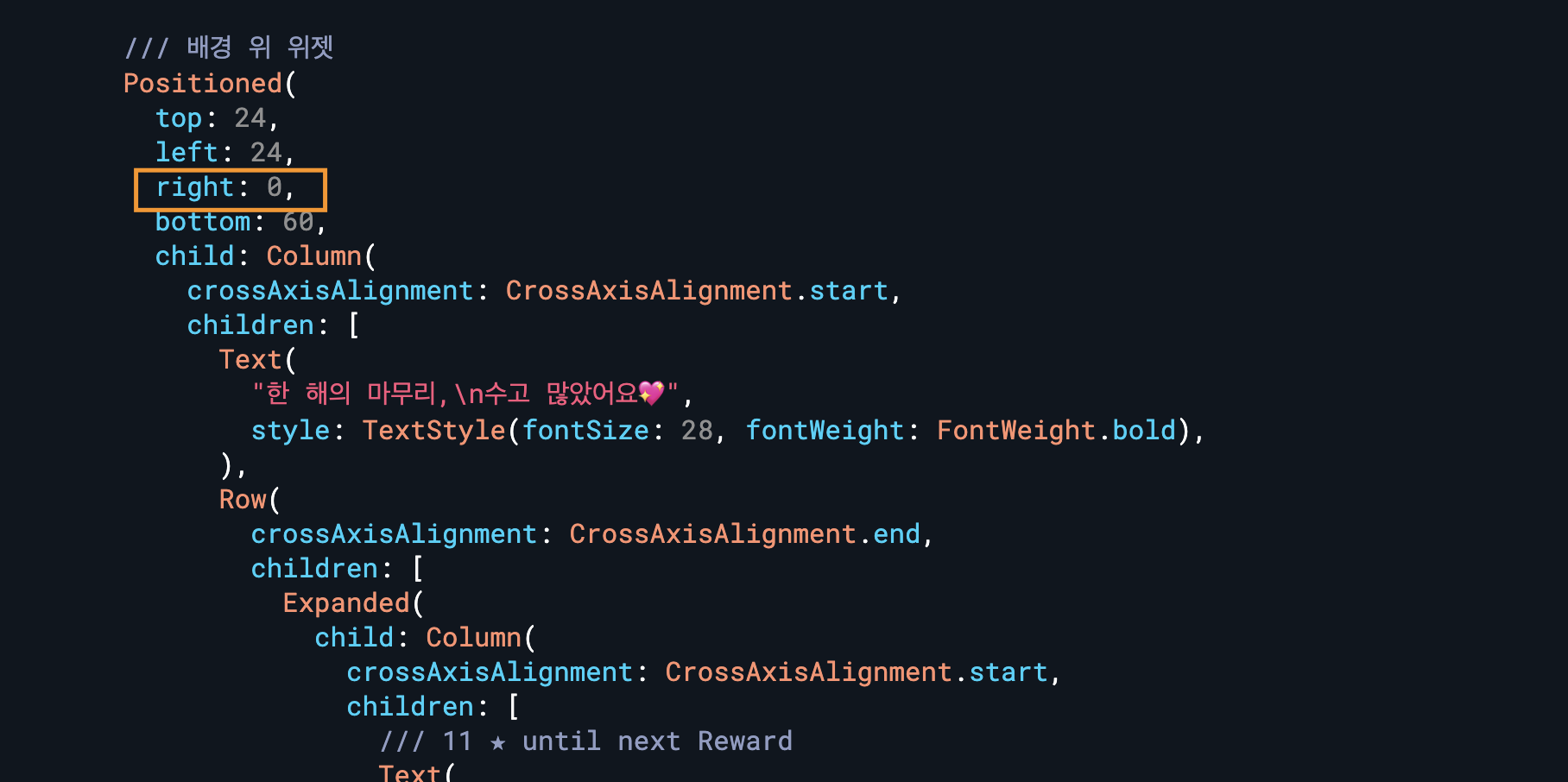
                  Positioned(
                    top: 24,
                    left: 24,
                    bottom: 60,
                    child: Column(
                      crossAxisAlignment: CrossAxisAlignment.start,
                      children: [
                        Text(
                          "한 해의 마무리,\n수고 많았어요💖",
                          style: TextStyle(fontSize: 28, fontWeight: FontWeight.bold),
                        ),
                        Row(
                          crossAxisAlignment: CrossAxisAlignment.end,
                          children: [
                            Column(
                              crossAxisAlignment: CrossAxisAlignment.start,
                              children: [
                                /// 11 ★ until next Reward
                                Text(
                                  "11 ★ until next Reward",
                                  style: TextStyle(
                                    color: starbucksAccentColor,
                                    fontWeight: FontWeight.bold,
                                    fontSize: 16,
                                  ),
                                ),

                                /// 진행율
                              ],
                            ),

                            ///  1/12 ★
                            RichText(
                              text: TextSpan(
                                children: [
                                  TextSpan(
                                    text: '1',
                                    style: TextStyle(
                                      color: Colors.black,
                                      fontSize: 42,
                                      fontWeight: FontWeight.bold,
                                    ),
                                  ),
                                  TextSpan(
                                    text: ' / ',
                                    style: TextStyle(
                                      color: Colors.grey,
                                      fontSize: 28,
                                      fontWeight: FontWeight.bold,
                                    ),
                                  ),
                                  TextSpan(
                                    text: '12 ★',
                                    style: TextStyle(
                                      color: starbucksAccentColor,
                                      fontSize: 28,
                                      fontWeight: FontWeight.bold,
                                    ),
                                  ),
                                ],
                              ),
                            ),
                          ],
                        )
                      ],
                    ),
                  ),
                ],
              ),
            ),

            /// 스크롤시 남아있는 영역
            bottom: PreferredSize(
              preferredSize: Size.fromHeight(52), // 영역 높이
              child: Container(
                height: 52,
                color: Colors.white,
                padding: EdgeInsets.only(left: 24, right: 12),
                child: Row(
                  children: [
                    /// What's New
                    GestureDetector(
                      onTap: () {},
                      child: Row(
                        children: [
                          Icon(
                            Icons.mail_outline,
                            color: Colors.grey,
                          ),
                          SizedBox(width: 8),
                          Text(
                            "What's New",
                            style: TextStyle(fontSize: 18),
                          ),
                        ],
                      ),
                    ),
                    SizedBox(width: 32),

                    /// Coupon
                    GestureDetector(
                      onTap: () {},
                      child: Row(
                        children: [
                          Icon(
                            Icons.confirmation_num_outlined,
                            color: Colors.grey,
                          ),
                          SizedBox(width: 8),
                          Text(
                            "Coupon",
                            style: TextStyle(fontSize: 18),
                          ),
                        ],
                      ),
                    ),
                    Spacer(),

                    /// Alarm
                    IconButton(
                      onPressed: () {},
                      icon: Badge(
                        backgroundColor: starbucksPrimaryColor,
                        smallSize: 12,
                        child: Icon(
                          Icons.notifications_outlined,
                          size: 32,
                          color: Colors.grey,
                        ),
                      ),
                    )
                  ],
                ),
              ),
            ),
          ),
        ],
      ),
    );
  }
}
답변 1
회차마다 있는 실습
1
100
2
user-not-found, wrong-password 코드가 더 이상 반환되지 않습니다
1
139
2
SharedPreferences prefs 초기화 시기 문제
1
157
2
index로 삭제하게 되면, index가 고정되어 있으니 문제가 발생하지 않나요?
1
123
2
API 사이트가 안되네요
1
144
2
잘 되다가 sharedPreferences부터 에러
1
148
2
기존의 프로젝트
1
134
2
I/O라는 창이 윈도우에서는 없어요
1
121
2
수강 기간 연장 부탁드립니다.
1
107
2
설정 질문
1
155
2
수강 기간 연장 신청 요청드립니다.
1
104
2
수강기간 연장 부탁드립니다.
1
99
2
수강기간 연장 부탁드립니다.
1
108
2
수강기간 연장 부탁 드립니다.^^
1
115
3
강의계획 문의
1
116
2
안녕하세요. 강의 연장 문의드립니다..
1
125
2
수강기간 연장 부탁드립니다!
1
119
2
2회차 StatefulWidget 예제 dartpad 코드와 영상에서의 코드가 다릅니다.
2
139
2
dartpad 에러
1
193
2
cmd에 flutter doctor 입력하면 바로 튕겨버립니다...
1
187
2
애뮬레이터 실행시 무한로딩
1
219
2
저는 강사님 처럼 화면이 안뜨는데 머테리얼 버전이 다른걸까요??
1
111
2
수강기간 연장 부탁드립니다!
1
93
2
수강기간 연장 부탁드립니다.
1
97
2