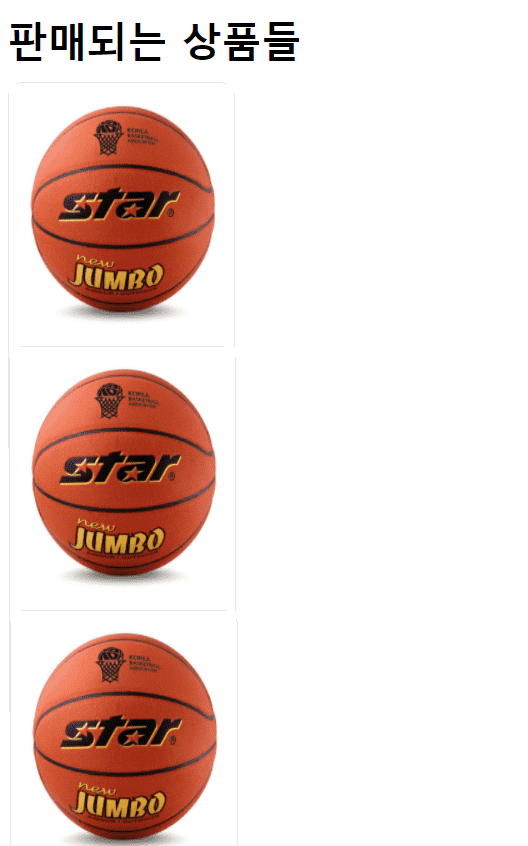
0
<html lang="ko">
<head>
<meta charset="UTF-8">
<meta http-equiv="X-UA-Compatible" content="IE=edge">
<meta name="viewport" content="width=device-width, initial-scale=1.0">
<title>Grab-Market</title>
<link rel="stylesheet" href="index.css" type="text/css">
</head>
<body>
<div id="header">
<div id="header-area">
<img src="./images/icons/logo.png"/>
</div>
</div>
<div id="body">
<div id="banner">
<img src="./images/banners/banner1.png" />
</div>
<h1>판매되는 상품들</h1>
<div id="product-list">
</div>
</div>
<div id="footer"></div>
</body>
<script>
var products = [
{
name : "농구공",
price : 100000,
seller : "조던",
imageUrl : "images/products/basketball1.jpeg"
}, {
name : "축구공",
price : 50000,
seller : "메시",
imageUrl : "images/products/soccerball1.jpg"
}, {
name : "키보드",
price : 10000,
seller : "그랩",
imageUrl : "images/products/keyboard1.jpg"
},
];
let productsHtml = " ";
for(var i = 0; i < products.length; i++) {
productsHtml =
productsHtml +
'<div class="product-card">' +
"<div>" +
'<img class="product-img" src="images/products/basketball1.jpeg" />' +
"</div>"
'<div class="product-contents">' +
'<span class="product-name">농구공 1호</span>' +
'<span class="porduct-price">50000원</span>' +
'<div class="product-seller">' +
'<img class="product-avatar" src="images/icons/avatar.png" />' +
"<span>KDY</span>" +
"</div>" +
"</div>" +
"</div>";
}
document.querySelector("#product-list").innerHTML = productsHtml;
</script>
</html>
질문을 다시 드려 죄송합니다.. / 를 넣어줘도 똑같은데
제가 중간에 뭘 잘못한건가요.,.?봐도 다 똑같은거 같은데..
* {
margin: 0;
padding: 0;
}
body {
height: 1500px;
}
#header {
height: 64px;
display: flex;
justify-content: center;
border-bottom: 1px solid black;
}
#body {
height: 100%;
width: 1024px;
margin: 0 auto; /*부모로 부터 중앙 정렬*/
padding-bottom: 24px;
}
#footer {
height: 200px;
background-color: red;
}
#banner {
height: 300px;
background-color: yellow;
}
#header-area {
width: 1024px;
height: 100%;
/* margin: 0 auto; */
display: flex;
align-items: center;
}
#header-area > img {
width: 128px;
height: 36px;
}
#banner > img {
width: 100%;
height: 300px;
}
#body > h1 {
margin-top: 16px;
}
#product-list{
display: flex;
flex-wrap: wrap;
margin-top: 12px;
}
.product-card {
width: 180px;
height: 300px;
margin-right: 12px;
margin-bottom: 12px;
border: 1px solid rgb(230, 230, 230);
border-radius: 12px;
}
.product-img {
width: 100%;
height: 210px;
}
.product-contents {
display: flex;
flex-direction: column;
padding: 8px;
}
.product-name {
font-size: 14px;
}
.product-prise {
font-size: 16px;
font-weight: 600;
margin-top: 4px;
}
.product-seller {
display: flex;
align-items: center;
margin-top: 12px;
}
.product-avatar {
width: 24px;
}위 코드는 CSS 코드 입니다 번거롭게 해드려 죄송합니다..