MSSQL Server 2016ベースのデータベース入門から活用まで Part.2
usefulit
データベースの構築からテーブルの作成、各種SQLクエリ文を使用してデータベース内のデータを操作・変更することができます。

初級
SQL, MSSQL, DBMS/RDBMS
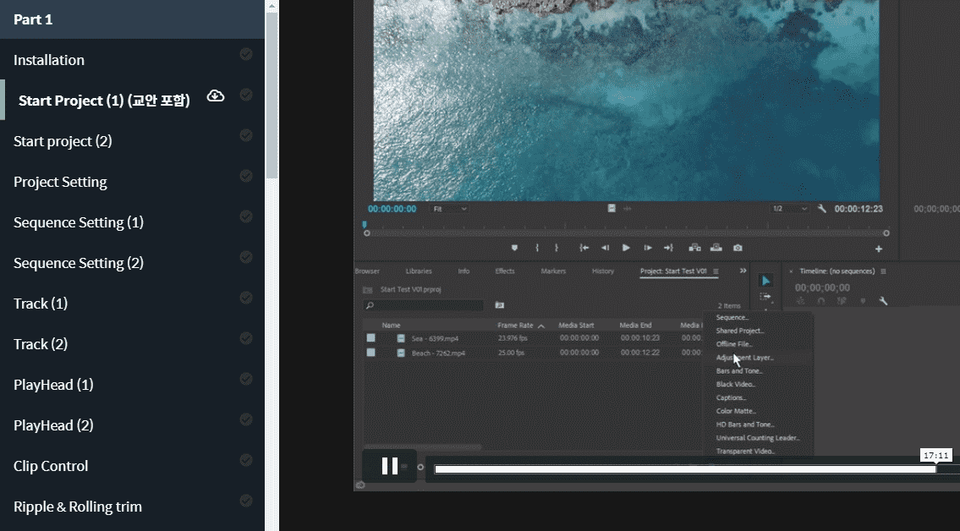
プレミアプロのコア編集機能を学び、映像編集ができるようにする講義です。最初のパートでは、プレミアの基本的な機能と簡単な色補正と視覚効果を学びます。
学習した受講者のレビュー
5.0
나두
最初からまた基礎から学んでみようという気持ちで受講して聞いています。私が知らなかった部分が多いですね。私の基礎がしっかりしていないせいかもしれませんが^^;新しく学ぶ心でよく聞いています。残りの受講も頑張りますよ~
5.0
kyunghee kim
講義の準備を徹底していたようです。説明にくすみがなく、初心者が詰まっているような状況をあらかじめご存知のように注意してくださいます。プログラム人講をたくさん受講してみましたが、こんなによく熟したことは初めてのようです。おかげでプレミアとすぐに親しくなったようです。講師様の他の講義があればまた受講したいです。
5.0
fop_
わかりやすく詳細な講義です。 講師の声も一役買いますねㅎㅎ ありがとうございます。
プレミアプロのコア機能
映像編集技術
(この講義は講師の回答は提供されません。ご参考ください。 )
Adobe Premiere Pro CCは、伝統的なトラックベースのビデオ編集ソフトウェアで、パーソナルUCCからハリウッド映画まで、幅広い編集能力を提供するソフトウェアです。
このコースは、プレミアプロを全く取り上げたことがない方のために、できるだけ短時間で最も重要な編集機能をまとめるプレミア講義です。
パート2では、プレミアプロが持つ基本的なビジュアルエフェクトの使い方を学び、部分的なビジュアルエフェクトを適用するためのマット、マスクの操作方法も一緒に学習します。
また、Premier Proの利点の1つであるLumetri Colorも取り上げ、簡単なビデオカラー補正作業に必要な基本的な知識と機能を習得することができます。
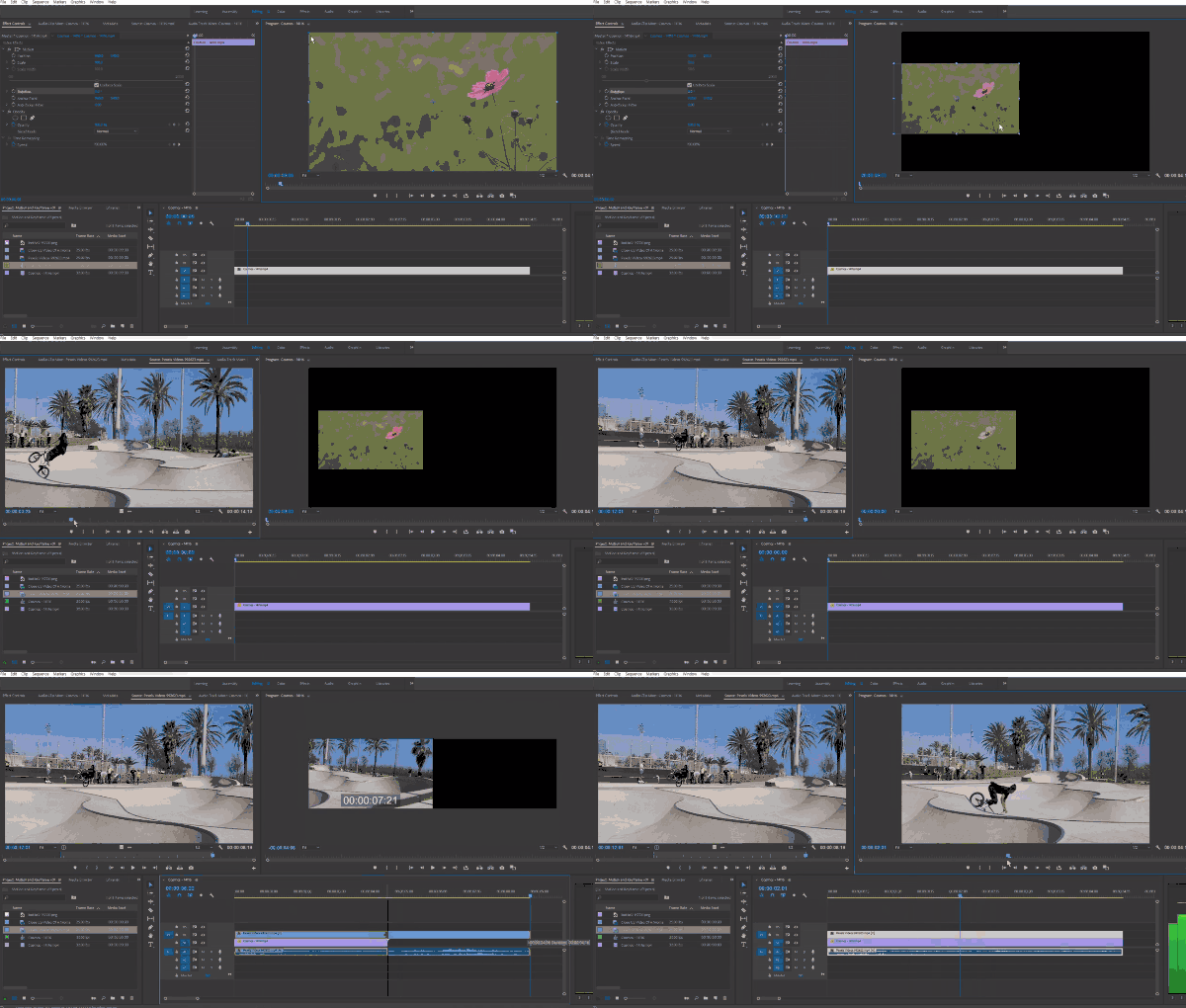
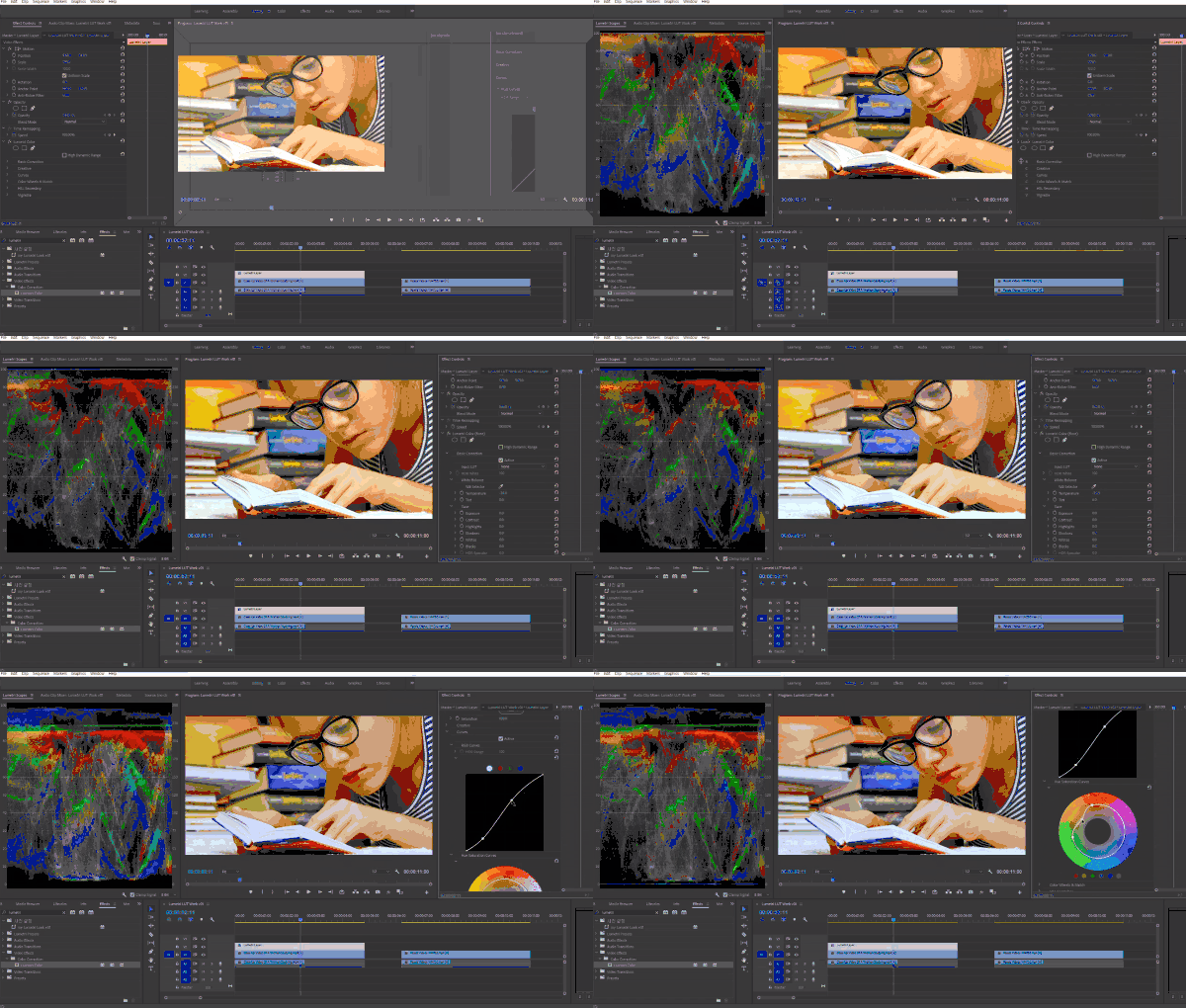
このレッスンでは、Adobe Premiere Pro CC 2018-2019バージョンを使用しています。したがって、CC 2018、2019バージョン以降の最新のPremier Proの使用をお勧めします。
アドビ公式ホームページから無料体験版をダウンロードして利用できます。 公式サイトリンク
Q. 非専攻者、入門者も聞くことができますか?
A. プレミアプロ入門から始める講座ですので、映像編集に関心があれば誰でも受講できます。ただし、Photoshopなどに乗ってAdobeツールを使用した経験があれば、より早く習得できます。
Q. 講義の教案は含まれていますか?
A. はい、講義視聴の際、左タブにある雲の形のアイコンをクリックしていただければ教案をダウンロードできます。
教案は、各講義パートごとに2番目の講義に添付されています。
学習対象は
誰でしょう?
Photoshopを扱える方
ビデオ編集についてすばやく習得したい人
前提知識、
必要でしょうか?
Photoshop
全体
44件 ∙ (23時間 46分)
講座資料(こうぎしりょう):
1. 設置
30:16
3. プロジェクト開始 (2)
35:50
4. プロジェクト設定
31:39
5. シーケンス設定 (1)
29:02
6. シーケンス設定 (2)
27:29
7. トラック (1)
33:20
8. トラック (2)
31:45
9. PlayHead (1)
35:19
10. PlayHead (2)
33:20
11. クリップコントロール
27:15
12. リップル&ローリング トリム
32:23
13. レーザー&アッドエディット
31:05
14. トリム編集ウィンドウ
31:36
15. 3点編集
32:42
16. トランジション
35:36
18. キーフレーム(1)
33:40
19. キーフレーム (2)
30:53
20. ネストとサブクリップマーカー
30:29
23. エフェクト ベーシック
37:17
24. 調整レイヤー (教案付き)
33:54
25. マスキング (1)
32:46
26. マスキング (2)
32:36
27. Transform
28:11
28. Generate (1)
31:53
29. 生成 (2)
30:28
31. ぼかし & シャープ
36:31
32. ノイズ&ドロップシャドウ
32:17
33. タイムリマップ
34:09
34. Alpha & PSD
37:01
35. 明るさ・コントラスト
33:11
36. ガンマ&カーブ
31:04
37. セカンダリカラーコレクション
31:17
43. Lumetriカラー (4)
30:25
全体
57件
4.8
57件の受講レビュー

受講レビュー 1
∙
平均評価 5.0
受講レビュー 1
∙
平均評価 5.0
受講レビュー 8
∙
平均評価 5.0
受講レビュー 1
∙
平均評価 5.0
受講レビュー 1
∙
平均評価 5.0
知識共有者の他の講座を見てみましょう!
同じ分野の他の講座を見てみましょう!











![Unity 2Dログライクゲームを作る[ハングル字幕]講義サムネイル](https://cdn.inflearn.com/wp-content/uploads/unity003.jpg?w=420)