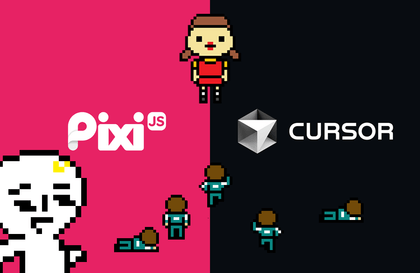
Cursor(AI) を使用して PixiJS で作成する 2D グラフィックスとゲーム
studiomeal
¥4,294
入門 / pixijs, cursor, webgl, 2d-games, Interactive Web
4.9
(16)
200+
2D グラフィックスの独占的な強者 PixiJS の基本を習得し、AI コードエディター Cursor を使用して迅速かつ効率的に開発する方法も学びます。

入門
pixijs, cursor, webgl

このレッスンでは、デスクトップとモバイルの両方で動作する一人称 3D Web サイトを作成します。
6名 が受講中です。
難易度 初級
受講期間 無制限
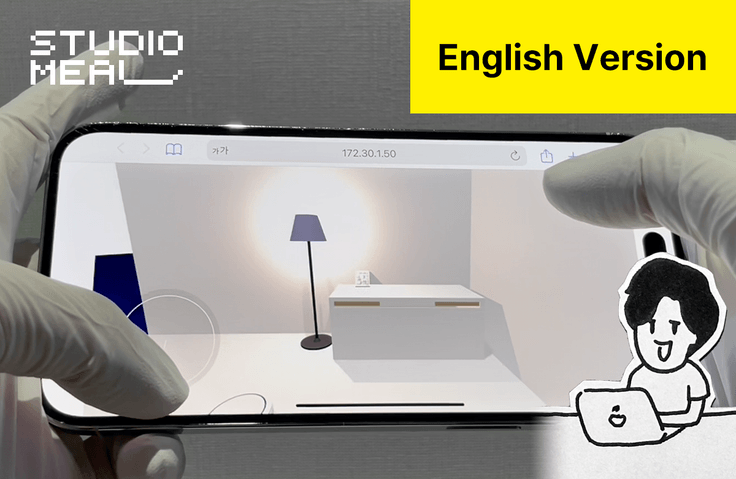
Three.js の基本概念
一人称 3D Web ページの実装メカニズム
この講義は英語で行われます。韓国語講義はhttps://inf.run/VjKwJで受講できます。
Many of you have been asking me on my website https://studiomeal.com , "How do I make something like this?" So I created a class that implements core movements. It's a class that focuses only on creating 3D space and implementing movements, without any unnecessary details !
Turn your head,
Click on an object to make it move
Create a world where physics applies!
works well on mobile too
Although this course focuses on implementing 3D space, it also summarizes the core basics in the first section so that even those who are new to Three.js can understand it. If you only understand the basics of JavaScript, you will have no trouble taking the course. You can estimate the difficulty of the course through the free sample lecture. If you want to build more basic skills about Three.js, I recommend taking another course, "3D Interactive Web with Three.js" !
We provide both the start and finished versions of all codes so that you can follow along and write the code yourself. If you have trouble progressing with the code you wrote yourself in the middle, you can download the source code for that chapter and study from that part.
You can use the source code provided in the lecture for your projects.
It is not permitted to directly disclose the source code provided in the lecture or to create educational materials.
You need to have a basic understanding of JavaScript to be able to take the class smoothly. Although this is not a JavaScript class, I will explain JavaScript concepts that appear here and there, so you won't have much difficulty.
学習対象は
誰でしょう?
自分の 3D 空間を作成したい人はいますか?
Three.js を勉強したことがあるが、適用に苦労している人
前提知識、
必要でしょうか?
JavaScript の基本

キャリア認証
19,827
受講生
1,298
受講レビュー
1,175
回答
5.0
講座評価
11
講座
ソウルでウェブデベロッパー/デザイナーとして働き、済州島を経て…現在はマレーシアのペナンで熱心に開発をしながら、教育コンテンツも制作し、個人事業主としてできる様々な試みや実験を行っています。
ビジュアルインパクトのあるインタラクティブウェブに関心が高く、YouTubeとFacebookの「1分コーディング」でウェブ開発関連の技術を共有しています。
デベロッパー/デザイナー/コンテンツクリエイター
ウェブサイト https://studiomeal.com
YouTube https://youtube.com/c/1분코딩
全体
43件 ∙ (3時間 47分)
講座資料:
1. Three.js 入門
02:06
2. CDNからインポート
04:36
10. ステージ作成
08:11
11. メッシュオブジェクトモジュール
11:33
12. Settings Shadows
02:41
15. 3Dモデルの読み込み 3
02:05
16. シャドウの調整
01:47
17. 画像テクスチャ
07:20
20. 物理エンジンの仕組み
01:21
21. 物理世界の基本設定
03:12
22. メッシュに物理エンジンを適用
06:59
23. 物理オブジェクトの移動の実装
07:42
25. 動き 1 実装
02:00
26. 移動2の実装
10:03
27. ムーブメント 3 の実装
06:26
28. 運動4実施
04:36
29. Movement 5 の実装
02:51
30. Raycasterの仕組み
00:58
31. クリックしたアイテムの確認
10:51
32. マーカーの実装
05:40
33. ランプを消したりつけたり
06:33
34. ロボット掃除機の移動実装
05:05
知識共有者の他の講座はこちら
同じ分野の他の講座を見てみましょう!
新規会員登録で25%OFF
¥8,323
25%
¥11,093















![シニア面接官が教えるエンジニアの就職と転職を一度に解決する方法 [理論編]講義サムネイル](https://cdn.inflearn.com/public/courses/334892/cover/0526106b-934b-4ccc-a771-ec6a9cff945e/334892.png?w=420)