inflearn logo
inflearn logo

How to Create Hybrid PowerPoint Presentations That Are Effective at Conveying Meaning (Beginner)

The ‘Hybrid PowerPoint Creation Method’ course focuses on improving intermediate or higher level PowerPoint (hereinafter referred to as PPT) skills, and you can learn slide creation methods that can be applied immediately in the field.

(4.7) 42 reviews

429 learners

Level Basic

Course period Unlimited

PowerPoint
PowerPoint
presentation PT
presentation PT
PowerPoint
PowerPoint
presentation PT
presentation PT
날개 달린 동전

Recommend Course to grow and earn commission!

날개 달린 동전

Marketing Partners

Recommend Course to grow and earn commission!

Reviews from Early Learners

Reviews from Early Learners

4.7

5.0

이주봉

100% enrolled

This is a lecture suitable for beginners. Although there are 22 classes which may seem like a lot, they are actually made in short lengths, making them good for watching in short bursts.

5.0

박상미

100% enrolled

I was new to PPT, but thank you for the great lecture.

5.0

임채린

100% enrolled

It was a very informative lecture.

What you will gain after the course

  • How to use shortcut keys to speed up your work

  • Effective image editing using PPT

  • How to save high-quality PPT files in low-capacity

  • Alignment Methods for Harmonious Symmetry

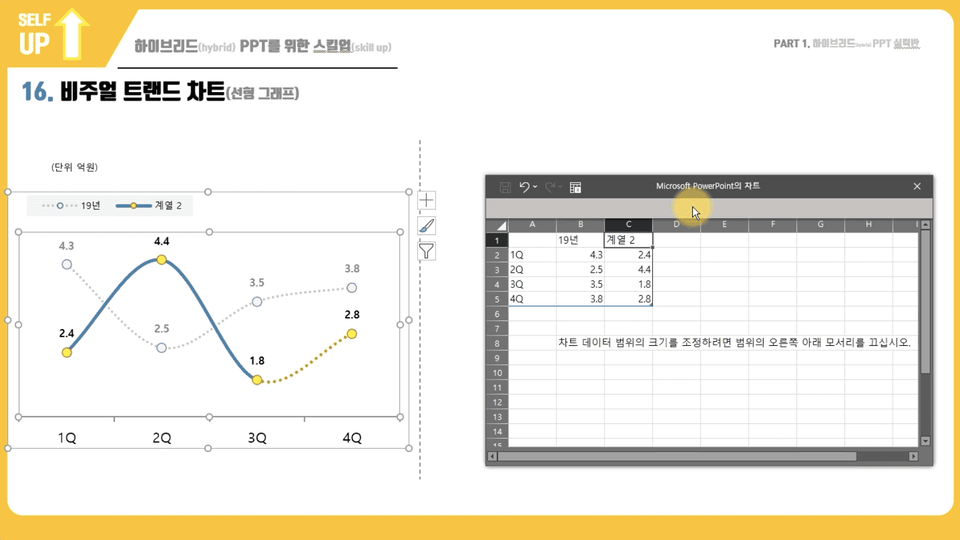
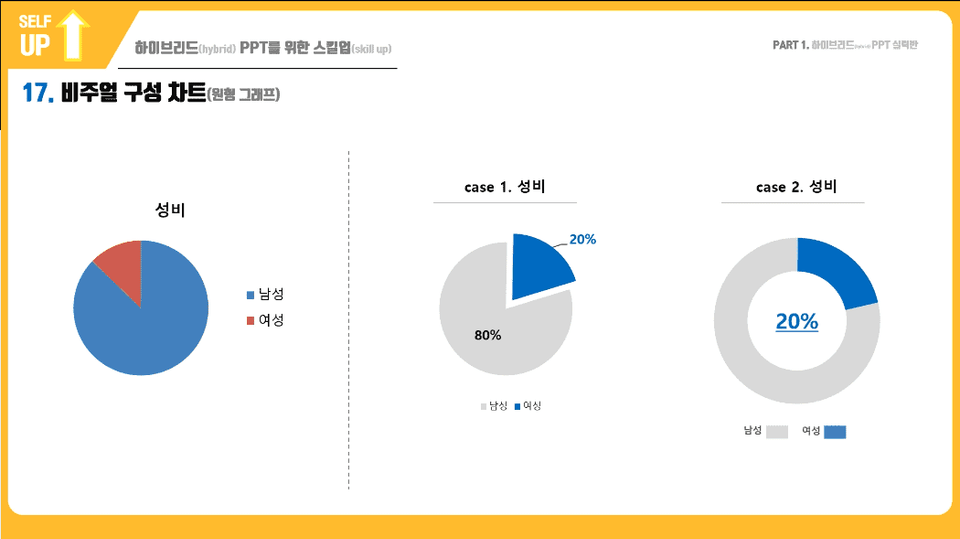
  • How to create visual charts that improve readability

Immediately applicable in practice
How to Create a Hybrid PPT


Hybrid PPT Report Concept
#Contentfull #Readability⬆︎


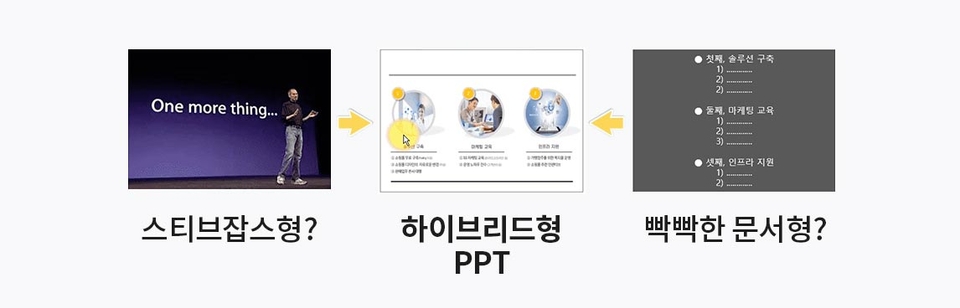
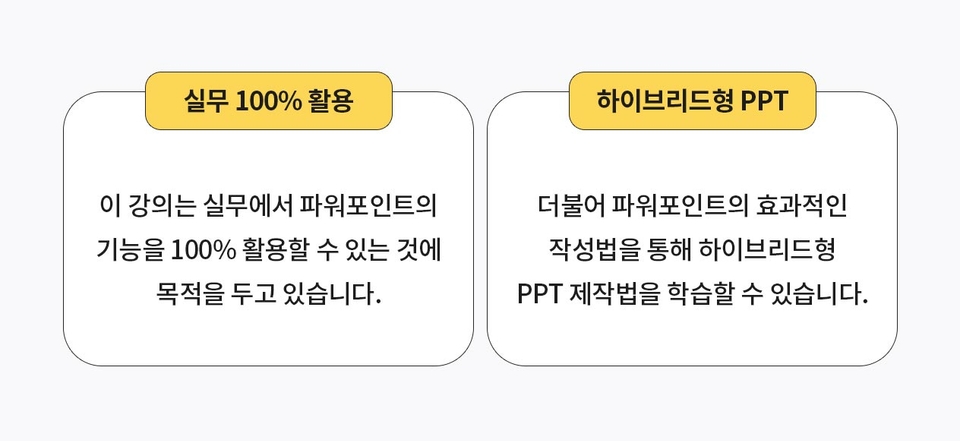
PowerPoint documents used in the workplace aren't Steve Jobs-style or tightly packed reports. Instead, they require a compromise between content and readability. This format is called "hybrid PPT " in this lecture.


What you learn in class
#Messaging Methods #Learning & Understanding Functions


🟡 How to effectively deliver your message through PowerPoint


How to use PowerPoint to deliver effective messages, rather than just dull images or tiny text.


🟡 Complete learning and understanding of PowerPoint's features


- Application of CTRL, ALT, SHIFT
keys
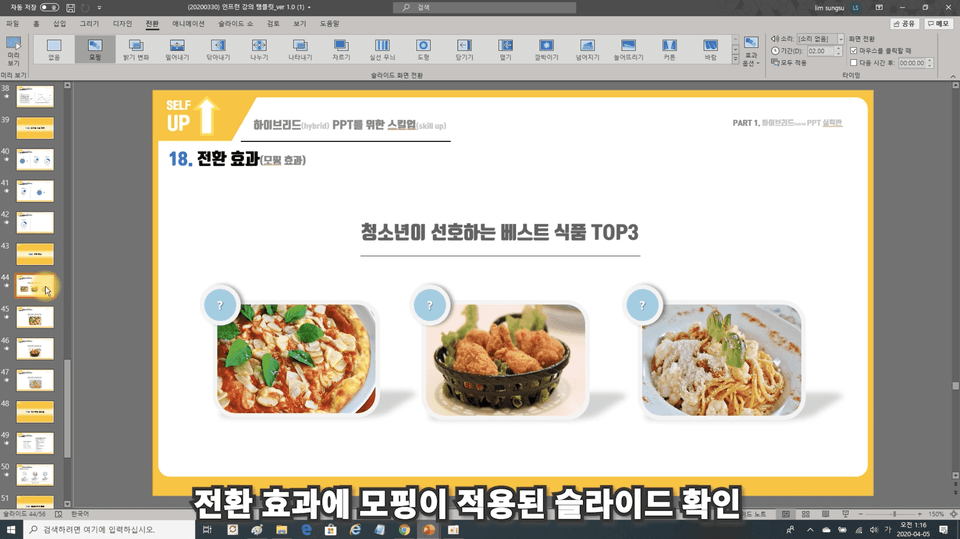
- Shape transformation ( function of yellow dot )
- Background removal (ft PNG file )
- Save optimized image
- Alignment and rotation , use of guide lines
- Convert files (PDF, JPG, PNG , etc. )
- Options ( Include fonts , Advanced - Image size )
- Visual chart configuration
- Various functions of shapes _ Creating circular shapes
- Use of hyperlinks ( homepage type )
- Eyedropper function to copy other colors, etc.


*Introduction to Hybrid PPT Writing Course


Lecture Features
#Practical Application #Hybrid PPT

Note

  • Because the software uses M/S Office 365, some functions are not available in lower versions of PPT.
    The interface may vary .
  • Of course, most of the functions are similar , but for smoother classes, we recommend installing Office 365 .


Questions Q&A

  • Q. I am a beginner at PPT. Can I still take the course ?
  • A. Of course , it is possible . However , you must be familiar with very basic functions ( inserting shapes , inserting text, etc. ) . The overall process is not difficult, so you can do well just by following along. We recommend parallel learning with a beginner's course or similar .

  • Q. Do you learn how to create PowerPoint documents ?
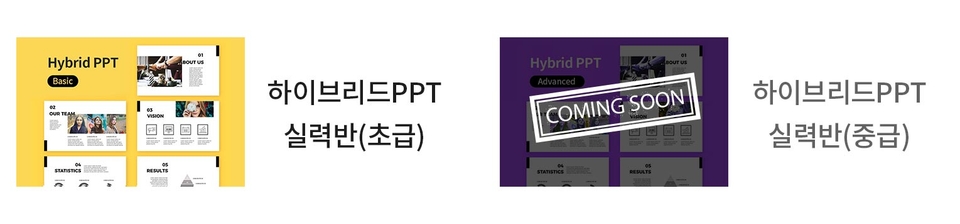
  • A. This lecture is for PPT for advanced document writing. We focus on improving your skills . Therefore, we recommend the next course, the Advanced Hybrid PPT Practical Course, for document writing skills and other topics .

  • Q. Is the practical beginner (course) class difficult ?
  • A. It's not difficult at all . Useful tips among PPT functions that most people don't know about. I will explain it in detail . Therefore, since it is conducted within the scope of existing PPT utilization, the difficulty level is not high . However , it may be unfamiliar at first, so reviewing is essential to improve the effectiveness of the class .

  • Q. Do I have to take the Hybrid Intermediate Skills Class course after the Beginner Skills Class course ?
  • A. Not necessarily . However , while the beginner level hybrid skill level course focuses on improving PPT functions and skills, the intermediate level skill level course focuses on creating PPT slides with a logical flow and visual emphasis. You can take classes that suit your personal goals and tendencies .

Recommended for
these people

Who is this course right for?

  • For those who want to utilize PowerPoint's features 100%

  • For those who are concerned about delivering an effective message

  • For those who want to shorten PPT work time

Hello
This is swingjazz

625

Learners

60

Reviews

1

Answers

4.7

Rating

6

Courses


"Solving complex business issues with the sharpest tool called AI."


Expertise in translating the language of business into the language of AI

Go

Lectures that simply list tool features cannot solve real-world problems. Based on the practical insights I have gained over 15 years at the forefront of strategic business and channel innovation, I propose the most realistic solutions that cut through the pain points faced by practitioners using AI technology.


Key Background and Expertise

  • Practical AI Coach: A veteran expert with over 15 years of hands-on industry and teaching experience

  • Current) CEO of Template Studio: A strategist who designs and systemizes the 'algorithms' of business documents

  • Current) Full-time instructor for Multicampus regular courses: An educator who drives the highest level of engagement in every session with a proven curriculum

  • Former) JoongAng Ilbo Strategic Business Team / Channel Innovation Team: Practical DNA from directly leading business planning and innovation processes


Public credibility proven by results

  • Author of: 『The Algorithm for Highly Praised Proposals is Different』 (Self-Up Book)

  • Satisfaction: Average student rating 4.9 / 5.0 (Based on practical work applicability)

  • Lecture References: Delivered lectures to over 25 major domestic corporations and public institutions, including Samsung Electronics, Woori Bank, Ericsson-LG, and Korea Asset Management Corporation (KAMCO).


Core Value

"Practitioners should focus on planning, while AI handles the repetition." Through AI workflows embedded with Template Studio's expertise, we will instill immediate innovation into your workplace.

More

Reviews

All

42 reviews

4.7

42 reviews

  • shekim2381님의 프로필 이미지
    shekim2381

    Reviews 1

    Average Rating 5.0

    5

    100% enrolled

    • seloul40502071137584님의 프로필 이미지
      seloul40502071137584

      Reviews 1

      Average Rating 5.0

      5

      100% enrolled

      It was a very informative lecture.

      • swingjazz
        Instructor

        Thank you^^ I hope it helps you with your work

    • inswiri7081님의 프로필 이미지
      inswiri7081

      Reviews 1

      Average Rating 5.0

      5

      41% enrolled

      Your voice is calm and soothing, which helps me concentrate.

      • jubonglee9441님의 프로필 이미지
        jubonglee9441

        Reviews 1

        Average Rating 5.0

        Edited

        5

        100% enrolled

        This is a lecture suitable for beginners. Although there are 22 classes which may seem like a lot, they are actually made in short lengths, making them good for watching in short bursts.

        • tinkering83446님의 프로필 이미지
          tinkering83446

          Reviews 3

          Average Rating 5.0

          5

          100% enrolled

          I was new to PPT, but thank you for the great lecture.

          • swingjazz
            Instructor

            I'm glad it helped you. Thank you^^

        swingjazz's other courses

        Check out other courses by the instructor!

        Similar courses

        Explore other courses in the same field!

        $17.60