This is a course where you will learn Flutter, a framework that allows you to build both Android and iOS apps with a single codebase. We have prepared everything from basic grammar and theory to hands-on practice so that even absolute beginners and non-majors can easily follow along.
I am a beginner who dreams of becoming a developer who can freely create apps by studying flutter in depth.
This is really the best lecture!
At first, it is easy to understand the big picture of what this is, and
It was really good that it was explained well so that even a first-timer could understand it without using technical terms as the main topic.
Also, it is not just about mentioning what you learned in the previous class,
but about repeatedly mentioning it so that you can recall what you learned in the previous class.
Above all, it explains the structure really well.
I want to quickly use flutter to write my own code and use it to create something.
The next lecture is about practical app development, and the next lecture is about the master course, so I hope it ends quickly and
I hope it ends like a complete conquest of flutter. Thank you!
5.0
gofls1123
100% enrolled
I was a complete beginner learning flutter, but I could feel that the instructor was trying to explain things in the easiest way possible in every lecture! He was so kind and nice, and it was a great lecture because I was able to understand the big picture of flutter. I was really, really grateful that he answered my questions quickly and kindly! I definitely plan to take the next lecture.
5.0
최민준
100% enrolled
This is the best lecture among Flutter lectures.
Originally, other lectures briefly summarize the content of the lecture in Notion, but in this lecture, I was surprised that the content of Notion was written so thoroughly with additional explanations than the content of the lecture!
I especially liked that it seemed to help me learn on my own, such as Dart grammar, real-life problems, and real-life projects!
I am 100% satisfied with the course~~
What you will gain after the course
You can learn how to use the Dart programming language.
I can understand Widgets and create the screens I want.
You can build foundational IT knowledge in areas such as HTTP, APIs, and state management.
You can manage the app's state using the Provider package.
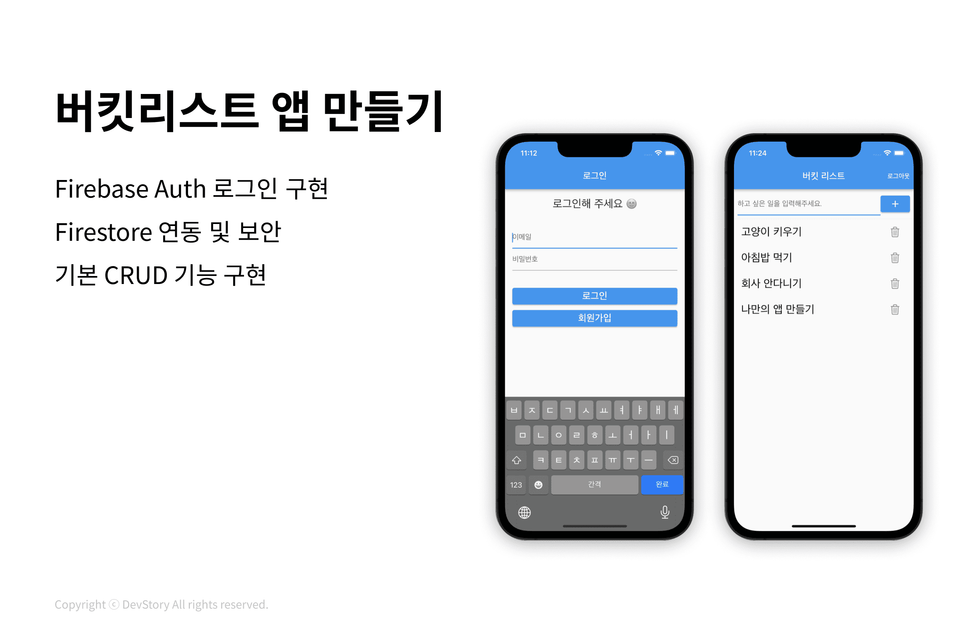
I can use Firebase Authentication & Firestore.
It's okay even if you have no development knowledge! Flutter App Development Basics for Beginners 🏃♂️
Flutter App Development Basics Even for Absolute Beginners
By learning app development, you can launch your own app services—which you've only imagined until now—to the entire world. In fact, all the methods for making apps are available on the internet, but for a beginner to search for the necessary information and build an app themselves, it requires a tremendous amount of trial and error and background knowledge. I prepared this course with the hope that others won't have to go through the same trial and error that I did.
What kind of class is this?
This is a beginner-levelFlutter introductory class where you can experience how to think and write code at a real-world level by building various apps yourself. Each session consists of theory (30%) and practice (70%), and practice materials are provided so that you can review what you've learned on your own or take it a step further. (Available to take with the latest version of Flutter 👍)
📌 Please check before taking the course!
This course is the first lecture in the Flutter app development series. For Practical Flutter App Development Basics, please refer to the course below.
Clear theoretical explanations that anyone can understand
What you will learn 🎓
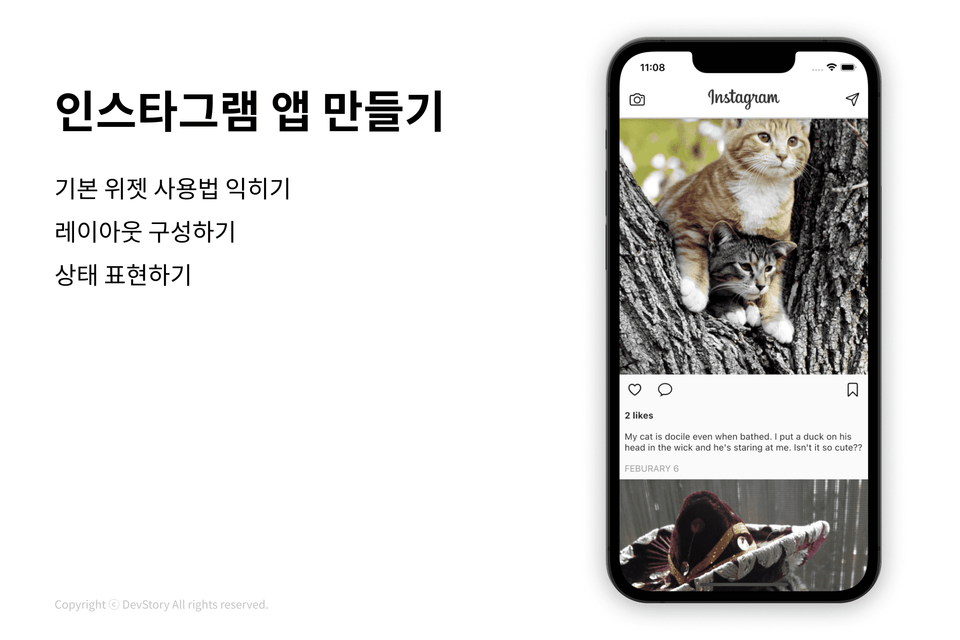
Session 1: A Taste of Flutter App Development & Mastering Dart Syntax
Session 2: Creating Screens
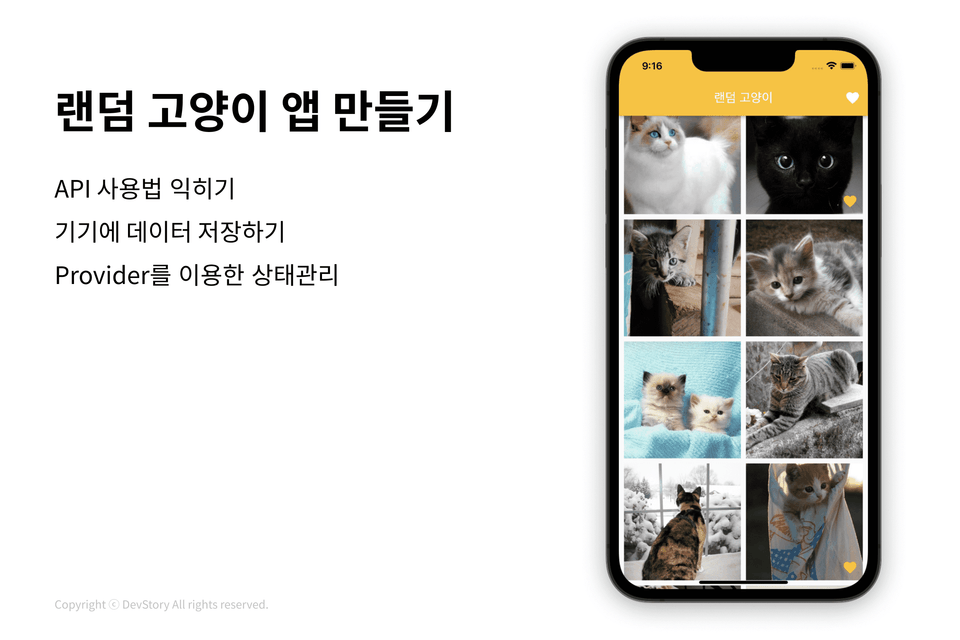
Session 3: Learning how to use packages & building app features (CRUD) & state management (Provider)
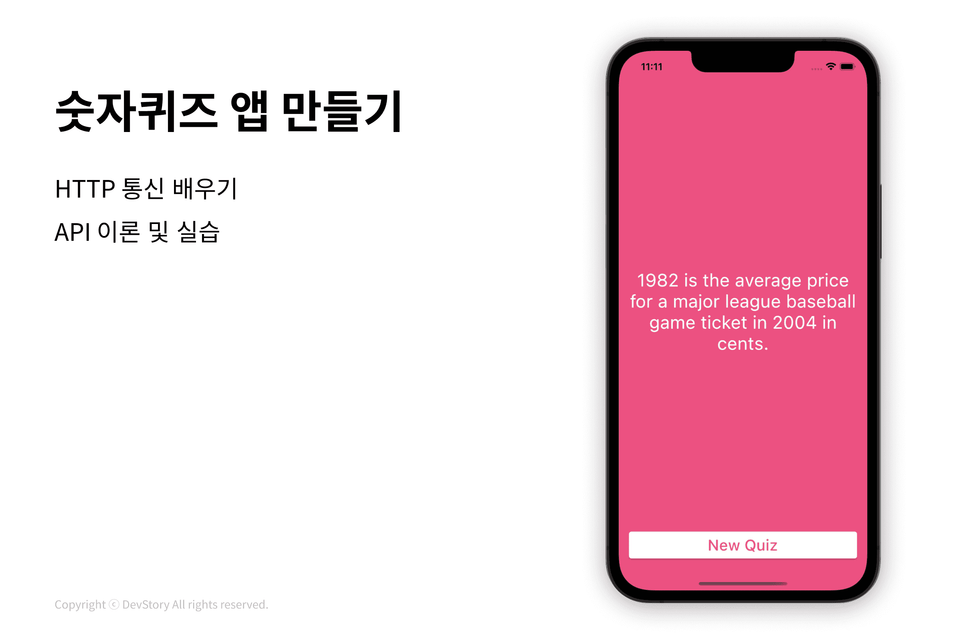
4th Session: Network & How to Handle Asynchrony & Learning How to Use APIs
5th Session: Firebase Login and Database Integration
You can build various apps yourself!
We have also prepared practice materials so you can take it a step further 💫
From the Dart language to Flutter app development practice!
You can learn how to use the Dart programming language.
I can understand Widgets and create the screens I want.
You can build foundational IT knowledge in areas such as HTTP, APIs, and state management.
You can manage the app's state using the Provider package.
I can use Firebase Authentication & Firestore.
You can build a solid foundation in Flutter app development.
Please check before taking the course.
The following topics are not covered in this course 🙅🏻♀️
State management packages other than Provider and setState (Bloc, GetX, Riverpod...)
How to release an app on the Play Store or App Store
Social login integration
Content regarding design patterns and architecture
Expected Q&A 💬
Q. Why did you choose Flutter?
To launch an app service, you need to develop for both Android and iOS platforms. However, the process of building for two separate platforms alone requires learning a great deal and takes a long time. By using Flutter, you can support both platforms with a single codebase, allowing you to create app services much faster and more efficiently.
Q. Can a beginner with a non-technical background take this course?
We have prepared the course to build everything from basic grammar to the background knowledge needed for app development, tailored to a complete beginner's level. So, as long as you have passion and a laptop, you are more than ready to take the course. 👍
Q. Is it possible to take the course using the latest version of Flutter?
Yes! We are constantly updating the Notion study materials so that you can take the course using the latest version of Flutter :) Please refer to the course materials for any parts that differ from the lecture videos, and if you encounter any problems while studying, feel free to contact us via Open KakaoTalk at any time for prompt assistance.(26.06.25: Last verified version Flutter 3.44.4)
Q. Is there anything I need to prepare before taking the course?
Please complete the installation by following the "Flutter Installation Guide" included in the materials provided for the course! (If you get stuck during installation and need help, please contact us via Open KakaoTalk ⭐️)
Q. Can I also release iOS apps using a Windows computer?
It is not possible because Apple has designed iOS apps to be developed only on the macOS operating system. However, when you run an app made with Flutter on iOS from a Windows environment, it will look almost identical except for a few details. I will mention the differences during the lecture, so you can start by releasing the Android app on Windows first, and then purchase a MacBook to release the iOS version later when you are able to.
Q. What are the computer requirements for Flutter app development?
window: Windows 7 or higher / 10GB free space / 4GB RAM or higher / 64-bit (Refer to the official documentation for details) macOS: 50GB free space / 64-bit (Refer to the official documentation for details) The storage requirements above are based on installing all necessary tools for Flutter development.
Q. I'm curious why the enrollment period isn't unlimited?
We have set a deadline to encourage you to take the course without procrastinating after purchase, and if you wish to extend the course period, please let us know your Inflearn email at devstory.co.kr@gmail.com anytime! The course materials are yours to keep for a lifetime :)
Recommended for these people
Who is this course right for?
👧🏻 Someone new to coding
👶🏻 A complete beginner with passion and a laptop
👩🏻🦰 For those who want to create their own app service
It's very helpful that you explain it easily for me when I first start learning Flutter. It's the latest version, so I won't get lost while listening to the lectures. 🙂
Thank you for the great lecture!!
It would be better if you recorded the intermediate lecture after listening to this one. ㅎㅎ
50% Course Review
I only listened to the beginning and wrote a review first, but I was reckless.
After listening to the whole thing, I feel confident that I can create a personal app. People say that the official Flutter documentation is well-written, but as a beginner, it was burdensome to look at the official documentation. While listening to the instructor's lecture, I looked at the official documentation once, and it's definitely not difficult when you look at it with the explanation. The lecture quality is so good that it's pointless to mention the intermediate lecture after listening to only the beginning lectures! I'm looking forward to the remaining lectures. I'm listening well.
100% Course Review
The quality is good until the end. When I listen to other Flutter lectures, the content is good, but as a beginner, there are cases where they use APIs that are no longer supported, so I often get lost while listening, but this lecture maintains the quality until the end..! API, state management, firebase data, and the part where the instructor anticipated the parts where students would get stuck in the middle of the lecture, and prepared the materials, which was a great help for beginners.
If you want to develop your own app or work as a Flutter developer, I recommend this lecture. I think I saw a great lecture at a reasonable price. This is a different story, but thanks to the instructor, I found Flutter fun and joined a startup as a Flutter developer. Thank you! I'll be waiting for the next lecture👍
Hello Moa
The lecture was released yesterday, but did you already listen to it?!
As you said, Flutter is updated really quickly, so it's hard to find the latest lecture, but this lecture will be continuously updated so that you can take it in the latest version without any problems, so please contact us at any time if you have any problems while taking it :)
We will also release the intermediate lecture you requested in the future.
Thank you for taking the class 🤗
This is the best lecture among Flutter lectures.
Originally, other lectures briefly summarize the content of the lecture in Notion, but in this lecture, I was surprised that the content of Notion was written so thoroughly with additional explanations than the content of the lecture!
I especially liked that it seemed to help me learn on my own, such as Dart grammar, real-life problems, and real-life projects!
I am 100% satisfied with the course~~
Lecture speed: Not fast at all, but slow. Even for complete beginners or those who can draw screens on their own, it's neither fast nor boring.
Description: I really like it. After learning it again through Notion and going into practice, I completely understand how the widgets work.
They also give problems for review, but when I draw it on my own, it's harder than I thought, and I use a lot of other widgets or draw it a little creatively(?), so the code is a mess. But when I draw it all and compare it, I feel like I understand more in detail why I have to write this here.
Disappointing point: Personally, I think the lecture time of 7 hours is shorter than I thought.
So I wish there were more than just the beginner and intermediate levels of flutter.









![[CLI] Build Flutter Apps Without Coding with AICourse Thumbnail](https://cdn.inflearn.com/public/files/courses/344365/cover/01m28ccjzp5ecbs85z3warw0r0?w=420)


![[Python beginner] ChatGPT voice translation app made with FlutterCourse Thumbnail](https://cdn.inflearn.com/public/courses/333668/cover/94589a80-ab05-4bd1-ad98-1e42b75a47fc/333668.png?w=420)
![[Code Factory] [Introduction] Completely master the Dart language in 4 hoursCourse Thumbnail](https://cdn.inflearn.com/public/courses/328577/cover/d7cd62c2-db07-45d8-af8d-a3fa728cd8e7/inflearn-logo.jpg?w=420)