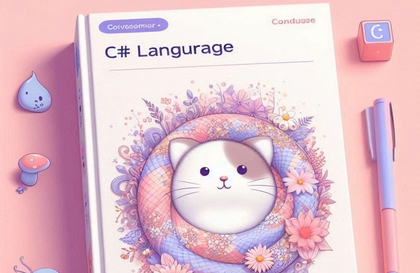
C# Programming: From Fundamentals to Practical Application
Kaburi
$26.40
Beginner / C#, .NET
4.9
(58)
700+
Code-oriented course that teaches you from the basics to the applications of C# by focusing on the essentials!

Beginner
C#, .NET

No more AI toy projects that end with a single API call! Based on my experience designing and deploying a full-stack AI chatbot, I will guide you through the entire process of building an AI chatbot that "works as a real service"—covering streaming, tool calling, memory, multi-modal capabilities, and Human-in-the-Loop.
36 learners
Level Basic
Course period Unlimited
You can build a real-time streaming AI chatbot similar to ChatGPT from scratch.
You will gain the ability to apply LangChain/LangGraph's agents, tool calling, parallel processing, and memory management in real-world projects.
By implementing the Human-in-the-Loop pattern, you can design a secure agent system where users can approve, reject, or modify the AI's tool usage.
You can implement a multimodal AI chatbot that processes images and PDFs.
You can build a backend system that persistently stores and retrieves chat history using NestJS, Prisma, and PostgreSQL.
In React, you can implement a ChatGPT-level UX, including token-by-token real-time rendering, auto-scrolling, and Markdown rendering, by parsing HTTP streams.
Learn practical ways to use the modern React ecosystem, including Zustand, TanStack Query, and Shadcn UI.
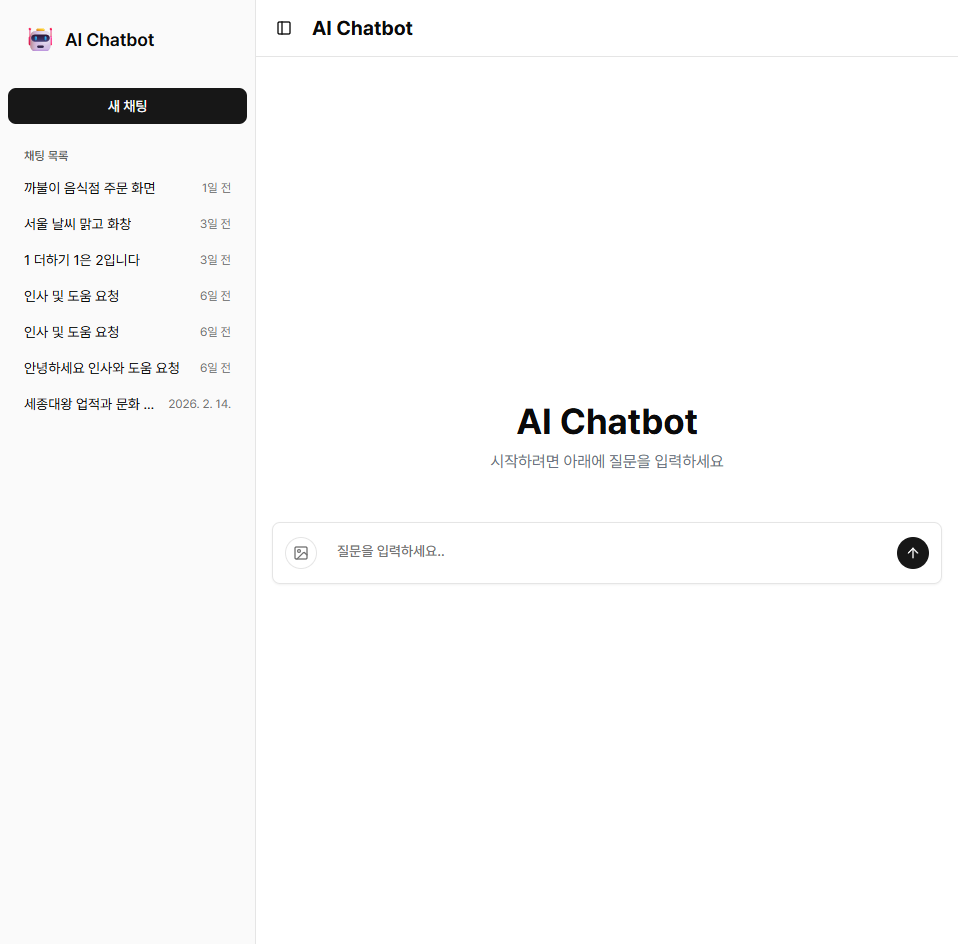
Main Screen
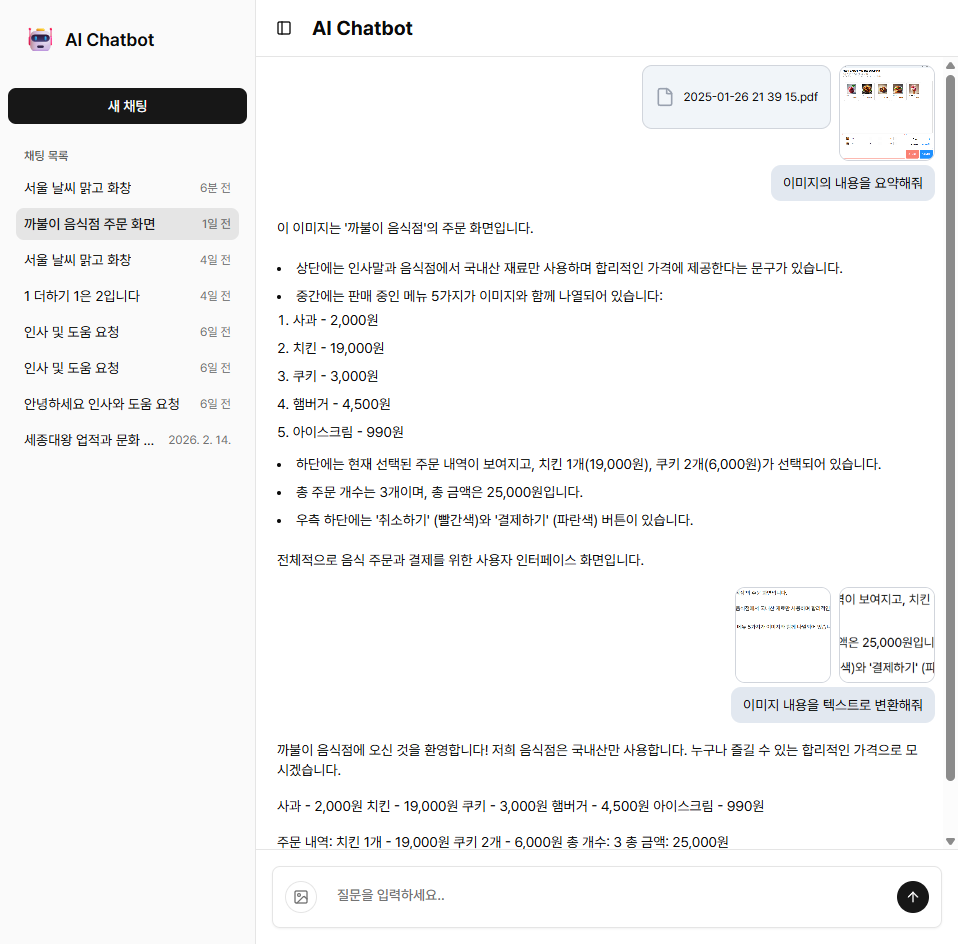
MultiModal
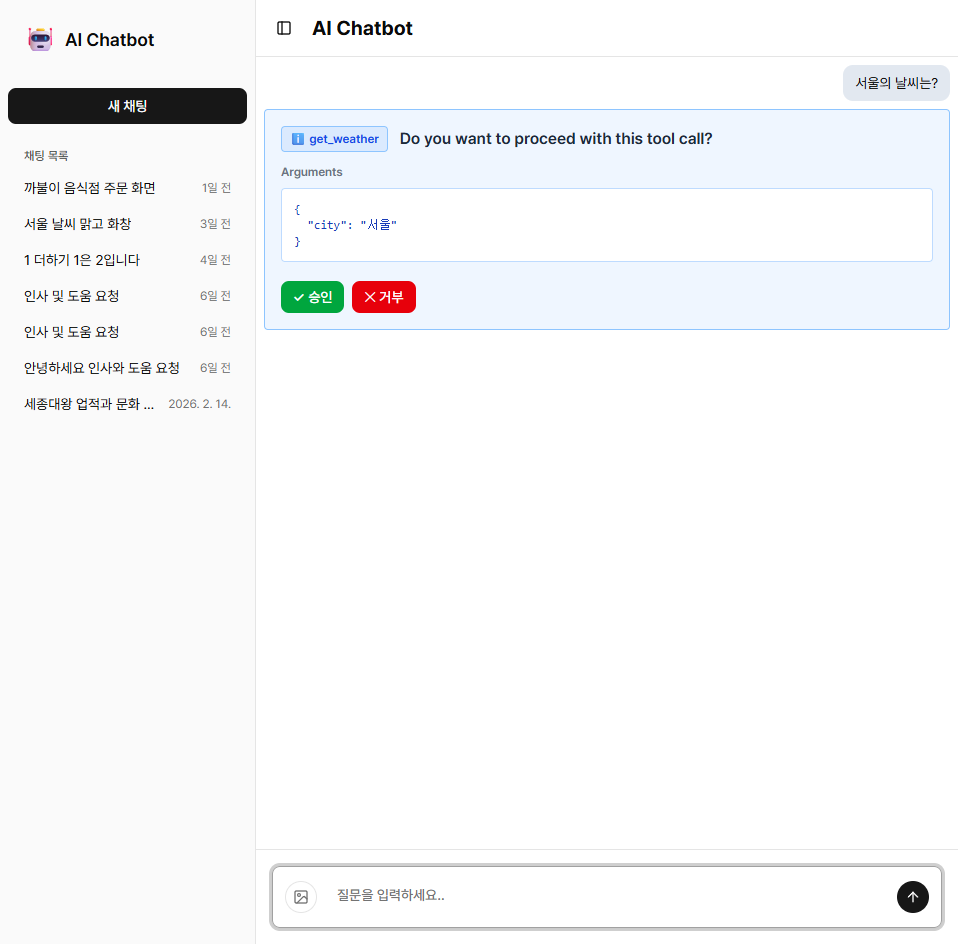
Human in the loop
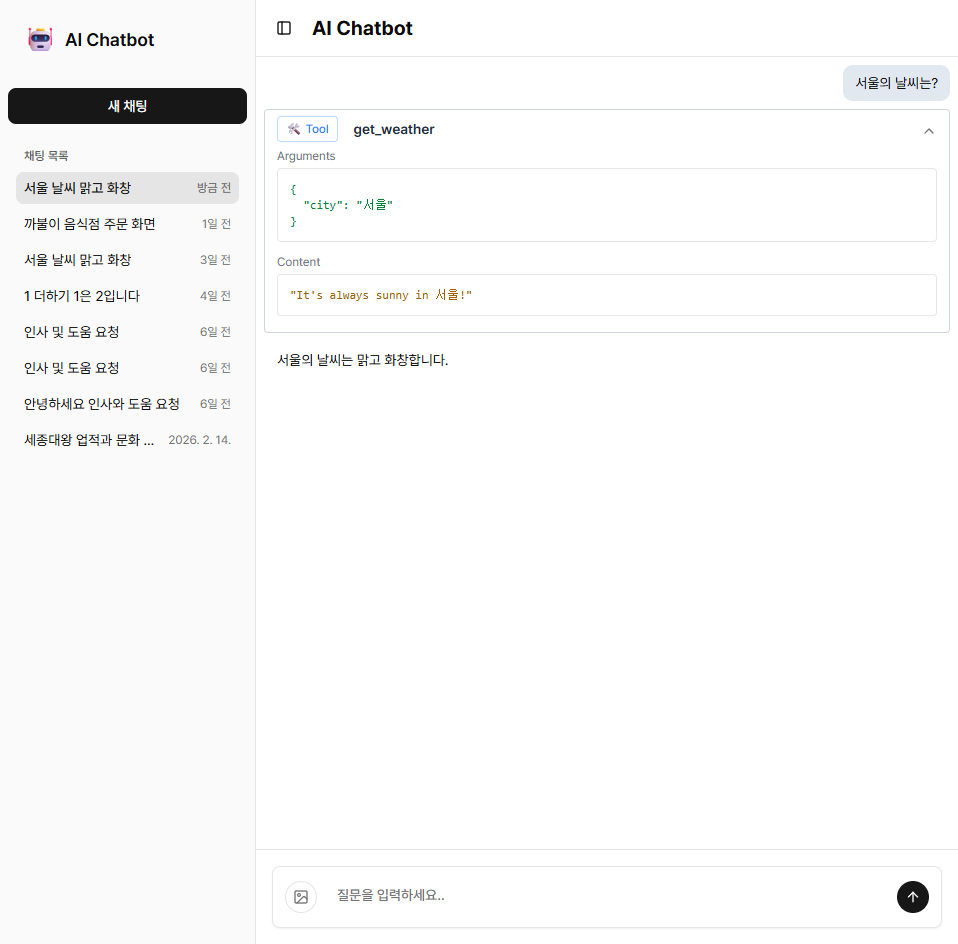
Tool use
Go beyond simple API calls and experience designing and deploying your own AI chatbot.
Develop the skills to build production-level chatbots and grow into a next-generation AI technology expert.
React 19, NestJS, LangChain, and LangGraph are utilized to implement features such as
real-time streaming, tool calling, multimodal capabilities, and Human-in-the-Loop functionality.
Beyond simple API calls, you will directly design and implement all the features required for an actual service, such as conversation history management, file processing, and user approval.
We will build a full-stack chatbot based on React, NestJS, and PostgreSQL from start to finish together, and all source code will be provided.
This lecture introduces the objectives of the course and covers the initial environment setup for a React 19-based frontend project, as well as configuring the VS Code debugging environment.
Design the basic layout, chat area, and input field of the chatbot using Shadcn UI, and implement message transmission event handling and loading states.
Set up the initial NestJS project and configure environment variables, logging, DTO validation, and Swagger documentation generation. It also covers the creation of Chat API resources.
Install LangChain and integrate it with the OpenAI API to make your first LLM call. Learn how to implement API calls using TanStack Query and real-time response streaming via backend HTTP Streams.
We will implement global state management by introducing the Zustand library and efficiently refactor the chat logic through custom hooks and component separation.
Grant the AI Agent the ability to use tools, and implement parallel tool processing, custom logging middleware, and HTTP-Stream communication using streamMode.
Visually display the tool execution stream on the chatbot screen and improve the user experience by implementing Accordion UI, real-time Markdown rendering, and auto-scroll features.
Develop the file upload API and implement multimodal features for processing image and PDF files on both the backend and frontend.
Use LangGraph's MemorySaver and summarizationMiddleware to remember conversation history, and track the execution flow with LangSmith.
Implement the Human in the Loop pattern, which allows users to approve, reject, or modify the AI's tool usage, and develop features for interrupting and resuming streams.
Apply independent short-term memory for each Chat ID to separate chat rooms, and implement HomePage and ChatPage for creating new chats.
Run a PostgreSQL container using Docker and set up an environment for database connection and management through DBeaver.
Set up Prisma ORM and integrate it with PostgreSQL to implement features for persistently storing and retrieving conversation data, such as chat threads, messages, and tool results.
Practice Environment
Operating System: Windows, macOS, and Linux are all supported.
Development Tools: Node.js (v18 or higher recommended), pnpm, Docker Desktop, and VS Code are required.
PC Specifications: At least 8GB of RAM is recommended for a smooth development environment.
Prerequisites and Important Notes
A basic understanding of React and TypeScript syntax is required.
It is helpful if you have experience with Node.js-based backend frameworks such as NestJS or Express.js.
Experience with API calls will be a great help for the hands-on practice.
It is okay if you do not have prior knowledge of LangChain or LangGraph.
Learning Materials
Full source code is provided for every lecture.
You will learn how to utilize the latest libraries required for actual service development.
Who is this course right for?
Backend developers who want to apply LangChain/LangGraph to real-world services
A frontend developer who wants to build their own AI chatbot service like ChatGPT.
Developers who have used LLM APIs but have no experience with full-stack chatbot projects.
Developers who want to learn advanced patterns for AI agents, such as Human-in-the-Loop, memory, and streaming.
Job seekers or junior developers who want to build a practical full-stack project portfolio based on React + NestJS.
Practitioners who need to quickly build AI chatbot PoCs or prototypes within their company.
Need to know before starting?
JavaScript / TypeScript Basics — You must have an understanding of basic syntax, including variables, functions, async/await, and module systems.
React Basics — Experience with basic hooks such as components, props, useState, and useEffect is preferred.
Node.js basics — it is helpful to be familiar with installing npm/pnpm packages and using the terminal.
REST API concepts — You can follow along smoothly if you understand HTTP methods (GET, POST, etc.) and the request/response structure.
Experience with NestJS or Express — Not required as the course covers initial setup, but it will make things easier if you have it.

Career Verified
987
Learners
86
Reviews
31
Answers
5.0
Rating
4
Courses
Clinic & Hospital Software Development Company | 2015 ~ Present
Operating a YouTube channel for C# lectures: Kaburi Coder (https://www.youtube.com/@kaburi-coder) 2022 ~
Programming Languages: C#, TypeScript, Dart, Python, VB.NET
Desktop Applications: WinForms, WPF
Mobile App Development: Flutter
Web Development: React, Next.js, Express, NestJS
Gen AI: LangChain, LangGraph
Containers and Orchestration: Docker, Kubernetes, Helm, ArgoCD ..
CI/CD: GitHub Actions
Database: MySQL, PostgreSQL, MongoDB, SQLite, etc.
Since 2015, I have gained extensive experience successfully leading various projects in the field of software development.
As a technical leader, I lead the team to maintain efficient development processes and focus on enhancing software quality and user experience by actively adopting the latest technology stacks.
Currently, I am leading the integrated development of desktop and web applications while also taking responsibility for internal employee training.
Furthermore, I am contributing to the overall success of projects by developing user-friendly applications, automating deployments, and implementing DevOps practices.
Through continuous self-development, I flexibly adapt to the changing technological landscape and approach new challenges with great passion.
All
85 lectures ∙ (7hr 30min)
Course Materials:
All
4 reviews
5.0
4 reviews

Reviews 7
∙
Average Rating 5.0
Reviews 1
∙
Average Rating 5.0
Reviews 4
∙
Average Rating 5.0
Check out other courses by the instructor!
Explore other courses in the same field!
25% off for new members
$72.30
25%
$102.30
![[C#]WinForm MVP + DI(Dependency Injection) + Custom Shortcuts: Master Advanced Development SkillsCourse Thumbnail](https://cdn.inflearn.com/public/files/courses/337563/cover/01jxxj4d6r5tzqs3f80hvs9qbg?w=420)




![[PROKIT] Vibe Coding/Frontend Practice Workbook: Building a Timer AppCourse Thumbnail](https://cdn.inflearn.com/public/files/courses/339612/cover/01ke6d974hx4y1esmd9p80w7cx?w=420)