Introduction to Git and GitHub for Team Development
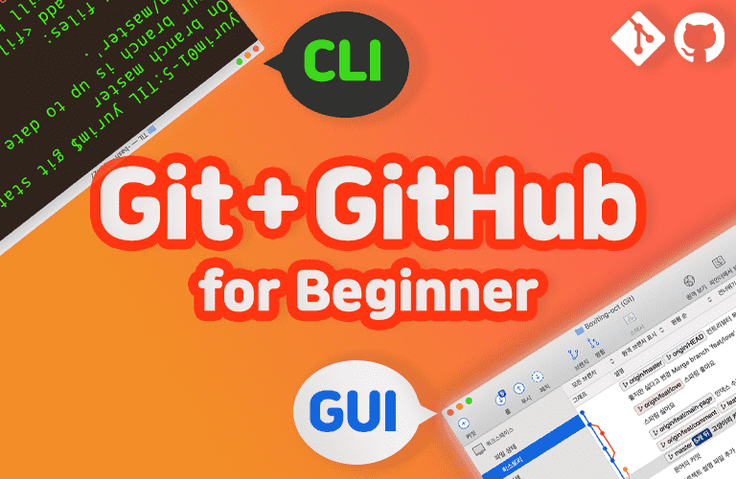
From personal projects to on-site development, learn Git and GitHub, essential technologies for team development, through illustrations. Everyone, from beginners to those curious about practical cases, can listen. Study using both CLI and GUI.
This is my first time doing a proper team project, but since no one has experience collaborating with GitHub, I was practicing alone with two accounts, and then I happened to find this lecture on Women's Day promotion.
The total class time was not long, and the price was reasonable, so I thought I was watching a movie and paid right away.
They were so kind and explained everything in detail, so it felt like I was getting a private tutoring session.
This lecture came out just when I needed it, and I'm so happy I was able to watch it!
For those who are having trouble getting used to collaboration for the first time like me, or those who didn't know anything about Git and GitHub at all, this lecture will be a convenient shortcut.
5.0
catsriding
100% enrolled
Wow... You explained it so easily 👍🏻
I think version control is really important in any field. So when I was learning the basics of Java grammar, I was learning Git and GitHub by Googling and looking at documents on my own, and I was using them awkwardly... Then, as soon as I saw this lecture banner, I decided to learn the usage and concepts properly, so I took the lecture.
While listening to the lecture, I feel regretful that I could have saved a lot of time and effort if this lecture had been available at the time 🥺
I recommend that those preparing to be developers take this lecture. There are many people preparing to be developers who don't know about Git and GitHub...🤭
Thank you for the great lecture. 🙏🏻
5.0
임사장
100% enrolled
Hello, Jin Yu-rim. I have never met you, but I respect you for your footsteps as a developer, so I have been following you for a long time. When I heard that you were offering an online lecture, I immediately paid for it. ^^ At the time, my company was using gitLab in earnest and I was planning to study. I haven't finished the course yet, but the lecture materials are easy to understand and the explanations are easy to understand. If you could also share the PPT materials, it would be very helpful for my studies. ^^ Thank you for making a great lecture. jaeman87@gmail.com
What you will gain after the course
Essential for Programming! Version Control with Git
Collaborating on code with GitHub
Learn the principles of Git through pictures
Learn useful Git commands through practical examples
Anyone can easily use Git + GitHub.🙆♀️🙆♂️ The secret to using it properly in practice!
Git and GitHub: Essential Tools for Development Collaboration
Developers, planners, and designers are all welcome! With excellent version control & hosting Experience powerful and convenient collaboration.
Git is an essential tool for professionals. Almost every company and team project uses Git. If you're a student preparing for employment or just starting out in the field, this is a must-read. It'll make working with colleagues easier and more enjoyable. 😄
The easiest Git & GitHub course for beginners
This course uses illustrations and graphical tools to explain Git concepts and commands that can be challenging for beginners. Drawing on my experience teaching numerous online and offline courses, I'll make concepts that students often find difficult easier to understand.
Even unfamiliar concepts can be learned without difficulty.
Let's organize what we've learned clearly into a diagram!
Despite being a crucial technology for companies, many practitioners are unfamiliar with Git. Some may be apprehensive about encountering code conflicts or tangled branches during work. This course will teach you the internal principles and operating principles of Git, helping you develop the skills to resolve issues when they arise.
Lecture Features
1. Taste it with the command window and understand it with the graphic tool !
Practice collaboration scenarios through the command window.
Let's review once more in a GUI environment!
In Section 1, we'll walk through the simplest collaboration scenario using Git via the command line interface (CLI). And in Section 2, we will review the same process using a graphical user interface (GUI) and then practice visualizing a slightly more complex collaboration scenario.
This is the optimal curriculum that has been developed through numerous offline lectures ;) I hope it will help you understand it as well.
2. Understanding the operating principle through pictures
We'll make it even more fun with cute animal characters!
We explain the operating principles in an easy-to-understand manner at a glance.
Learn how Git works, with helpful diagrams. You might be thinking, "I just need to know how to use it, don't I really need to know how it works?" However, even a brief understanding of how it works will help you resolve conflicts and untangle issues more than twice as fast when using Git!
3. Master Git with Practical Case Studies
Are you feeling lost in unfamiliar terms during your work?
While Git is certainly useful for solo development, it truly shines when used collaboratively with a team. This course covers the commands you need to know when working with team members, using real-world scenarios.
Introduction to lecture notes
We provide over 150 PowerPoint presentations specifically designed for online lectures. Lecture notes are attached to each lecture for easy reference. :)
Easier than a book! Learn by doing.
Getting Started with Git and GitHub for Team Development
The revised edition of "Getting Started with Git and GitHub for Team Development" is packed with essential commands you'll need for practical work! The Git & GitHub bestseller "Getting Started with Git and GitHub for Team Development" has been updated with new, practical commands and terminology, along with content that's 100% applicable to collaboration. This book consists of hands-on exercises with scenarios, providing a comprehensive overview of Git &...
This course is a re-imagined version of the book "Getting Started with GitHub for Team Development" to make it easier to follow. You'll learn step-by-step from the beginning with the author. 😄 The hands-on exercises will be much more enjoyable and seamless than working alone from the book.
Reviews verified through offline lectures!
"If you ask about GitHub, ask about Yulim!", "print(\"Git\" + \"Yulim\") >>> GodYulim" "I've attended many of Yulim's lectures and classes, but it's so great to be able to meet you so closely! As always, the content is rich and your diction is excellent!!" "You seem to have a knack for getting people to focus! 😍 See you next time, Sipo!! 🤗" "Whenever I learn something new, I always approach it thinking it's difficult, but Yurim-nim, isn't it easy?! It's simple, right?! I feel like I'm getting more courageous because you make it so 💕 Thank you~!!" "I always uploaded to SourceTree because GitHub CLI was difficult,,, but the lecture was so fun and easy to understand that I think I can now try CLI~~ Thank you!!!!" "Without Yulimnim, Git is like an egg without a yolk."
What can I learn?
🙋♀️ I don't know anything about Git!
Learn about version control, Git, and GitHub, and practice installing and using them. You'll gain experience using both the command line interface (CLI) and graphical user interface (GUI).
🙋♀️ I tried using commands, but I always get lost because I don't know how they work!
You'll visualize the commands in your head through repeated practice in both the command line interface (CLI) and graphical user interface (GUI). Section 2's "Learning Git Principles with Pictures" lesson will help you become more fluent in Git. "Conflicts - Theory" and "Conflicts - Practice," the only videos divided into two, will help you flexibly resolve conflicts.
🙋♀️ I'm curious how it's used in practical collaboration!
Learn frequently used commands in practice through five collaboration scenarios covered in Section 3.
Expected Q&A
Q. Can I take the course without any prior knowledge?
Yes, you don't need to know how to code.
Q. What operating system is used for the practice environment? (Windows/macOS?)
The lecture video was filmed in a macOS environment, and if there is a different screen from Windows, it was filmed so that the Windows screen can also be viewed through a virtual machine.
Q. I'm a planner/designer. Can I take the course?
This course does not involve coding. Anyone interested in working with developers on version control can take it without prior knowledge.
We provide tuition support for students and job seekers 💪
We're offering a 50% discount coupon to help students and job seekers with low incomes take the course with less financial burden. Application link / Inquiries
Recommended for these people
Who is this course right for?
For those new to Git
Anyone who is curious about how to collaborate on code when developing as a team
I've used Git but I don't know exactly what it is and I get lost every time a conflict occurs.
People who want to easily learn the principles of Git
People who are curious about Git commands used in practice
I'm Yurim Jin, a front-end developer. I love the unique sharing culture of developers and the vibe of the community. Nice to meet you! Blog / GitHub / SoundCloud
Lectures: Samsung Electronics, Facebook, IBM, Korea University, Ewha Womans University, and many other technical lectures
I didn't know that you would be able to bring me to a level where I can apply Git and GitHub in practice in such a short time. Thank you so much for the great lecture. I personally need to practice a little to become proficient, but I personally think this is the best lecture related to Git. If possible, I would like to receive the lecture materials by email. My email is ziont0510@naver.com!
Thank you for asking questions and leaving reviews. If you have any further questions, please feel free to ask~ I also sent you the lecture materials. ㅎㅎ
Wow... You explained it so easily 👍🏻
I think version control is really important in any field. So when I was learning the basics of Java grammar, I was learning Git and GitHub by Googling and looking at documents on my own, and I was using them awkwardly... Then, as soon as I saw this lecture banner, I decided to learn the usage and concepts properly, so I took the lecture.
While listening to the lecture, I feel regretful that I could have saved a lot of time and effort if this lecture had been available at the time 🥺
I recommend that those preparing to be developers take this lecture. There are many people preparing to be developers who don't know about Git and GitHub...🤭
Thank you for the great lecture. 🙏🏻
CatsRiding~! Thank you for the course review that reflects your experience of self-study.ㅎㅎ
I also had a hard time learning Git and GitHub at first (I had a teacher who taught me, but it was hard).
Recalling that experience, I tried to include various devices in the lecture so that beginners can understand it as easily as possible. I'm glad it was helpful ^.^
Hello, Jin Yu-rim. I have never met you, but I respect you for your footsteps as a developer, so I have been following you for a long time. When I heard that you were offering an online lecture, I immediately paid for it. ^^ At the time, my company was using gitLab in earnest and I was planning to study. I haven't finished the course yet, but the lecture materials are easy to understand and the explanations are easy to understand. If you could also share the PPT materials, it would be very helpful for my studies. ^^ Thank you for making a great lecture. jaeman87@gmail.com
Wow, first class review... Thank you haha It will be no problem to apply it to GitLab as both are similar~ If you are confused in the middle, please ask!
I also sent you the lecture materials.
This is my first time doing a proper team project, but since no one has experience collaborating with GitHub, I was practicing alone with two accounts, and then I happened to find this lecture on Women's Day promotion.
The total class time was not long, and the price was reasonable, so I thought I was watching a movie and paid right away.
They were so kind and explained everything in detail, so it felt like I was getting a private tutoring session.
This lecture came out just when I needed it, and I'm so happy I was able to watch it!
For those who are having trouble getting used to collaboration for the first time like me, or those who didn't know anything about Git and GitHub at all, this lecture will be a convenient shortcut.