Create your own game with SpriteKit and GameplayKit 🕹
The ultimate 2D game framework, SpriteKit and GameplayKit!
GameplayKit is an object-oriented framework supported by Apple that provides the fundamental technologies and tools for building games. The SpriteKit Framework, in particular, allows for the creation of efficient, battery-efficient 2D games. SpriteKit allows for the creation of new physics effects and animations, as well as in-game collision detection and new lighting effects.
What we will make in this lecture😄
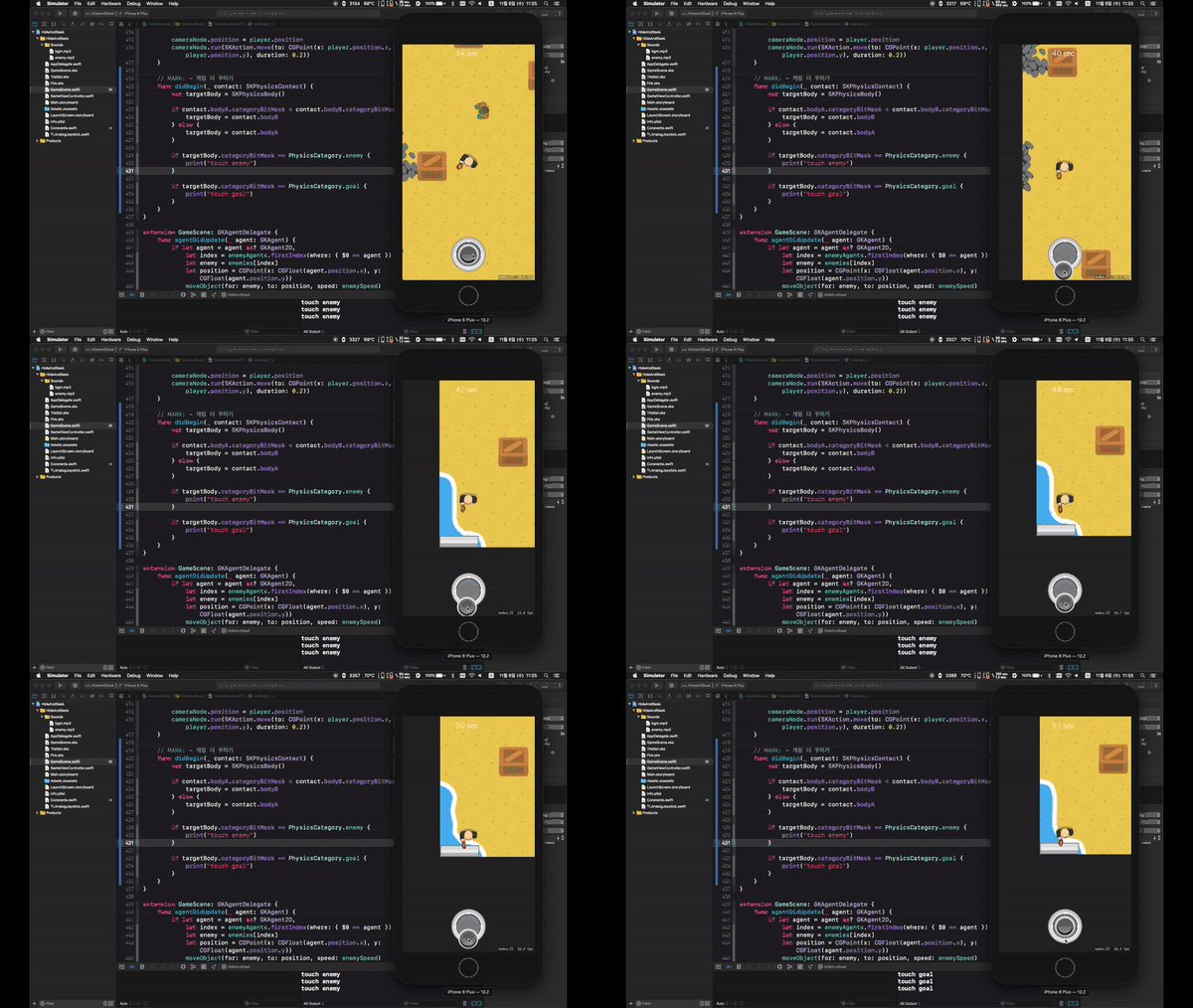
After taking this course, you will be able to create games like this :)
In this lesson , we'll create a zombie-avoiding tag game using SpriteKit, a 2D game development framework provided by Apple. We'll also learn how to use Apple's GameplayKit framework to make the zombies move with AI.
By following the lectures, you'll soon have a completed 2D game. You'll also learn how to give your monsters simple AI.
What you will learn in this lecture ✨
Sample Game and GameplayKit Description
We will introduce the game we will create in this lecture and explain the GameplayKit framework that will be applied when creating the game.
Creating a game stage
Learn how to create a game background using tilemaps and display a camera and HUD on screen. You'll also learn how to place goals and obstacles to complete the game's stage.
Preparing objects
Learn how to position and move players and enemies on the game stage you created in Section 1.
Introducing artificial intelligence
Learn how to use GameplayKit to automatically move enemies.
Make your game more enjoyable
To make your game even more game-like, we'll show you how to add sound effects and place a virtual joystick on the screen. We'll also explain how to handle game overs.
What's special about my lecture ✨
I first explained why the function needs to be implemented and then wrote the code to make the lecture more understandable.
We've organized it so that you can build a solid foundation by explaining the meaning of each code step by step.
Be sure to check before attending the lecture!
This course can only be taken on a Mac computer.
Please install Xcode before taking the course .
The course will be taught using only frameworks built into iOS.
Expected Questions Q&A 💬
Q. Is this a course that non-majors can also take? A. It's okay even if you didn't major in computer engineering.
Q. What are the benefits of taking this course? A. By creating a game using Swift, which is used to create iOS apps, you can learn how to use this language and how to use the game engine.







![Creating RPG Game Apps [iOS iPhone]강의 썸네일](https://cdn.inflearn.com/public/courses/324527/course_cover/90d24f33-c1fb-4d19-aec5-ec0a802e3ef1/onarcher_rpg.png?f=avif&w=420)


![MAUI [Cross-Platform Applications & C#]강의 썸네일](https://cdn.inflearn.com/public/courses/332442/cover/89ee60dc-f139-4b63-ae28-abd8a6036cb8/332442-eng.png?f=avif&w=420)
