It's short and simple to look at, but it includes everything you need to include, so it's easy to understand overall. Please make other ones too.
What you will gain after the course
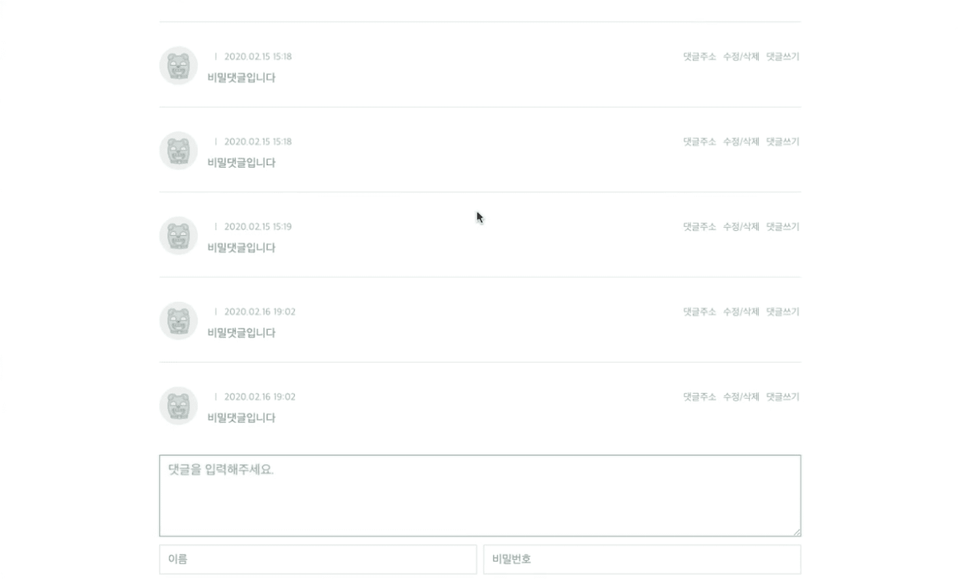
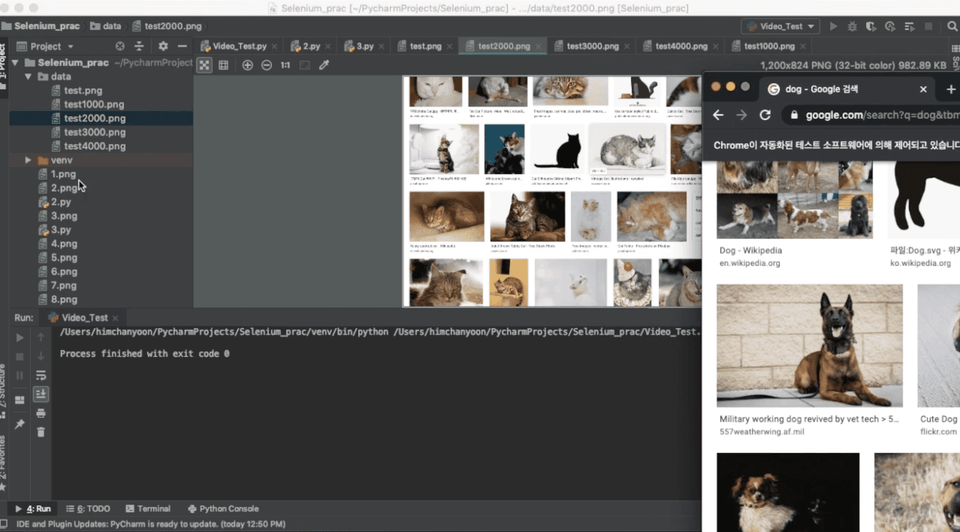
How to write code to generate automatic comments
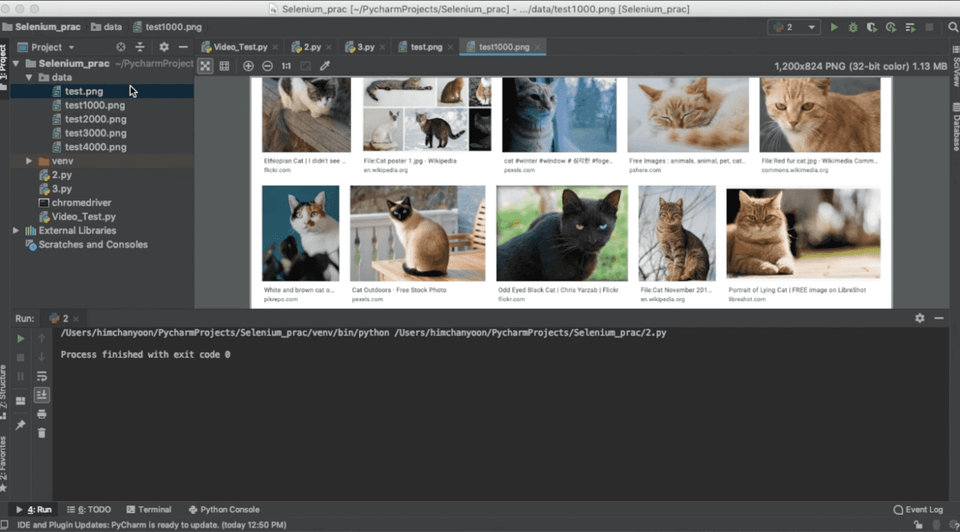
How to write code to take automatic screenshots
A taste of creating automation programs with Python :)
🗒 Course Introduction
Through offline coding classes, I met people from various fields.
There are many people who want to learn a little bit of coding and create the programs they want, but it seems like there are few opportunities to create programs that can actually be used in real life.
I filmed a lecture on creating an automation program.
As you can see from the title, this is a sample lecture, and if you want to create an advanced program, you will have to find it yourself and study more :)
Q. I created an advanced program using the code from the lecture, but sometimes it works and sometimes it doesn't. A. When actually running on the web, there are various variables (e.g., the site blocking the program).
You need to study by yourself how to bypass it by searching for keywords like "selenium bypass".
Q. How difficult is the course? A. This is for those who have some knowledge of Python and HTML.
Q. Can I apply this course to everything? A. Of course not. If you want to use it elsewhere, I recommend you Google it and learn more about it step by step.
Q. Are there any precautions I should take? A. Over time, as the site changes, existing code may no longer work. You'll need to find a solution through search. Please post your questions on the Q&A board and we'll respond as quickly as possible.
I am a developer who is completely new to Python, Selenium, and web automation programs. It was a good lecture to listen to after work. Of course, there are many things that have changed now, so I had to do some Googling. Haha. It was a lecture that I learned a lot from and had fun! I recommend it. Thank you for the great lecture.






![[Beginner's Guide] Kotlin Syntax for AndroidCourse Thumbnail](https://cdn.inflearn.com/public/courses/328032/cover/b566fea7-2dce-49cf-bd5a-911e33af1f31/328032-eng.png?w=420)

![[Absolute Beginner] Learn Android Kotlin by building 8 appsCourse Thumbnail](https://cdn.inflearn.com/public/courses/327096/cover/fa1cbc3c-c0e8-4a3d-9f2a-1150b67f6457/327096-eng.png?w=420)
![[Portfolio] Building an Android App - Hands-on PracticeCourse Thumbnail](https://cdn.inflearn.com/public/files/courses/339622/cover/ai/1/ed686ab3-7df2-41f2-882e-c0996842fa8e.png?w=420)

![[LV4] Jetpack Compose - Design Patterns and CircuitCourse Thumbnail](https://cdn.inflearn.com/public/files/courses/339164/cover/01k79qy6g0xxp4f7zyfqmyhafy?w=420)
![[1 Hour] JavaScript for Developers (of other languages)Course Thumbnail](https://cdn.inflearn.com/public/files/courses/337877/cover/01jyvwkxfmyxtq5ny0e5fmwmqp?w=420)

![[Portfolio] Creating an Android App - TheoryCourse Thumbnail](https://cdn.inflearn.com/public/courses/335258/cover/371a20a3-e586-4be2-b40e-addbf7fb3416/335258.png?w=420)
![[LV3] Jetpack Compose - Create a diet app that looks goodCourse Thumbnail](https://cdn.inflearn.com/public/courses/334088/cover/3c137d6e-568c-465d-a740-e2bf87db58d1/334088.png?w=420)
![Planner, how about learning this level of web development? [Theory + Practice]Course Thumbnail](https://cdn.inflearn.com/public/courses/333579/cover/5bfdb903-721c-4e32-803b-ed0d4cfc28b7/333579.png?w=420)
![[LV2] Jetpack Compose - UI and AnimationCourse Thumbnail](https://cdn.inflearn.com/public/courses/333062/cover/7664ae49-5e6f-402b-95fa-73cb2fd7f549/333062.png?w=420)
![[LV1] Jetpack Compose - UI PracticeCourse Thumbnail](https://cdn.inflearn.com/public/courses/331649/cover/38c7ca7b-90b5-410d-9bed-dd4153ba4850/331649-eng.jpg?w=420)
![[Intermediate] Introduction to Kind JETPACK <Part 2> (Android Kotlin)Course Thumbnail](https://cdn.inflearn.com/public/courses/330922/cover/f82a0683-7fc3-49fb-b1a3-abebf05356d2/330922-eng.png?w=420)
![[Intermediate] Kind JETPACK Introduction <Part 1> (Android Kotlin)Course Thumbnail](https://cdn.inflearn.com/public/courses/328890/cover/f3412340-280b-42e6-aa53-3e43c79c4d0d/327096-eng.png?w=420)

![[Complete Automation Conquest] Instagram Mobile Phone, Web Automation Program DevelopmentCourse Thumbnail](https://cdn.inflearn.com/public/courses/329289/cover/0d38eeb1-b3ff-4593-81f5-8da64078b140/329289-eng.png?w=420)







![[Kim Left Hand's Left Hand Coding] ChatGPT X Python for Programming QuittersCourse Thumbnail](https://cdn.inflearn.com/public/courses/331689/cover/837c709b-807b-492c-b35a-971713e67447/썸네일.png?w=420)