Design Systems: The essential UX/UI knowledge that no one ever told you.
There's so much to study when it comes to UX/UI, isn't there? There are so many books you want to read and various lectures you want to take... In times like that, it's best to study step-by-step, starting with what will have the greatest impact on your work. And among those, 'Design Systems' is undoubtedly number one in terms of influence!
Teaching slowly and clearly makes the lecture easy to absorb. I'll use this to prepare for interviews. Beginners, definitely take this.
5.0
용현지
100% enrolled
It was easy to understand with detailed and kind explanation! Thank you:))
What you will gain after the course
The concept of a design system
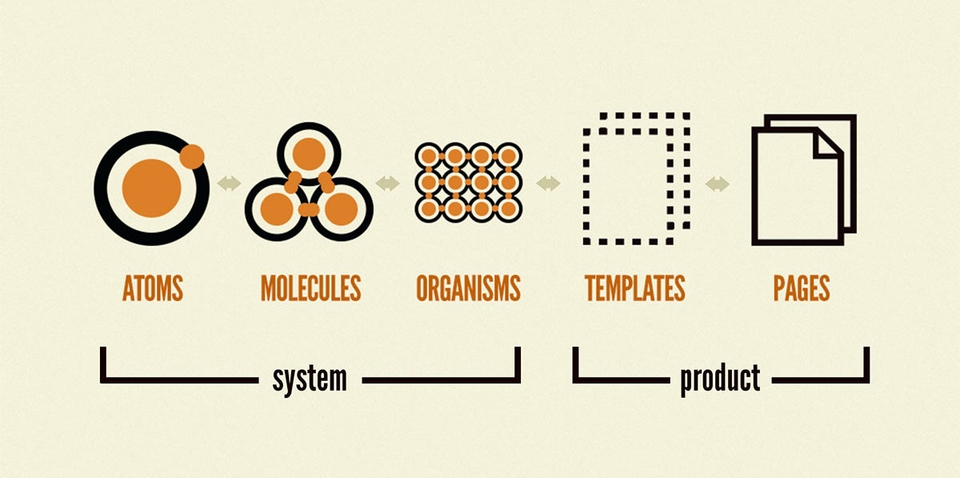
Atomic System Concept
How designers create styles and how to use them from the library
How designers create components and how to use them from a library
A checklist that is helpful for designers to refer to when creating guides.
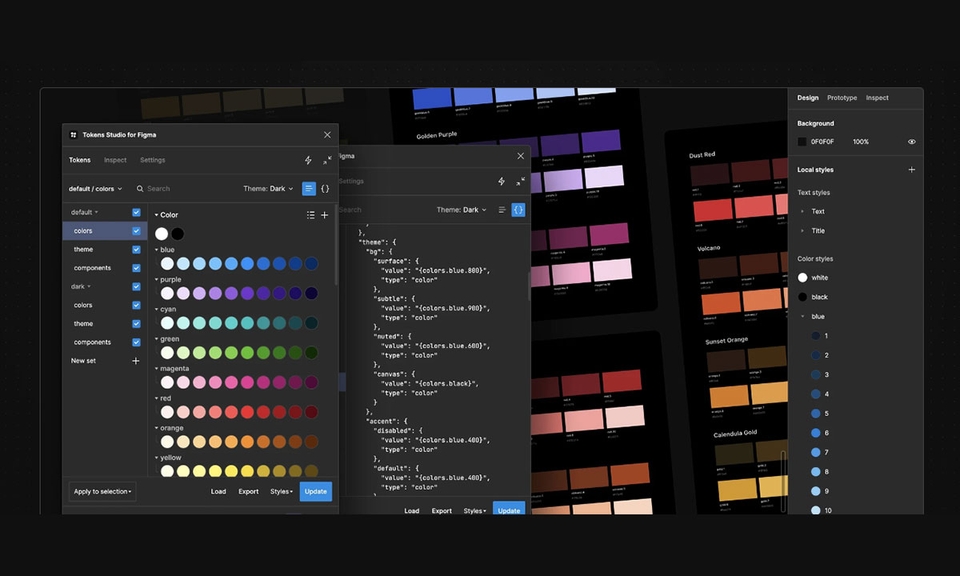
The concept of tokens and how to use them (Designer's perspective)
🔥 Must-Read
This course is currently being prepared for an update. Rather than purchasing now, please come back when the update is complete and we make an announcement =)
🔥 Benefit Items
📖 The price of a single book! For the price of one book, access a video course consisting of 18 chapters! Lifetime access to a course that is continuously updated!
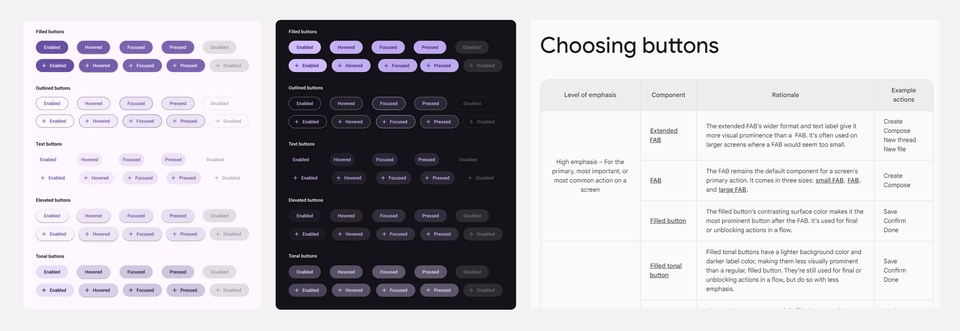
📝 A cheat sheet to prevent missing components, checklist file provided! When managing a design system, there are times when you need various versions of the UI for a single component. In the case of a button, you need different versions like default + hover state UI + pressed UI. You also need to establish usage guides, such as policies for when to use a blue button versus a ghost button. However, because you have to create these while considering so many different scenarios, it's easy to miss something. We provide a checklist to prevent such omissions.
❓ What exactly is a 'Design System'?
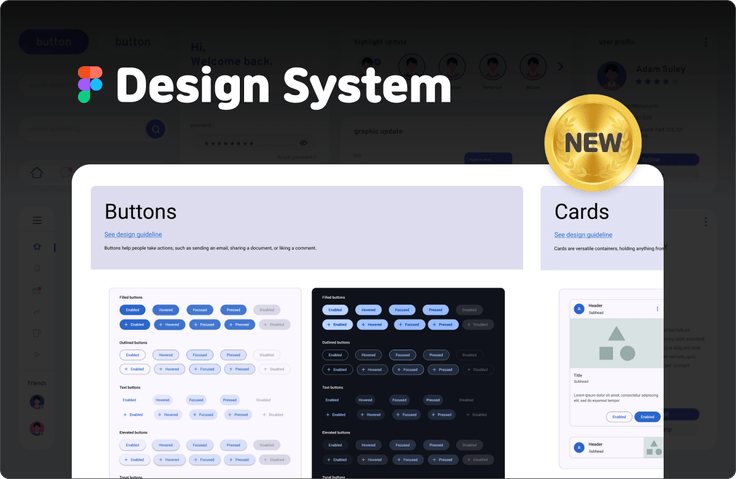
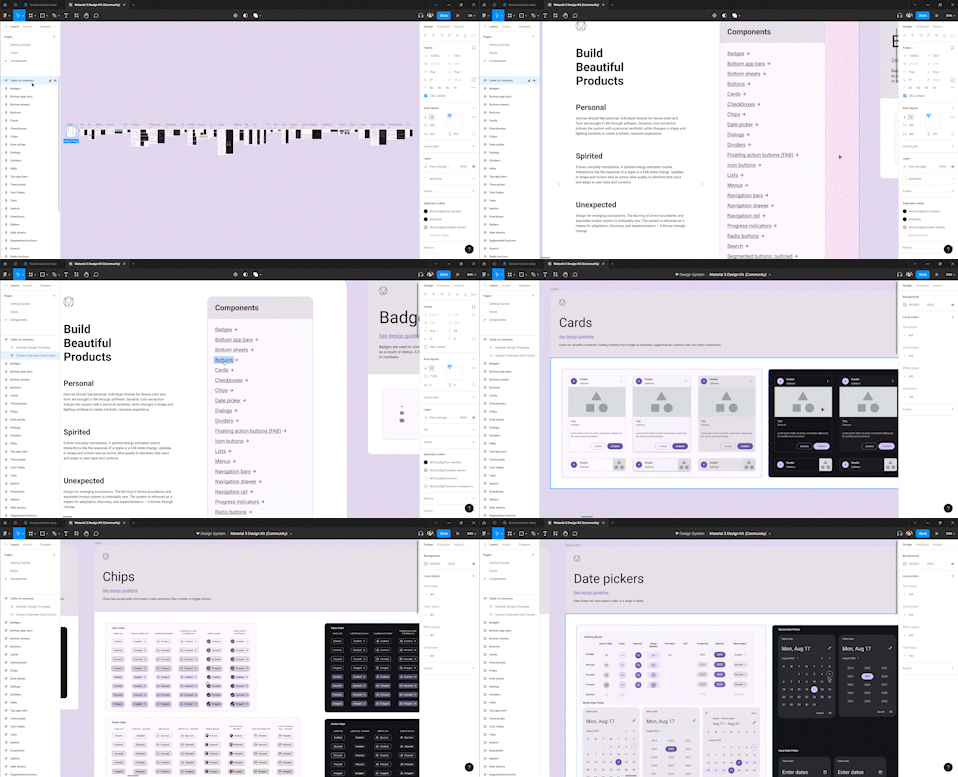
👆 An example of a design system created by Google. This is called the famous 'Material Design (System)'.
Rather than a difficult and vague definition about consistency and so on, please remember it with just one or two images that are familiar to you.In the beginning, remembering with images rather than text is better for understanding and keeping a clear memory for a long time.
👆If you are a designer, please remember it through Figma images.
Design System = Styles and Components in Figma + individual Usage Guides (written by designers on Notion/Slack/other websites)
👆 If you are a developer, please remember it using the VS Code image.
Design System = The part where style and component codes are written in VScode + the respective usage guides (things the team designer wrote on Notion/Slack/other websites)
😊 Content that no one has ever told you before!
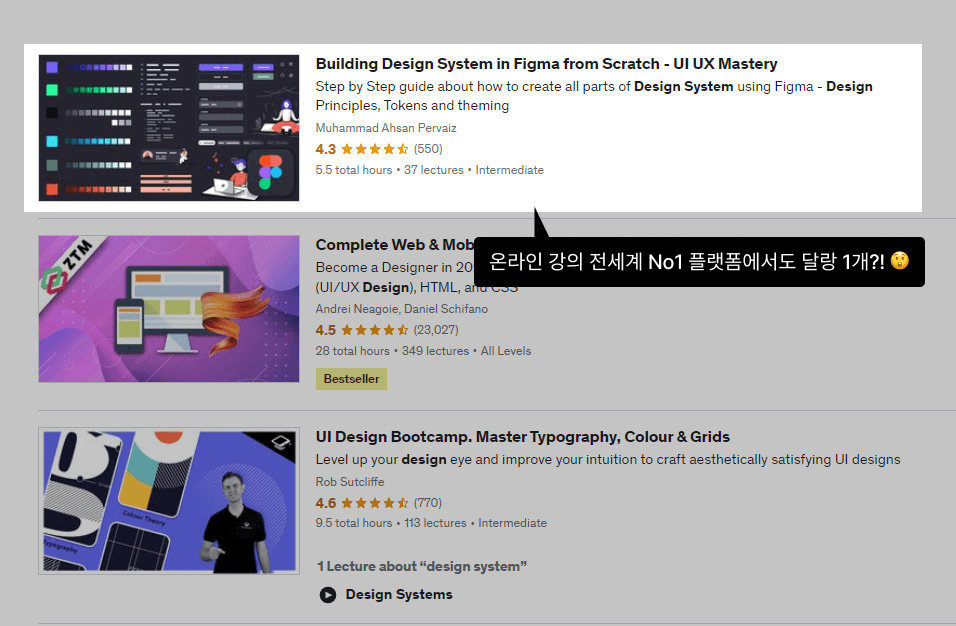
Try searching for 'Design System' on online lecture platforms. You will likely find very few related courses. Not only is the absolute number of lectures insufficient, but most of them have curricula that are either too simplistic or, conversely, excessively long. There is a bit more content on YouTube, but even those videos lack specific details regarding 'guides.' Since everyone's time is precious—and Korean office workers are especially busy—I have packed this course with only the most essential core content!
Since a design system serves as the fundamental framework for all web and app products, it is an essential concept that designers, in particular, must master. However, despite being such a crucial and mandatory concept, why are there so few lectures on "design systems"? It's because design system work isn't highly visible on the surface and isn't directly linked to immediate revenue. It’s similar to "housework." Even if you work hard at housework every day, it’s not easily noticeable. Doing housework doesn't generate money, either. Because it doesn't stand out and doesn't make money, it has been undervalued for a long time. You probably haven't seen many lectures teaching you how to do housework well. But just as things get messy quickly if you don't do housework for even three days, you will constantly face inconveniences during your work if you don't pay attention to the "design system." And if those related issues, big and small, are left neglected, they may eventually reach a state that is difficult to reverse. Giant companies like Google, Apple, and Samsung have separate teams dedicated solely to managing design systems. These smart companies wouldn't have created such separate teams just because they had extra money to burn, right? It's proof that they also well understand the importance of this thing called a design system. In Korea, it is said that a company called Toss is saving 15,800 hours annually after extensively reorganizing its design system. Despite it being such an influential system, unfortunately, there are far too few people teaching others about design systems.
As I will continue to emphasize, it doesn't have to be this course. Whether it's through books or YouTube, I sincerely hope you continue to study the concept of design systems. Although design systems have evolved tremendously, there are still many areas that need improvement. Only when more people take an interest can these systems reach a higher standard across the board.
The pace of change in the IT field is incredibly fast. Looking at Figma alone, so much changes with every update that it requires constant study. Therefore, it is necessary to check the update history to see if the course is being consistently updated in line with the rapid pace of change. The frequency of updates also reflects the instructor's ambition regarding the quality of the course.
👍 A course by an instructor who listens carefully to negative feedback from students!
Don't just look at the review ratings; pay close attention to the comments left by the instructor as well. If they react defensively to negative feedback or give perfunctory responses, it's hard to say they have a good attitude as an instructor. If they truly want their students to improve and succeed, when a student says, "I found this part a bit disappointing," they will think, "Oh, you're right. I missed that part. I should reinforce the lecture."
❓ How can a design system help designers?
1. Increases work efficiency
This is something many people already know. It reduces repetitive tasks and helps maintain design consistency across the entire product, and so on.
2. Preventing unnecessary unsolicited advice
I am also a designer and do this work because I love design, but there are moments when I find myself lost in thought. Design is a field where anyone can easily offer an opinion on my work at any time. For example, a passing sales team member might say, "Doesn't the font look a bit too stiff?" or "Wouldn't it look better if the numbers in this column were center-aligned?" While feedback from others' perspectives is always welcome, if the designer didn't just work mindlessly but made those decisions after research and careful consideration—or if multiple people provide conflicting opinions—the designer might feel the urge to seek peace of mind by listening to birdsong or the sound of a stream in nature. However, if a design system is actively implemented, it becomes a system created through everyone's participation, not just for designers. Since it's a system established by reflecting everyone's voices, the number of people with complaints will decrease. There won't be a need for disorganized meetings every time a disagreement arises.
3. Practice Improving Usability
In terms of requiring continuous usability improvements, a design system is just like any other product. The difference is, improving the usability of the web or app I build makes the end users happy, but improving the usability of a design system makes me and my teammates happy. While the users of my product can be anyone—making them difficult to identify and time-consuming to study—the users of our company's design system are strictly defined as our own team members, making it an excellent way to practice user research and usability improvement!
❓ What if it's already being used in the company?
The fact that it is already in use at the company means that there will likely be less resistance from team members regarding a design system upgrade! If you try to introduce a design system to a company that hasn't been using one, there is a lot to learn and adapt to, and many existing tasks may need to be reworked, which can lead to significant resistance from team members. It would be a great idea to take this opportunity to talk with your team or the entire company about reorganizing the design system!
The IT sector is one of the most rapidly changing fields across all industries. New technologies are emerging almost every day. If the term 'Design Tokens' is unfamiliar to you, I recommend getting a brief grasp of the concept elsewhere, even if it's not through this lecture.
In the case of large corporations, there are separate teams dedicated solely to design systems. In the United States, design system teams are typically said to consist of about 4 to 9 members. However, in the case of small to medium-sized enterprises or startups, there is a high probability that only 1 or 2 members manage the design system. It won't be easy for a single designer at a startup to create a better design system than 7 people at a large corporation. No matter how talented that one individual is, those 7 people at the large corporation are likely spending all day researching and improving the design system, while the lone startup designer is barely scraping it together by squeezing in time whenever possible. Fortunately, however, those large corporations generously share the details of the design systems they have meticulously crafted through their websites. Therefore, we can gratefully reference those materials and develop them into a design system unique to our own company. Never try to create everything from scratch by yourself. You will encounter an enormous amount of trial and error. Instead, it is a wise decision to actively utilize the content that numerous world-class experts have put their heads together to create over a long period of time.
📚 Key Learning Content
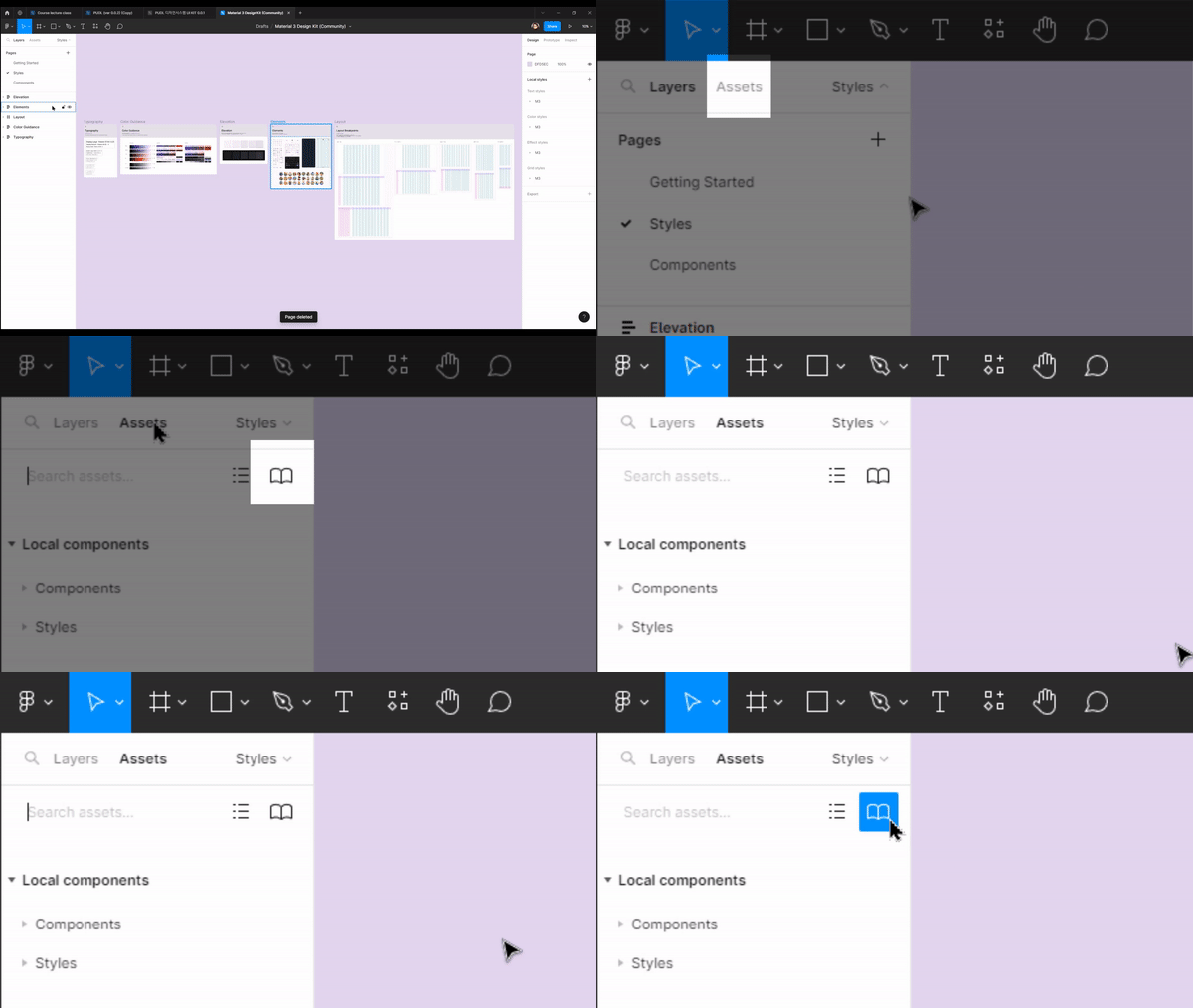
👆 How to upload components to the library and take them out for use
👆 How to use the checklist to ensure nothing is missed
👆 Atomic System
👆 Concepts and usage of tokens
📢 The following topics are not covered How 'developers' handle design system code
💬 Frequently Asked Questions (Q&A)
Q. Is this a lecture that non-majors can also take?
Rather than your major, it depends on your level of prior knowledge regarding Figma. If you understand the concept of components in Figma and know how to search for open-source materials in the Figma Community, you should have no trouble taking the course.
Q. To what level does the course cover?
I haven't included content on creating every single component from scratch using Figma tools. As I will mention several times throughout the lecture, our goal is to build a design system quickly and efficiently. We are going to actively utilize well-made design systems that top-tier experts at major corporations have spent a long time developing!
✒️ Instructor Introduction
Current CEO of Needesign
Completed Master's coursework in Design Graduate School
Participated in projects of various themes and scales, ranging from major corporations to startups.
Due to poor recording conditions and equipment, I have inevitably used an AI voice. I ask for your understanding regarding this matter. However, I have used the most natural-sounding voice available, so it shouldn't feel too awkward.
🙋♀️ Things to note before taking the course
Since we will be using Figma, please have it ready in advance.
It will be even easier to understand if you are already familiar with Figma's components and community concepts.
Recommended for these people
Who is this course right for?
Junior Web/App Planner
Junior Web/App UX Designer
Junior Web/App UI Designer
Need to know before starting?
It is helpful if you are familiar with Figma concepts.


.jpg?w=960)















![[NEW August '26] Figma Practical Class for Marketers & Aspiring MarketersCourse Thumbnail](https://cdn.inflearn.com/public/files/courses/343605/cover/01kz91ybsrg164xhzmxqhzdt4h?w=420)




![Creating a homepage with Aimweb by following and learning [Shared Office Edition]Course Thumbnail](https://cdn.inflearn.com/public/courses/333481/cover/806a9150-9c13-4a62-b97e-5de5dc65b273/333481.png?w=420)
