inflearn logo

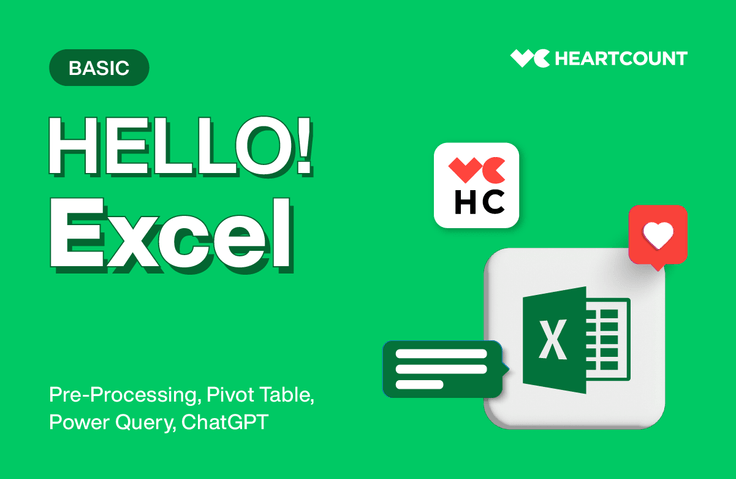
Easy Excel & Data Preprocessing with HEARTCOUNT

I will show you how to use Excel effectively in your work and how to create data that is easy to analyze.

10 learners are taking this course

Level Basic

Course period Unlimited

Excel
Excel
Excel PowerQuery
Excel PowerQuery
ms-excel
ms-excel
Excel
Excel
Excel PowerQuery
Excel PowerQuery
ms-excel
ms-excel

What you will gain after the course

  • Data preprocessing techniques using Excel

  • Understanding 'Data Structure (Tidy data)' suitable for analysis

  • Excel techniques frequently used in practice, such as cell formatting, pivot tables, and subtotals

  • Excel Task Automation Using ChatGPT

  • Data cleaning methods such as missing values, duplicate values, and outliers

  • Data quality check and data integration using Power Query

✔️ Learn how to create data that is easy to analyze using Excel

We will show you how to better use EXCEL, an essential tool for office workers to improve work efficiency.

Let's easily pre-process data using Excel, even for non-experts!

Why should you learn data preprocessing using Excel?

  • How much longer are you going to keep asking others for help with simple preprocessing (cleaning) tasks?

After taking this course, you will be able to handle simple preprocessing tasks yourself.

Stop walking on eggshells and perform the necessary tasks on your own. You can quickly master the data literacy and data preprocessing methods required at a practitioner level using Excel, the most familiar tool.


As a bonus, we will even show you how to automate Excel tasks using ChatGPT. Try utilizing tools smartly in your work.

  • Data that is easy to analyze. You can create it well enough using Excel.

Even if you want to use data analysis tools like HEARTCOUNT, have you struggled to prepare data that is ready for analysis? Was it difficult to know where and how to integrate, sort, and aggregate your data?

It is no exaggeration to say that data preprocessing is the most important and time-consuming part, accounting for more than 80% of the entire data analysis process.

Learn how to quickly and effectively organize your data using Excel as a tool.

Unique advantages of this course

  • We have partnered with proven Excel expert, Instructor Jaewan Choi.
    Instructor Jaewan Choi, author of <Do It! Chief Choi’s Practical Excel with Pivot Tables> and an active Excel specialist, has teamed up with the HEARTCOUNT team of data experts to prepare this course for professionals eager to master 'Data and Excel Utilization.'

  • The course consists of over 90% hands-on practice, focusing only on Excel techniques frequently used in real-world tasks.
    Through practical exercises, you will learn how to organize data by effectively utilizing basic Excel tools such as Pivot Tables and cell splitting. We also provide the practice files used in the lessons so you can review and master what you've learned. Learn how to structure data quickly and aesthetically to obtain the values you need.

  • Unlimited access period! Detailed curriculum!
    Once you sign up, you can efficiently pick and choose only the topics you need, anytime and anywhere. To maintain lecture quality, the instructor personally updates the Notion page used as the course textbook.

  • You can learn and grow further by communicating with community members
    Meet other students through the HEARTCOUNT community's Slack channel, and share knowledge and information by communicating with practitioners interested in data.
    HEARTCOUNT Community Official Page>

Instructor Introduction

🧑‍🏫Introducing Instructor Jaewan Choi!

  • Excel and Power BI Expert Instructor

  • Lecture History
    🎥Chief Choi's Pivot Table Master Class (Go to link)


    🎥Practical Excel for Immediate Use at Work (Fast Campus)
    🎥SQL and Data Visualization All-in-One Super Gap Package Online (Fast Campus)
    🎥The Unrealistic Bible of 400 ChatGPT Use Cases for Top Performers in the AI Era (Fast Campus)


    👨‍🏫OA Skills: Excel Basics (Korea Management Association)


    👨‍🏫Pivot Table Master Course (SK Hystec)


    👨‍🏫God of Excel, Function Master (SK Hynix System IC)


    👨‍🏫College Admission Guidance Using Excel (Chungnam Office of Education)


  • Author: <Do It! Choi Ban-jang's Practical Excel with Pivot Tables>

  • For more lectures from the instructor: YouTube channel NepTV

  • If you have any questions for the instructor: Open Chat Room Excel 119

Lecture Preview

Through kind theoretical explanations and hands-on practice, you will learn Excel utilization and task automation methods that form the foundation of practical work,

You can learn data preprocessing methods for non-data professionals in a single lecture.

👀 Preview of the Practice Lecture (1)

👀 Practice Lecture Preview (2)

✔️ Please refer to the lecture practice environment!

  • MS Excel will be practiced on the Windows operating system.

Exclusive benefits of this course

  • Course Review Event

    • We will present a 10,000 KRW discount coupon for HEARTCOUNT data lectures to everyone who leaves a thoughtful course review.

  • Course 1+3 Event

    • If you subscribe to HEARTCOUNT Premium (starting from 90,000 KRW per year), you can access all four data courses—each normally priced at 99,000 KRW—for free for a lifetime. (For more details, please refer to the information box below)

Get three more data courses for the same price!

If you subscribe to HEARTCOUNT Premium

all of HEARTCOUNT's data lectures

'Free' lifetime access coupons are provided.


360,000 (Regular Price) >90,000 KRW (HEARTCOUNT User Benefit Price)

Use HEARTCOUNT for 90,000 won per year and receive a 'Lifetime Free Data Lecture Pass'.

[HEARTCOUNT's Data Lectures by Topic]

More will continue to be added in the future :)


🖱 Go to Subscribe to HEARTCOUNT Premium

What is HEARTCOUNT?

HEARTCOUNT, a tool that enables data analysis, visualization, and insight discovery even without expert knowledge

From visualization at the individual record level to automatic chart interpretation, factor analysis, and discovery of optimization rules.
With HEARTCOUNT, anyone can become an analyst.


🖱Visit the website now

💸 How to use coupons exclusive to HEARTCOUNT users

  1. Log in to HEARTCOUNT (Continue with Google)

  2. Click the 'Upgrade' button to subscribe to HEARTCOUNT Premium (Starting from 90,000 KRW per year ~)

  3. Check your email inbox for the 'Free Data Lecture Coupon'

  4. Access Inflearn > 'My Page' > 'Coupons' > 'Enter Discount Coupon Code'

  5. Use the coupon on the payment page after applying for the course

※ Coupon expiration dates are announced via email. Coupons cannot be used after the specified date, so please use them within the period.
※ For related inquiries, please contact the person in charge via email (support@idk2.co.kr).

Recommended for
these people

Who is this course right for?

  • For those who want to use Excel more smartly

  • Those who want to become more proficient in Excel for practical work.

  • Those who want to perform simple preprocessing themselves using Excel

Need to know before starting?

  • No prior knowledge is required :) Just bring your passion!

Hello
This is HEARTCOUNT

3,009

Learners

77

Reviews

4.8

Rating

16

Courses

HEARTCOUNT is an AI data analysis tool that allows anyone to easily become an analyst with just an Excel dataset and a few questions.

We create a variety of data education content for working professionals.


Try HEARTCOUNT now 👉 HEARTCOUNT Homepage

More data content 👉 HEARTCOUNT Community

More

Curriculum

All

31 lectures ∙ (4hr 54min)

Course Materials:

Lecture resources
Published: 
Last updated: 

Reviews

Not enough reviews.
Please write a valuable review that helps everyone!

HEARTCOUNT's other courses

Check out other courses by the instructor!

Similar courses

Explore other courses in the same field!

25% off for new members

$57.00

25%

$77.00