This course efficiently delivers the core of Bootstrap 5.
First, you learn the main basic grammar, and then you learn step-by-step through 3 practical projects.
With each project, the basics are repeated and the difficulty level increases,
and new advanced techniques are added to naturally strengthen the use of basic grammar. I dare to say that this course has very high learning efficiency.
Thank you for providing a useful course.
5.0
H00589
100% enrolled
The lecture is very helpful.
What you will gain after the course
Learn the basic class concepts of the latest Bootstrap 5.
Based on the understood concept of bootstrap, it can be modified and applied.
You will understand the overall features and structure of Bootstrap 5 through practical projects.
Ultimately, you can implement your own unique website on the front-end based on the design and functions of Bootstrap.
Later on, you can use Bootstrap not only for front-end development but also for back-end development.
Anyone can create a website! Web project created with Bootstrap 5
The lecture Before you start
Bootstrap?
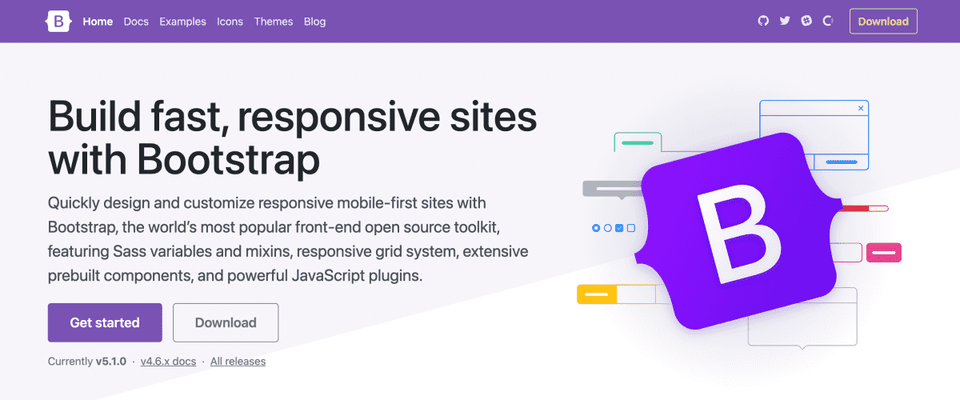
Bootstrap is a kind of framework library that provides a standardized interface by integrating HTML, CSS, and Javascript, which are the components of a website, into one on the front-end. Bootstrap allows anyone to quickly and easily build a website . Without Bootstrap, web developers would have to create HTML, CSS, and JavaScript separately and then integrate them. However, the Bootstrap framework distributes these codes (classes, components, etc.) in a consistent format, allowing us to build websites more easily.
Why should I learn Bootstrap?
Bootstrap allows beginners to create decent websites with basic HTML and CSS knowledge . If you're new to web coding, learning HTML and CSS, and then actually doing front-end HTML code, you may have experienced a sense of daunting. Bootstrap can help you achieve this with powerful and efficient web coding. Additionally, since Bootstrap is a library that was first developed when Twitter was first developed for mobile, it has the advantage of being displayed responsively on mobile devices and tablets.
Why should I learn from this course?
This course focuses on the structure and content of Bootstrap . Individual components will be coded comprehensively and repeatedly while building real-world projects. By building several real-world projects from start to finish, your web coding skills will advance by leaps and bounds, laying a solid foundation for advanced web development, including JavaScript and backend development. In short, this course is designed and created to help you quickly learn the introductory or beginner level of web development.
Bootstrap 5 Creating a Web Project from Scratch
When will I ever finish the website?
As you get started with web development, you'll likely encounter the following step-by-step dilemma:
I wanted to build a website and homepage, so I studied HTML on Google and YouTube. However, it only ended up displaying information about the content. Creating a great website is not easy!
So I started learning CSS to give my website a nice design. But aside from things like changing font size and color, I couldn't understand anything!
I want to create more dynamic text and image changes on the web, like slides, scrolls, drop-downs, and pop-ups. But to do this, I need to learn JavaScript!
Do I need to learn HTML, CSS, and Javascript to create a website? Then, when will I ever finish it?
Even after learning web development, the worries persist.
Even if the above concerns are resolved, web development still presents countless questions and concerns. For example, instead of creating HTML files every time, can we create a basic design template and incorporate diverse content efficiently and cost-effectively? Is there a way to store and manage this content data? Is there a way to speed up the rendering of web pages? And so on. These and many other questions continue to arise.
But what if you learn bootstrap?
However, just as all learning and experience have stages, the first step toward full-stack web development, encompassing both the front-end and the back-end, is HTML and CSS. Therefore, a thorough understanding of HTML/CSS and the ability to utilize them freely are essential. Bootstrap can neatly resolve these initial concerns. If you take the course “Bootstrap 5: Project Creation from the Basics”!
This lecture Introducing
Web coding beginner
Beginner developer and html, css, Javascript Beginners who have learned web coding
I'm curious about Bootstrap 5
I know the basic usage, but Classes, components, etc. When you are curious about the application method
Can't you do it faster?
When developing a website Front-end development For those who want to finish quickly
How is it in practice?
In a practical project How to apply bootstrap Anyone curious
I recommend this to these people!
Beginner developers who have just started web coding
Someone who has learned HTML, CSS, and Javascript to some extent
Those who want to study the basic class concepts and components of Bootstrap 5
I know the basics of Bootstrap, but I want to modify and apply it.
For those of you who are curious about how bootstrap is applied in real projects
Anyone who wants to quickly learn front-end web development
Those who want to learn the above knowledge compactly in a short period of time
After taking this lecture?
You can learn the basics of web development such as HTML and CSS.
You can quickly and easily create front-end web designs. You can create any type of web coding you want on the front-end, and utilize it for a variety of applications.
After this, you will ultimately become a web development expert through in-depth learning such as building a CMS like WordPress or a server like NodeJS.
In this lecture It has these characteristics
This is how it goes!
This course is broadly divided into two parts: the basics of Bootstrap 5 and project creation.
Basics
You will learn about Bootstrap's Grid, Display, Box, Position, and Contents class concepts.
Project
It consists of three parts in total.
The second project is more difficult than the first, and the third is more difficult than the second through slight customization.
Starting with the most basic concepts, you can repeatedly and step-by-step acquire the ability to code the website you want, through practical application and use.
The code used in each lecture is provided as a file.
Introduction to the lecture content
Basics : Learn about Bootstrap 5 concepts and frequently used classes and components.
Project 1 : A one-page website created using only Bootstrap classes and components, with minimal CSS.
Project 2 : Build a multi-page website using Bootstrap classes and components, as well as custom CSS (SCSS) and JavaScript. You'll also learn how to code maps in JavaScript using the Kakao Map API.
Project 3 : You'll learn basic Bootstrap, as well as more advanced front-end web coding through SCSS and Javascript modularization. The map used in this project is coded using the Naver Map API.
Q&A Expected questions
Q. Is this a course that I can take even if I am not a computer science major?
Of course. This course isn't that difficult. Rather than studying the rigid theories or history of computer science or the web, this course explores the fundamentals of web development, including HTML, CSS, and JavaScript, through projects using the Bootstrap library. Also, many great web developers aren't computer-related majors. I'm not a computer-related major myself!
Q. I know very little (or nothing) about HTML and CSS. Will I be able to follow the course?
Of course. Just having heard of the terms HTML and CSS is enough to get you started. However, as with all learning, it requires some persistence, patience, and curiosity.
Q. Is there anything I need to prepare before attending the lecture?
First, you need a computer with an Internet connection. It can be a PC, Mac, or laptop, and its specifications don't matter. A basic understanding of programming languages like HTML, CSS, and JavaScript is beneficial. If you lack these skills, search for free video lectures on YouTube! Two to three hours of study is sufficient. We recommend using Chrome (highly recommended) or Firefox (general or developer edition) as your web browser. You can also use any code editor (Visual Studio Code Editor, Sublime Text Editor, Atom Editor, etc.) that supports coding. For this lecture, I strongly recommend the Visual Studio Code Editor (used in the lecture), which is widely used these days.
Q. Can I take the course and code on a PC (Windows operating system)?
Of course. This course uses the Mac operating system for coding, but you can take the course and code on any operating system, including Windows and Linux, without any issues.
In this lecture Knowledge sharers
Self-coding
Front-End (WordPress) Developer
Medipress website creation and training (freelance)
Udemy Instructor
Recommended for these people
Who is this course right for?
Those who want to study the basic structure, concepts, and components of Bootstrap
For those who are new to web coding and want to learn web development quickly and easily
I know the basics of bootstrap, but I want to modify and apply it.
Need to know before starting?
It would be better if you have a little understanding of computer languages such as HTML, CSS, and Javascript.
If you've heard of Bootstrap, you'll have no trouble taking this course.
I would like to say that this is the best Bootstrap-related lecture I have ever taken.
If intermediate or lower level back-end developers take this lecture, they will be able to reduce their concerns about the front-end part.
The lecture audio is good, and above all, the lecture materials are provided very well.
Thank you for creating a great lecture.
One thing I would like to ask is,
How about listing the VS Code extensions that you use?
Students will install them according to their own preferences anyway, but I think it would be good as a basic guide.
Thank you for taking the course and leaving a good review.
When creating a new project video, I will make a simple video introducing the Visual Studio Code editor extension, etc.
Happy New Year~
This course efficiently delivers the core of Bootstrap 5.
First, you learn the main basic grammar, and then you learn step-by-step through 3 practical projects.
With each project, the basics are repeated and the difficulty level increases,
and new advanced techniques are added to naturally strengthen the use of basic grammar. I dare to say that this course has very high learning efficiency.
Thank you for providing a useful course.
I have been studying HTML and CSS for about a month and working on creating a homepage.
However, I felt the limitations in the design aspect and while searching,
I found out about Bootstrap.
When I tried to use Bootstrap, it felt like I was learning something new, different from the CSS I had studied before.
So I looked for a lecture.
After listening to the teacher's lecture, my understanding greatly increased
and I was able to use it properly.
Thank you very much.
The following are questions and opinions.
=======================================
This is about web standards.
After proceeding with the project, when I checked the HTML on the validation site
https://validator.w3.org/
all the width parts in the class were errors.
Of course, there is no problem using the site even if there is an error,
but I wonder if this error is a problem in terms of web standards.
For example, when I was hired at a company and was instructed to create a website that conforms to web standards, this part was about whether this part was a problem.
When I deleted the part that caused the error and wrote it directly in the css file, the error part disappeared.
I don't know why, but the location was slightly different when it was written in the class and when it was written in the css.
I was able to fix that by modifying the col value.
(In the 3 columns of the navbar designated as col-3 col-5 col-4, the logo in col-5 was shifted to the left,
By changing it to col-4 col-4 col-4, the logo was centered.)
If this part is a problem with web standards,
I think it would be better for the teacher to teach in the direction of writing in css from the beginning, so I am cautiously suggesting my opinion.
It's not a question of right or wrong, but just a question about something I'm curious about, so I hope you won't be offended.
The following are my opinions about the following lectures.
=====================================
Before I listened to your lecture, I used several templates on the Internet, but when I actually applied them, they didn't look the way I wanted.
Based on my limited knowledge,
I think the versions of Bootstrap are different, and the original creator of the template may have customized some parts other than the CSS provided by Bootstrap,
so it may not work properly in my index file, which only has a CDN link.
So what I suggest is,
If you could tell me the process of creating a single webpage by using several versions of several templates,
and pasting codes here and there,
I think it would be a great help.
(Depending on the version difference, this part of the original creator's code needs to be modified, and if the CSS doesn't work properly, how to analyze the code and modify it, etc.)
I'll say thank you again,
and I'll stop here.
Thank you for the course review. I'm glad it was of some help.
Regarding some questions..
1. I studied HTML a long time ago (actually, it's not really HTML study, it's something that can be done in 1-2 hours), so I honestly didn't know about HTML validation.
Adding width or height as an attribute to the img element, etc.
I'll study this part in advance and make a video when I update a new project later. Thank you for letting me know.
2. Bootstrap is a very easy framework for web coding if you only know HTML and a little CSS. If you link the Bootstrap CDN, the CSS that you don't actually use will inevitably be included in the web (of course, the amount of code will increase), so experts design only the CSS that is absolutely necessary.
This lecture is literally a Bootstrap lecture, so if you use too much custom CSS, it may not match the lecture topic. In fact, some projects have been criticized for using too much or unnecessary custom CSS. So, if you study Bootstrap to some extent, you will understand that Bootstrap classes are written for this concept and reason in general CSS, and eventually, I think you will be able to create your own CSS beyond Bootstrap. It is the same as what Jangja said, “Once you catch a fish, you should throw away the trap.” I hope that both I and Spya will be able to do web design well without being restricted by Bootstrap after fully understanding Bootstrap.
3. I have already thought about the process of creating a web page using various versions and templates of Bootstrap... However, I am cautious because of a kind of copyright issue. In fact, my first one-page website was completely rewritten by me after looking at a template. If I make my own video by using the designer’s code as is or by slightly modifying some of it, I think there will be problems, whether legal or conscientious. And I am not in a position to arbitrarily judge other web developers. I'm currently preparing a WordPress theme coding course (about 2/3 of the way through), and I'm thinking about doing a JavaScript-related course after that.
When I have some free time, I'm definitely thinking of adding a new Bootstrap project or a small-scale Bootstrap update course to this course. I'll try to reflect as many requests as possible and make it better.
Thank you again~










.png?w=420)