
강의

멘토링

커뮤니티

NEW
Applied AI

/

AI Essentials

[Vibe Coding Beginner Course] Self-Study Vibe Coding with Claude Code

It's an era where you can create apps even without knowing how to code. If you have an idea, you can implement the features you want by conversing with Claude Code. This book introduces a new development approach where you communicate with AI to achieve desired results, rather than writing code directly. Through 15 hands-on projects, you'll experience various workflows with AI, from creating personal web pages to handwriting recognition, quiz apps, image-based recommendations, AI summarization, Notion automation, and cloud deployment. Rather than simply following examples, this provides an experience of completing the entire real-world development process—from planning, design, testing, to deployment—in collaboration with AI.

48 learners are taking this course

  • hanbit
바이브코딩
클로드코드
ai에이전트개발
api
mcp
AI
Generative AI
Vibe Coding
Thumbnail

What you will gain after the course

  • If you have no coding knowledge at all, you can reach a level where you can create a real-time web service connected to a database

  • For those with coding experience, dramatically improve development productivity through AI agent collaboration and MCP utilization

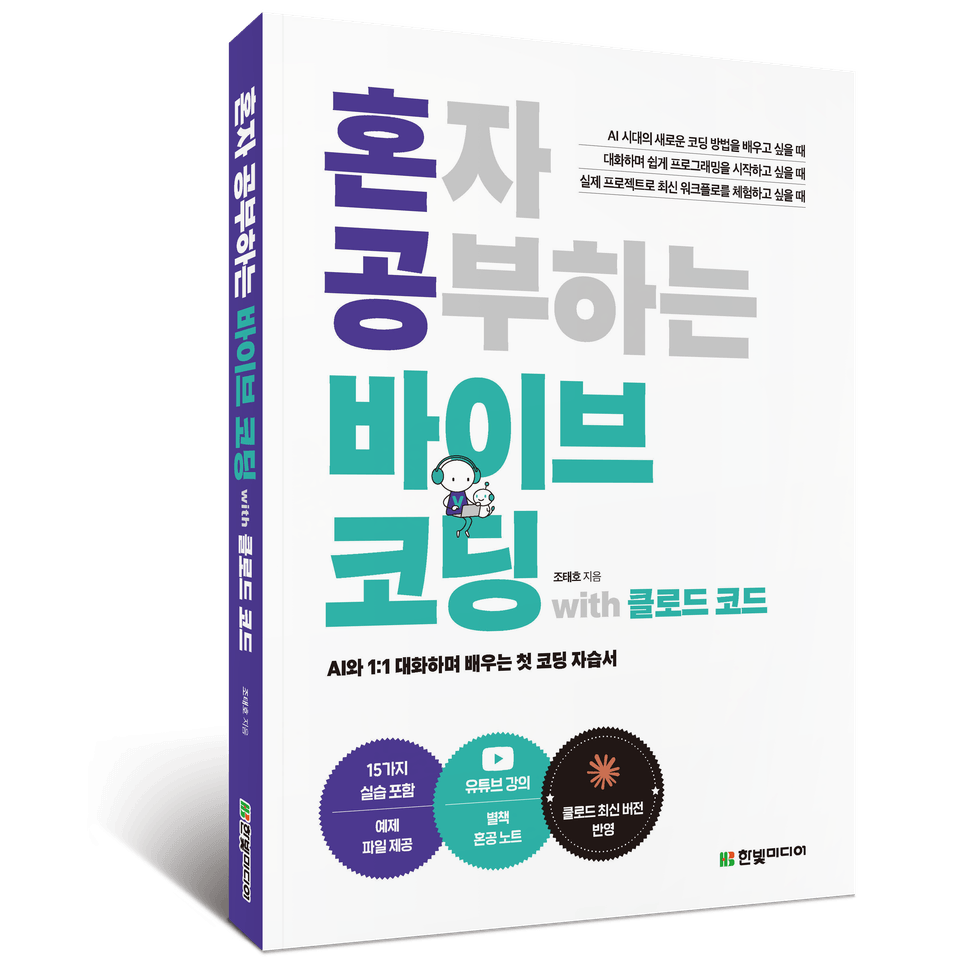
혼자 공부하는 바이브 코딩 with 클로드 코드_입체 - 복사본

This course is based on the content of "Self-Study Vibe Coding with Claude Code".

"Self-Study Vibe Coding with Claude Code" Introduction Video


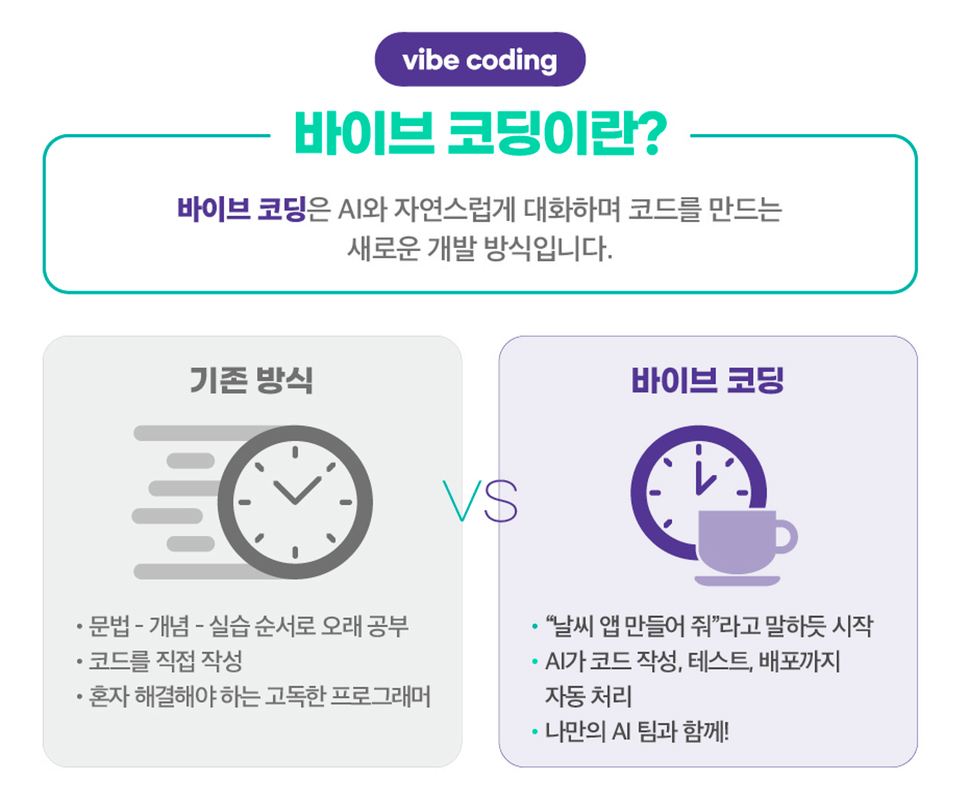
We live in an era where you can create apps without knowing how to code. If you have an idea, you can implement the features you want by conversing with Claude Code. Rather than writing code directly, this course introduces a new development approach called vibe coding, where you communicate with AI to achieve the results you want.

Through 15 hands-on projects, you'll experience various workflows with AI, from creating personal web pages to handwriting recognition, quiz apps, image-based recommendations, AI summarization, Notion automation, and cloud deployment. This isn't just about following simple examples—it provides an experience of completing the entire real-world development process, from planning and design to testing and deployment, in collaboration with AI.

The moment you focus on 'what you want to create,' Claude Code starts moving with you. Start now by entering your first prompt. ୧( "̮ )୨

Key Points

15 Projects Following the Foundation→Practice→Expansion→Automation Curriculum


라이브 데모


PROJECT 1 | My First Web Page
Tell AI "Create a personal page with weather, news, and search features" and your first web project is instantly complete! You can start vibe coding by creating a start page through conversation alone, without any prior learning.

PROJECT 2 | Marketing Portfolio
Learn how to write quality prompts for precise collaboration with AI, and experience the process of implementing abstract ideas into actual working web pages. Through this process, you'll naturally learn basic web page syntax and how to effectively utilize Claude.

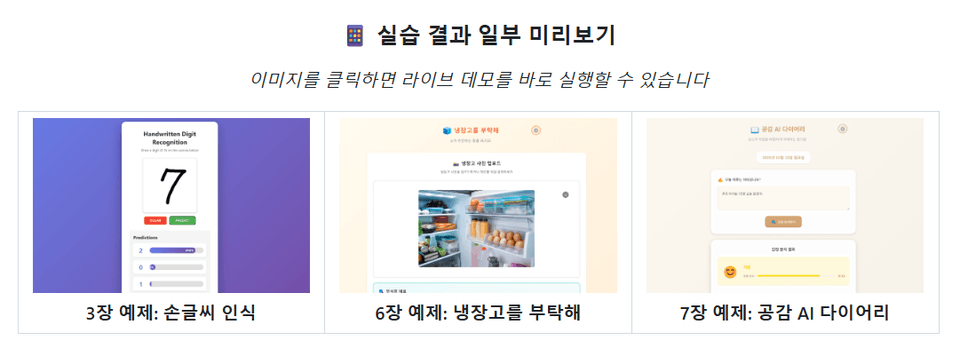
PROJECT 3 | Handwriting Recognition Program (Desktop Version)
Use Claude Code in earnest to complete an AI program in the terminal. You can create a handwriting recognition program through natural conversation and commands alone, without complex deep learning theory.

PROJECT 4 | Handwriting Recognition Program (Web Version)
Expand the desktop version application you created into a web version. Through this process, you can learn how to systematically structure and manage projects.

PROJECT 5 | To-Do Management App (Mobile Web Version)
Learn useful commands needed for long-term project development and manage Claude Code's sessions and context. Experience the actual development workflow by systematically planning the app through step-by-step PRD writing, fixing errors, and improving design and features.

PROJECT 6 | To-Do Management App (Desktop Version)
Expand the app created for mobile environment into a desktop version. This time, you don't even need to write long prompts. Simply capture the screen and pass it to Claude Code to specify requirements without lengthy explanations.

• PROJECT 7 | General Knowledge Quiz Game
Set a few rules to censor incorrect information generated by AI, and the program will verify and validate facts on its own. You can efficiently maintain applications without repetitive work by delegating not only program development but also error detection, verification, correction, and update processes to AI.

• PROJECT 8 | General Knowledge Quiz Game (Teacher Mode)
Implement more powerful automation by connecting multiple commands. Bundle the main stages of game creation into a single pipeline so AI automatically handles everything from 'add questions-verify-statistics-generate reports'.

• PROJECT 9 | Please Take Care of My Refrigerator
Create a program that solves everyday problems using multimodal AI. Build practical AI utilization skills from API connection to AI model switching, and learn how to instruct AI to develop step-by-step by function like a real-world project from start to finish.

• PROJECT 10 | AI Empathy Diary
Create five AI agents—product planner, frontend, backend, QA, and AI integration specialist—to simulate a small startup. You'll realize that even alone, you can automate the entire project process with an AI team.

• PROJECT 11 | PDF Summary AI
Create your own AI assistant that reads reports, papers, and manuals for you. Don't worry. Just instruct your own AI development team already built in Claude Code, and it's complete in less than 30 minutes!

• PROJECT 12 | Notion MCP
Use MCP to integrate Claude Code with Notion to actually create pages and write documents. Follow the process of Claude Code connecting with external services and learn how to work by connecting AI to actual work tools.

• PROJECT 13 | Strategy Development to Increase Visitor Dwell Time
Use local MCP to reason through complex problems step by step. Compare results with and without MCP and experience how much MCP expands Claude Code's capabilities.

• PROJECT 14 | Context7 MCP
Learn how to find and install the MCP you want. Use remote MCP to ensure Claude Code always references the latest documentation, and check code quality and security.

• PROJECT 15 | Shopping List App
Deploy AI-created apps and automate DB integration and version control using MCP. Experience deploying a local application that only worked on your computer into a real service accessible to anyone anywhere in the world. This single practice lets you experience deployment, cloud, and databases all at once. Of course, you don't need to write a single line of code. From code writing to testing, database integration, and deployment—AI completes it all directly.

Recommended for
these people

Who is this course right for?

  • Someone who has no programming experience but wants to create their own app using AI

  • Office workers who want to automate tasks and improve personal productivity

  • Side project enthusiasts and aspiring developers/creators who want to experiment quickly

  • AI Agent Collaboration and Maximizing Productivity Through MCP Utilization for (Aspiring) Developers

Need to know before starting?

  • No prior knowledge is required.

Hello
This is

43,069

Learners

741

Reviews

4.8

Rating

9

Courses

한빛미디어는 책으로 여는 IT 세상을 모토로 IT 전문가를 위한 프로그래밍, 컴퓨터공학, IT 에세이, 리얼타임(전자책)과 일반 사용자를 위한 QA, 그래픽 등 IT 활용서를 출간합니다.

Curriculum

All

6 lectures ∙ (3hr 23min)

Published: 
Last updated: 

Reviews

Not enough reviews.
Please write a valuable review that helps everyone!

Free

hanbit's other courses

Check out other courses by the instructor!

Similar courses

Explore other courses in the same field!