

강의

멘토링

커뮤니티

Programming

/

Devops & Infra

CI/CD on K8S Ready to Use

Introducing a DevOps course based on practical cases directly experienced at the forefront of Silicon Valley. This course doesn't just stay in theory, but covers CI/CD related tools in K8S environments that can be immediately applied in real engineering fields.

(4.3) 3 reviews

48 learners

Level Basic

Course period Unlimited

  • Dewey Hong
Kubernetes
Kubernetes
Jenkins
Jenkins
argocd
argocd
vagrant
vagrant
Docker
Docker
Kubernetes
Kubernetes
Jenkins
Jenkins
argocd
argocd
vagrant
vagrant
Docker
Docker

What you will gain after the course

  • Building a Jenkins CI / ArgoCD / Vault Pipeline

  • Automating Infrastructure Setup with Vagrant / Kubespray

  • Prometheus, Grafana, Loki Monitoring and Logging

Build a Kubernetes Cluster on an old PC and set up a CI/CD environment

Build first, apply later!

The era of knowing everything before using it is over. Install with one click and adapt as you see it in operation~

After releasing the Ready-to-Use CI/CD on EKS course, I received inquiries about EKS operating costs. Testing showed that if you delete immediately after installation, it takes about 3-4 hours and costs around $2.5. Since even this could be a burden, I thought it would be good to share how to set up k8s in a local environment., tôi đã nhận được các câu hỏi về chi phí vận hành EKS. Sau khi kiểm tra, việc xóa ngay sau khi cài đặt mất khoảng 3~4 giờ và chi phí khoảng $2.5. Vì điều này cũng có thể gây gánh nặng, nên tôi nghĩ rằng nên công khai phương pháp cấu hình k8s trong môi trường local.

In fact, once Kubernetes is configured, there isn't much difference between using Kubernetes in the cloud versus working with Kubernetes in a local environment. Therefore, you could consider using EKS in production environments and setting up local Kubernetes for development environments.

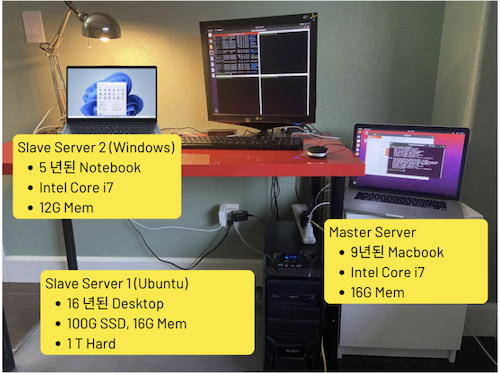
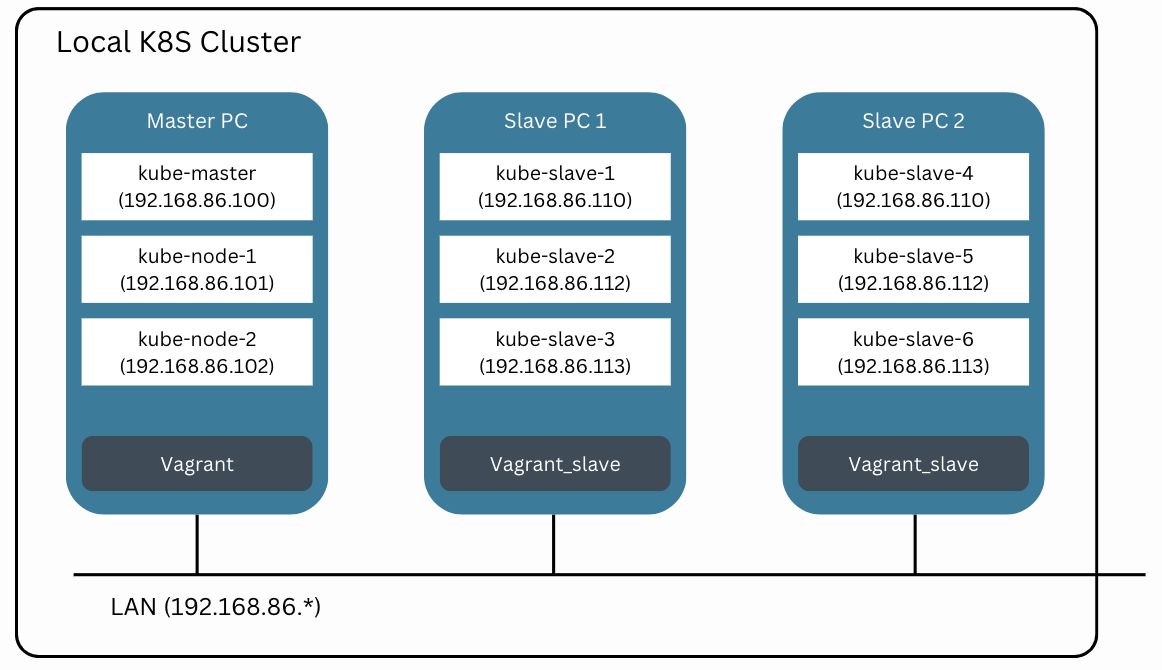
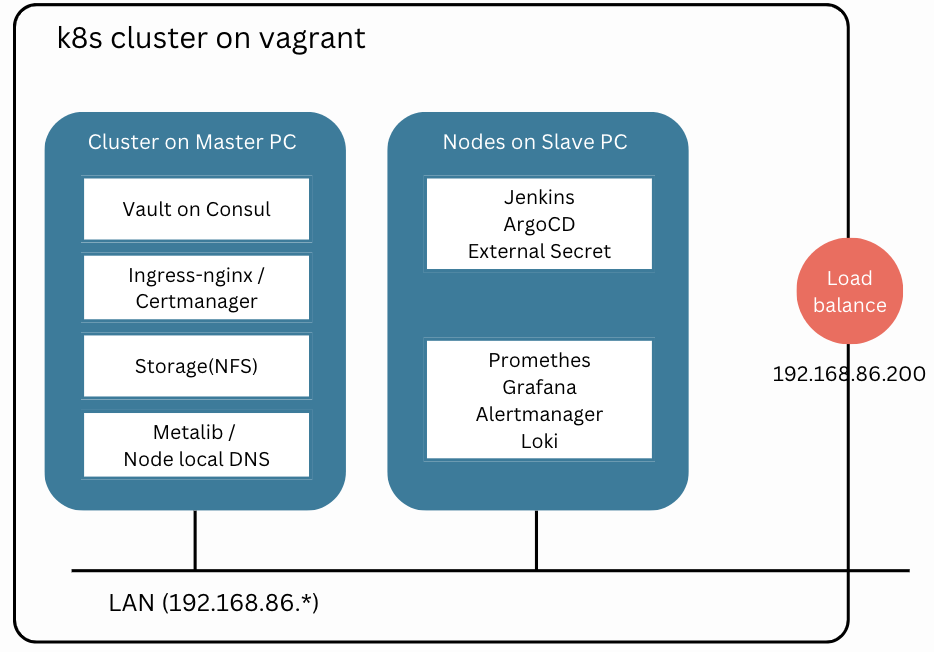
I personally have been keeping old PCs without throwing them away. So for this course, I'd like to use these machines. With 2 PCs, we can create a cluster capable of running all the services covered in the course.

Work Environment - VMs

Work Environment - Services

This course is not a traditional theory lecture or a simple follow-along configuration format. Topics like Kubernetes, as well as CI/CD and monitoring, have a broad scope and require a lot of time to study everything.

The approach of studying thick books from the beginning requires a long time before encountering actual systems, and makes it difficult to understand the big picture.

So this course starts by first configuring all systems with one click and deploying a demo app through CI/CD. You'll experience the target system first, and then we'll explain what scripts and configurations were applied.

This is a hands-on course for developers, system engineers, and operations teams who want to learn automated infrastructure setup and management in DevOps and cloud environments. From environment configuration using Vagrant and Kubespray to monitoring tool installation and CI/CD pipeline construction, all processes can be configured with one click, helping you acquire skills that can be immediately applied in practice and develop the ability to build automation environments that can be utilized in the field.

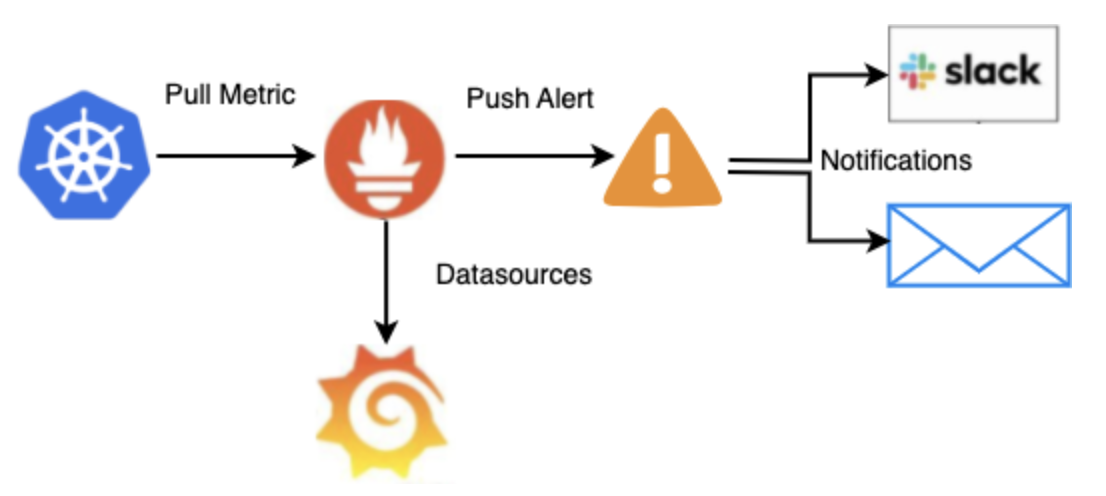
Monitoring / Alertmanager on K8S

After completing this course, you will be able to build a production-ready K8S cluster.

K8S Configuration with Vagrant and Kubespray

A result screen showing K8S clusters automatically configured using Kubespray on VMs created with Vagrant across multiple PCs. Resources are efficiently configured without writing code or deployment.

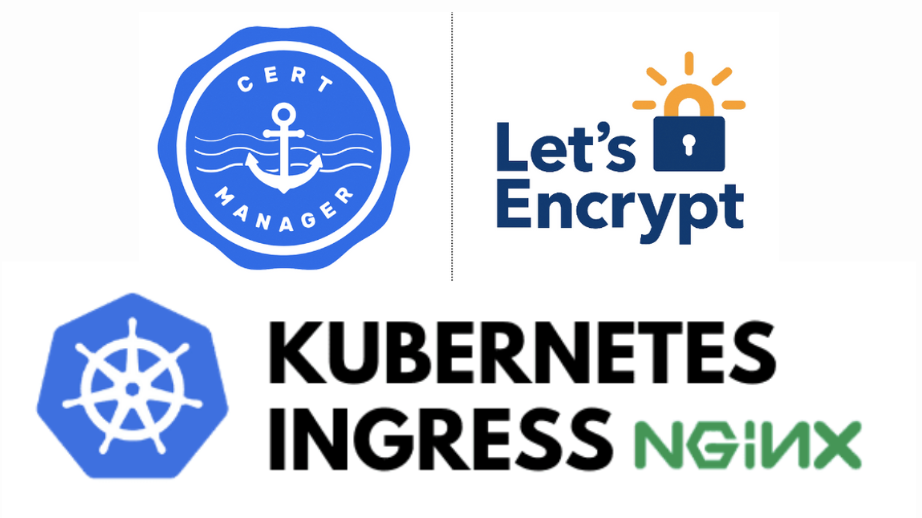
Ingress-NGINX and Certmanager Configuration

This presents an environment for installing and managing Ingress configuration for application traffic management and certificate management tools.

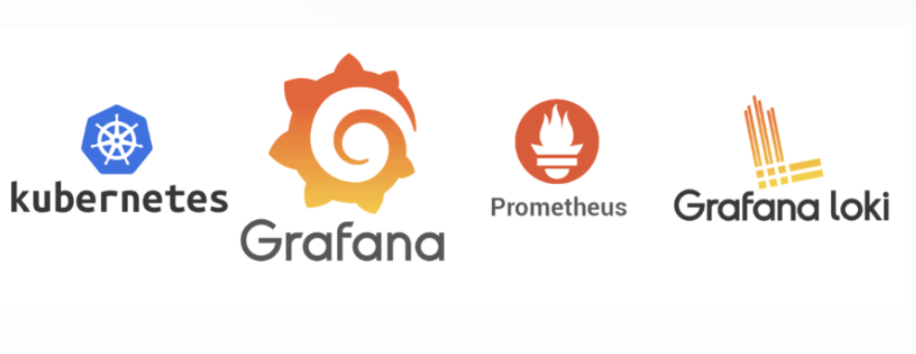
Prometheus and Grafana Dashboard

A screen showing the configuration of Prometheus and Grafana dashboards for system monitoring, providing an efficient monitoring environment through real-time metric visualization.

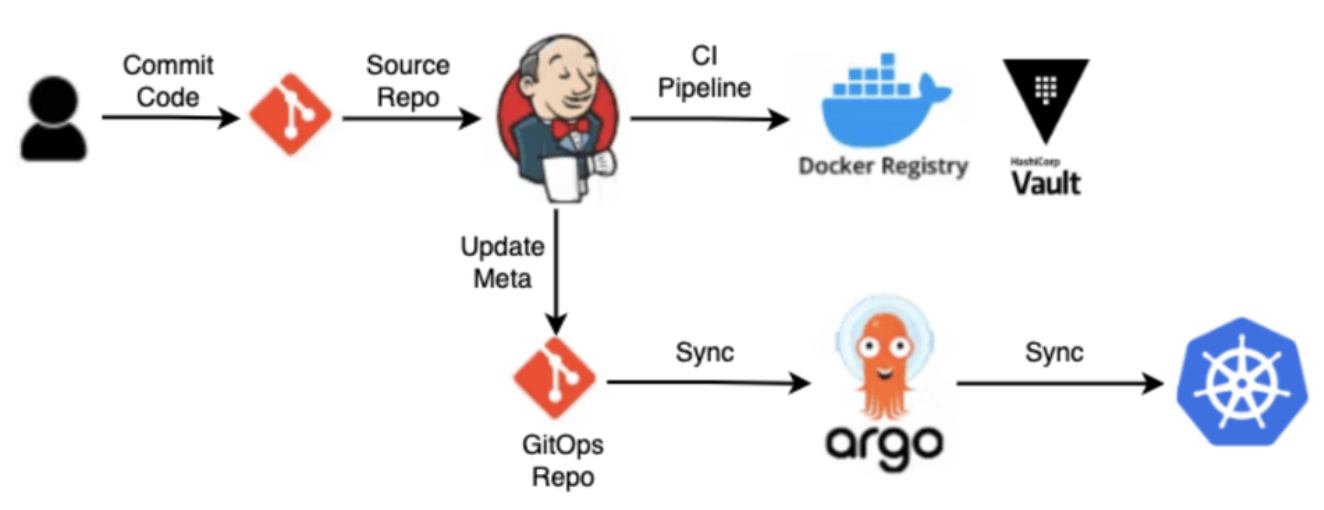
CI/CD Pipeline using ArgoCD and Jenkins

A CI/CD pipeline setup screen where application code is automatically deployed using ArgoCD and Jenkins. This is an environment where continuous integration and deployment proceed smoothly.

  • Through this course, students will understand the key components of DevOps and develop the ability to directly automate Kubernetes-based cloud environments. They will learn to a level where they can configure and manage in real-world environments, and develop configuration skills that consider system management and scalability.

  • Create VMs with Vagrant, provision with Kubespray, build Docker with Jenkins, and perform CD with ArgoCD.


Learning Content

  • You can configure and verify the following environment with One Click.

  • All materials needed for the configuration are provided as Github Repo and Docker image.

Docker for One Click Build

that can perform Provisioning and CI/CD

Docker environment is provided.

Git Repo for Infra Installation / Removal

Provides a Git Repo that performs provisioning through Vagrant / Kubespray / Helm execution

Building a CI/CD Pipeline

It covers how to set up a CI/CD pipeline through Jenkins and ArgoCD, and configure an automated deployment environment.

Notes Before Taking the Course

  • You can build a Kubernetes-based CI/CD environment that can be applied to full production operations.

  • Build First, Analyze/Apply Later

Lab Environment

  • Operating System and Version: macOS, Linux, Windows

  • Tools Used: Vagrant, Kubespray, Helm, Jenkins, ArgoCD, etc.

  • PC Specifications: Minimum of 1 PC with 16GB RAM and 8-core CPU or higher (Recommended: 32GB RAM and 12-core CPU or higher) or 2 or more PCs with minimum 16GB RAM and 6-core CPU or higher

  • Learning Materials: PPT, source code, and hands-on examples provided

Learning Materials

  • Provided learning material formats (PPT, cloud links, text, source code, assets, programs)


DevOps interview practice support!

DrillQuiz introduces an online learning platform that maximizes the spaced repetition effect.

https://devops.drillquiz.com

  1. Drain Feature: Re-exposes previously known questions over time to strengthen long-term memory.

  2. Interview Mode: Supports conducting mock interviews with the questions.

  3. Wrong Answer Email Subscription: Receive only frequently missed problems via daily email for efficient and consistent learning.

Prerequisites and Important Notes

  • Knowledge of DevOps, cloud environments, and Kubernetes usage is required

  • The copyright of the lectures and learning materials belongs to the lecture creator

  • Questions/Answers and future update related information

Recommended for
these people

Who is this course right for?

  • People interested in K8S configuration

  • People who want to configure CI/CD in K8S

Hello
This is

918

Learners

77

Reviews

5

Answers

4.7

Rating

5

Courses

I am a Senior DevOps Software Engineer with over 10 years of experience in Silicon Valley.

I have extensive project experience in various areas, including cloud management, automation, security, and networking.

https://doohee323.github.io/

Curriculum

All

26 lectures ∙ (2hr 44min)

Course Materials:

Lecture resources
Published: 
Last updated: 

Reviews

All

3 reviews

4.3

3 reviews

  • hachapi님의 프로필 이미지
    hachapi

    Reviews 2

    Average Rating 4.5

    5

    62% enrolled

    • devops1
      Instructor

      Thank you for leaving such a positive review! I will continue to create helpful lectures 🙏

  • lucybae님의 프로필 이미지
    lucybae

    Reviews 2

    Average Rating 5.0

    5

    100% enrolled

    It was really helpful to be able to continue reviewing the environment I set up for testing in the previous EKS lecture locally. In particular, I think that using Kubespray will make it easy to set up Kubernetes not only on a local PC but also on a hosting company server!

    • devops1
      Instructor

      It's truly rewarding to hear that you're consistently reviewing and utilizing it! As you mentioned, Kubespray can be used flexibly in various environments 🙌

  • dawnhyun1081님의 프로필 이미지
    dawnhyun1081

    Reviews 1

    Average Rating 3.0

    3

    100% enrolled

    It's better to register for the course only if you own a MacBook.

    $42.90

    Dewey Hong's other courses

    Check out other courses by the instructor!

    Similar courses

    Explore other courses in the same field!