
Node and React series that you can learn by following - Creating a chatbot site
John Ahn
Free
Basic / React, Node.js
4.8
(98)
8,100+
In this course, you will learn how to create a chatbot using the API provided by Google.

Basic
React, Node.js

Web games made with JavaScript!
Even if it's your first time playing a web game, just follow along 🦾
Attention those who want to try something new and unfamiliar! Here's a course that teaches you how to create web games using JavaScript. Web games require enormous traffic and complex logic. Expand your development horizons by creating web games.
Drawing on my development experience with projects like Korbit Town and Shinhan Metaverse, I wanted to create a course that anyone can learn by building web games . In this course, you'll learn how to leverage 3D assets built with web technologies to create games. Even if you don't have any prior experience building web games, anyone familiar with JavaScript and React should be able to follow along without much difficulty.
A service example created using this technology in practice (participated as a full-stack main developer)
Cobit Town
https://www.youtube.com/watch?v=sV1WR0mlXxE
Shinhan Metaverse:
https://www.youtube.com/watch?v=MXSMwHA6pBM

Source code line by line
Write while interpreting!

Even if it's your first time playing a web game
Detailed explanations you can follow !

To help students understand
A variety of visual aids!

Beyond web development with JavaScript
For those who want to try something else

How web games are made
Anyone who wants to know the process

I have never developed a web game before.
Those who are wondering if they can do it
Section 1. Configuring the Project

Section 2. Implementing a Simple React & PlayCanvas Application
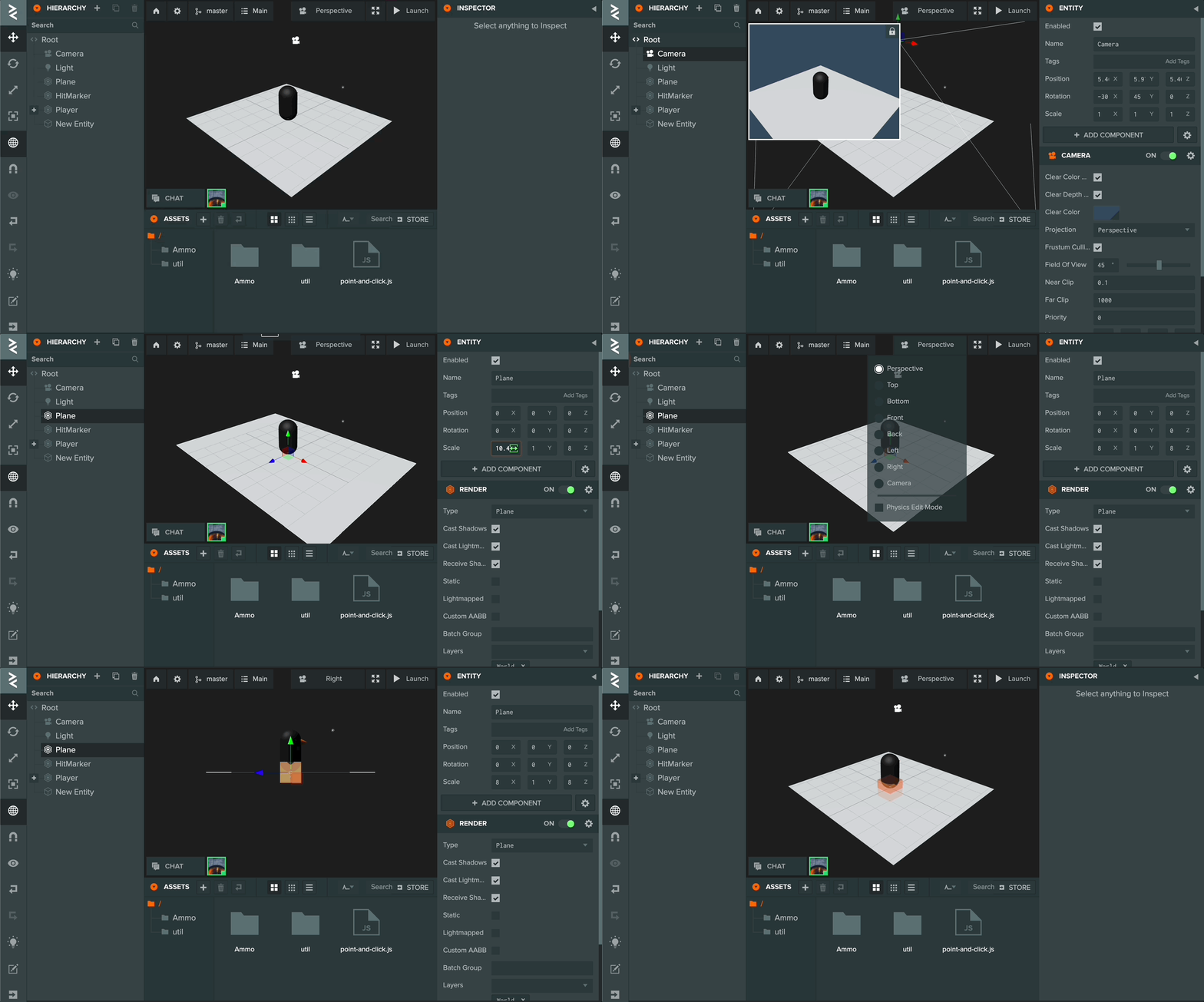
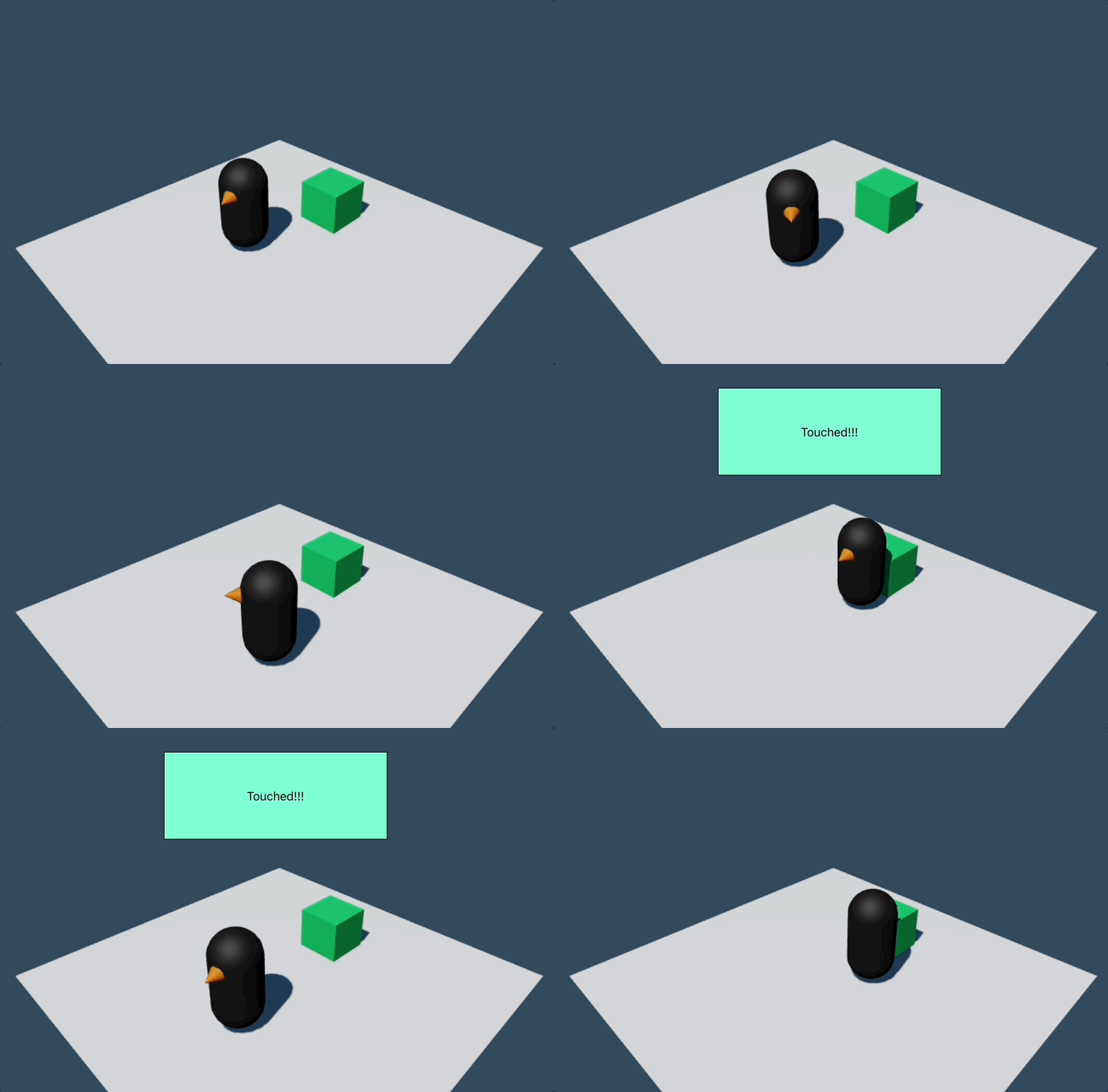
Section 3. Nakama Client Integration

Section 4. Nakama Server Integration


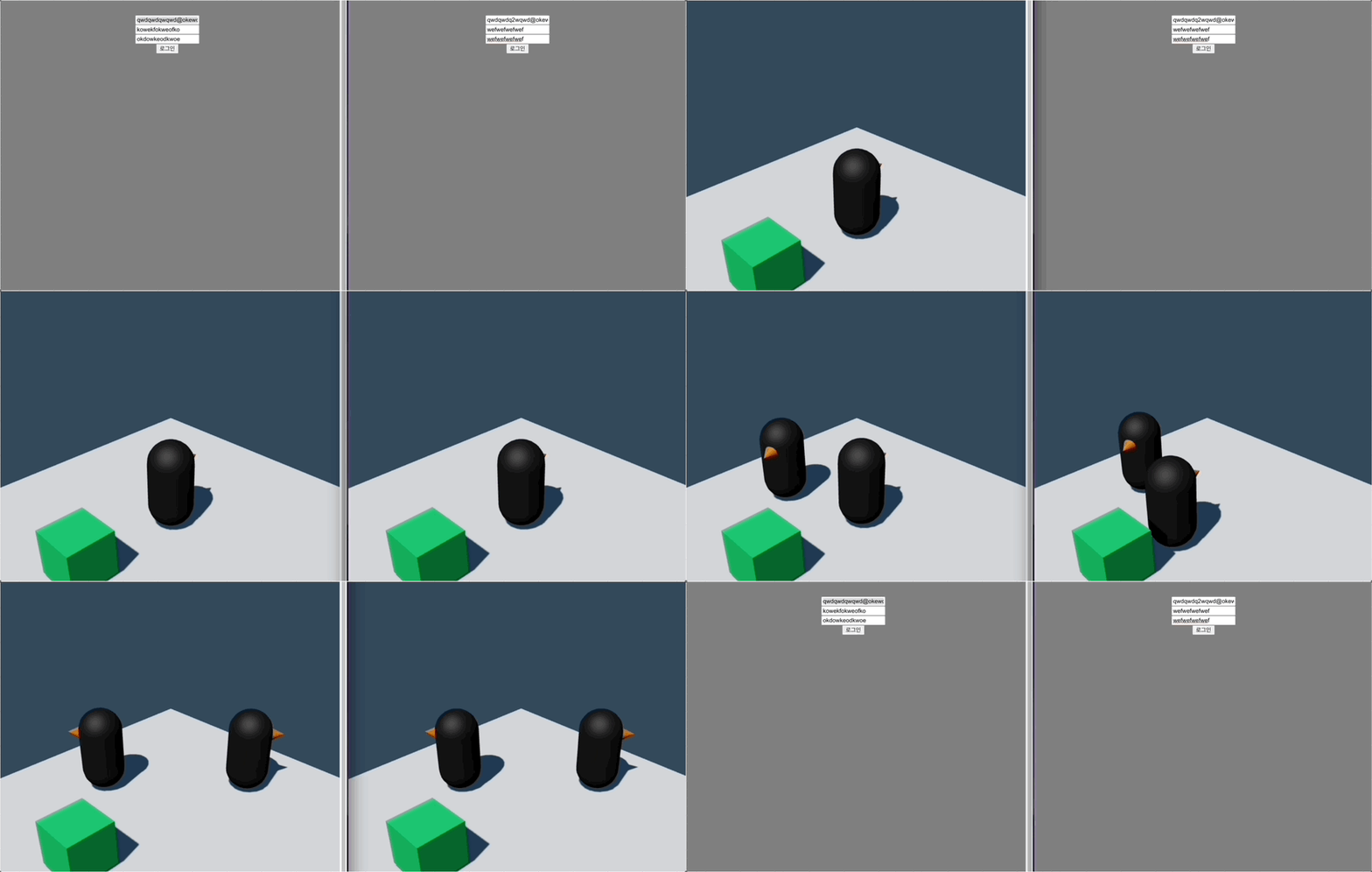
Section 5. Controlling Multiplayer User Spawn and Movement
Q. I've never developed a web game before. Is it okay for me to take this course?
Yes, that's fine. However, you should have some familiarity with JavaScript and React to be able to take the course without any difficulty.
Q. I have never used LuaScript before. Will it be okay?
LuaScript is used in many gaming apps, including Roblox and Minecraft, and its usage is similar to JavaScript. Therefore, even if you have no prior experience with LuaScript, you should be able to build apps with it without any problems. We'll explain LuaScript line by line, comparing it to JavaScript.

Please make more playcanvas lectures~~
I took this course because I wanted to learn more interesting things after only learning js and react. You teach really well and I learned a lot. Thank you.
Teacher! You are a great lecturer. I understand it well, so I think I will use it somewhere. It has been a long time since I felt that listening to a lecture is this enjoyable.
A course that does not have the information necessary for practical work. 3D work is done in PlayCanvas and then downloaded and connected to React every time? This is an impossible method that cannot be used in practical work. I do not work alone, and UI and 3D objects do not operate separately every time. In the explanation of the connection process, some files are connected in the head and some in the body, but the explanation of such important information is too sloppy, and parts that can be explained in one word or one line are explained too long, making it boring and a waste of time.
I felt like there was a lack of explanations that required explanations, and I was just in a hurry to follow along while listening. There were probably so many parts that needed explanations that it was difficult to fit them all into 8 hours. However, it was definitely interesting content, so it wasn't bad. I don't recommend it unless you really need the functions provided by playcanvas or nakama (server) for game implementation. I think there are more things that need to be delved into separately in addition to this lecture. I don't think it's suitable for practical use, not for learning for fun.
![Learn by Following Along Node, React Series - Building a Shopping Mall Site [Complete Renewal]Course Thumbnail](https://cdn.inflearn.com/public/courses/325240/course_cover/d5d7e9a9-2d6f-4a81-84da-5e9cde3f39a4/nodereactecommerce-eng.png?w=420)



![Learning React A-Z by Following Along [Version 19 반영]Course Thumbnail](https://cdn.inflearn.com/public/courses/329170/cover/223c54c0-9220-4937-836d-70a36be3eb1c/329170-eng.png?w=420)
![Learn React Testing by Following [Updated November 2023]Course Thumbnail](https://cdn.inflearn.com/public/courses/327775/cover/0ef9c174-9974-4530-9470-d1ce8648aa75/327775-eng.png?w=420)
![Learn React and Firebase by following along - Creating a Chat Application [Renewed in December 2023]Course Thumbnail](https://cdn.inflearn.com/public/course-326181-cover/d012cab3-58e1-45cd-899e-03f86c7b1df1?w=420)
![TDD Development by Following [Updated in November 2023]Course Thumbnail](https://cdn.inflearn.com/public/course-326029-cover/7f87dfc8-b7a2-4ab7-9c44-b3e6dfdcd702?w=420)
![Learning Docker and CI Environments by Following Along [Updated 2023.11]Course Thumbnail](https://cdn.inflearn.com/public/course-325821-cover/e5a56b04-463b-410c-9b3a-d769cd192add?w=420)




![[PROKIT] Vibe Coding/Frontend Practice Workbook: Building a Timer AppCourse Thumbnail](https://cdn.inflearn.com/public/files/courses/339612/cover/01ke6d974hx4y1esmd9p80w7cx?w=420)

![[VOD] 6-Week Complete! High-Concentration Vibe Coding for Development Practice (Cursor AI, Figma)Course Thumbnail](https://cdn.inflearn.com/public/files/courses/338156/cover/01k4c77bftwd8ec4k0yakavbrc?w=420)

![# [Electron #1] Building a Timer App with Electron + React (With Zustand)Course Thumbnail](https://cdn.inflearn.com/public/files/courses/336817/cover/01jwx9ttbwnetdsbt5qrxgxb3x?w=420)