



Log management for developers

It covers the entire cycle, starting from what logs to record to how to collect and utilize them.

(4.9) 88 reviews

1,256 learners

Level Basic

Course period Unlimited

Elasticsearch
Elasticsearch
logback
logback
Logstash
Logstash
Kibana
Kibana
Spring Boot
Spring Boot
Elasticsearch
Elasticsearch
logback
logback
Logstash
Logstash
Kibana
Kibana
Spring Boot
Spring Boot

Reviews from Early Learners

Reviews from Early Learners

4.9

5.0

Sang Do Park

100% enrolled

It's a perfect time to cool off for about 3 hours, so I started taking the course thinking I'd watch it on the weekend as a way to learn something new. ^^ I remembered how hard it was to distinguish between log4j, logback, and slf4j when I was a junior and how much trouble I had setting them up, so I bought it thinking many developers would find it useful. The content was well organized and explained in a story format, from the trial and error process to the monitoring stage, so it was more engaging than other lectures that explain each one separately. I thought of it as a junior learning from a mentor and kept looking at the development tips that came up here and there, and before I knew it, 3 hours had passed... If you're new to development, watch it. Watch it twice. ^^ Logs can sometimes save your life. (Sometimes they break, too...)

5.0

요니

100% enrolled

I really enjoyed the lecture! I was using logback and @Sl4jf without fully understanding them, but now I've learned about their concepts! However, this lecture didn't just stop at simple principles or knowledge; it allowed me to process logs, and if one has experience handling logs for purposes like CS response, there were many points that resonated deeply. Thus, I found myself nodding along throughout the lecture. In any case, it was incredibly helpful, and I hope you'll create lectures on a wider variety of topics 😊😊 (Or, lectures that integrate various technologies or cover an entire specific domain would be even better.)

5.0

smh1205

100% enrolled

We could manage logs more actively.

What you will gain after the course

  • Know-how on what logs should be recorded in an application

  • Log collection and utilization using the ELK stack

Are you still logging into the server via SSH to check logs?

The method of logging directly into a server to check log files has several limitations. First, when operating multiple servers, you must access each server individually, which is time-consuming and complicates management. Second, it is difficult to monitor logs in real-time, making it hard to respond quickly when problems occur. Furthermore, because log searching and analysis are performed manually, important information can be missed, and it may take a long time to discover errors. This approach is particularly inefficient in large-scale distributed systems and can negatively impact service stability and user experience. Therefore, it is necessary to adopt a more systematic and automated log management method.

Log management is more than just recording errors; it is a vital tool for understanding the heartbeat of an application and predicting problems in advance. Especially in today's complex distributed systems, log management can determine the stability of a service and the quality of the user experience. In practice, the ability to quickly identify and resolve issues amidst vast amounts of data and traffic is essential.

In this lecture, "Log Management for Developers," we will cover various strategies and tips that can be applied directly in practice, from what logs to record to how to utilize them. You will systematically learn the entire process of log management from start to finish and experience firsthand how logs can be utilized in service operations.

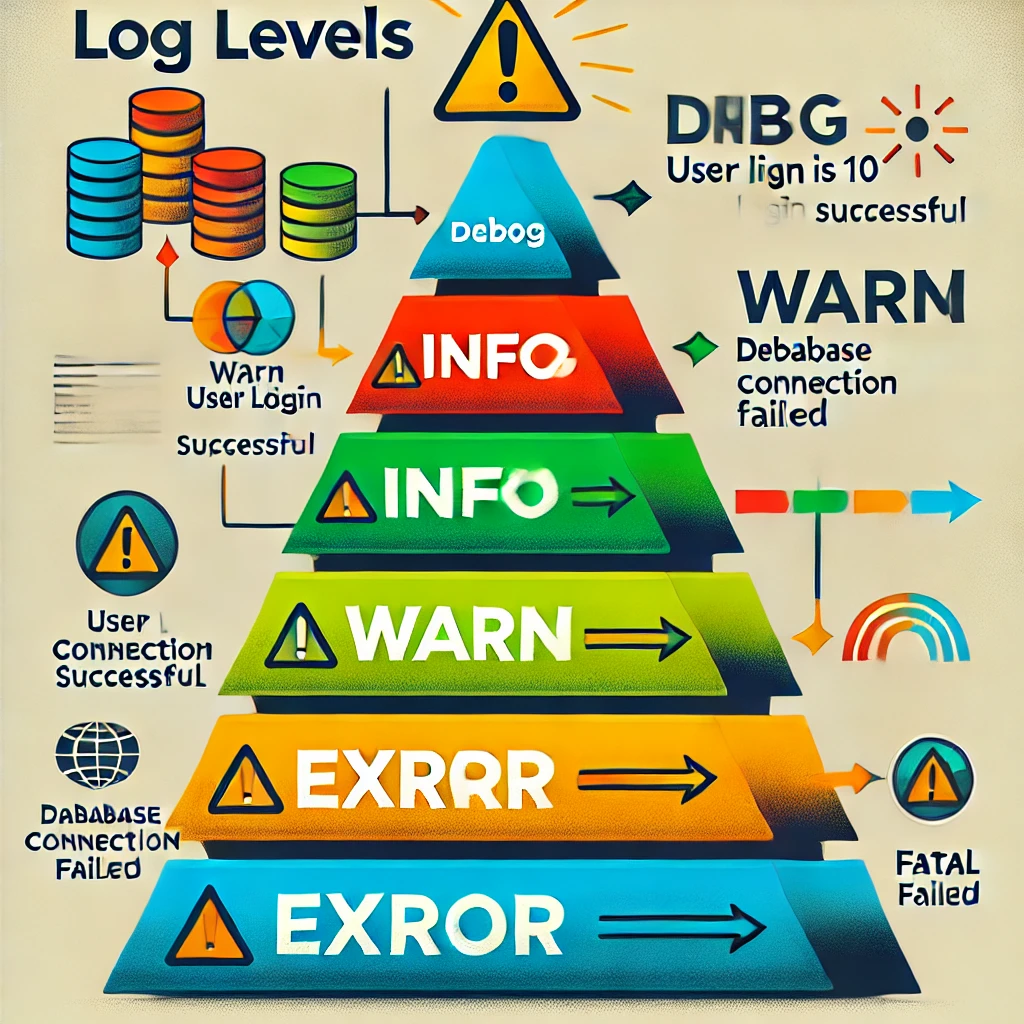
First, we will cover the basic knowledge of logging. In this course, you will understand the basic concepts and importance of logs, and learn what information should be logged, how to utilize logs during exception handling, and the meanings and applications of various log levels. Through this, you will recognize the importance of logs in the development process and master how to record logs effectively.

Second, we cover Logback configuration. We explain the basic concepts of Logback and its connection with Slf4j, and learn how to create actual Logback configuration files through hands-on practice. You will acquire practical configuration skills such as using various Appenders to separate logs into multiple files, managing logs on a daily basis, and compressing log files. Additionally, you will learn how to implement flexible log management by applying different Logback configurations for each development environment.

Next, we introduce the importance of log collection and how to use Elasticsearch and Logstash as tools for this purpose. We will practice installing Elasticsearch and Logstash using Docker and the process of delivering logs to Elasticsearch via LogstashAppender. You will learn how to efficiently collect and manage logs in a distributed environment, as well as how to effectively check the logs collected in Elasticsearch.

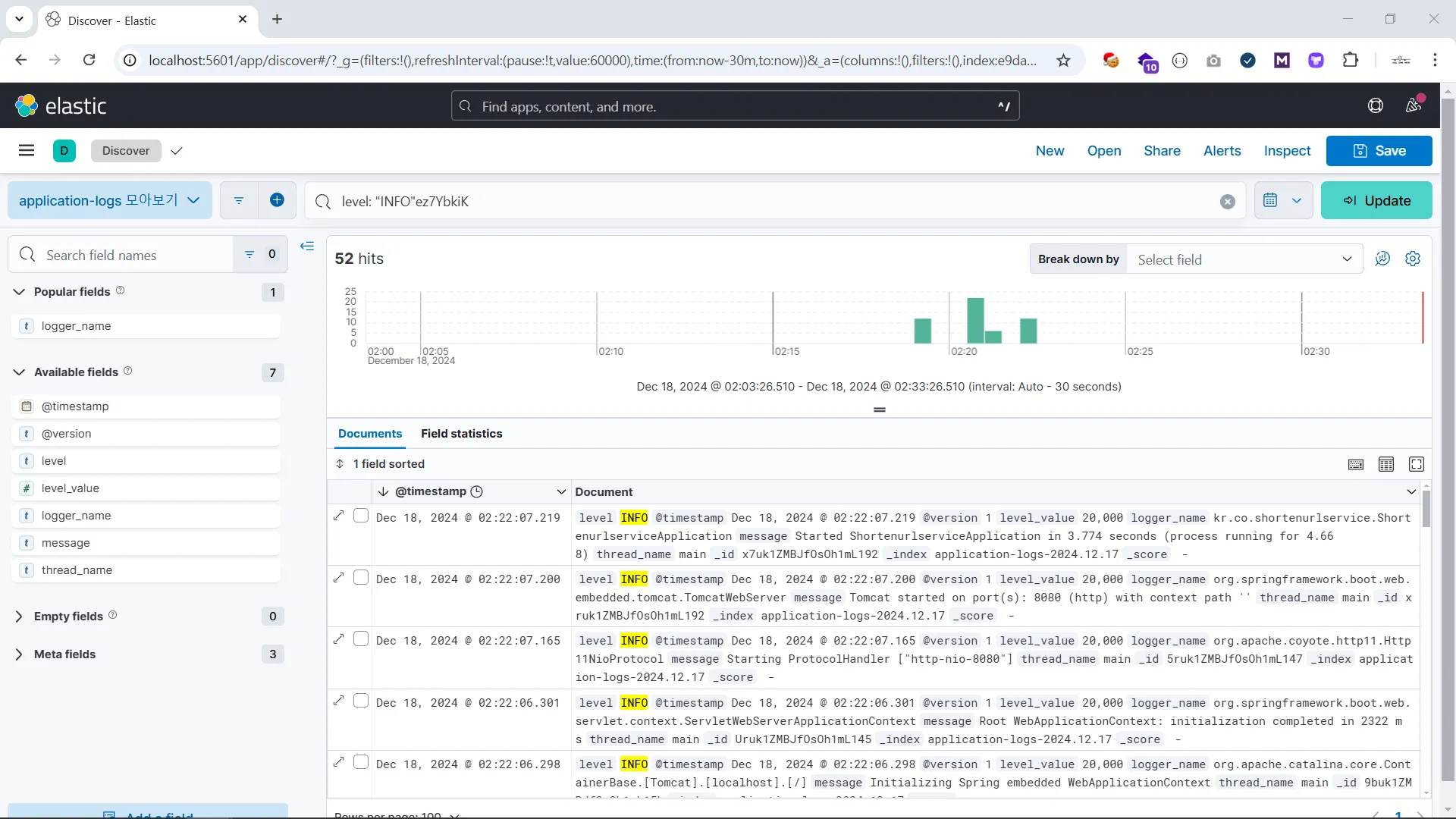
Finally, we cover log visualization and utilization methods. You will learn how to visualize log data using Kibana and monitor logs in real-time through dashboards. We will study how to improve log readability by adding service and host information to log data and how to build a system that enables rapid response to errors through alarm settings. Additionally, through hands-on practice connecting with Jenkins to receive alarms via Slack, you will be able to build a log monitoring environment that can be immediately applied in real-world scenarios.

This course provides essential content for developers and engineers who wish to systematically learn everything from the basics of log management to advanced configurations. It will be of great help to anyone looking to enhance system stability through effective log management and build the capacity to respond quickly when issues arise.


Example of Logback configuration file

<configuration> <property name="LOG_FILE" value="application.log"/> <!-- Appender to send to Logstash --> <appender name="LOGSTASH" class="net.logstash.logback.appender.LogstashTcpSocketAppender"> <destination>localhost:5044</destination> <encoder class="net.logstash.logback.encoder.LogstashEncoder" /> </appender> <!-- Console Output --> <appender name="CONSOLE" class="ch.qos.logback.core.ConsoleAppender"> <encoder> <pattern>%d{yyyy-MM-dd HH:mm:ss} %-5level [%thread] %logger{36} - %msg%n</pattern> </encoder> </appender> <!-- File Output --> <appender name="FILE" class="ch.qos.logback.core.rolling.RollingFileAppender"> <file>${LOG_FILE}</file> <rollingPolicy class="ch.qos.logback.core.rolling.TimeBasedRollingPolicy"> <fileNamePattern>application.%d{yyyy-MM-dd_HH-mm}.log.gz</fileNamePattern> <maxHistory>5</maxHistory> </rollingPolicy> <encoder> <pattern>%d{yyyy-MM-dd HH:mm:ss} %-5level [%thread] %logger{36} - %msg%n</pattern> </encoder> </appender> <!-- Logger Settings --> <root level="trace"> <appender-ref ref="CONSOLE" /> <appender-ref ref="FILE" /> <appender-ref ref="LOGSTASH" /> </root> </configuration>


Log Visualization Example


What you will learn

Understanding the Basics of Logging

You will build a foundation for effective logging by learning what information should be recorded in logs, the role of logs in exception handling, and the meanings and practical applications of various log levels.

Logback

It systematically covers everything from the basic configuration to the advanced application of Logback. Through integration with Slf4j, you will learn how to manage logs efficiently and gain hands-on experience in separating logs into multiple files or managing them on a daily basis using various Appenders.

ELK Stack

You will learn how to collect and analyze logs using the ELK stack, which consists of Elasticsearch, Logstash, and Kibana. From installation using Docker to sending logs to Elasticsearch via LogstashAppender, you will acquire the skills to visualize log data and monitor it in real-time using Kibana.

Notes before taking the course

Practice Environment

  • Operating System and Version (OS): Windows 10

  • Tools used: IntelliJ Community 2023.2, Google Chrome

Learning Materials

Prerequisites and Important Notes

  • This course is based on Java and Spring Boot applications. However, since the main content focuses more on explaining logging concepts rather than code-level details, you should be able to follow the course without any issues even if you use other languages or frameworks, with the exception of the 'Logback Configuration' section.

  • The practice sessions are not conducted by uploading to a server, but are carried out exclusively within a local development environment. Although the practice is done locally, I provide guidance on how to change the settings when deploying to an actual server, so you will be able to configure it through a similar process when you do upload it to a server.

  • If you have any questions while taking the course, please leave a question. If there is anything that needs to be updated, I will make sure to update it.

Recommended for
these people

Who is this course right for?

  • Those who want to know what kind of logs should be recorded in an application

  • Someone who is tired of connecting to the server via SSH every time to check logs

Need to know before starting?

  • Experience in Spring Boot application development

Hello
This is foo

6,194

Learners

322

Reviews

117

Answers

4.9

Rating

9

Courses

Hello.

I'm Foo, and through my mentoring, I put a lot of thought into how to clearly explain concepts that junior developers often find challenging.

I look forward to working with you.


Experience

  • 2019. 08 ~ Present : Kakao Java Backend Developer

  • 2021. 08 ~ Present: programmers Backend Dev Course Mentor

  • 2021. 12 ~ Present: F-Lab Java Backend Mentor

Book

  • This is Backend Development for Employment with Java (Link)

Other experiences and lectures on other platforms can be found at the GitHub link below.

GitHub - https://github.com/lleellee0

More

Curriculum

All

17 lectures ∙ (3hr 27min)

Published: 
Last updated: 

Reviews

All

88 reviews

4.9

88 reviews

  • khd16927573님의 프로필 이미지
    khd16927573

    Reviews 12

    Average Rating 5.0

    Edited

    5

    100% enrolled

    I really enjoyed the lecture! I was using logback and @Sl4jf without fully understanding them, but now I've learned about their concepts! However, this lecture didn't just stop at simple principles or knowledge; it allowed me to process logs, and if one has experience handling logs for purposes like CS response, there were many points that resonated deeply. Thus, I found myself nodding along throughout the lecture. In any case, it was incredibly helpful, and I hope you'll create lectures on a wider variety of topics 😊😊 (Or, lectures that integrate various technologies or cover an entire specific domain would be even better.)

    • foo
      Instructor

      Yoni, thank you for attending the lecture! It's great you shared what you liked during the lecture. :) The various lectures you mentioned likely include the recently opened one ( https://inf.run/XHEvJ ), and I'll also try to create lectures on other topics! Thank you~!

  • parksangdonews님의 프로필 이미지
    parksangdonews

    Reviews 17

    Average Rating 4.8

    5

    100% enrolled

    It's a perfect time to cool off for about 3 hours, so I started taking the course thinking I'd watch it on the weekend as a way to learn something new. ^^ I remembered how hard it was to distinguish between log4j, logback, and slf4j when I was a junior and how much trouble I had setting them up, so I bought it thinking many developers would find it useful. The content was well organized and explained in a story format, from the trial and error process to the monitoring stage, so it was more engaging than other lectures that explain each one separately. I thought of it as a junior learning from a mentor and kept looking at the development tips that came up here and there, and before I knew it, 3 hours had passed... If you're new to development, watch it. Watch it twice. ^^ Logs can sometimes save your life. (Sometimes they break, too...)

    • foo
      Instructor

      Thank you for your thoughtful review, Sang Do Park! I think you've done a much better job of highlighting the strengths of the class than the introduction to the class 😊😊😊😊 Thank you so much for listening to the class!! The things you wrote will be of great help to others as well~

  • smh12052571님의 프로필 이미지
    smh12052571

    Reviews 2

    Average Rating 5.0

    5

    100% enrolled

    We could manage logs more actively.

    • thirsthay님의 프로필 이미지
      thirsthay

      Reviews 3

      Average Rating 4.7

      5

      41% enrolled

      • foo
        Instructor

        Thanks 떨스티 for the review!!

    • kduoh님의 프로필 이미지
      kduoh

      Reviews 39

      Average Rating 5.0

      5

      100% enrolled

      • foo
        Instructor

        Dudu, thank you for leaving a course review. ^^ Have a good day!

    foo's other courses

    Check out other courses by the instructor!

    Similar courses

    Explore other courses in the same field!

    $23.10