














inflearn logo
inflearn logo

Tailwind CSS Practical Portfolio Publishing

[Tailwind CSS Practical Portfolio Publishing] is a process of creating more than 26 different practical examples using Tailwind CSS. As you quickly create a variety of practical examples, we will explain the essential theories. This lecture was created with a focus on Tailwind CSS styling created by developers and publishers.

(5.0) 수강평 7개

강의소개.상단개요.수강생.short

난이도 초급

수강기한 무제한

TailwindCSS
TailwindCSS
HTML/CSS
HTML/CSS
TailwindCSS
TailwindCSS
HTML/CSS
HTML/CSS

먼저 경험한 수강생들의 후기

먼저 경험한 수강생들의 후기

5.0

5.0

segun408

100% 수강 후 작성

Thank you for your hard work in teaching. I enjoyed it!! :)

5.0

정조윤

53% 수강 후 작성

I didn't want to make a hasty judgment, so I tried to write this review after completing 100% of the course, but I was so pleased and saw myself growing, so I started to think that Coding Works is really great and cool, like a master. I think that the beginning, middle, and end of a lecture or a topic should be clear, and I think that this person does a great job of expressing that beginning, middle, and end in a cool way. From now on, I'll buy a little less delicious food and invest in Coding Works' latest lectures. He makes me want to tap dance because I'm so happy while learning. Thank you for making such a great lecture and wonderful work. I hope that Coding Works and all of you who read this review have a great day!

5.0

곰젤리

100% 수강 후 작성

I completed the Tailwind CSS Beautiful Web UI Styling course and moved on to this one! It was great to be able to work on examples that are frequently used in real-world projects. I practiced with vanilla JS instead of jQuery, and I learned a lot through that process~ Just like in the previous course, you conducted it thoroughly, which was very helpful!! Thank you ☺️

강의상세_배울수있는것_타이틀

  • Creating various practical examples using Tailwind CSS

  • Tailwind CSS's easy mobile-responsive workflow

  • Tailwind Utility Classes and CSS All Properties

  • Improve your understanding of Tailwind CSS with easy explanations

  • Web publishers who need Tailwind CSS skills and results

  • Create a responsive website easily and conveniently with Flex

  • Creating various forms with Tailwind CSS

[Video Update News] Tailwind CSS v4.0 has been officially released.

On January 22, 2025, two videos related to Tailwind CSS v4.0 were updated, and the PDF textbook file was also updated. Please check the updated videos and PDF textbook file.

▼Video Update List

  • [Update] Tailwind CSS v4.0 CLI Installation and Configuration

  • [Update] Tailwind CSS v4.0 Custom Theme Preferences

▼List of textbook updates

  • [Reference] Tailwind CSS Special Properties and HTML Wireframe Structure

Tailwind CSS Practical Portfolio Publishing Open

Improve your Tailwind CSS skills by creating only real-world examples!


This course is about creating over 26 different practical examples using Tailwind CSS . We quickly create a variety of practical examples and explain the essential theories within them. This course is centered around Tailwind CSS styling created by developers and publishers.

I think it will be a great help to web publishers and developers in finding jobs and changing careers.

Tailwind CSS Practical Portfolio Publishing

Tailwind CSS Practical Portfolio Publishing consists of only the process of creating practical examples . So you can feel the real fun of Tailwind CSS without getting bored. As you create practical examples one by one, your Tailwind CSS skills will improve, and you can leave the practical examples created with Tailwind CSS as work in your personal portfolio.

You will be able to learn the Tailwind CSS Portfolio practical production video, which was created with faithful content and systematic theoretical explanations that help with understanding, equivalent to more than 14 hours of lecture time .


Key features of the course

  • Build 26+ different Tailwind CSS practical examples (see the finished preview video)

  • This tutorial shows you in detail the process of creating an HTML wireframe structure .

  • Maximize your publishing prowess by improving your HTML wireframe structure creation skills.

  • Provides a variety of reference materials to help with web publishing

Main sections of the lecture

  1. Setting up Tailwind CSS CLI environment and notes

  2. Tailwind CSS Practical Examples - Navigation

  3. Tailwind CSS Practical Example - Card UI Design

  4. Tailwind CSS Practical Example - Section UI Design

  5. Tailwind CSS Practical Example - Tab Menu Content

  6. Tailwind CSS Practical Example - Login Form Design

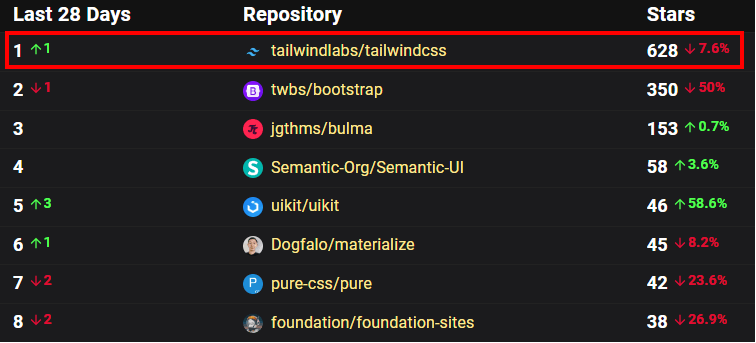
CSS Frameworks Ranking in 2024

Tailwind CSS, which has been consistently popular and ranked first in satisfaction in CSS Frameworks Ranking, is the hottest CSS framework in the world these days. The most representative reason for its popularity is that it allows creative styling using utility classes, and it is also quite fast in terms of work time to create a high-quality design.

In short, Tailwind CSS...

'While creative styling

No.1 CSS Framework to Reduce Production Time'


Image Source: OSS Insight ( https://ossinsight.io/collections/css-framework/)

Tailwind CSS is what developers need these days.

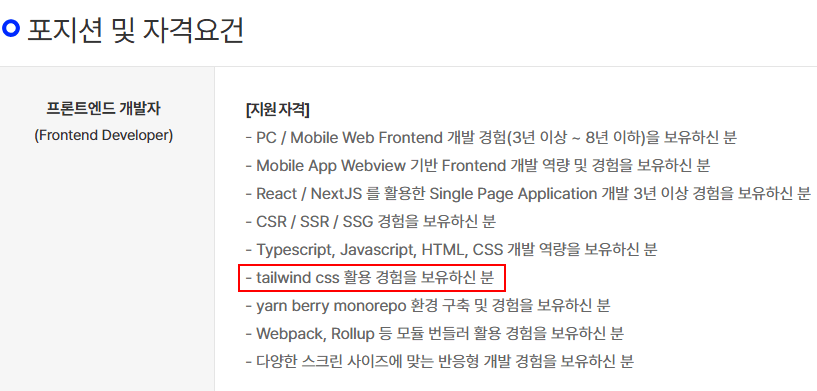
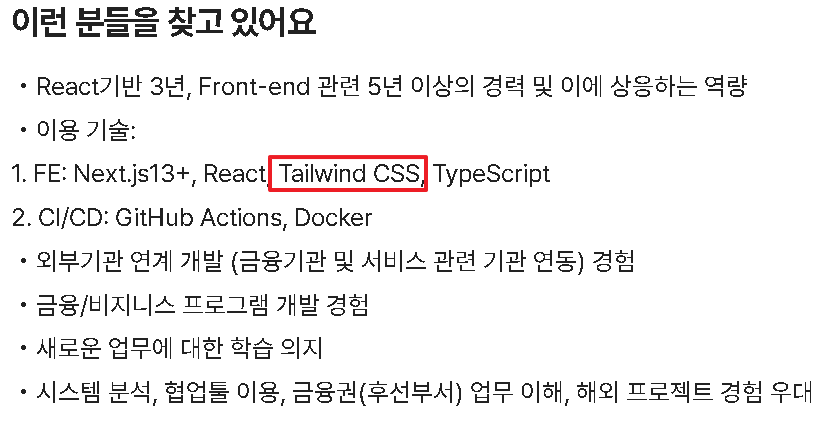
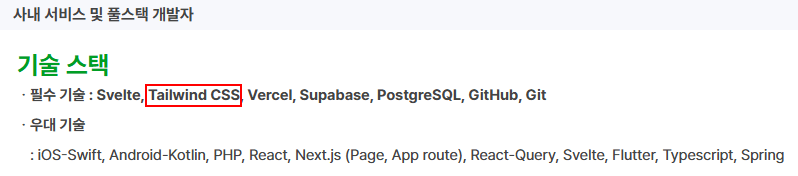
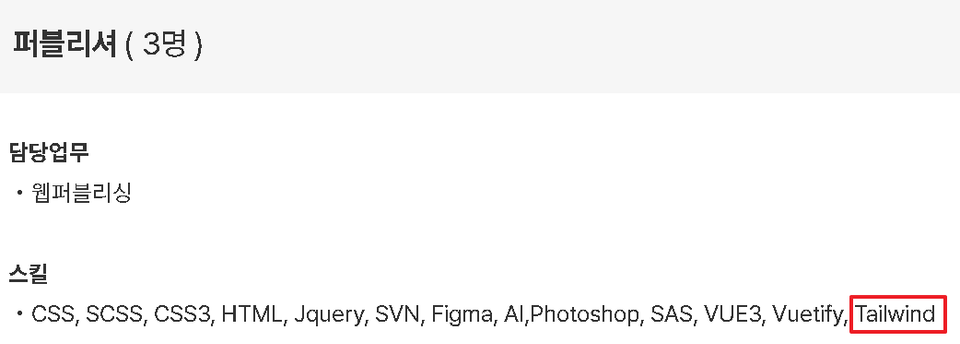
Beyond preferential treatment, it is now an eligibility requirement .


🚩 Lecture-related expected questions & must-reads


Q. Can I take Tailwind CSS Practical Portfolio Publishing right away without attending the theory lecture?

  • If you are new to Tailwind CSS, I recommend that you take the theory lecture [Amazing Web UI Styling with Tailwind CSS] from Coding Works and then take that lecture.

  • If you are taking this course right away, please study on the official Tailwind CSS website first and study while also using the official website.

  • Tailwind CSS Tutorial: Creating Awesome Web UI Styling with Tailwind CSS: https://inf.run/pjqKk


Q. Do you provide the finished HTML produced for Tailwind CSS Practical Portfolio Publishing?

  • Yes. In the Student Resources Downloads section, you will receive a zipped file containing all the completed practical examples produced in the video (HTML, CSS, JS, images, reference sites, source text, wireframe PDF, etc.).

  • Before you start the lecture video, unzip the downloaded compressed file and delete the index.html and style.css files. You can start by creating the basic HTML structure, excluding the source and images folders. If you need to refer to the finished version, you can always unzip the compressed file again and look at it.


Q. What level of web coding skills are required before taking the course?

  • First, you need a basic understanding of HTML+CSS . For example, if you don't understand the float and position properties, it will be difficult to follow along. This lecture was created with people with basic publishing skills in mind. Please take note!

  • Prerequisite skills in jQuery or JavaScript are not required. However, understanding the essential core theories of jQuery is required. The entire lecture is based on jQuery to create interactions, such as class control and element navigation, and JavaScript is used to experience examples, so you do not have to worry about JavaScript skills.


Q. Is the order of studying examples to be learned in order from the beginning?

  • There is no need to follow the exact order of the example studies. You can start from any section you want.


  • There is no set difficulty level for each section. You can select and study the examples you want to learn individually.


  • [TMI] There are a lot of theories that you need to know when studying publishing and creating practical examples. I would like to organize all the theoretical parts and make a video, but realistically, there are some parts that are difficult. Please fill in the missing parts through the Tailwind CSS official website.


Q. Where can I download the complete set of practical examples and theory examples?

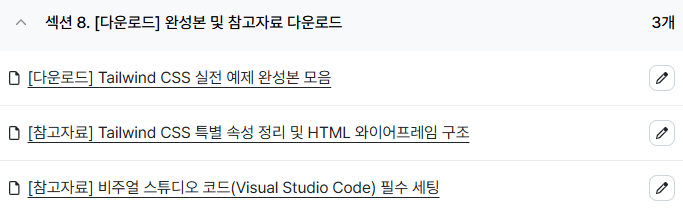
  • All the finished files (html, css, js, image files, etc.) created from the class videos can be downloaded in the last section (Section 8) shown below.

    .


💻 Preview the Tailwind CSS Practical Example Production Results


▲ Tailwind CSS Gradient


😊 Tailwind CSS Practical Examples - Navigation


▲ Navigation - Standard top navigation (3 types)


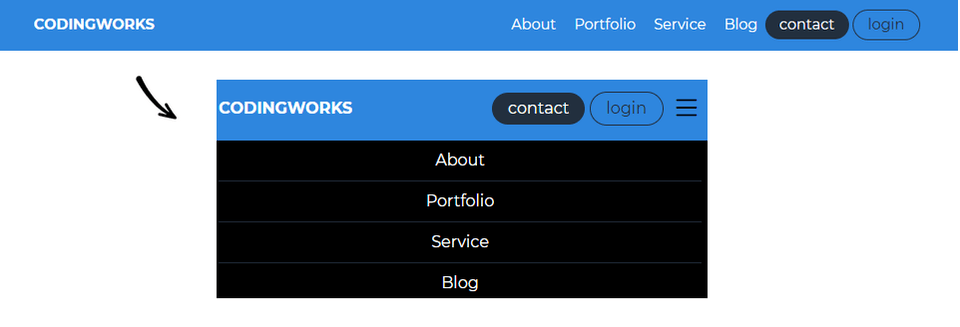
▲ Navigation - Responsive top navigation


▲ Navigation - Social media icon hover navigation


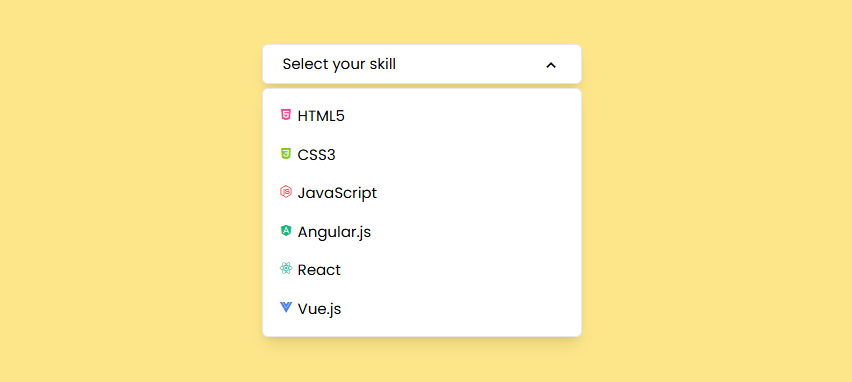
▲ Navigation - Custom dropdown select


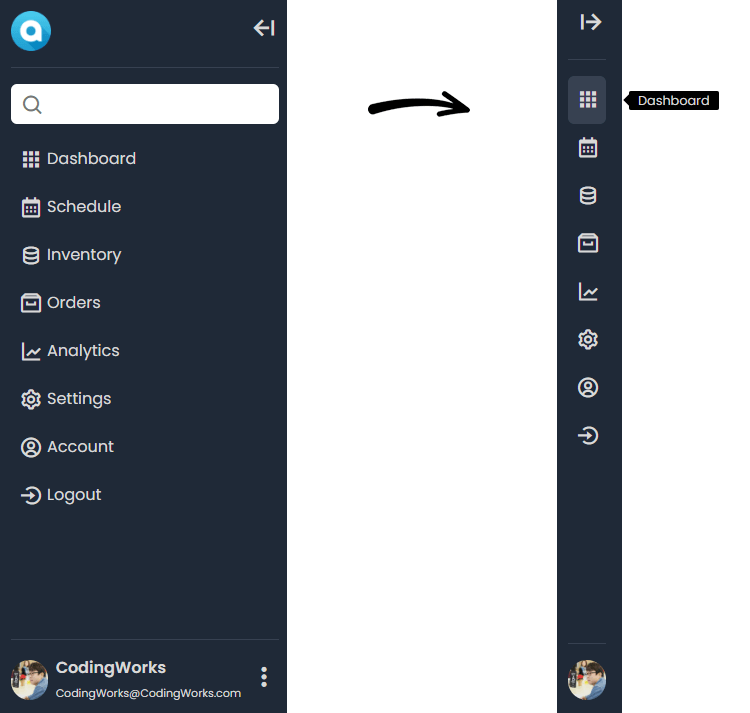
▲ Navigation - Sidebar Icon Navigation


😊 Tailwind CSS Practical Example - Card UI Design


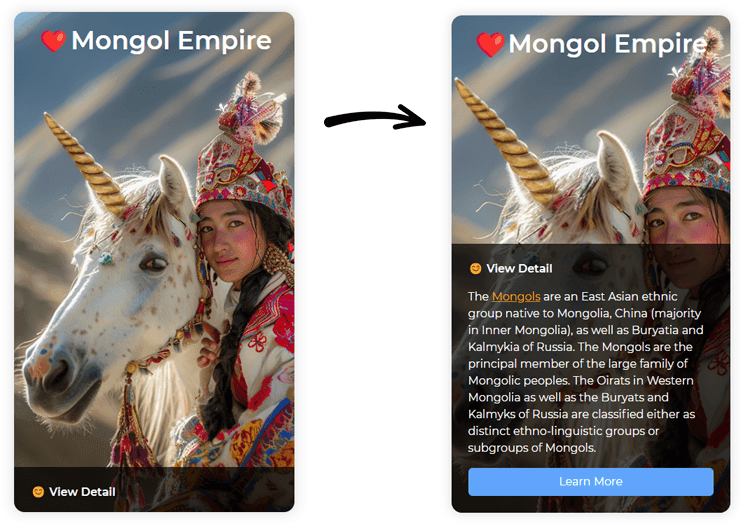
▲ Card UI design - figure card hover effect (how to use group selector)


▲ Card UI Design - New Product Card UI Design


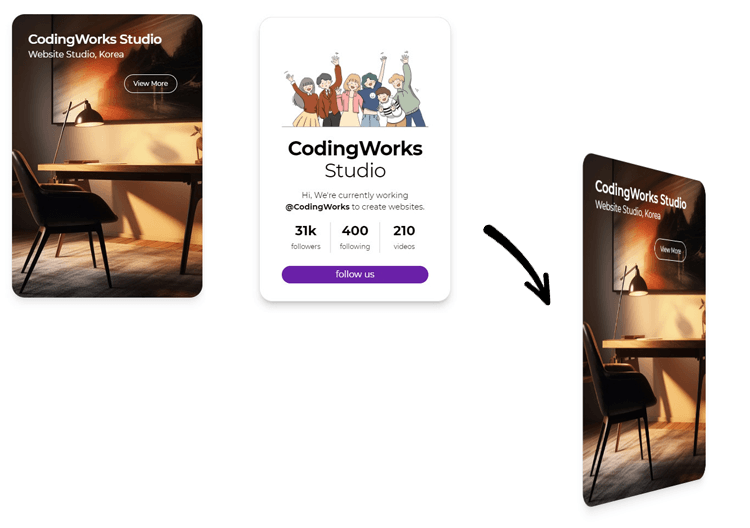
▲ Card UI Design - Profile Card Hover Flip (3D Card Flip)


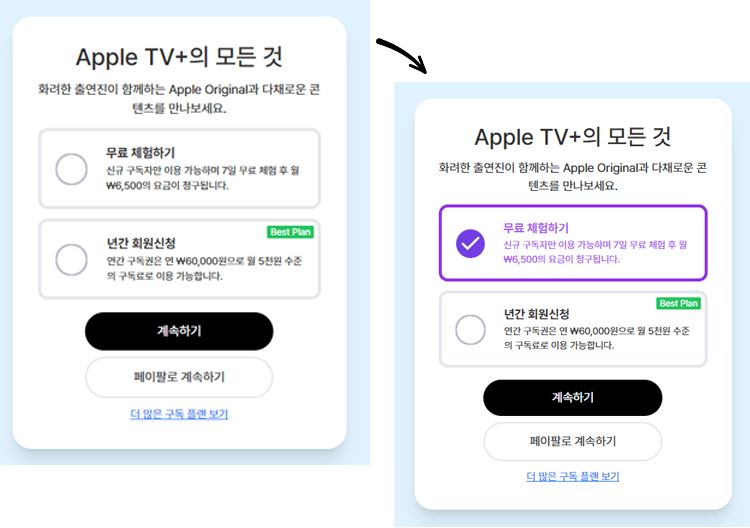
▲ Card UI design - Apple TV subscription plan selection (:has virtual class)


😊 Tailwind CSS Practical Example - Section UI Design


▲ Section UI Design - Glassmorphism Login Form


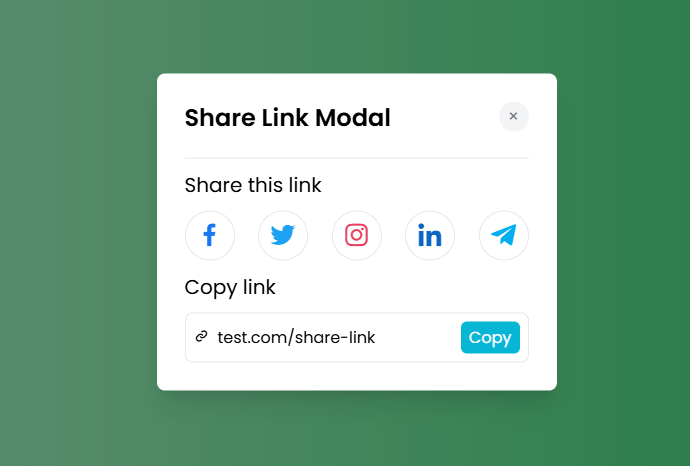
▲ Section UI Design - Animated Modal


▲ Section UI Design - Ticket Card UI (Frontend Online Class)


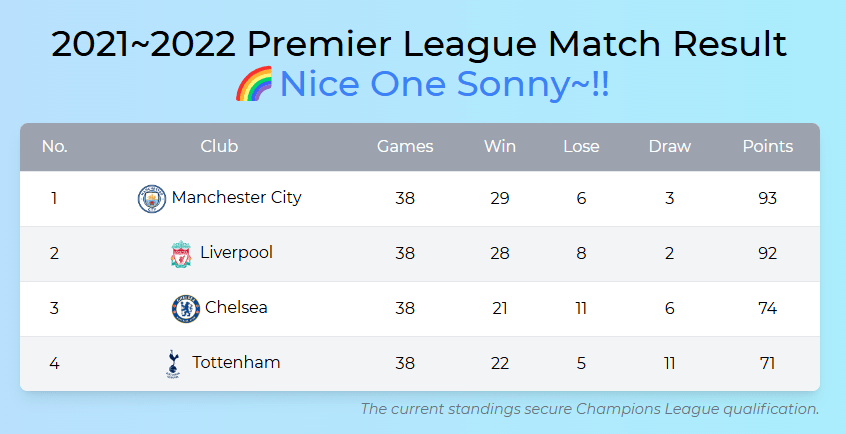
▲ Section UI Design - Table Design (Premier League)


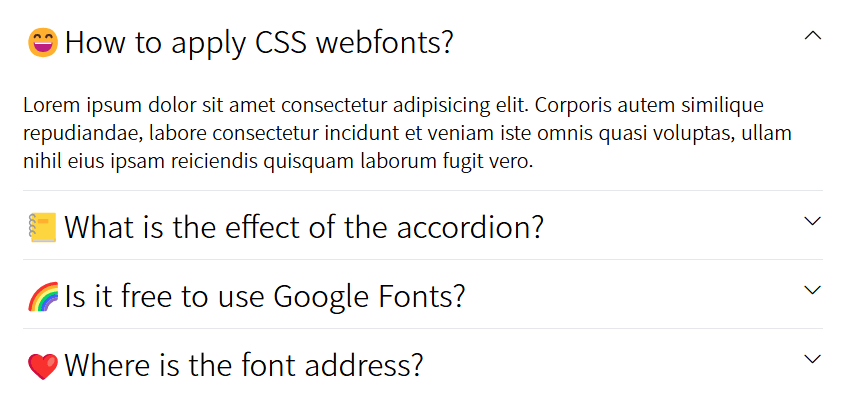
▲ Section UI Design - Accordion Content with Emoji

▲ Section UI Design - Mobile Rate Plan Screen (Hover Tooltip)


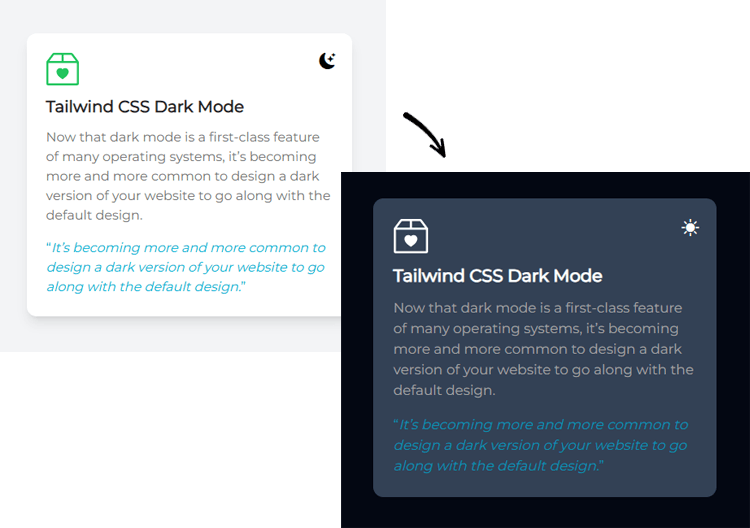
▲ Section UI Design - Creating Dark Mode (ft. How to Use SVG)


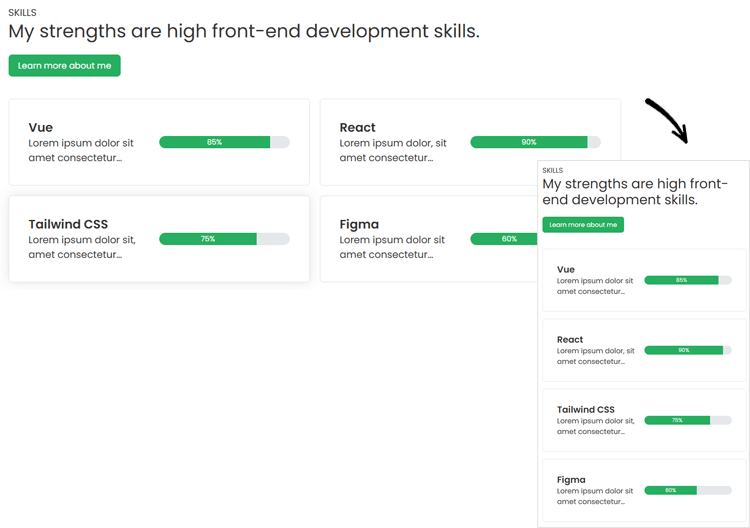
▲ Section UI Design - Responsive Skill Introduction Section


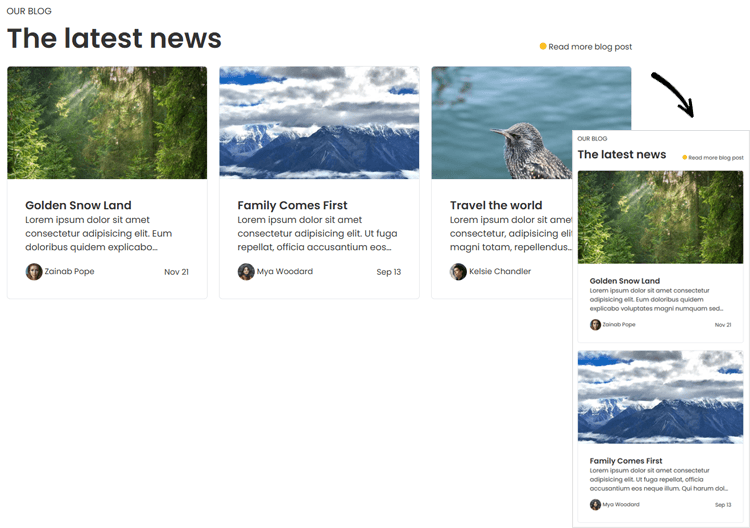
▲ Section UI design - News introduction card thumbnail section (Latest news)


▲ Section UI Design - Web Hosting Plan Price List (Price Plan)


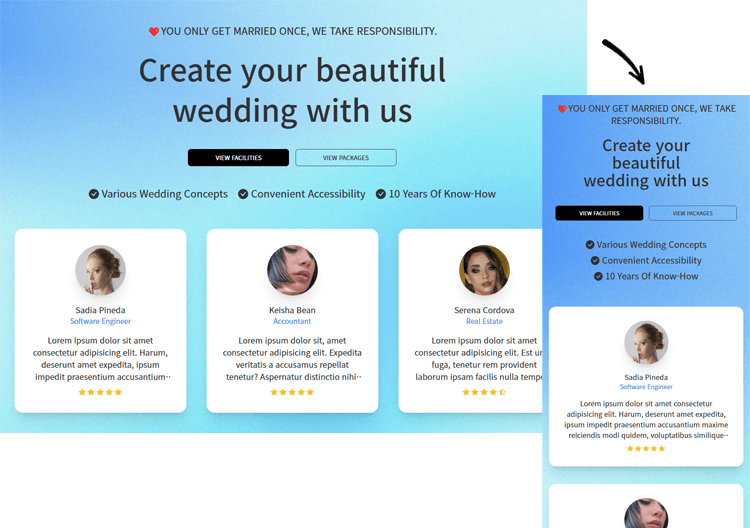
▲ Section UI Design - Wedding Responsive Intro Section (Testimonial Intro)


😊 Tailwind CSS Practical Example - Tab Menu Content


▲ Tab menu content - Tab menu content (CSS method, JQUERY method)


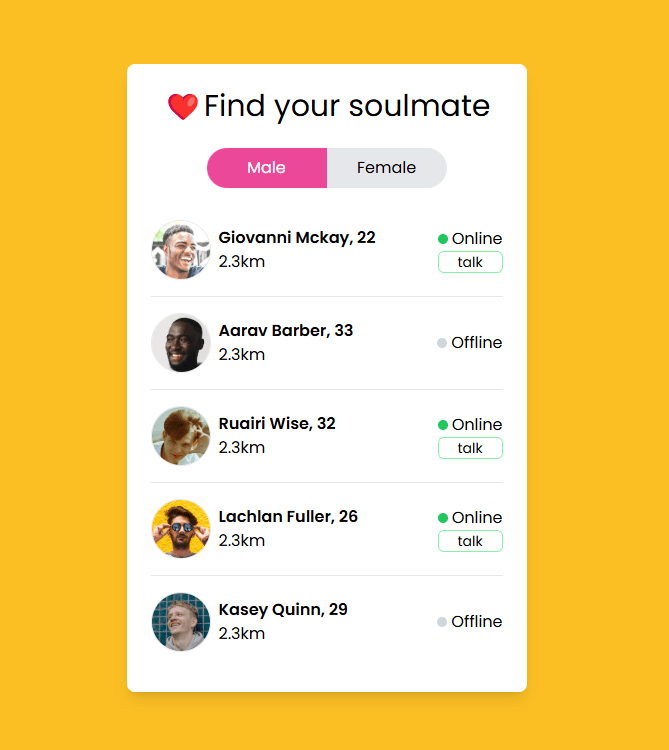
▲ Tab menu content - Dating app tab menu for men and women


😊 Tailwind CSS Practical Example - Login Form Design


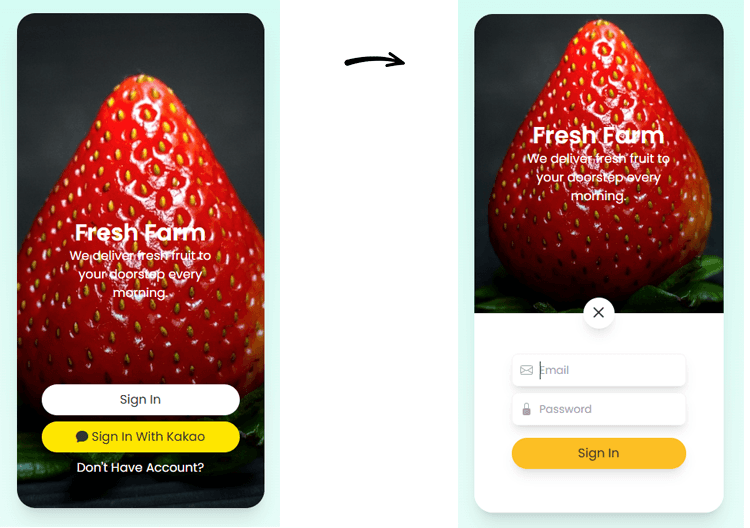
▲ Mobile app background animation login


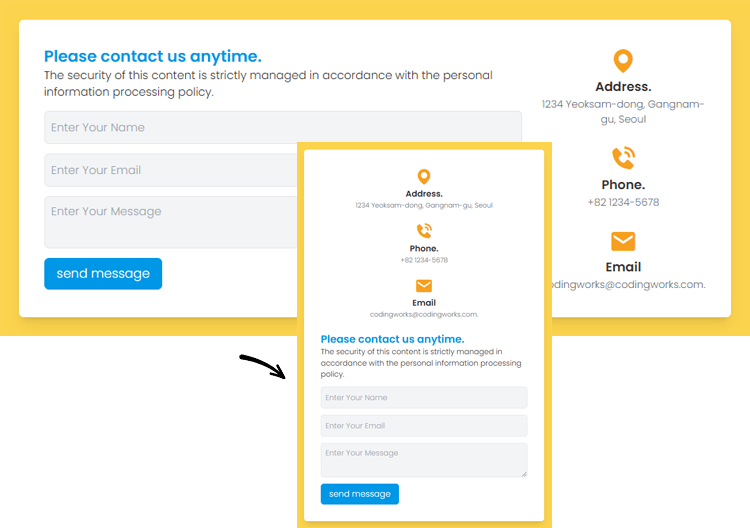
▲ Responsive Contact Form - Contact Form


▲ Show/Hide Password Login Form


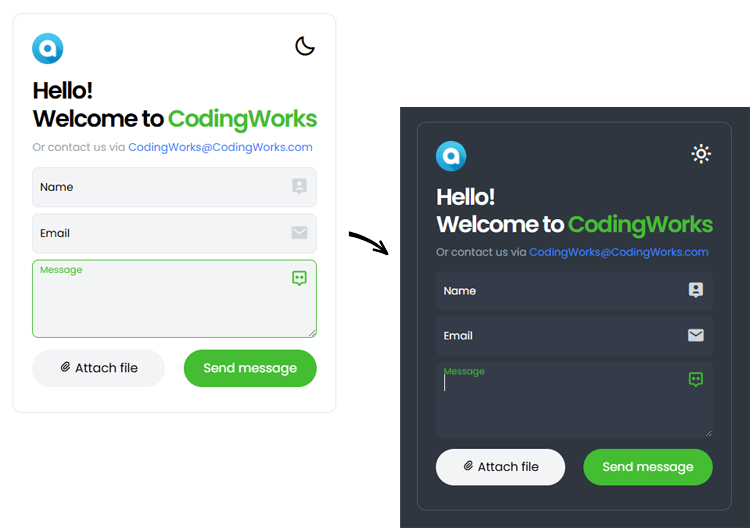
▲ CSS Validation Contact Form - Dark Mode

Section 1. Introduction to the Course

  • [Course Introduction] Tailwind CSS Practical Portfolio Publishing

  • [Preview of a practical example] Tailwind CSS Practical Portfolio Publishing

Section 2. Setting up Tailwind CSS CLI environment and notes

  • Using Tailwind CSS Utility Classes in a CDN Environment

  • Modifying Tailwind CSS Config in CDN and CLI Environments (ft. Web Fonts)

  • Setting up a CLI environment in Tailwind CSS (ft. Node.js)

  • Utilizing utility classes (Components) and web fonts in a CLI environment

  • Preparing to create a practical example and using gradients (background, text)

Section 3. Tailwind CSS Practical Examples - Navigation

  • Navigation - Standard top navigation (3 types)

  • Navigation - Responsive Top Navigation

  • Navigation - Social Media Icon Hover Navigation

  • Navigation - Custom Dropdown Select

  • Navigation - Sidebar Icon Navigation

Section 4. Tailwind CSS Practical Examples - Card UI Design

  • Card UI Design - Figure Card Hover Effect (How to Use Group Selector)

  • Card UI Design - New Product Card UI Design

  • Card UI Design - Profile Card Hover Flip (3D Card Flip)

  • Card UI Design - Apple TV Subscription Plan Selection (:has Virtual Class)

Section 5. Tailwind CSS Practical Examples - Section UI Design

  • Section UI Design - Glassmorphism Login Form

  • Section UI Design - Animated Modal

  • Section UI Design - Ticket Card UI (Frontend Online Class)

  • Section UI Design - Table Design (Premier League)

  • Section UI Design - Accordion Content with Emoji

  • Section UI Design - Mobile Rate Plan Screen (Hover Tooltip)

  • Section UI Design - Creating Dark Mode (ft. How to Use SVG)

  • Section UI Design - Introducing Responsive Skills Section

  • Section UI Design - News Introduction Card Thumbnail Section (Latest News)

  • Section UI Design - Web Hosting Plan Price List (Price Plan)

  • Section UI Design - Wedding Responsive Intro Section (Testimonial Intro)

Section 6. Tailwind CSS Practical Examples - Tab Menu Content

  • Tab Menu Content - Tab Menu Content (CSS, JQUERY)

  • Tab Menu Content - Male and Female Dating App Tab Menu

Section 7. Tailwind CSS Practical Example - Login Form Design

  • Mobile App Background Animation Login

  • Responsive Contact Form - Contact Form

  • Show Password Hide Login Form

  • CSS Validation Contact Form (1) - Light Mode

  • CSS Validation Contact Form (2) - Dark Mode

Section 8. [Download] Download the complete version and reference materials

  • [Download] Tailwind CSS Practical Examples Complete Collection

  • [Reference] Tailwind CSS Special Properties and HTML Wireframe Structure

  • [Reference] Visual Studio Code Essential Settings

Introducing the knowledge sharer

Coding Works has taught publishing theory, application, and personal portfolio homepage creation to over 300 national publishing course students. In particular, the instructor has specialized in publishing lectures for several years, perfectly guiding all preparation processes for publisher employment from A to Z, so that most students can get jobs right after completing the course. In addition, the instructor has been evaluated as being very helpful to Inflearn students by conducting publishing-related lectures at Inflearn.

Watch the InFocus Interview: https://www.inflearn.com/pages/infocus-8-20230704

강의소개.콘텐츠.추천문구

학습 대상은 누구일까요?

  • Publishers who need to improve their competitiveness in job hunting and career changes by adding Tailwind CSS skills

  • Web publishers who want to access and use Tailwind CSS easily and conveniently

  • Developers who want to access and use Tailwind CSS easily and conveniently

선수 지식, 필요할까요?

  • HTML+CSS Basics

강의소개.지공자소개

12,965

수강생

775

수강평

2,119

답변

4.9

강의 평점

23

강의_other

■ [Current] Government-funded Publishing & Frontend Instructor
■ [Current] Freelance Frontend Publisher
■ [Current] Operator of HTML+CSS+JQUERY Publishing YouTube Channel 'Coding Works'
■ Green Computer Academy Web Publishing Instructor
■ The Joeun Computer Academy Web Publishing Instructor
■ Ezen Computer Academy Web Publishing Instructor
■ Frontend Publisher, Professional Frontend Publishing Instructor
■ UI/UX Web Design Portfolio Lectures
■ Web Design Technician Practical Certification Class Lectures
■ Easy & Edu Frontend UI/UX Design and Publishing

🌏CodingWorks Inflearn Lecture List - https://www.inflearn.com/users/@codingworks
🌏Inflearn CodingWorks Lecture Learning Order (Learning Roadmap) - https://www.inflearn.com/blogs/2351
🌏CodingWorks Inflearn Publishing Blog - https://www.inflearn.com/users/@codingworks/blogs
🌏CodingWorks Publishing YouTube Channel - https://www.youtube.com/codingworks
🟣View Inflearn In-Focus CodingWorks Interview: https://www.inflearn.com/pages/infocus-8-20230704

더보기

커리큘럼

전체

42개 ∙ (강의상세_런타임_시간 강의상세_런타임_분)

해당 강의에서 제공: [object Object]
강의 게시일: 
마지막 업데이트일: 

수강평

전체

7개

5.0

7개의 수강평

  • zzolyoon70313님의 프로필 이미지
    zzolyoon70313

    수강평 9

    평균 평점 5.0

    5

    53% 수강 후 작성

    I didn't want to make a hasty judgment, so I tried to write this review after completing 100% of the course, but I was so pleased and saw myself growing, so I started to think that Coding Works is really great and cool, like a master. I think that the beginning, middle, and end of a lecture or a topic should be clear, and I think that this person does a great job of expressing that beginning, middle, and end in a cool way. From now on, I'll buy a little less delicious food and invest in Coding Works' latest lectures. He makes me want to tap dance because I'm so happy while learning. Thank you for making such a great lecture and wonderful work. I hope that Coding Works and all of you who read this review have a great day!

    • codingworks
      지식공유자

      Thank you for your review!!

  • yehg10043419님의 프로필 이미지
    yehg10043419

    수강평 3

    평균 평점 5.0

    5

    100% 수강 후 작성

    I completed the Tailwind CSS Beautiful Web UI Styling course and moved on to this one! It was great to be able to work on examples that are frequently used in real-world projects. I practiced with vanilla JS instead of jQuery, and I learned a lot through that process~ Just like in the previous course, you conducted it thoroughly, which was very helpful!! Thank you ☺️

    • codingworks
      지식공유자

      Thank you for the course review!!

  • gyumin님의 프로필 이미지
    gyumin

    수강평 13

    평균 평점 5.0

    5

    31% 수강 후 작성

    • codingworks
      지식공유자

      Thank you for the course review

  • segun408님의 프로필 이미지
    segun408

    수강평 3

    평균 평점 5.0

    5

    100% 수강 후 작성

    Thank you for your hard work in teaching. I enjoyed it!! :)

    • codingworks
      지식공유자

      Thank you for your first class review. I'll be rooting for you~!!

  • heralife1550님의 프로필 이미지
    heralife1550

    수강평 1

    평균 평점 5.0

    5

    100% 수강 후 작성

    • codingworks
      지식공유자

      Thank you for the course review.

codingworks님의 다른 강의

지식공유자님의 다른 강의를 만나보세요!

비슷한 강의

같은 분야의 다른 강의를 만나보세요!

강의상세.할인문구

$4,853.00

28%

$42.90