
Studying React's official documentation together
jaenam
Let's learn together the official React documentation that has been renewed in 2023.

Beginner
React, JavaScript, react.js
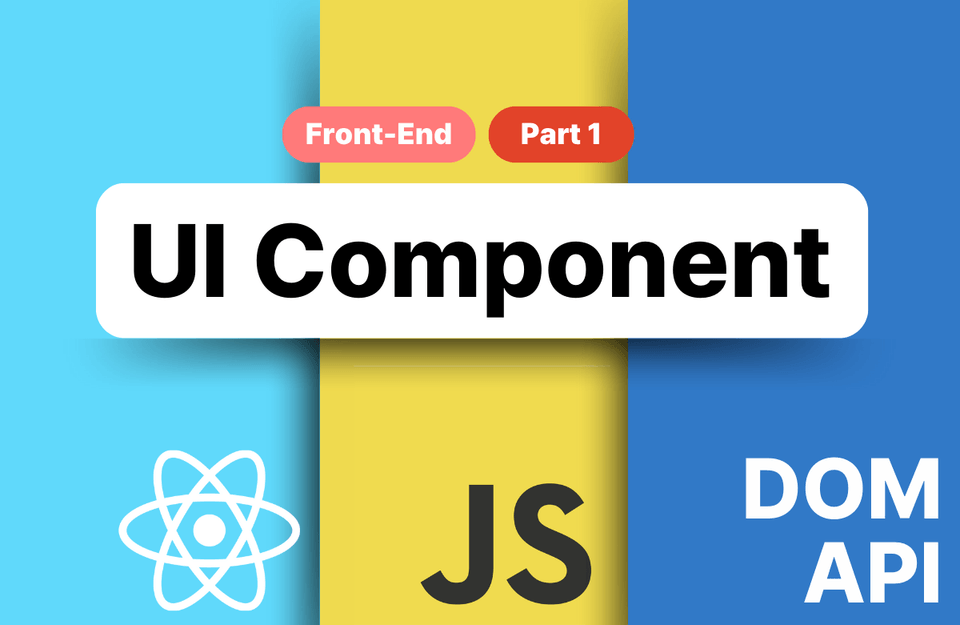
Experience various perspectives and methods using Web APIs by creating representative UI elements in both React and pure JavaScript versions, and take your front-end development skills to the next level.
316 learners
Level Basic
Course period Unlimited
Reviews from Early Learners
5.0
신원세
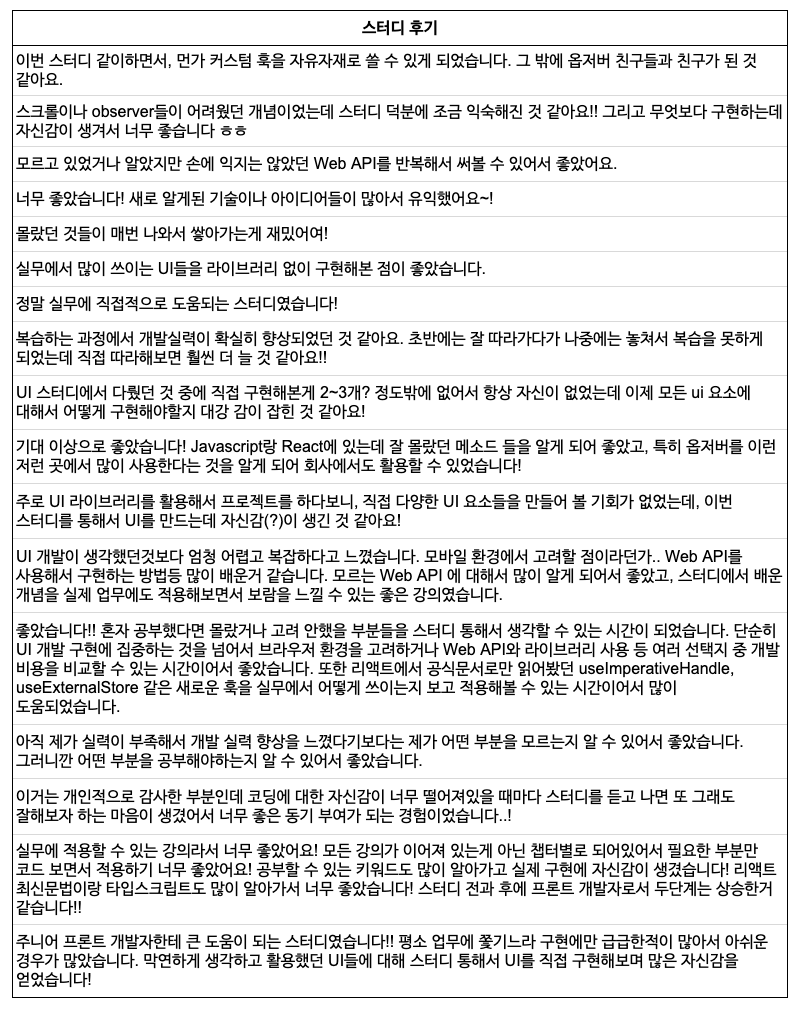
It was a lecture that I could concentrate better because it felt like I was communicating with the students rather than just conveying information!! I also like that there is a part that implements it in a vanilla JavaScript version 👍
5.0
withkey
Problems that I had been struggling with for months while building the design system, especially problems with headless and compound, were all solved in Section 7. Especially in the part where generics are used in createContext... I felt a thrill. 🫨 Starting from Core JavaScript, various Effective TypeScripts, React official documentation study, and even component lectures... Thank you so much for the great lectures and materials. 😭👍
5.0
eddie
This lecture helped me understand how and based on what criteria to utilize browsers, HTML, React, and Vanilla when developing UI. Additionally, it was very helpful to see the overall flow when developing UI while watching the lecture.
Practical React Knowledge
DOM API
Ability to utilize various other Web APIs
🎉Get 25% off when you enroll via the roadmap🎉
Roadmap Link: https://inf.run/cNuxY
(Even if you are already enrolled in only one of the two courses, a 25% discount will be applied to the remaining course.)
Create both pure JavaScript (vanilla-js) and React versions, and introduce as many different methods as possible.
Experience and compare the characteristics of various versions of components as you write them.
Develop your practical skills by applying APIs that are widely used in the industry.

Frontend developers who lack confidence in development because they rely solely on libraries for UI components

Those who are not familiar with the latest HTML5 APIs and DOM APIs

Those who feel a thirst for improving their UI component development skills
With this single course, UI elements are covered! You can build development knowledge of UI elements on par with a senior front-end developer.
By combining and evolving the elements covered in this course, you will gain the confidence to create any number of new UI elements on your own.
Part 2 is a lecture focused on exploring ways to reuse existing components.
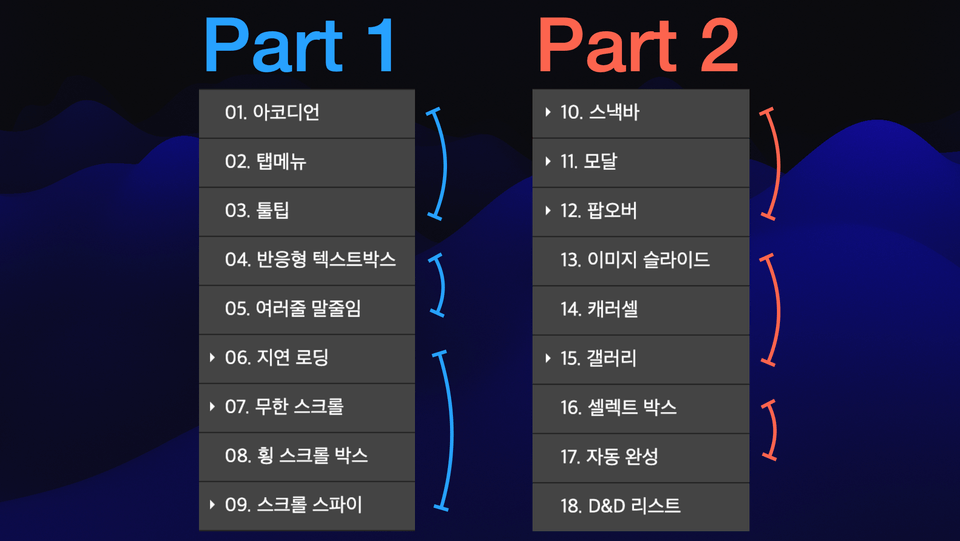
Accordion
Tab Menu
Tooltip
Responsive Textbox
Multi-line ellipsis
Lazy Loading
Infinite Scroll
Horizontal Scroll Box
Scrollspy
Snackbar
Modal
Popover
Image Slide
Carousel
Gallery
Select Box
Autocomplete
Drag-and-drop list
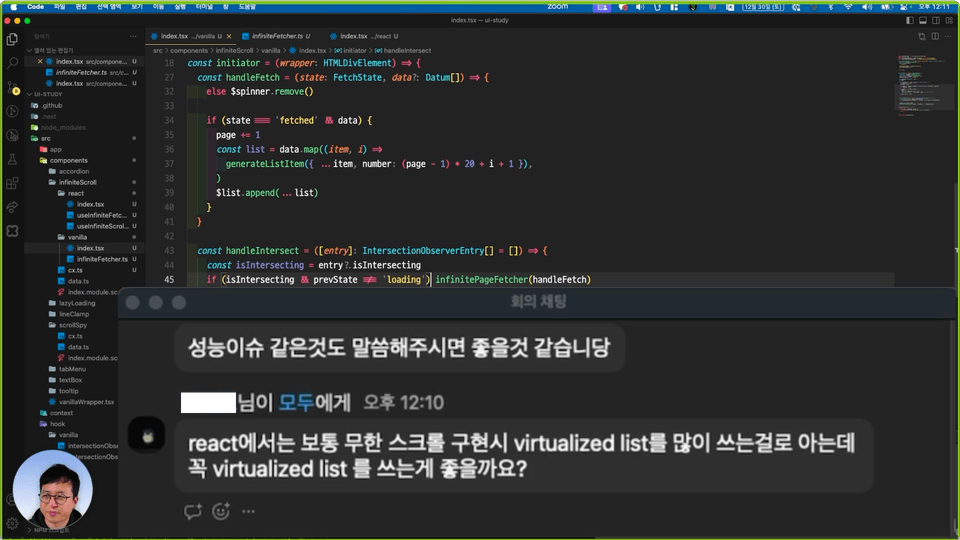
Vivid Live Coding
This course consists of unedited recordings and edits of live coding sessions conducted in an online study group, offering the advantages of a vivid sense of presence and rapid feedback. It presents diverse perspectives that break free from fixed frameworks, and you will also be able to experience solutions to unexpected problems.
Step-by-step difficulty adjustment, introduction and application of the latest APIs
The course is structured by grouping elements with similar skill requirements and gradually increasing the difficulty level step-by-step. Furthermore, the focus is on becoming familiar with various modern HTML5 and DOM APIs by introducing and applying them throughout the lessons.
It is sufficient to have the following versions or higher installed.
Node.js 16
React 18
Next.js 13
TypeScript 4
Example code is provided in a compressed file format.
The course proceeds on the assumption that you are familiar with basic HTML/CSS, JavaScript syntax, and React syntax.
Next.js and TypeScript were used merely as tools for convenience and will not be covered in detail.
This course is a recorded and edited version of a study session conducted by the instructor.
Who is this course right for?
Aspiring Front-end Developer
Junior Frontend Developer
Need to know before starting?
HTML
CSS
JavaScript (ES6+)
React
TypeScript

33,516
Learners
706
Reviews
395
Answers
4.8
Rating
11
Courses
Hello, I am Jaenam Jung, a senior front-end developer.
I engage in various activities aiming for a healthy sharing culture where we help each other and grow together.
Author of: Core JavaScript
YouTube Channel: FE Jaenam
Articles and Interview Videos:
Wanted) New developers, what should you study? https://www.wanted.co.kr/events/22_02_s01_b01
Inflearn) To. Junior Developers https://www.inflearn.com/pages/for-junior-developers-20211207
Venture Dream) A candid talk show between senior and junior developers at ventures/startups https://youtu.be/6D7I4NNFHsU?si=nD6-F7EU_ZtYqDLI
Vanilla Coding) Frontend Developer Job Search Mindset https://youtu.be/zX68pyoLctI
All
42 lectures ∙ (10hr 35min)
Course Materials:
All
8 reviews
5.0
8 reviews

Reviews 8
∙
Average Rating 5.0
Reviews 6
∙
Average Rating 5.0
5
It was a lecture that I could concentrate better because it felt like I was communicating with the students rather than just conveying information!! I also like that there is a part that implements it in a vanilla JavaScript version 👍
Thank you, Wonse! Aren't the studies and videos a little different? Haha
Reviews 14
∙
Average Rating 4.4
Reviews 2
∙
Average Rating 5.0
Reviews 3
∙
Average Rating 5.0
5
Problems that I had been struggling with for months while building the design system, especially problems with headless and compound, were all solved in Section 7. Especially in the part where generics are used in createContext... I felt a thrill. 🫨 Starting from Core JavaScript, various Effective TypeScripts, React official documentation study, and even component lectures... Thank you so much for the great lectures and materials. 😭👍
I don't know what to do with all the praise 😅 I'm glad it was helpful, and I'll continue to work hard to provide more fun and useful content in the future!
Check out other courses by the instructor!
Explore other courses in the same field!
Limited time deal ends in 6 days
$48,510.00
30%
$53.90





![From JavaScript to React [PART 2/4] The Road to Unyielding ReactCourse Thumbnail](https://cdn.inflearn.com/public/courses/335780/cover/a1e69ed1-63ad-4f4b-b3f2-fb44374699bd/335780.png?w=420)

![[Revised 3rd Edition] Node.js Textbook - From Basics to Project PracticeCourse Thumbnail](https://cdn.inflearn.com/public/courses/330181/cover/47e0125e-75ad-4946-96d3-54bbc444a188/330181-eng.jpg?w=420)
![Learn React and Firebase by following along - Creating a Chat Application [Renewed in December 2023]Course Thumbnail](https://cdn.inflearn.com/public/course-326181-cover/d012cab3-58e1-45cd-899e-03f86c7b1df1?w=420)



![[VOD] 6-Week Complete! High-Concentration Vibe Coding for Development Practice (Cursor AI, Figma)Course Thumbnail](https://cdn.inflearn.com/public/files/courses/338156/cover/01k4c77bftwd8ec4k0yakavbrc?w=420)