
inflearn logo

Project Automation and Modularization with Tuist

Solve the chronic issues of large-scale iOS projects— .pbxproj conflicts and complex dependency management—perfectly with Tuist. This course is designed to help you build a new project from scratch with a scalable multi-module structure and master the essence of external library integration and resource management encountered in real-world practice. --- Key Takeaways * 🏗️ Systematic Project Design: Organically separate Workspace and Project to ensure team ownership and establish a conflict-free collaboration environment. * 📐 Proper Module Design Principles: Avoid the trap of a 'SharedKit' that holds everything, and learn healthy module fragmentation strategies that adhere to unidirectional dependency principles. * 📦 External Library Mastery: Utilize Tuist 4.0's Package.swift to efficiently distribute and integrate essential libraries like Alamofire, TCA, and Kingfisher into each module. * 🖼️ Perfect Resource Management: Fully understand resource bundle issues that arise during module separation and prevent runtime crashes with Type-Safe resource access through Tuist's auto-generation features. * ⚙️ Environment-Specific Configuration: Use xcconfig and build configurations to perfectly control App Names, Bundle IDs, and API URLs for Debug, QA, and Release environments through code.

9 learners are taking this course

Level Basic

Course period Unlimited

iOS
iOS
Swift
Swift
tuist
tuist
iOS
iOS
Swift
Swift
tuist
tuist

What you will gain after the course

  • When designing a new project, you can immediately build a standardized modular structure that remains robust at any scale.

  • As a project infrastructure architect, I provide an environment where team members can focus solely on feature development without project configuration conflicts.

  • Instead of indiscriminately adding external libraries, you can strategically place and manage them according to the architectural layers.

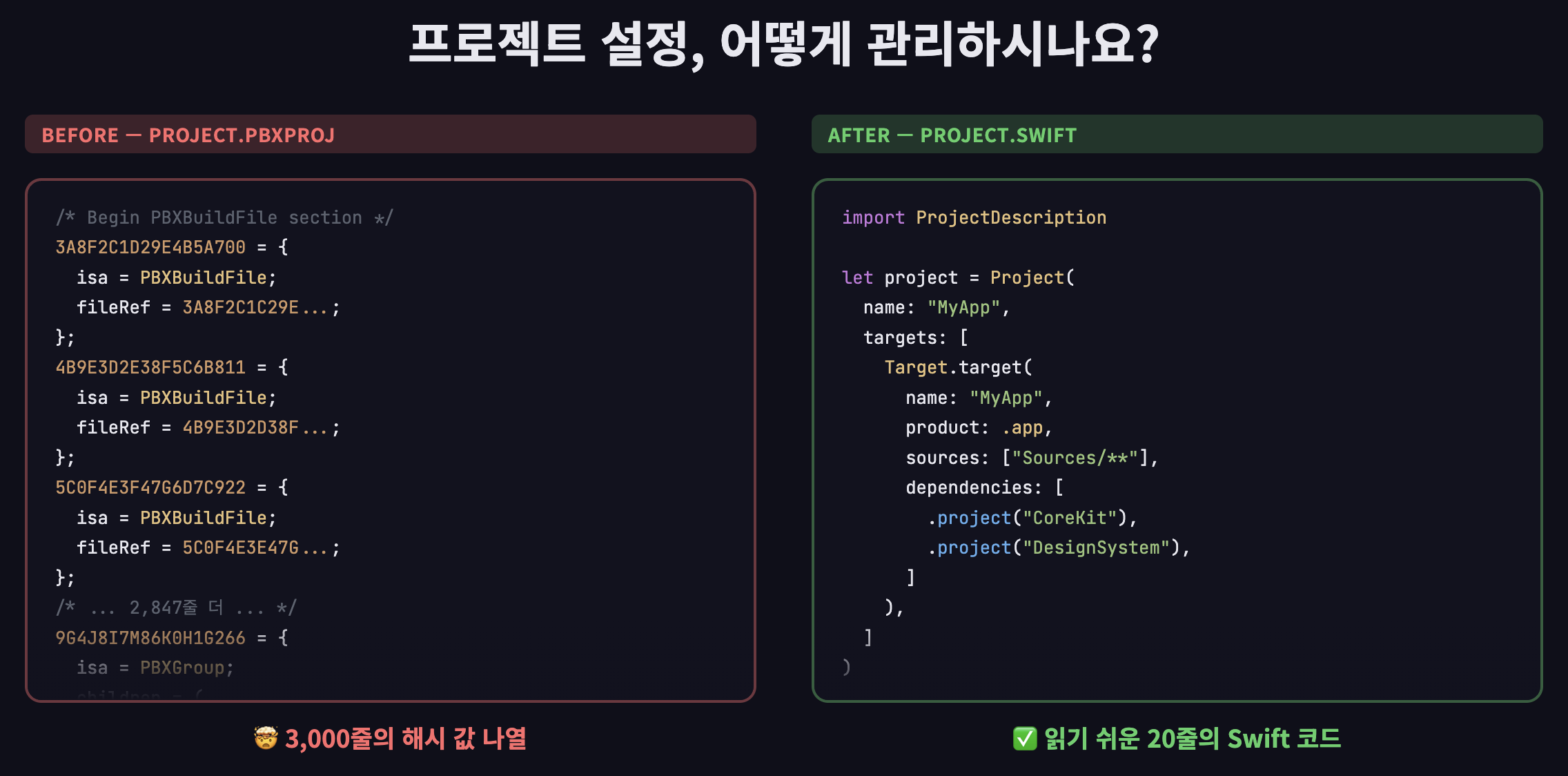
😱 Are you still fighting with thousands of lines of .pbxproj?

[iOS Practical Master] High-Speed Modular Architecture Design with Tuist

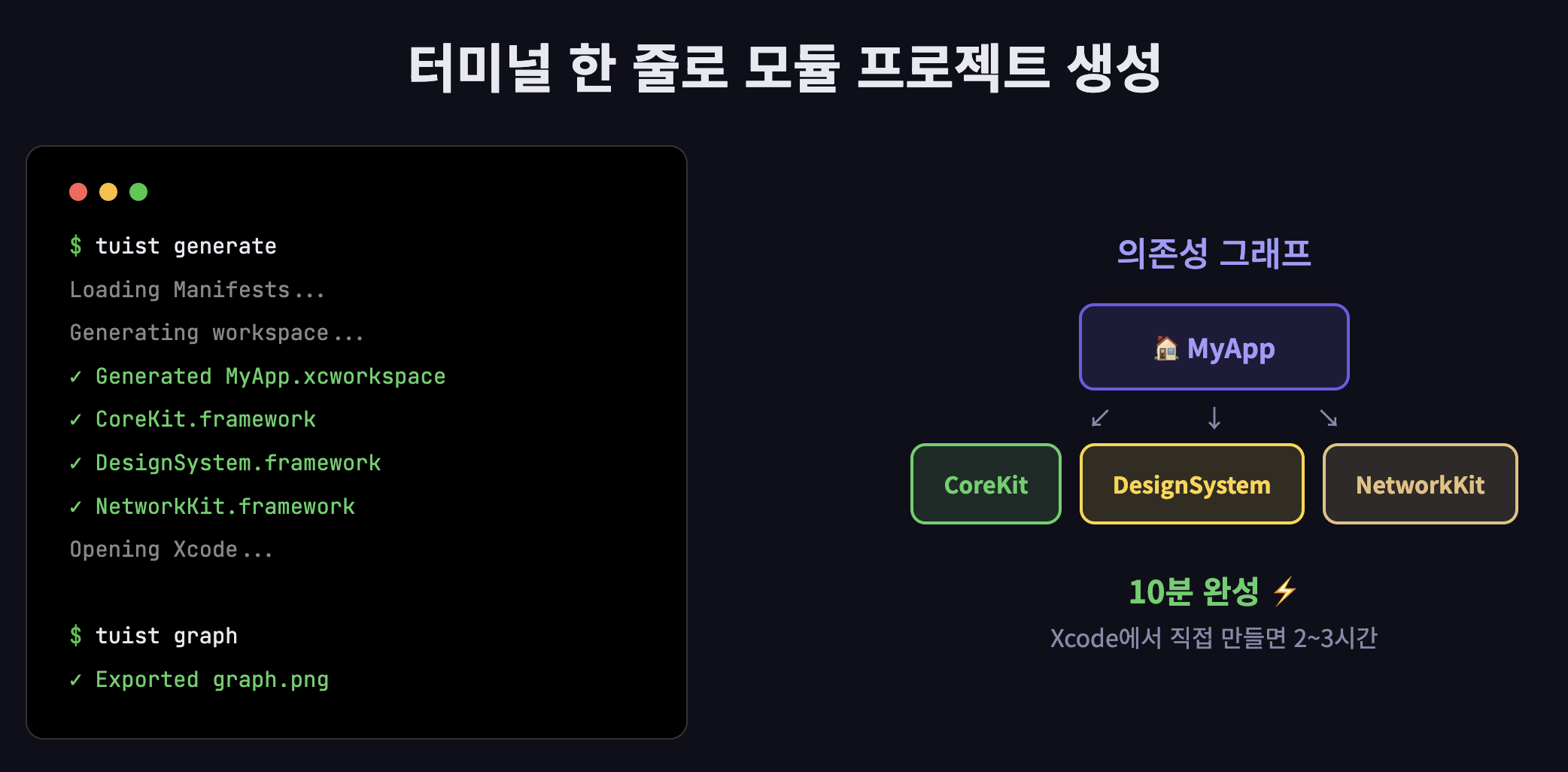
Say goodbye to the hellish .pbxproj and build a 3-module infrastructure in just 10 minutes.


Hellish Git conflicts that occur every time you collaborate with team members, an incomprehensible list of hash values, and slow build times that take 10 minutes just for fixing a single button... The cause of all this pain lies in the 'way' you manage your project.


Now, manage your project settings with 'Swift code' as well. Tuist is more than just a tool; it allows you to implement the essence of modular architecture that supports large-scale apps through code.

The 'magical experience' this lecture offers

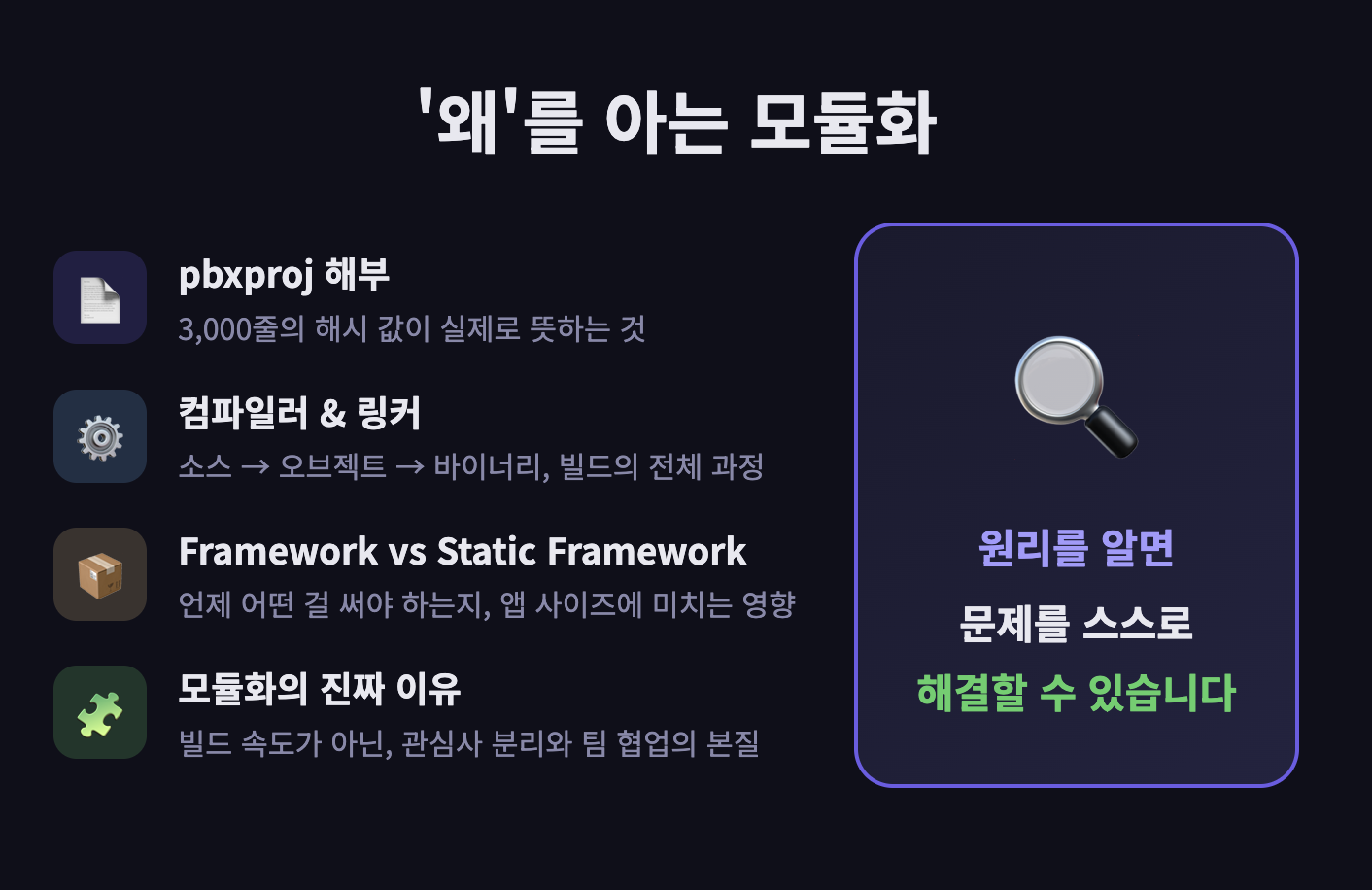
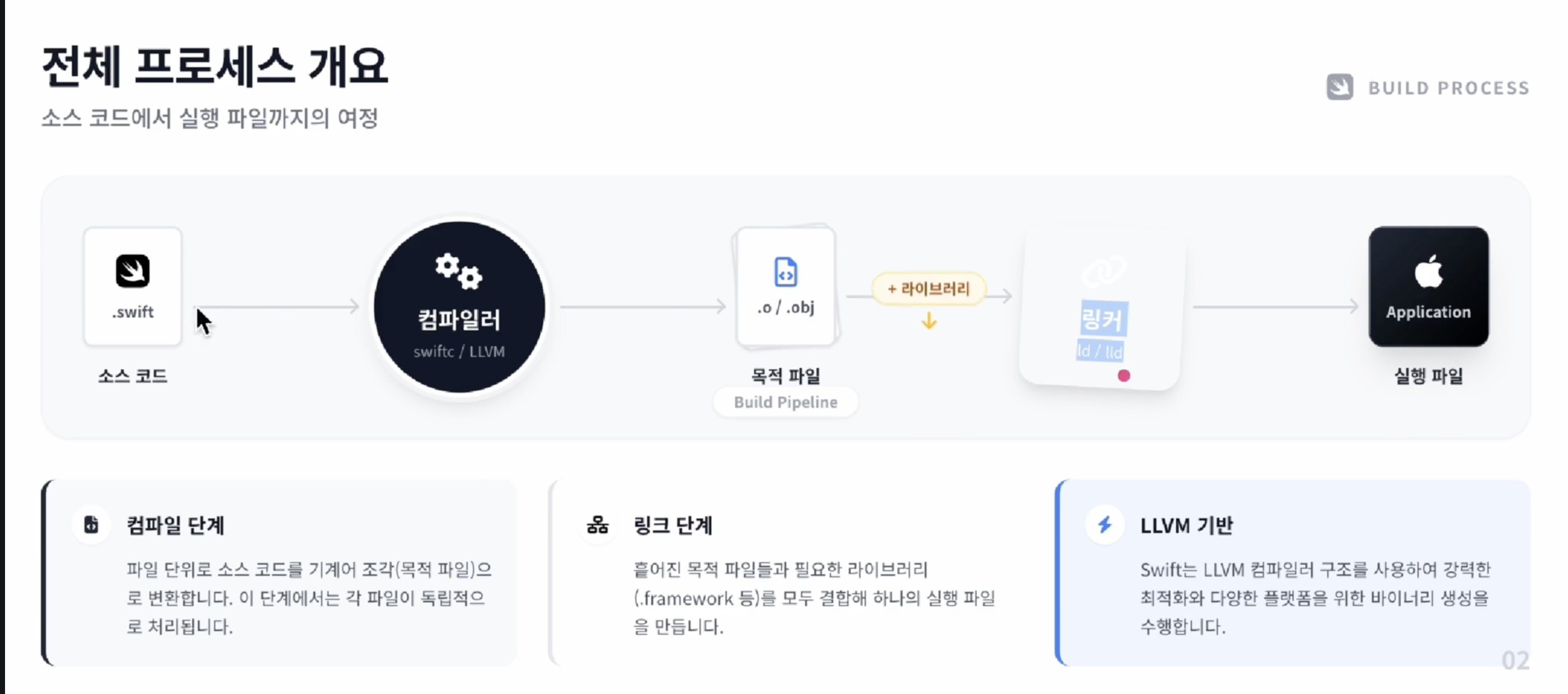
It doesn't just teach you how to use Tuist. We dive into the internal structure of project.pbxproj, understand how the compiler and linker work, and learn the differences between frameworks and static frameworks before moving on to modularization. You must understand the principles to solve problems on your own.

Stop adding targets and connecting links manually in Xcode. With just a single line of tuist generate, you can instantly create a project with perfectly separated modules.

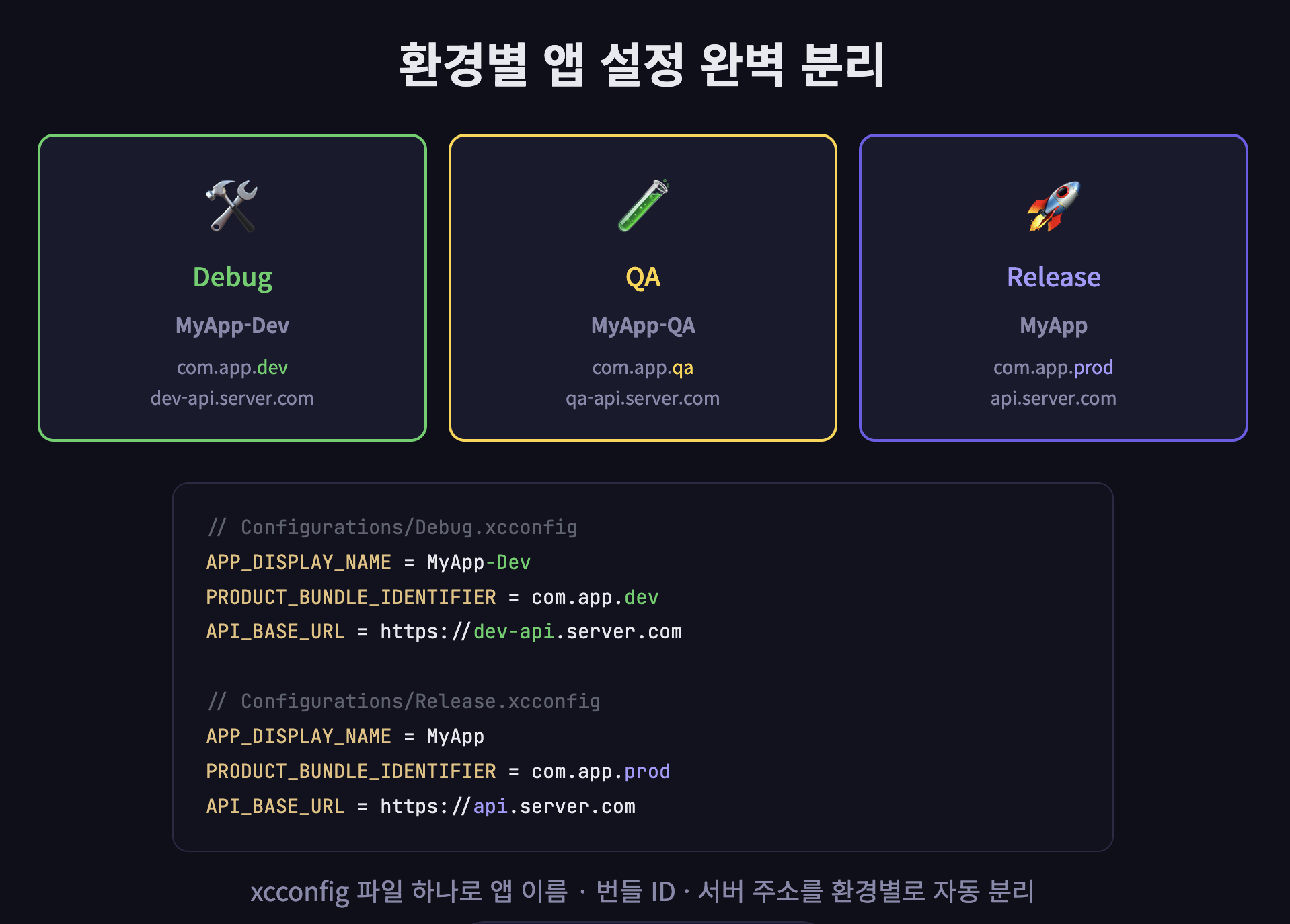
Stop manually changing development server addresses, app names, and bundle IDs. We reveal practical know-how for perfectly controlling environment-specific, completely separated app settings through code by integrating xcconfig with Tuist.

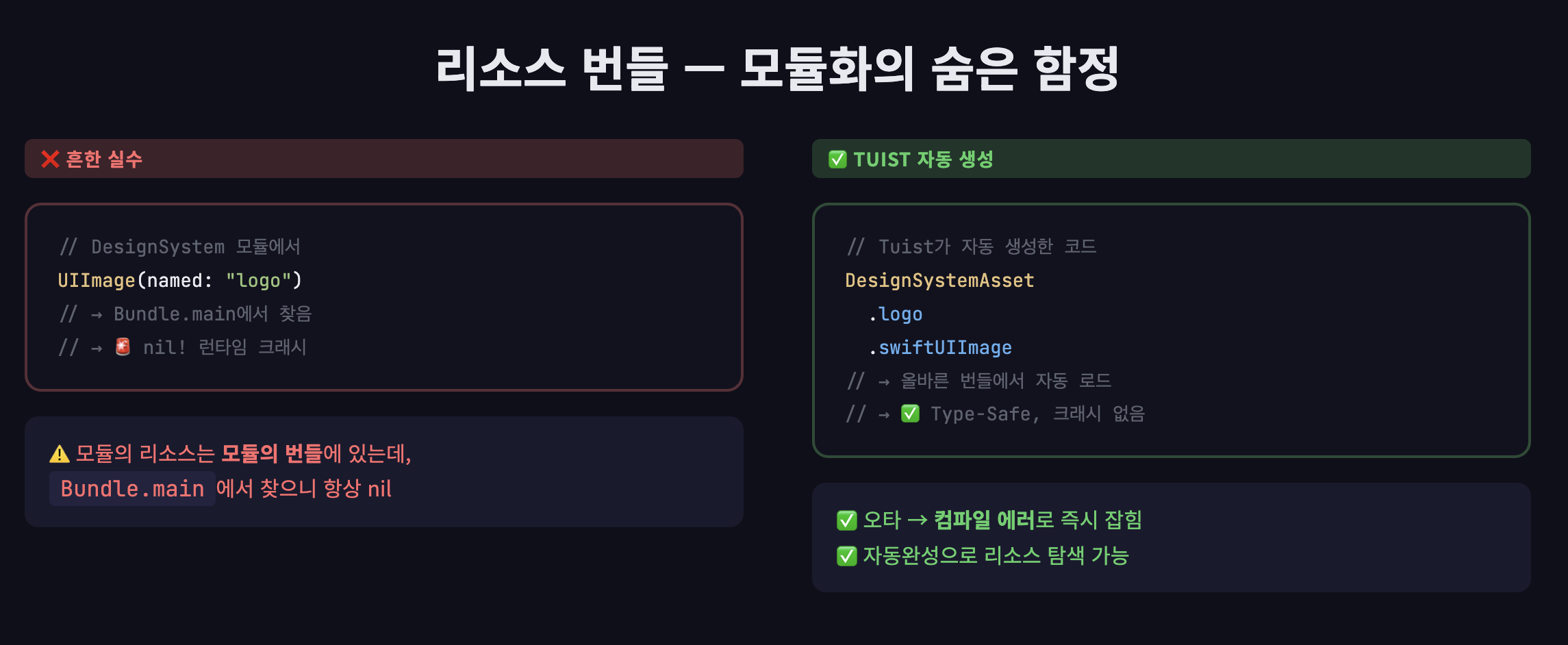
We solve the resource bundle issue, the biggest challenge of modularization, using Tuist's automatic generation feature to fundamentally prevent runtime crashes.

What you will learn

Understanding the Existing Build System

We will dissect the entire process, from the true nature of the .pbxproj file to how the compiler and linker transform source code into a binary.

Understanding Tuist Configuration Structure

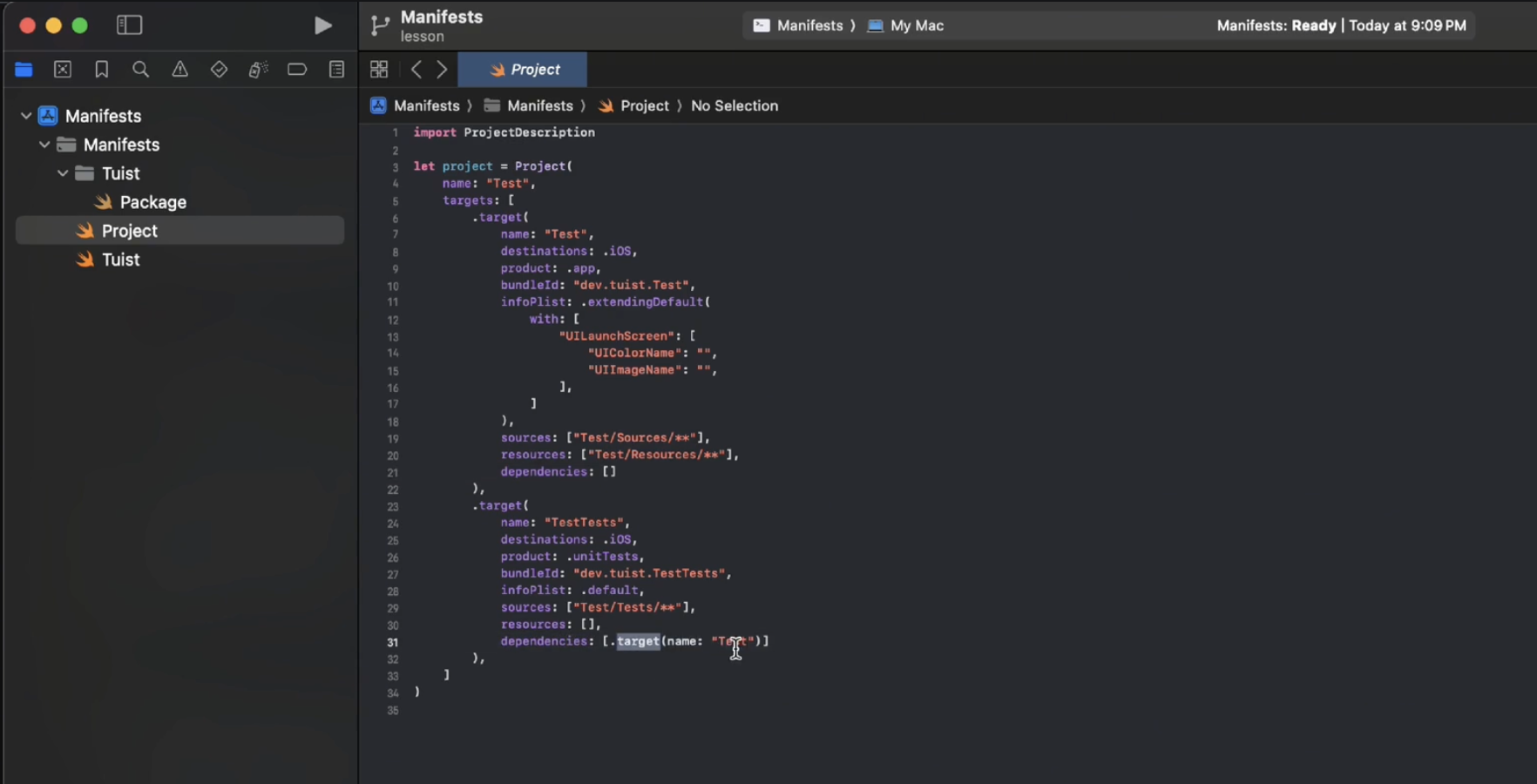
Workspace, Project, Target, Scheme — Understand the structure of Tuist manifests and edit them directly.

Try creating a module

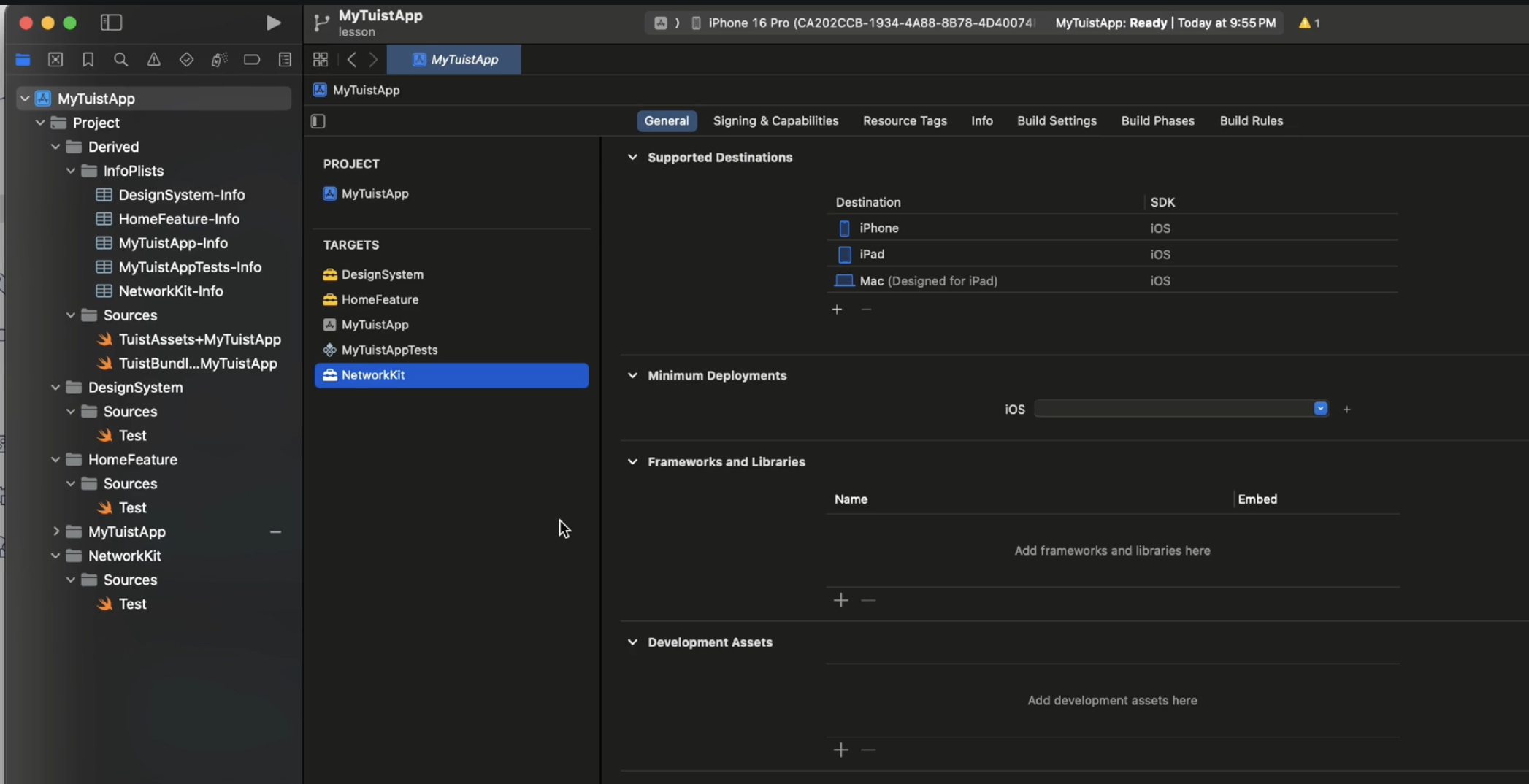
Create a project with separated modules and connect dependencies with a single line of tuist generate.

Configuring Different Build Environments

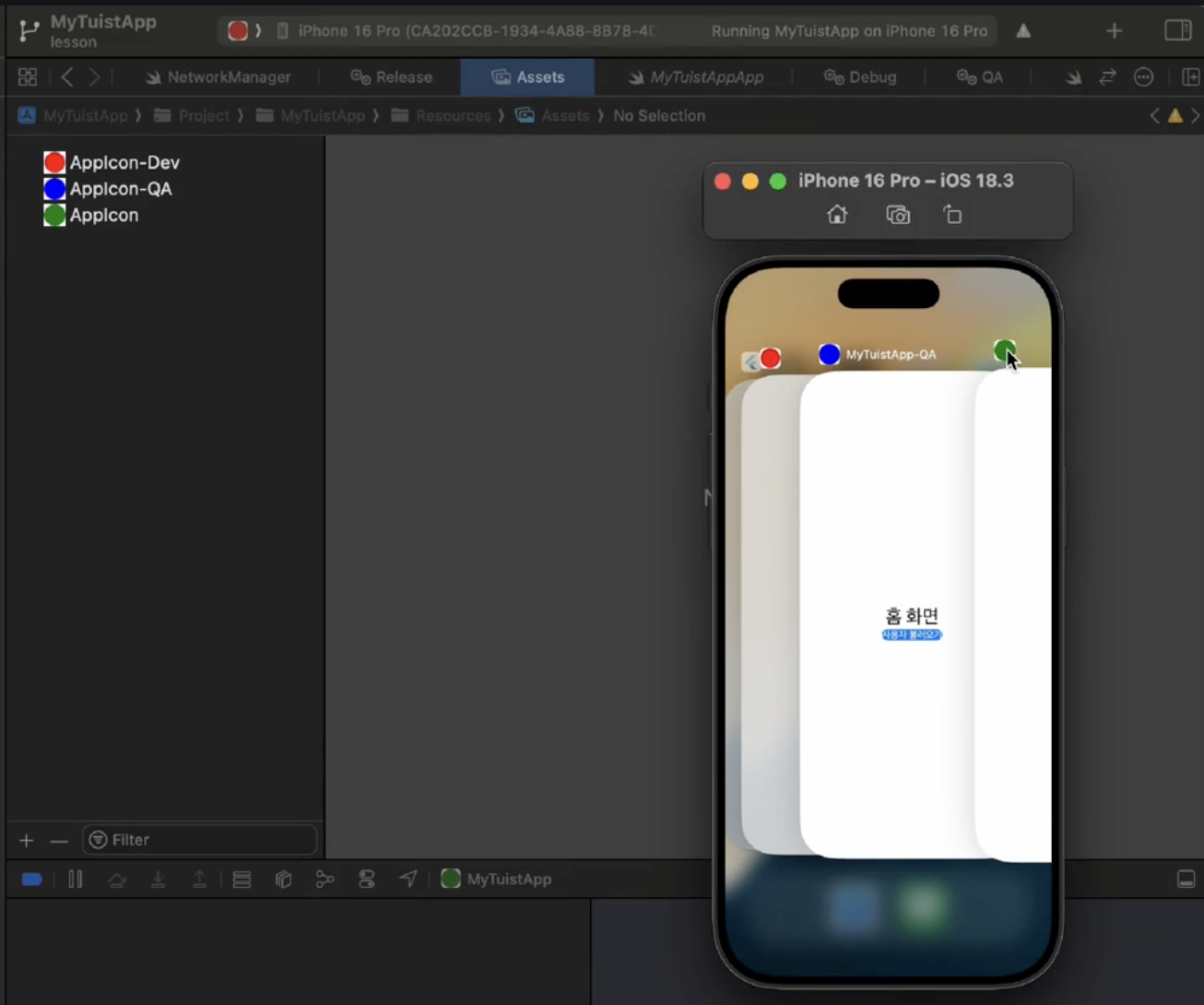
Separate the app name, icon, and server address for Debug, QA, and Release environments using xcconfig.

Notes before taking the course

Prerequisite Knowledge

  • Basic Swift Syntax: Since Tuist configuration files are written in Swift, you should be familiar with basic syntax such as structs, enums, and closures.

    *


  • Basic terminal usage: Basic command levels such as cd and ls are sufficient.

Practice Environment

  • macOS Ventura or higher


  • Xcode 15 or higher

  • Tuist 4.x (Installation instructions are provided within the lecture)

  • iOS 16.0 target / SwiftUI based hands-on project

Recommended for
these people

Who is this course right for?

  • iOS developers who are tired of .pbxproj file conflicts and manual configurations and want to improve collaboration efficiency

  • A developer who contemplates designing scalable modular structures and the strategic placement of external libraries.

Need to know before starting?

  • You should be familiar with Swift's basic syntax and type system.

Hello
This is dumveloper

494

Learners

34

Reviews

28

Answers

4.6

Rating

6

Courses

I am Dumbelloper, a 6th-year iOS developer.

Lectures that can be used immediately in the field

I will create a course tailored for beginner and intermediate levels.


More

Reviews

Not enough reviews.
Please write a valuable review that helps everyone!

dumveloper's other courses

Check out other courses by the instructor!

Similar courses

Explore other courses in the same field!

Limited time deal

$8,910.00

70%

$23.10