





강의

멘토링

커뮤니티

BEST
Programming

/

Web Development

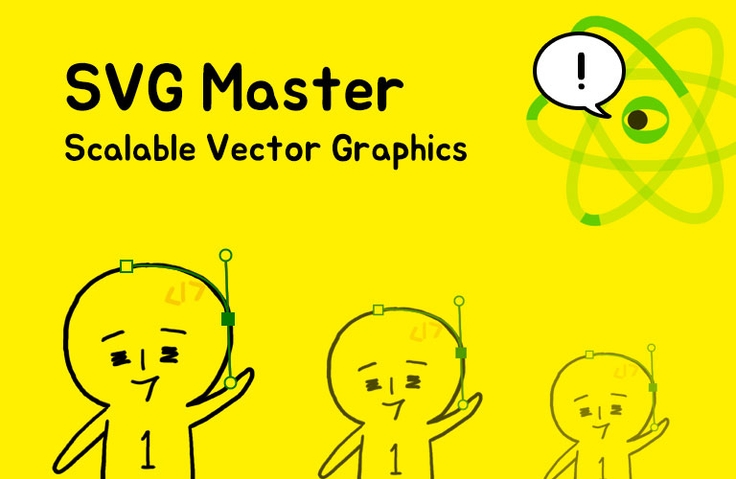
SVG Master

Learn the basics of web vector graphics SVG and acquire the skills to apply them in the desired direction through fun and diverse examples.

(4.9) 102 reviews

1,671 learners

  • studiomeal
SVG
HTML/CSS

Reviews from Early Learners

What you will gain after the course

  • How to use SVG graphics properly on web pages

  • Creating interactive SVGs using JavaScript

  • Creating an icon font like Font Awesome

Want to create unbreakable images?
Master SVG with 1 Minute Coding's SVG lecture! 😎

SVG (Scalable Vector Graphics)
An XML-based file format for representing two-dimensional vector graphics.
It is good for expressing clean images without breaking the resolution.


From basics to various effects
Learn all at once 🔎

SVG is a vector graphics format widely used for representing modern web page graphics.
This course covers everything from the basic concepts of SVG to animation, various effects, and scripted interactions .

I wanted to study SVG, but the materials were too vast and scattered.
Those who have given up can learn and organize everything in one go with this class.

Only in this lecture
Let me tell you the features 😝

  • Manipulating SVG requires basic CSS and JS concepts.
    For those unfamiliar with this, I've included a video review of the concepts in the Bonus Lecture section.

  • If you need to understand the concepts of JavaScript from the beginning,
    You can also study together with the JS basics videos on the YouTube channel .

  • Click on the button inserted in the first lecture of each section
    You can download the source code for all examples and study them conveniently.


I recommend this to these people ✨

Resolution is not broken
For those who want to learn SVG one by one

Through various practices
For those who want to master SVG

Interactive SVG
Anyone who wants to make it

Related Roadmap 🚎

Create dynamic, interactive websites that will elicit exclamations of "Oh!"
Creating an interactive website with 1 Minute Coding
This is a roadmap of lectures.
This lecture is included .

Recommended for
these people

Who is this course right for?

  • For those who want to use SVG for icons, illustrations, etc. on web pages

  • Anyone who wants to create dynamic and stunning interactive animated graphics

  • Designers who want to get creative with SVG

  • I have a general idea of what SVG is, but there is so much information that it's confusing and needs to be sorted out.

  • Illustrators who want to express their living works on web pages

Need to know before starting?

  • CSS and JavaScript Basics

Hello
This is

19,598

Learners

1,273

Reviews

1,175

Answers

5.0

Rating

11

Courses

서울에서 웹 개발자/디자이너로 일했고, 제주를 거쳐.. 현재는 말레이시아 페낭에서 열심히 개발도 하고, 교육 콘텐츠도 만들고, 1인 기업으로서 해볼 수 있는 여러가지 시도와 실험들을 해보고 있습니다.
비주얼 임팩트가 있는 인터랙티브 웹에 관심이 많고, 유튜브와 페이스북 "1분코딩"에서 웹 개발 관련 기술들을 공유하고 있어요.

Curriculum

All

37 lectures ∙ (4hr 21min)

Course Materials:

Lecture resources
Published: 
Last updated: 

Reviews

All

102 reviews

4.9

102 reviews

  • kse0120500029님의 프로필 이미지
    kse0120500029

    Reviews 1

    Average Rating 5.0

    5

    11% enrolled

    Hello. While studying, I always looked at websites with libraries or SVG effects, and I was so curious about how they were made that I even analyzed the code on my own. When I analyzed the code on my own, I didn't understand it well, so I just stood still. Then, I came across Studio Mil's video on YouTube, and I found out about the lecture and paid for it. I'm very interested in not only SVG effects, but also interactive web, so I paid right away, and I'm very satisfied with the lecture. I haven't learned everything properly yet, but I'm leaving a review because I'm so grateful that you made this lecture. Thank you.

    • studiomeal
      Instructor

      Wow - thank you. Reading your course review really gives me strength ^^

  • rlfalstlr061198님의 프로필 이미지
    rlfalstlr061198

    Reviews 4

    Average Rating 5.0

    5

    100% enrolled

    After learning the basics of HTML and CSS on my own for 2 months and learning the basics of Java Script to some extent, I became more greedy for front-end technology, so I signed up for the SVG course and it took me about 3 days to complete it. At first, I thought it would be a bit difficult because it felt similar to HTML and CSS but somehow different, but it wasn't as difficult as I thought, maybe because I reviewed the prerequisites hard(?) ㅎㅎ It wasn't difficult and it was fun. I kept making and thinking about the practical assignments that came up in the middle, and before I knew it, I finished the course in 3 days ㅎㅎ (I personally really enjoyed it. ㅎㅎ ) Now I'm going to go study Java Script for sure! Fighting to everyone~~!

    • studiomeal
      Instructor

      I think it probably felt easy because you studied hard through other lectures and your basics have improved a lot! Learning effects are showing~^^ Always fighting! Thank you for the good course review.

  • ssonga7님의 프로필 이미지
    ssonga7

    Reviews 3

    Average Rating 5.0

    5

    81% enrolled

    I came here after watching 1 Minute Coding's interactive lecture for beginners. I like that the progress is a bit faster~ And as always, I like that the lecture is easy to understand and comfortable. SVG is so interesting~ I have to apply it to my work.

  • ymo3213946님의 프로필 이미지
    ymo3213946

    Reviews 4

    Average Rating 5.0

    5

    100% enrolled

    I listened to the great lecture~~

  • jjy3061057884님의 프로필 이미지
    jjy3061057884

    Reviews 4

    Average Rating 5.0

    5

    32% enrolled

    Since it's a lecture by CSS Master 1min Coding, I registered for the course without hesitation! I'm still on Section 4, but it's great for building knowledge easily!! I'm looking forward to future lectures as well 😊😊😊

$22.00

studiomeal's other courses

Check out other courses by the instructor!

Similar courses

Explore other courses in the same field!