inflearn logo

Create MapleStory Worlds avatar items easily with retouching!

This is for beginners who want to learn how to create their own avatar coordination items using MapleStory Worlds. Even complete beginners can get started without any problems as long as they know the basics of how to use Photoshop.

(5.0) 17 reviews

626 learners

Level Beginner

Course period Unlimited

UCC
UCC
Metaverse
Metaverse
UCC
UCC
Metaverse
Metaverse
Thumbnail

Reviews from Early Learners

5.0

5.0

김세종

38% enrolled

"Thank you so much for the free lecture!" It's a game I've always liked and I've been very interested in pixel art, but I had no idea Bbokkum-nim provided such a high-quality lecture like this. To be honest, I've paid for several online courses to learn pixel art, but I sincerely feel like I've gained much more from this single 1-hour and 48-minute video. The field of art can feel vaguely difficult, but I think the charm of pixel art—completing a piece by carefully placing each dot one by one—is a huge advantage for beginners. Of course, it's not easy to express forms with limited information, but I understood it so well because you explained everything step-by-step, starting from the principles of why certain pixels were darkened. Even if your goal isn't MapleStory Worlds, I highly recommend this to any beginners who want to get into pixel art. I strongly recommend it!

5.0

거북

62% enrolled

After watching this, I, a total computer illiterate who has never touched Photoshop before, was able to create avatar items. Good good.

5.0

할수있다

100% enrolled

I heard it well

What you will gain after the course

  • MapleStory Worlds Avatar Composition

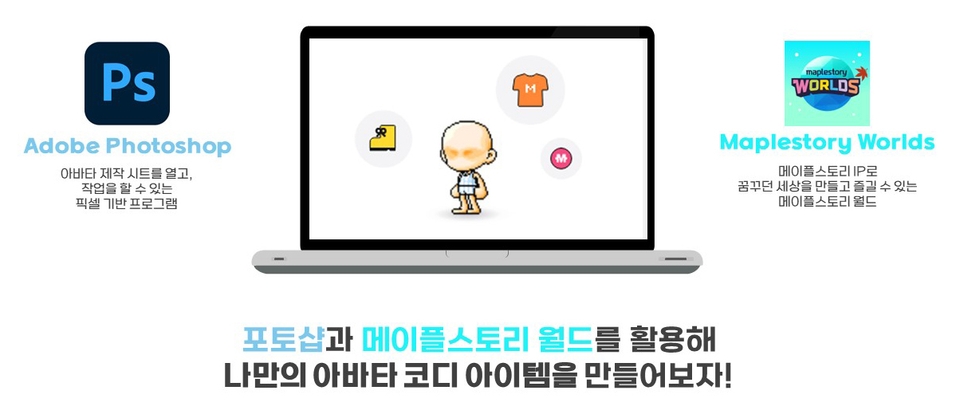
  • Understanding the process of creating avatar items using Photoshop and the production sheet

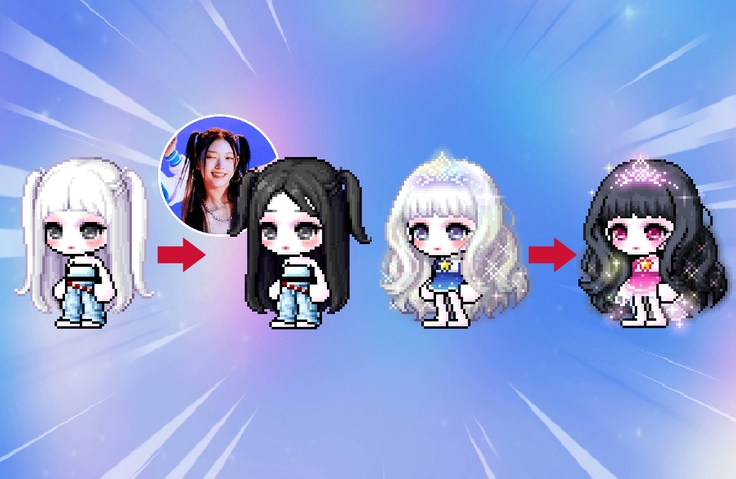
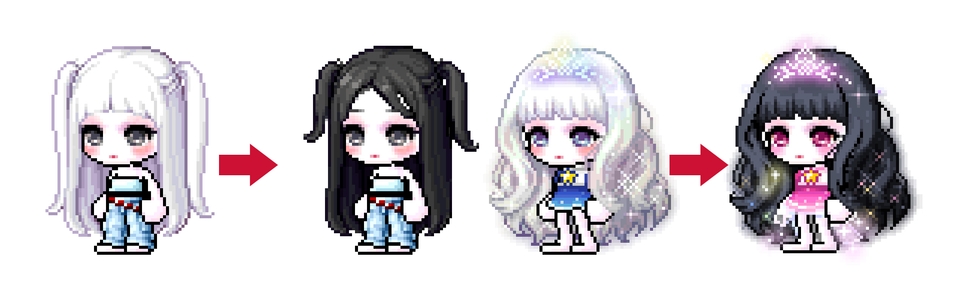
  • MapleStory IP Existing Avatar Item Retouching

  • Register and monetize MapleStory World

Using Photoshop and MapleStory World
Create your own avatar coordination items 🎮


🍄 This lecture is a collaboration between Nexon X Dandy Lion
This video was produced with the support of MapleStory Worlds X Edu Creator Camp 2022 .

Maple Story,
Enjoy it more by making it yourself 🍂

[Making Games with MapleStory Worlds]

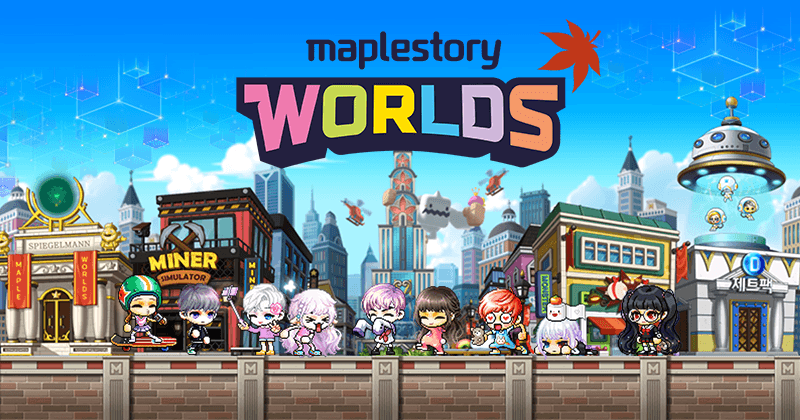
MapleStory Worlds is a gaming platform that leverages the MapleStory IP. It allows for game development, distribution, and promotion all in one place, making it easy for individual developers and students alike. MapleStory Worlds allows even those unfamiliar with coding to easily create games leveraging the MapleStory IP.

MapleStory Worlds makes the difficult task of game creation easier. Because you can leverage the MapleStory IP, you can create amazing games with just a little coding knowledge.

[About this lecture]

  • Anyone interested in development can easily create worlds using the decoration mode (drag and drop).
  • Although we use a programming language called Lua Script, we have prepared the course so that beginners can learn it with as little prior knowledge as possible.
  • In addition to the resources provided by Nexon, you can complete it by adding resources you created yourself.
  • Supports PC and mobile cross-platform.
  • You can play the content you create with your friends.
  • We provide not only Maple Assets but also servers and DBs.

What you'll learn in class 🕹️


Anyone can create their own avatar!

  • From concept to application! Step-by-step lectures for absolute beginners.
  • Easy to access by retouching using items from the existing MapleStory IP
  • Improve your understanding of the avatar creation process by modifying existing items to reflect your own tastes!
  • Learn how to register and monetize MapleStory Worlds

👉 Other

Recommended for
these people

Who is this course right for?

  • Anyone who can handle Photoshop

  • For those who are new to avatar creation

Need to know before starting?

  • Photoshop

Hello
This is ppokkum2

626

Learners

17

Reviews

5.0

Rating

1

Course

Edu Creator Camp Instructor Bbokkum

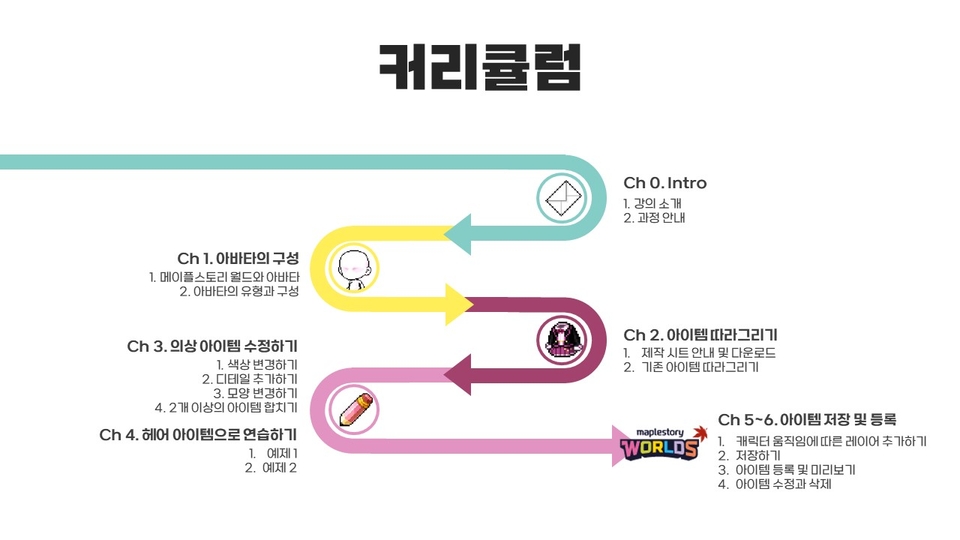
Curriculum

All

13 lectures ∙ (1hr 48min)

Published: 
Last updated: 

Reviews

All

17 reviews

5.0

17 reviews

  • hyde31633589님의 프로필 이미지
    hyde31633589

    Reviews 350

    Average Rating 5.0

    5

    100% enrolled

    I heard it well

    • ckrgkstpwhdd9870님의 프로필 이미지
      ckrgkstpwhdd9870

      Reviews 2

      Average Rating 5.0

      Edited

      5

      38% enrolled

      "Thank you so much for the free lecture!" It's a game I've always liked and I've been very interested in pixel art, but I had no idea Bbokkum-nim provided such a high-quality lecture like this. To be honest, I've paid for several online courses to learn pixel art, but I sincerely feel like I've gained much more from this single 1-hour and 48-minute video. The field of art can feel vaguely difficult, but I think the charm of pixel art—completing a piece by carefully placing each dot one by one—is a huge advantage for beginners. Of course, it's not easy to express forms with limited information, but I understood it so well because you explained everything step-by-step, starting from the principles of why certain pixels were darkened. Even if your goal isn't MapleStory Worlds, I highly recommend this to any beginners who want to get into pixel art. I strongly recommend it!

      • dudqn19661님의 프로필 이미지
        dudqn19661

        Reviews 1

        Average Rating 5.0

        5

        62% enrolled

        After watching this, I, a total computer illiterate who has never touched Photoshop before, was able to create avatar items. Good good.

        • pcng957202님의 프로필 이미지
          pcng957202

          Reviews 1

          Average Rating 5.0

          5

          62% enrolled

          I will be the best

          • kimsug88465님의 프로필 이미지
            kimsug88465

            Reviews 1

            Average Rating 5.0

            5

            31% enrolled

            Thank you for the detailed explanation.

            Similar courses

            Explore other courses in the same field!

            Free