


inflearn logo

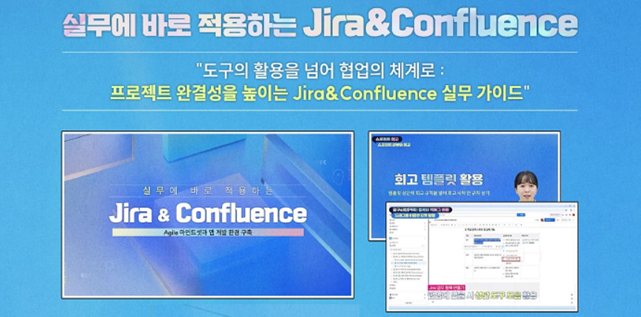
JIRA and Confluence for Immediate Practical Application

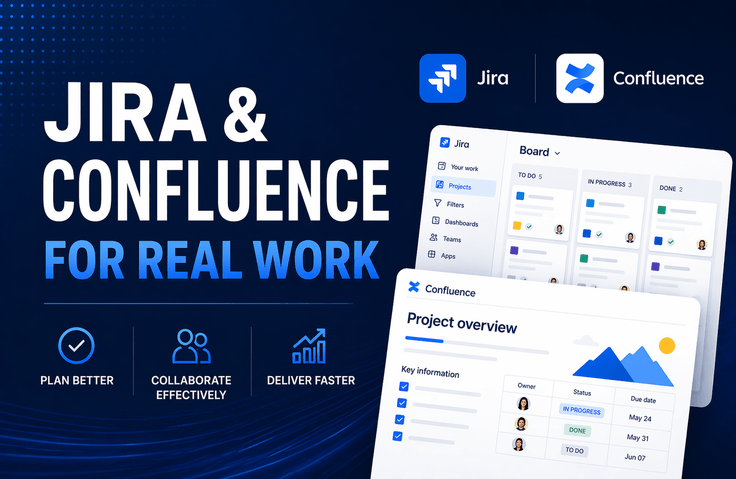
The power to design Agile processes beyond mere tool functionality: Everything about practical collaboration completed with JIRA and Confluence. STEP 1. Laying the Agile Foundation (Lessons 1–2): Understand the Agile spirit through its differences from the Waterfall model, and build a Scrum space and integrated environment tailored to your team. STEP 2. Practical Project Management (Lessons 3–7): Manage the entire project lifecycle with Jira and Confluence, from writing User Story-based PRDs to roadmap visualization, sprint planning, and Kanban board operation. STEP 3. Data-Driven Performance Optimization (Lessons 8–10): Create a sustainable team growth system through retrospective action items, whiteboard collaboration, and the utilization of JQL and dashboards. ✅ Focused on 'Problem Solving,' not just a manual This isn't just about "click this button." You will learn the principles of how to use tools to resolve real-world bottlenecks such as change costs, dependency management, and WIP limits. ✅ Organic integration of Jira and Confluence Don't use the two tools in isolation. Complete a seamless workflow by issuing Jira tickets directly from Confluence PRDs and visualizing Jira reports within Confluence. ✅ Designing a team culture that turns 'records' into 'assets' Go beyond simple ticket issuance. Learn how to instill a mature engineering culture that turns team knowledge into assets and reduces communication costs through retrospectives and templating.

4 learners are taking this course

Level Basic

Course period Unlimited

JIRA
JIRA
Confluence
Confluence
agile-project-management
Jira Cloud
Jira Cloud
confluence cloud
confluence cloud
JIRA
JIRA
Confluence
Confluence
agile-project-management
Jira Cloud
Jira Cloud
confluence cloud
confluence cloud

What you will gain after the course

  • By mastering the essence of JIRA and Confluence integration—which connects fragmented tasks from planning to retrospective—you can drastically reduce communication costs and maximize project visibility.

  • I will master how to accurately diagnose bottlenecks using JQL and report data rather than intuition, and how to build team assets that create sustainable growth.

  • Go beyond being a simple tool user and become an irreplaceable project manager who designs and leads a team's collaboration culture by implementing Agile philosophy as a system.


Jira and Confluence,

Are you simply curious about 'how to use it'?
Or are you curious about 'how to use it well'?


Designing agile collaboration and maximizing team productivity

How to utilize Jira and Confluence will be shared.

You will learn the 'principles' and 'systems' of using tools to solve practical problems, rather than a simple list of features.


Jira and Confluence, the power to design Agile collaboration processes
beyond just simple features!


From resolving practical bottlenecks to turning team knowledge into assets,
'the true skill that leads projects to success' is yours to complete.

If collaboration tools have instead become a burden on your work

Through this lecture, by selecting only the features most frequently used in practice,

I recommend learning how to maximize the efficiency of your work management.

As you follow the practice-oriented curriculum,

utilizing Jira and Confluence, which used to feel overwhelming,

your agile-project-management skills will be one step

will have been upgraded.

Due to updates to the Jira UI

If you were confused about how to use it because the screen layout changed?


'2026 Latest Updated Version' through the course produced as

Learn Jira and Confluence.

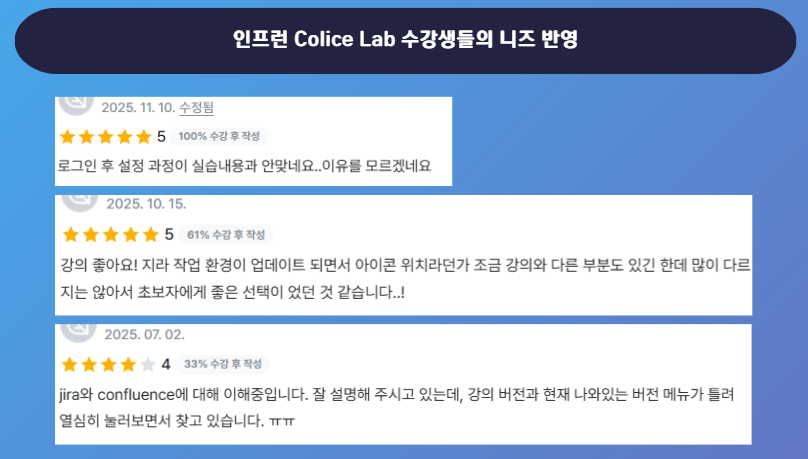
From Colice Lab <Jira & Confluence: Just the Essentials> course reviews


Due to the Jira UI update and reorganization, the screen layout has changed

reflecting the feedback from students that it was difficult to learn how to use it,

we have created a new course.

✔️

Key Features of This Course


Learning Practical JIRA Project Management Systems

This course is designed to go beyond mere explanations of Jira's features, allowing you to learn project management methods tailored to actual workflows—such as project creation, issue management, and timeline settings—so you can strengthen practical skills that are immediately applicable in the field.

Understanding the Agile workflow from requirements to execution

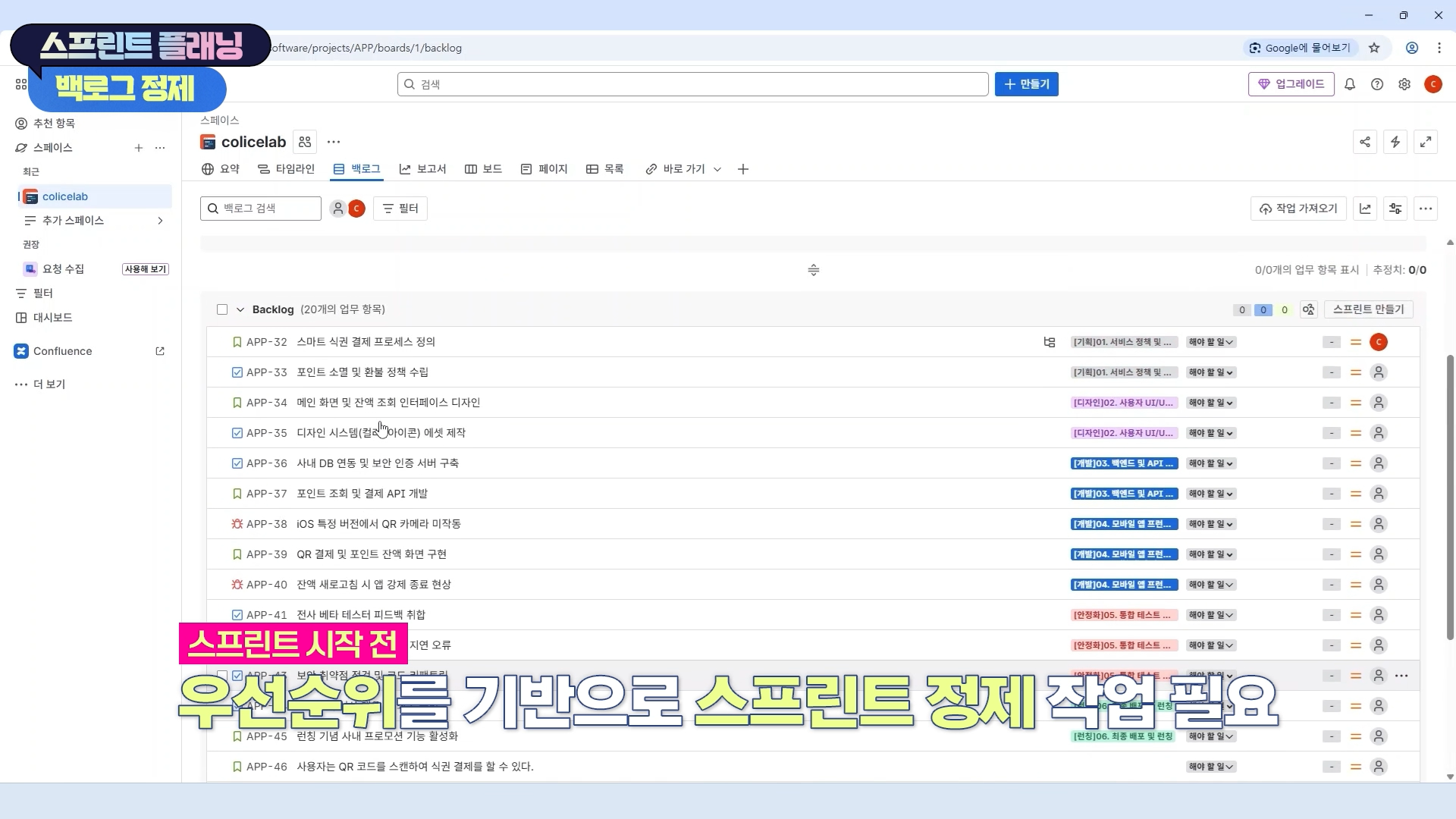
You can acquire project execution capabilities through hands-on practice operating the Agile work cycle—from PRD writing to backlog management, sprint planning, operation, review, and retrospectives—within an actual collaboration tool environment.

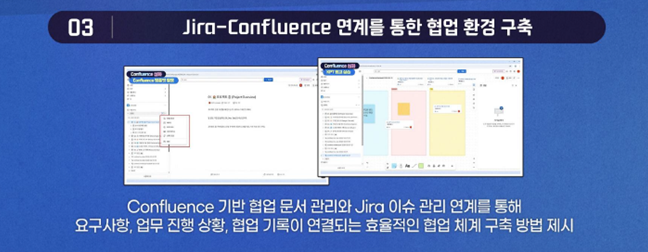
Through the integration of Jira and Confluence

Establishing a Collaborative Environment

We present a method for establishing an efficient collaboration system where requirements, task progress, and collaboration records are interconnected through the integration of Confluence-based collaborative document management and Jira issue management.

🧭

Instructor Introduction


Instructor Hyunjung Noh, a Knowledge Sharer at Colice Lab,

I will be your partner in project progress.


Key Experience

(Current) Edutech Instructor

Inflearn Colice Lab Knowledge Sharer

Managed numerous Jira-based projects

📚

Curriculum

Section 1

Agile Mindset and Development Environment Setup

Understand the core of Agile methodology and set up a practical project development environment using Jira Cloud and Confluence Cloud. Lay the foundation for collaboration through team member invitations and initial configurations.


Section 2

Project Creation and Space Structuring

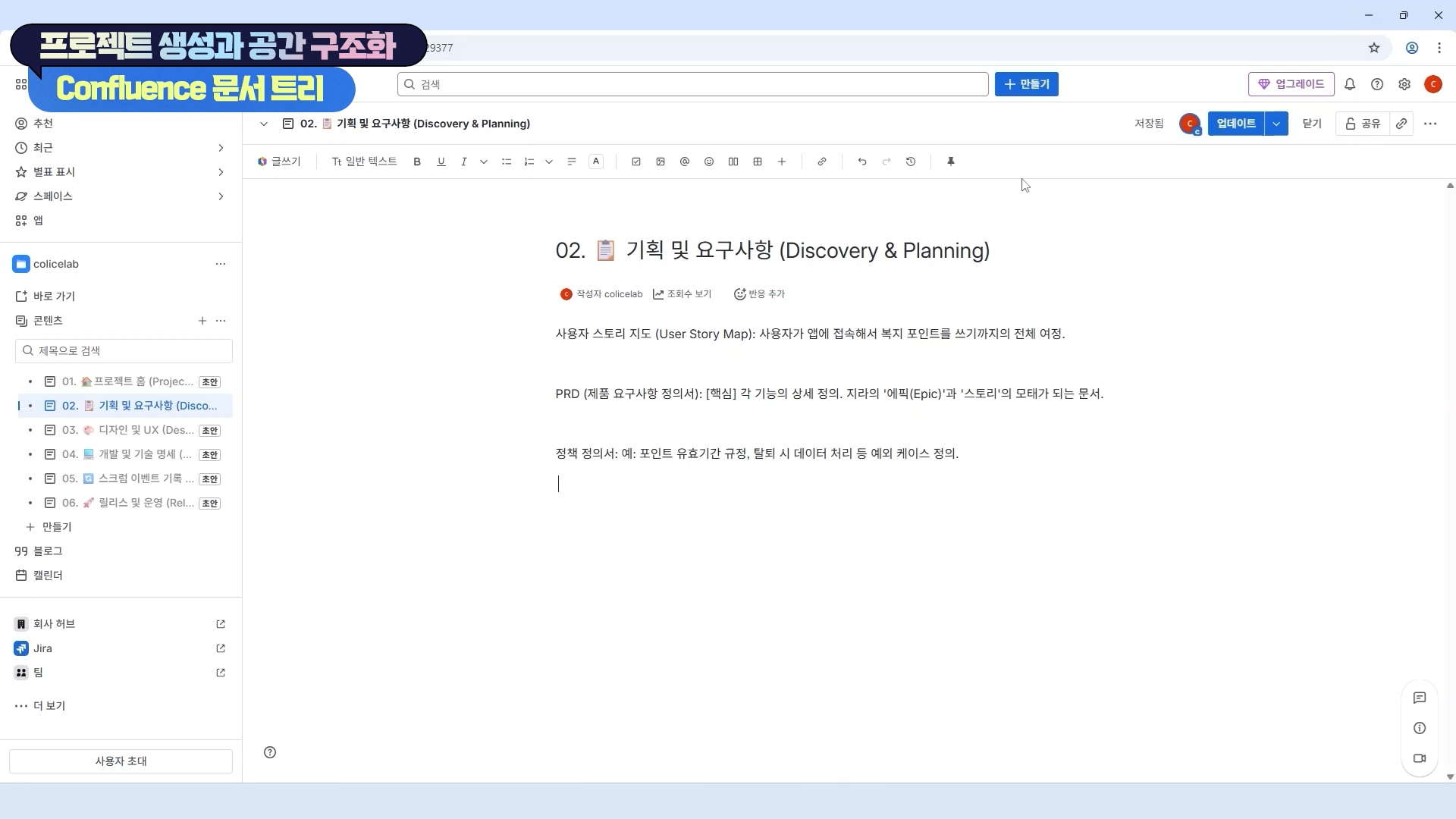
Practice creating a JIRA project and design a systematic document structure using Confluence. Understand the concepts of Scrum and the importance of documentation to improve project management efficiency.


Section 3

Timeline and Task Dependency Management

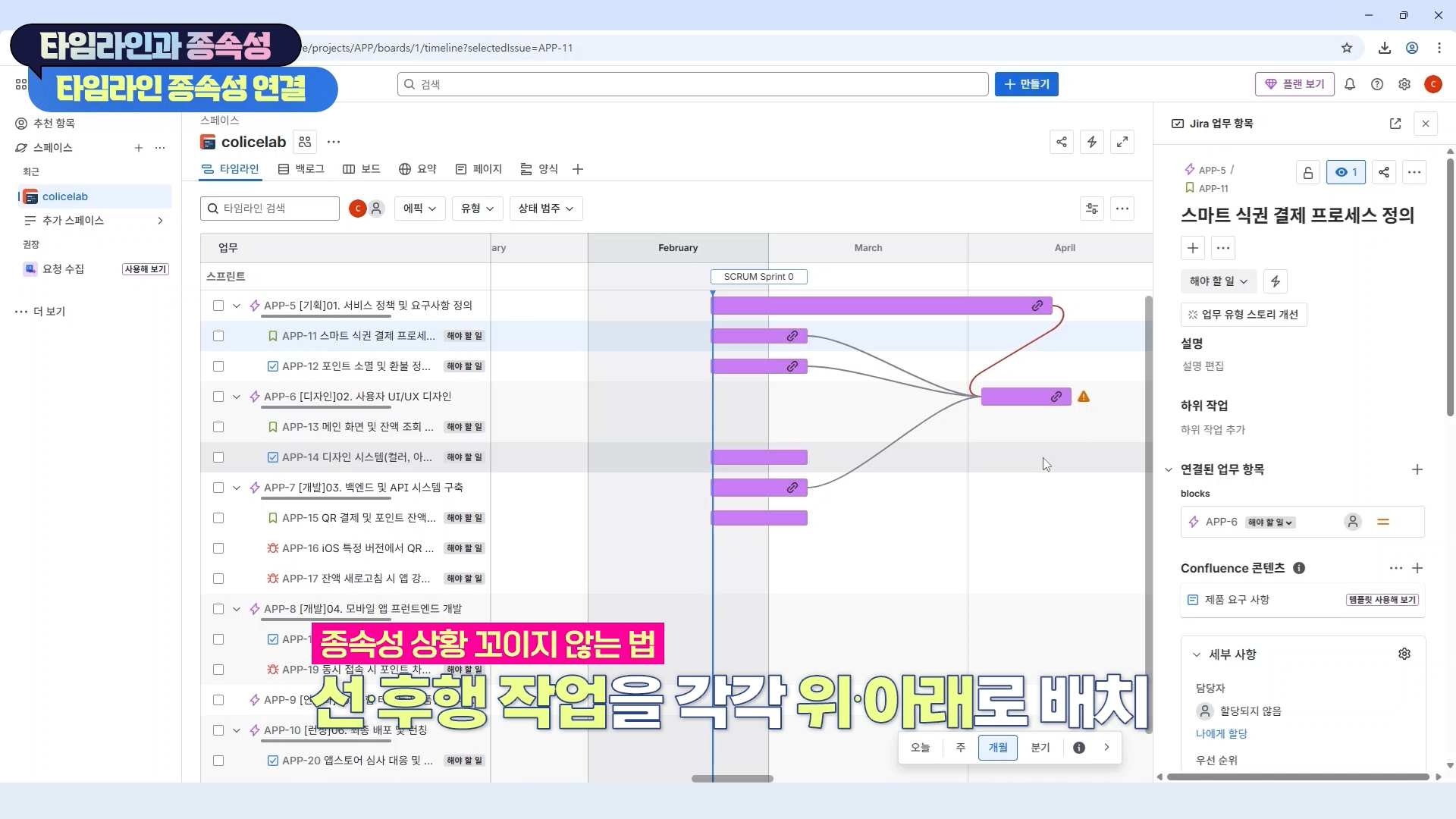
Create a roadmap using JIRA's timeline feature and manage dependencies between issues. Integrate with Confluence to ensure project visibility and establish an efficient workflow.


Section 4

PRD Writing and Backlog Conversion

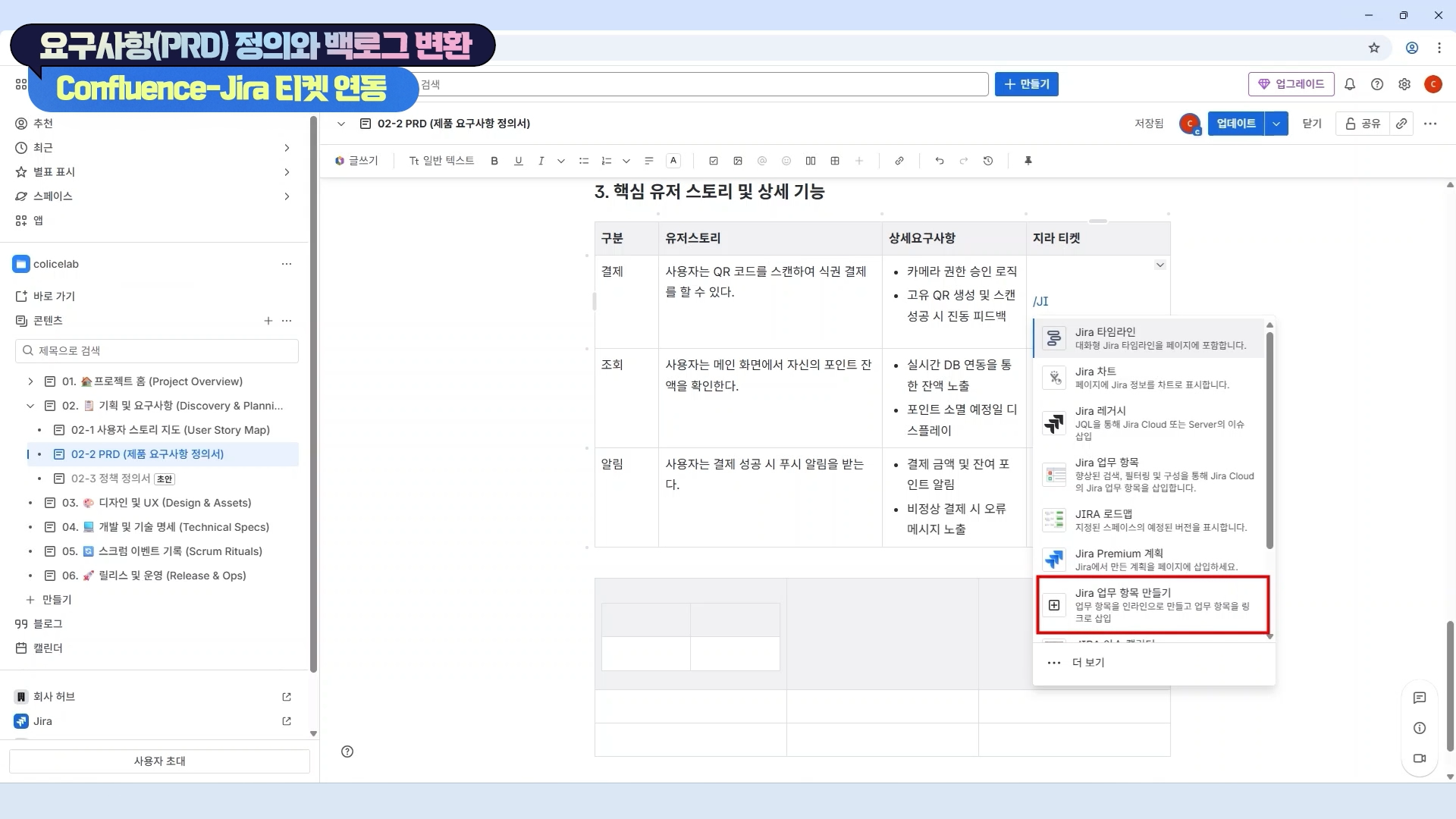
We will practice writing a User Story-based PRD (Product Requirements Document) and converting it into JIRA tickets. By issuing JIRA tickets directly from Confluence, we will strengthen the connectivity between documentation and execution.


Section 5

Issue Field Configuration and Label Utilization

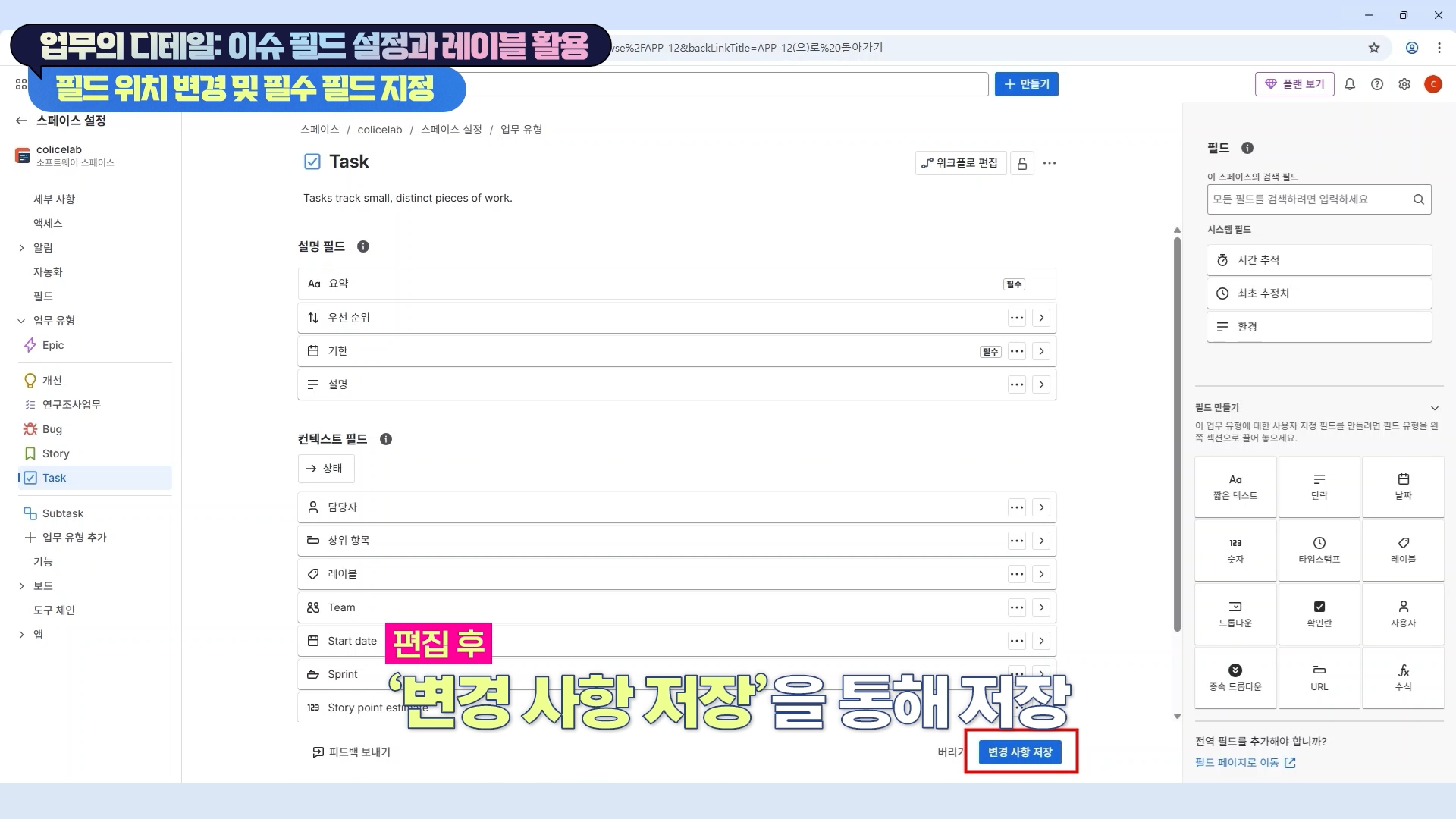
Learn how to configure fields for each JIRA issue type and how to utilize labels. Through this, you will manage work details and establish an efficient, data-driven issue tracking system.


Section 6

Sprint Planning and Execution

Learn how to establish effective sprint plans, manage the sprint backlog using JIRA, and flesh out execution plans. Practice the core stages of the Agile process.


Section 7

Sprint Operations and Feedback Incorporation

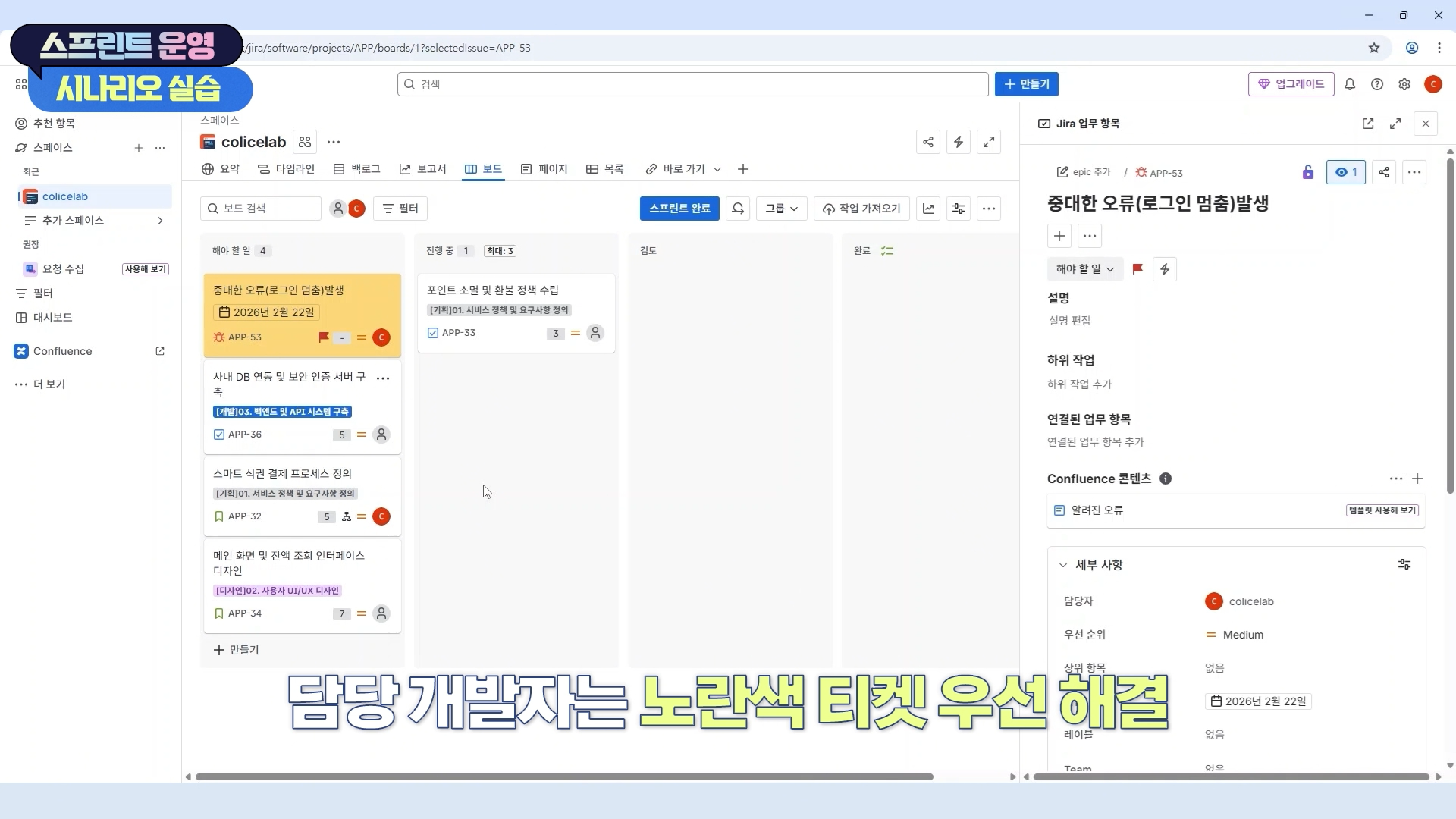
Manage sprint progress using JIRA's Kanban board and workflow features. Quickly respond to urgent feedback and improve flexible project management skills.


Section 8

Sprint Review and Retrospective

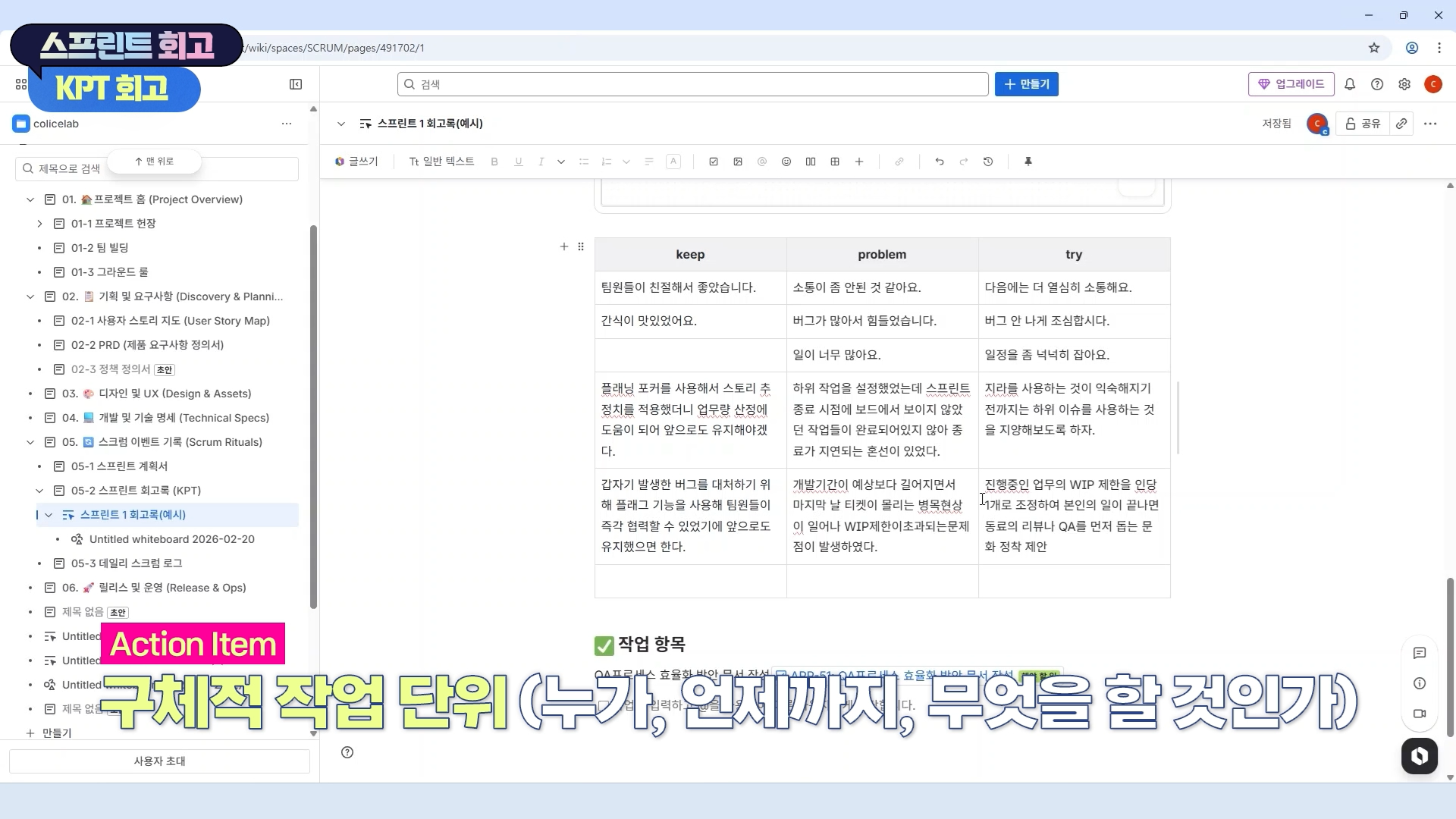
We conduct a review of the sprint results and effectively perform team retrospectives using Confluence. Based on the derived action items, we create a culture of continuous improvement.


Section 9

Advanced Confluence Usage

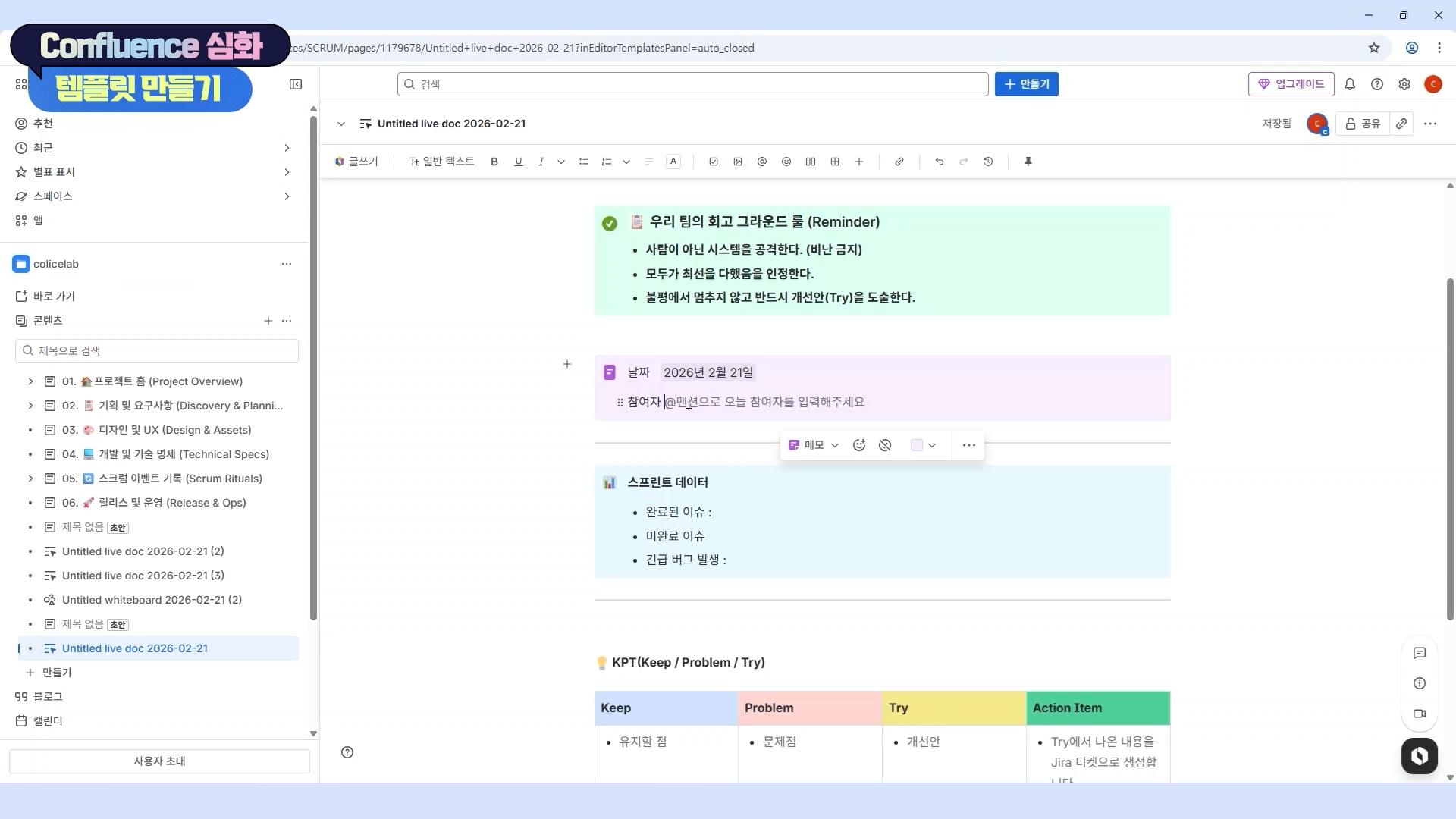
Learn advanced features of Confluence and practice collaboration scenarios, specifically utilizing the Whiteboard feature. Maximize the efficiency of team communication and knowledge sharing.


Section 10

Data-Driven Performance Optimization

Analyze and optimize project performance through JIRA reports, data extraction using JQL, and dashboard configuration. Increase work productivity by setting up efficient notifications and utilizing shortcuts.


We can solve the concerns
of people like this!

📌

Those who have implemented Jira but are using it like a simple bulletin board or to-do list because there are too many features

Beginner

📌

Those who want to properly implement agile-project-management in practice, such as sprint planning, retrospectives, and Kanban board operation.

PMs and developers


📌

Those who want to efficiently design complex project workflows to fit their team

Planners and organizational leaders


💡 Expected changes after taking the course


  • Promoting practical efficiency and performance


    By integrating Jira and Confluence to connect fragmented tasks from planning to retrospective, you can drastically reduce communication costs and maximize project visibility.

  • Data-driven decision making possible


    Instead of relying on intuition, you can diagnose bottlenecks and build team assets for sustainable growth by utilizing Jira reports and JQL data.

  • Immediate On-site Application


    Through scenario-based exercises filled with practical know-how, you can optimize your team's workflow and promote substantial productivity improvements immediately upon completing the course.

  • Growth as a Project Manager


    Beyond being a simple tool user, you can transform into an irreplaceable project manager who designs and leads a team's collaboration culture by implementing Agile philosophy into a system.

Notes before taking the course


Hands-on Environment

  • Jira Cloud and Confluence Cloud use the Korean version and the Free Plan

  • Personal PC: We recommend using the latest version of your web browser for smooth practice sessions.

Prerequisite Knowledge and Important Notes

  • Even those who are using Jira and Confluence for the first time can participate.

  • It is okay even if you have no prior knowledge of Agile methodology.

  • If you have experience in project management, the learning effect may be even greater.

  • The copyright of this lecture belongs to Colice Lab, and unauthorized distribution or reproduction is prohibited. The learning materials are also copyrighted and may not be used for any purpose other than personal study.

Learning Materials

  • If you have any questions after watching the video lectures, please leave them in the community and we will provide answers.

  • Questions to help you summarize the learning content are provided for each section.

  • Examples such as PRD document contents are provided so that they can be applied directly to practice.


Recommended for
these people

Who is this course right for?

  • A beginner whose mind goes blank just by looking at the JIRA screen

  • The youngest team member or the leader who needs to introduce a collaboration tool for the &#x27;first&#x27; time.

  • The manual task terminator "trapped in the swamp of messengers and Excel"

  • A "Scrum Master in name only" (Team Lead/PM) who is "Agile in words only"

  • Intuition-reliant planners/leaders who are "afraid of data proof"

Need to know before starting?

  • All you need is the will to make it happen.

  • The practice sessions will be conducted using the 'Free Plan' provided by Atlassian. You can build all features yourself in a cloud environment without any separate paid subscriptions.

  • Please prepare a PC or laptop with internet access and an email account (such as Google) to sign up for the practice sessions.

Hello
This is Colicelab

709

Learners

100

Reviews

8

Answers

4.7

Rating

2

Courses

Containing only the essentials of Jira & Confluence

Check out Colice Lab's courses on Inflearn

Curriculum

All

31 lectures ∙ (4hr 39min)

Course Materials:

Lecture resources
Published: 
Last updated: 

Reviews

Not enough reviews.
Please write a valuable review that helps everyone!

Similar courses

Explore other courses in the same field!

Limited time deal

$69,300.00

30%

$77.00