

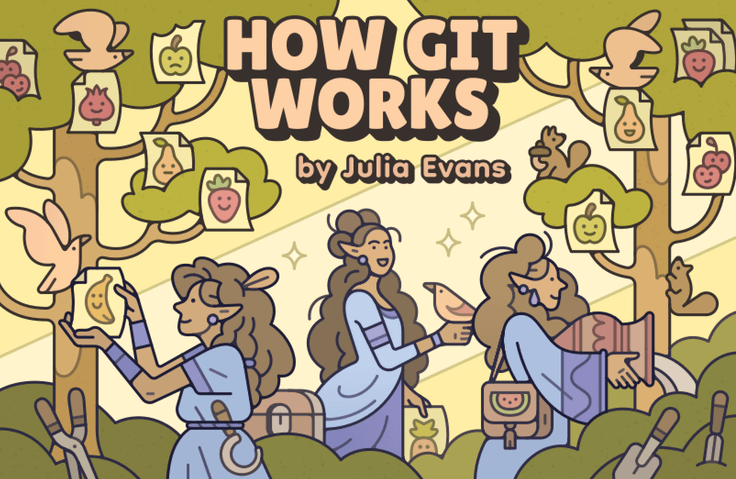
How Git Works by Julia Evans
You use Git every day, but are there still times when it scares you? When a `git push` is rejected, when a colleague says, "Please rebase and upload," or when that "detached HEAD state" message pops up. You’ve probably had at least one moment where your mind went blank, and you ended up deleting the entire folder just to clone it again. This course is for people like you. Julia Evans' 〈How Git Works〉, beloved by developers worldwide, is finally available in Korean. This isn't a course about memorizing commands. It’s a course where we take a slow, deep look at how Git actually works under the hood. What’s inside the `.git` folder, How branches are actually stored, Where "orphaned" commits go and how to recover them, And what "up to date with origin/main" actually means. It consists of 27 pages across 6 chapters: ★ Commits ★ Branches ★ Exploring the .git folder ★ Merging ★ Remote repositories ★ Surviving disasters Once you properly grasp the internal model, you'll be able to interpret any message Git throws at you on your own. Instead of memorizing commands, you'll start using it while understanding "why it works this way." I’ll share the promise Julia made on the first page of her zine: "Once you understand the internals, you can get yourself out of any Git mess."
53 learners
Level Basic
Course period Unlimited
News
2 articles
・
Edited
Hello, this is BFS (Byte Freaks Studio). 🎲
Today, I would like to introduce a post that Julia Evans wrote on her blog last January. It is the story of how she personally contributed to fixing the official Git documentation.
If you've used Git, you've likely hesitated at least once when encountering terms like
object,reference, andindex. Julia got stuck at the same point, and eventually, she and her colleague Marie set out to personally improve several of Git's official manual pages (man pages).This is a story that any Git user will find interesting, covering the process of refining the
git add,git checkout,git push, andgit pullpages based on feedback from 80 test readers about "what was confusing," as well as the unexpected difficulties of open-source documentation discovered along the way.
The translation follows below. If you are curious about the original text, you can check it directly here.Please enjoy the read. 🎲
Git's Data Model (and some documentation updates)
Hello!
Last fall, I decided to spend some time improving the Git documentation. Usually, when I felt the documentation was lacking, I would address it by writing a separate blog post or a zine. But this time, a thought occurred to me.
"Could I make the official documentation itself a little better?"
So, together with my colleague Marie, I worked on several improvements to the Git documentation.
Data model for Git
While looking through the Git documentation, I noticed that Git frequently uses terms like
object,reference, andindex. However, I found a lack of resources explaining exactly what these terms mean and how they relate to core concepts likecommitorbranch.So we have written a new "Data Model" document.
You can read it here now, and we expect it to be included on the official Git website after the next release.
BFS NOTE: It is currently reflected on the official Git website.
The reason I am particularly satisfied with this work is that understanding how Git organizes commit and branch data has long been a huge help in understanding Git itself. Therefore, I felt there was a strong need for a document that explains Git's data model accurately, even if it is brief (about 1,600 words).
However, being accurate was more difficult than I thought. Although I already knew the basic structure, I learned many new details during the review process and had to revise several parts accordingly. For example, the explanation of how merge conflicts are stored in the staging area was also corrected.
Improving documentation including git push, git pull, etc.
I also worked on improving the introductory sections of several major Git manual pages (man pages).
At first, I simply thought, "Let's fix it in the way I think is better," but I soon realized there was a problem."Even if I say my explanation is better, why would the Git maintainers have any reason to believe that?"
You often encounter this situation when working on open-source documentation.
"Wouldn't it be clearer to explain it this way?"
"No, wouldn't it be better to explain it that way?"
However, we felt that debating "which explanation is easier to understand" among software experts was not very productive. This is because people who have used a specific tool for a long time often find it difficult to judge what beginners struggle with.
So we wanted to find a more evidence-based method.
Finding problems through test readers
We recruited volunteers on Mastodon and asked them to read the existing documentation and let us know what was confusing or what questions they had.
About 80 test readers provided their feedback, and I learned a great deal in the process.
The feedback people left was very diverse.
Difficult terminology
What is
pathspec?What does
referencemean?Does the term
upstreamhave a special meaning in Git?
Feedback stating that a specific sentence is difficult to understand
Suggestions for content to be added
"I always do this kind of work, so I would like it to be included here."
Pointing out inconsistencies between documents
In one place, it looks like X is the default, but in another place, it looks like Y is the default.
What was interesting was that most of the test readers were people who had used Git for at least 5 to 10 years or more.
This was actually a good thing. If even people who have used Git for a long time find certain sentences or terms difficult to understand, it serves as strong evidence that the documentation needs to be revised more clearly.
This kind of approach, namely
"If an actual user reads the existing documentation and points out a problem, fix that problem"
I felt that this approach was very effective, and I plan to try it again in other projects in the future.
Which manual pages were modified?
We modified the following four manual pages.
The
git pushandgit pulloperations were particularly interesting.In addition to improving the introduction, I have newly written the following content.
A section explaining what an
upstream branchis(Previously, it was practically not explained properly.)
push refspecexplanation cleanup
While doing this work, I realized once again how difficult it is to maintain open-source documentation.
"A sentence must not only be clear, but it must also be factually accurate at the same time."
Sometimes, compromise was necessary. For example, let's look at the following sentence.
git pushmay fail if you haven't set anupstreamfor the current branch, depending on whatpush.defaultis set to.
("git pushmay fail depending on thepush.defaultsetting if theupstreamfor the current branch is not set.")This explanation is somewhat vague. However, explaining exactly what "depending on the setting" means would require covering much more complex content, which in itself was enough to become a major project.
About the process of contributing to Git
It also took quite a while to understand Git's development process.
I don't intend to explain everything here. That alone could be a separate post in itself.
Instead, I will leave a few short notes.
Git has a Discord server, and there is a "my first contribution" channel for first-time contributors.
I was able to get the help I needed to get started, and everyone was very kind.
I made all my contributions through GitGitGadget.
I was able to use the familiar workflow of a GitHub Pull Request,
GitGitGadget converted them into the email patch format used by Git developers.
Thanks to this, I didn't have to learn a new way to send email patches.
When responding to reviews, I used my usual email client (Fastmail web interface).
I wrapped the text at 80 characters to follow mailing list conventions.
Additionally, the mailing list archives on lore.kernel.org were somewhat inconvenient to navigate. Therefore, I personally created and used a simple Git mailing list viewer to make long discussion threads easier to read.
I received help from many people during the contribution and review process. I would like to thank Emily Shaffer, Johannes Schindelin (author of GitGitGadget), Patrick Steinhardt, Ben Knoble, Junio Hamano, and many others.
BFS
The most striking part of this article was that Julia didn't revise the documentation based solely on the conviction that "I can explain it better." Instead, she first gathered actual user feedback and determined the direction of the revisions based on that data. It shows that listening to the voices of people who are actually confused is far more reliable than two experts arguing over which expression is "clearer."
If there were expressions that felt somewhat unclear even while using Git every day, this post might provide some of the answers.
Moving forward, I plan to select and translate Julia's blog posts about Git one by one. Some posts address the minor inconveniences we often encounter while using Git, while others re-examine misunderstandings of concepts we thought we were familiar with.
These articles will deepen your understanding when read alongside 《How Git Works》, so please look forward to them as I release them one by one. 🎲
- BFS 🎲
・
Edited
" Hello!
I am so happy that the Korean translation of 《How Git Works》 has been published. Although I cannot read Korean, looking at the design and quality of the translation, I felt that it was made truly beautifully.
I hope this little zine helps you understand and use Git with more confidence.
Enjoy reading! "
— Julia Evans
Hello. We are BFS (Byte Freaks Studio). 🎲
After reading Julia's greeting, you might have a question.Why did Julia decide to create this zine?
Git is a tool used daily by countless developers around the world, but at the same time, it is also the tool that many people find most difficult. Julia also focused on that point, and those reflections eventually led to the creation of 《How Git Works》.
The following text is a blog post written by Julia herself at the time of the publication of 《How Git Works》. I am introducing it in Korean as I believe it is a piece that allows for a deeper understanding of the core problems this zine aimed to address and what it intended to convey.
Please enjoy reading. 🎲
Hello!
It feels like I've been talking about nothing but Git on this blog for months. Finally, the Git Zine is complete! It was published last Friday.
Who is this zine for?
I wrote this zine for people who have been using Git for years but are still afraid of it. I always think the same thing: it really sucks to have to be afraid of a tool you use every day for work! I want people to be able to use Git with confidence.
The goal of this zine is as follows:
Explain that Git concepts which may feel scary at first (for example, the "detached HEAD state") are actually quite simple once you understand what is really happening.
Point out specific areas in Git where you need to be especially careful. For example, stash is one of the features where it's easiest to lose your work, and once a problem occurs, recovery is extremely cumbersome. That's why I tend not to use stash very often.
Correcting widespread misconceptions about core Git concepts such as commit, branch, and merge
Why on earth is Git so confusing?
Writing this zine was much harder than I expected. When I started writing, I had already been using Git quite confidently for 10 years. As a result, I could hardly remember what it was like back when I used to struggle with Git.
But thanks to Marie and the many people on Mastodon who shared their thoughts on Git, I eventually came to see once again that there are so many parts of Git that are unintuitive, misleading, or just plain confusing.
For example, things like these.
Confusing terms (expressions like "fast-forward", "reference", "remote-tracking branch")
Misleading messages (for example, the message
Your branch is up to date with 'origin/main'does not necessarily mean it is actually synchronized with the main branch of the remote repository)Output results that do not provide sufficient information (for example, even now, when I look at merge conflicts, there are times when I cannot immediately tell which code came from which branch)
Insufficient guidance regarding diverged branches (for example, when you run
git pulland the local and remote branches have diverged, Git does not explain very kindly how to handle this situation)Inconsistent behaviors (for example, while the reflog almost always operates in an append-only manner, the stash is an exception; running
git stash dropactually deletes the existing entry)
The more I hear about how confused people feel about Git, the clearer it becomes that Git is a tool whose internal logic is not easily understood simply by trying it out.
You eventually get used to Git's quirks
Reading this far, Git might sound like a truly terrible tool. You might even wonder, "Who on earth would use something like this?"
However, my experience is a bit different. Once I understood what those strange error messages Git spits out actually mean, most situations became quite routine.
For example, let's say you encountered the following error.
failed to push some refs to 'github.com/wizard-zines-site'
Then I think, "Ah, someone must have pushed changes to the main branch since I last did a
git pull." Then I rungit pull --rebaseto bring in the changes and continue with what I was doing. It usually takes about 10 seconds.Or you might see a warning like this.
You are in 'detached HEAD' state
In that case, you can simply run
git checkout mybranchbefore you continue writing your code. It's not a big deal.For me, and for many people I talk to about Git, its peculiar expressions have become so familiar that we sometimes even forget why someone would find them difficult in the first place.
How deep should we go into Git's internal structure?
One of the things I agonized over most while writing this Zine was how much of the inside of the
.gitdirectory I should explain.In the end, we decided to include a page covering Git's internal structure ("Exploring the .git folder"), but overall, we chose to focus more on the behaviors you actually see when using Git and the reasons why Git sometimes acts unexpectedly.
There are two reasons for this.One is because there are already many excellent resources available that explain Git's internal structure.
And the other reason is that I felt that even after reading such materials, it is not as easy as one might think to understand how they connect to the actual phenomena seen in the Git user interface.
For example, explanations regarding Git's remote repositories are easy to find. Some documents explain it as follows:
Remote-tracking branches [...] remind you where the branches in your remote repositories were the last time you connected to them.
But even after reading this explanation, the following message displayed in
git statusYour branch is up to date with 'origin/main'
it does not necessarily mean you will naturally understand that it isn't completely synchronized with the main branch of the remote repository.
So, in this zine, rather than explaining Git's internal structure first, I focused on the behaviors you actually encounter while using Git and aimed to explain the principles of how those behaviors work internally.
Actually, I really like Git
In this article, I have shared quite a few critical stories about Git. However, I only write zines about the technologies I love. Git is no exception.
There are many reasons why I like Git.
It's fast!
Backward compatibility is excellent. The Git knowledge I learned 10 years ago is still almost entirely valid today.
There are so many great Git hosting services available for free. (GitHub! GitLab! and many others!) Thanks to them, I can easily back up my code.
Simple workflows are truly simple. When working on a project alone, repeating just
git commit -am 'whatever'andgit pushworks perfectly fine most of the time.Most of Git's internal files are fairly simple text files. (Or there are versions that can be viewed in text format.) So it gives you the feeling that you can understand what's going on inside at any time if needed.
I hope this zine helps you come to love Git at least a little bit.
People who helped create this Zine
I don't make these zines alone!
I worked with Marie Claire LeBlanc Flanagan every morning for eight months, thinking about how to explain Git more clearly. Vladimir Kašiković worked on the cover, and Gersande La Flèche handled the proofreading. James Coglan, the author of 《Building Git》, provided the technical review, and Lee, the operations manager, helped with text transcription as well as countless other tasks. My partner Kamal, as always, read the drafts and pointed out awkward parts, and I also had many great conversations about Git with Marco Rogers.
Finally, I would like to express my gratitude to the beta readers. This time, a whopping 66 beta readers participated, which was the largest number ever! They left hundreds of comments on what was confusing, what they learned for the first time, and which of my jokes were actually funny.
It is never easy to hear that a page I thought I had explained clearly was actually very confusing. However, because I was able to discover and fix those issues before the final publication, this zine could become a much better final product.
Thank youAs always, I would like to express my sincere gratitude to everyone who has purchased my zines over the years. I was able to come this far thanks to your constant support.
And thank you to the more than 1,000 people who purchased this zine in just 3 days after its release!!!
Thanks to you, this zine set a record for the most copies sold in a single day in Wizard Zines history. It’s truly amazing, and I am deeply moved.
BFS(Byte Freaks Studio)
Did you enjoy reading Julia's post?
The most impressive part of this piece was that Julia didn't stop at simply criticizing the inconveniences of Git. Git is difficult. Sometimes it's strange, some messages are hard to understand, and certain behaviors are unintuitive. However, Julia asked the question, "Why is Git like this?" and then proceeded to step-by-step analyze and explain the reasons why Git is so difficult to understand.
Another thing that was impressive was the perspective on Git learning materials.
There are already many excellent resources available that explain the internal structure of Git. However, even after reading such materials, many people are often left wondering, "So why is Git behaving like this right now?" when they actually start using it in the terminal.
There is a larger gap than one might think between Git's internal principles and the user interface that actual users encounter. Many of you have likely had a similar experience: feeling like you understand it after reading parts of a thick book on Git, only to become flustered again when you encounter an error message during actual work.
We highly appreciated how Julia pinpointed that exact gap. Above all, this sentence particularly resonated with us.
You are in 'detached HEAD' state
If you are a developer, you have likely hesitated at least once after seeing this message.
"What does this mean?" "What should I do now?" "If I touch the wrong thing, will something break?"
I have also had similar concerns as you. That is why I felt this book is less about trying to explain everything about Git, and more about helping you understand why Git behaves the way it does.
And as that understanding builds, Git becomes a tool that is a little less unfamiliar and a little less intimidating. I hope that through 《How Git Works》, you too will come to understand Git a bit more and fear it a bit less.
— BFS 🎲
