It's great because it explains things quickly and easily.
5.0
baik2419
8% enrolled
It's still early in the course, but you explain things so clearly and easy to understand!! I think this is the perfect course for GA4 beginners!
5.0
SBD
100% enrolled
It was very good
What you will gain after the course
Understanding the Evolution of Google Analytics
GA4 Initial Setup Guide and Understanding the Structure
Learning GA4 Practical Essentials by Category
Hands-on Practice for Marketing Campaign Performance Analysis Using GA4
Generating custom reports and training analysis models
Guide to Integrating GA4 with External Services
To understand consumers and improve business direction, GA4 is a necessity, not an option—get it all at once! 📝
Google Analytics 4, why should you learn it?
GA4
With the termination of UA (Universal Analytics) services in July 2023, data collection will only be possible through GA4. If you implement GA4 at the time UA ends, you won't be able to check previous data, so it is necessary to adopt it in advance to accumulate data. In particular, unlike UA, which aggregates data based on sessions, GA4 measures data based on events and their parameters, allowing for deeper analysis through explorations rather than just standard reports.
In the case of offline stores, you can visually see which customers go through what journey to finally purchase a product, allowing you to immediately execute marketing for your flagship items. However, in the continuously growing online market, it is impossible to directly see the journeys of customers who are actively consuming.
Google Analytics 4, which uses event-based data from websites and mobile apps, allows you to gain campaign performance and insights easily by understanding the customer journey online in detail. In other words, GA4 is not just a tool for analyzing data, but a tool for understanding consumers and improving business direction.
However, if you try to start from scratch, unlike the simple-to-operate UA, you may end up wasting precious data because you don't know how to handle everything from basic GA4 settings to external data integration, data utilization, and visualization. Therefore, through this course, IT Magnet will provide you with the 'eyes' of the online market, enabling you to collect log data in GA4, analyze funnel-centered customer data, and improve your campaigns.
After taking this course!
✅ You will be able to perfectly master and utilize 100% of the various unfamiliar GA4 terms and items.
✅ You will gain the ability to easily apply and analyze complex tracking.
✅ Your understanding of customers will deepen through various exploratory data analyses, such as free-form, funnel analysis, and segment overlap analysis.
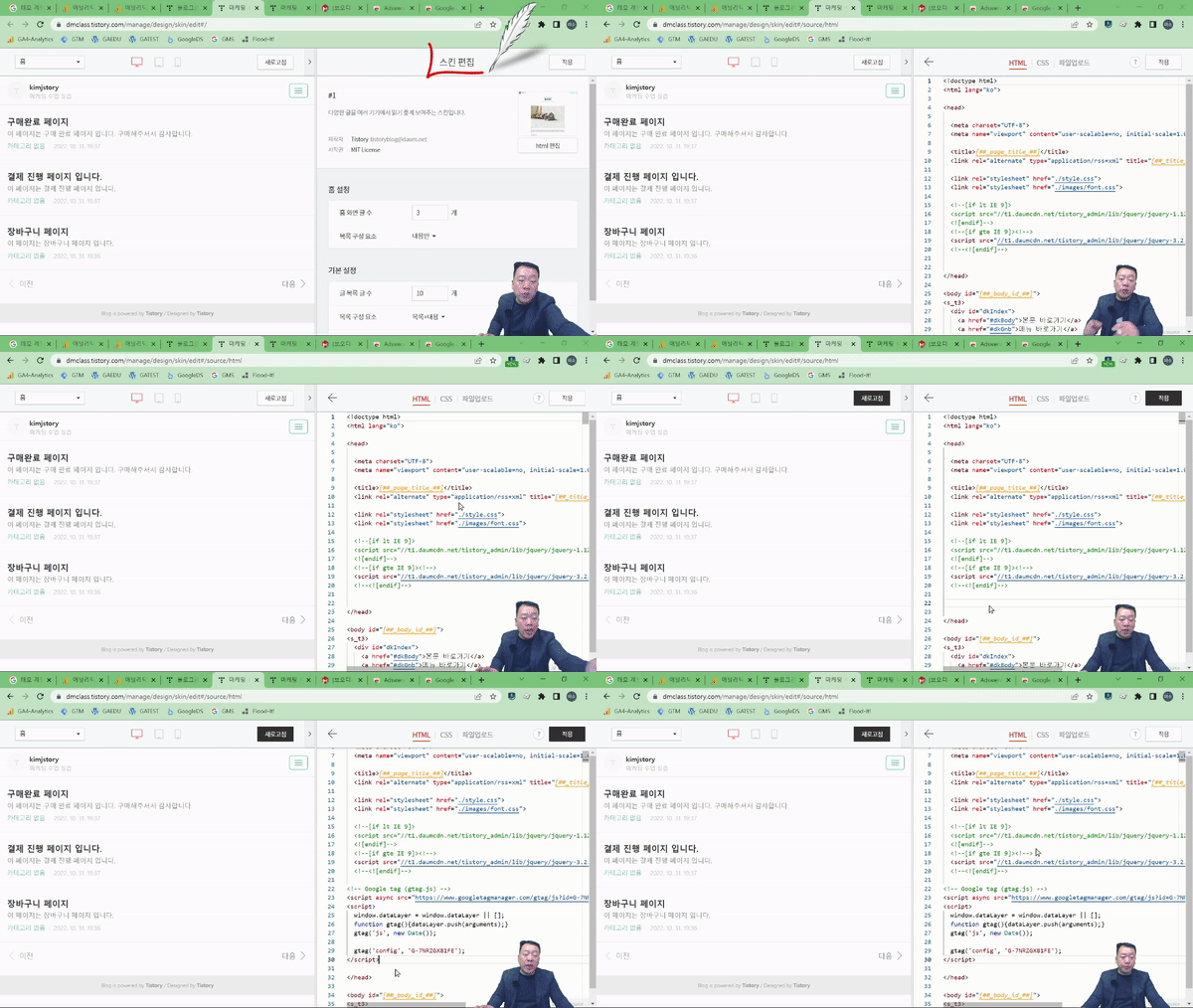
✅ Through hands-on practice of installing code directly on a blog and setting up event data, your ability to analyze data paths and visualize data will improve.
✅ You can effectively manage data by linking external marketing channels with various Google services.
A Sneak Peek at the Lecture 😎
Step 1. Understanding GA4
Events? Logs? Dimensions? GA4 terminology and features might still feel unfamiliar! In this course based on the latest version of GA4, you will learn everything from the evolution of GA to basic functions and setup methods.
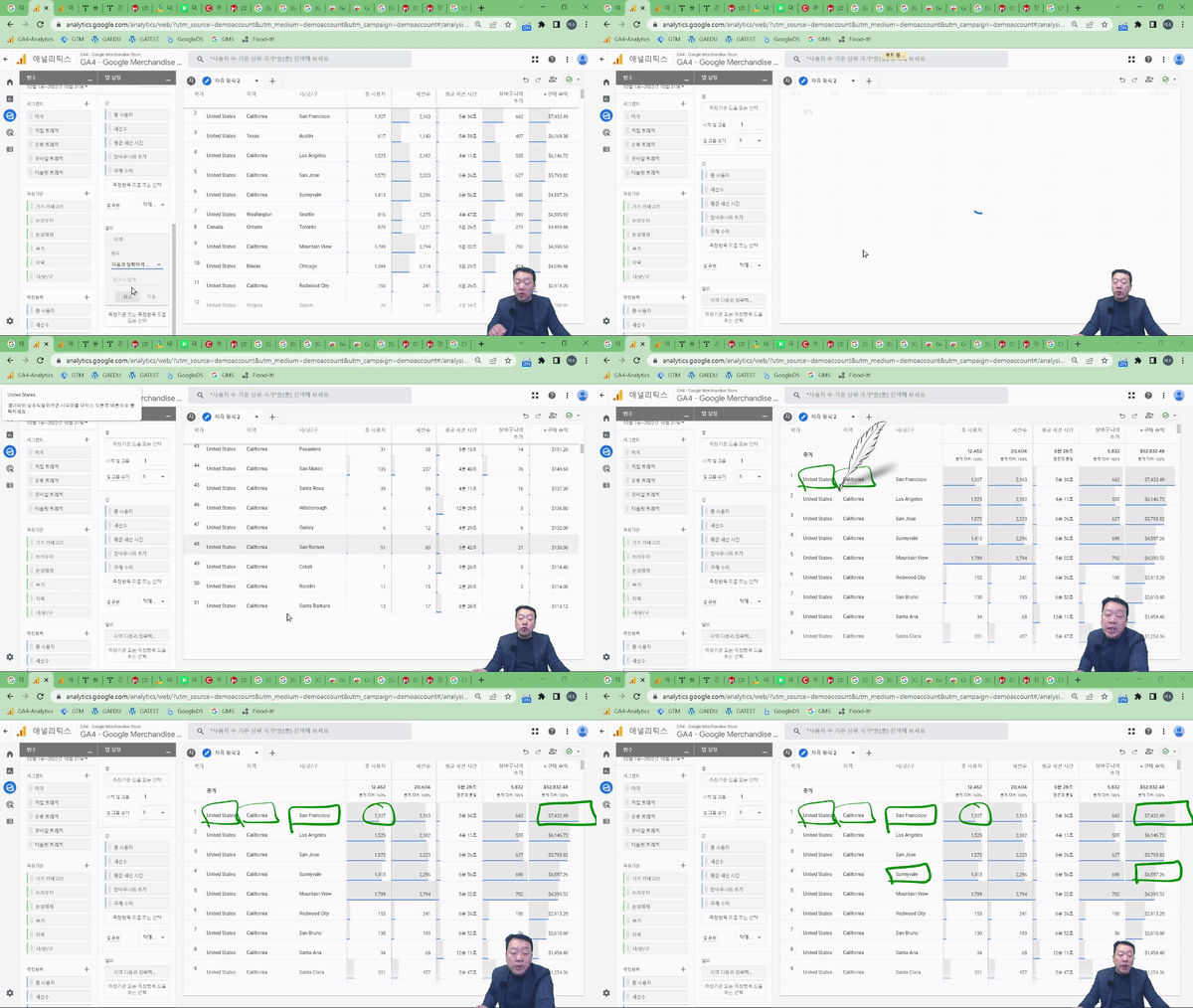
Since the practice sessions use a Google demo account, anyone can learn even without a corporate website or customer data. Those implementing GA4 in-house without a developer can also easily learn how tracking codes operate and collect data through a simple, uncomplicated process.
Step 2. Tracking GA4 Events
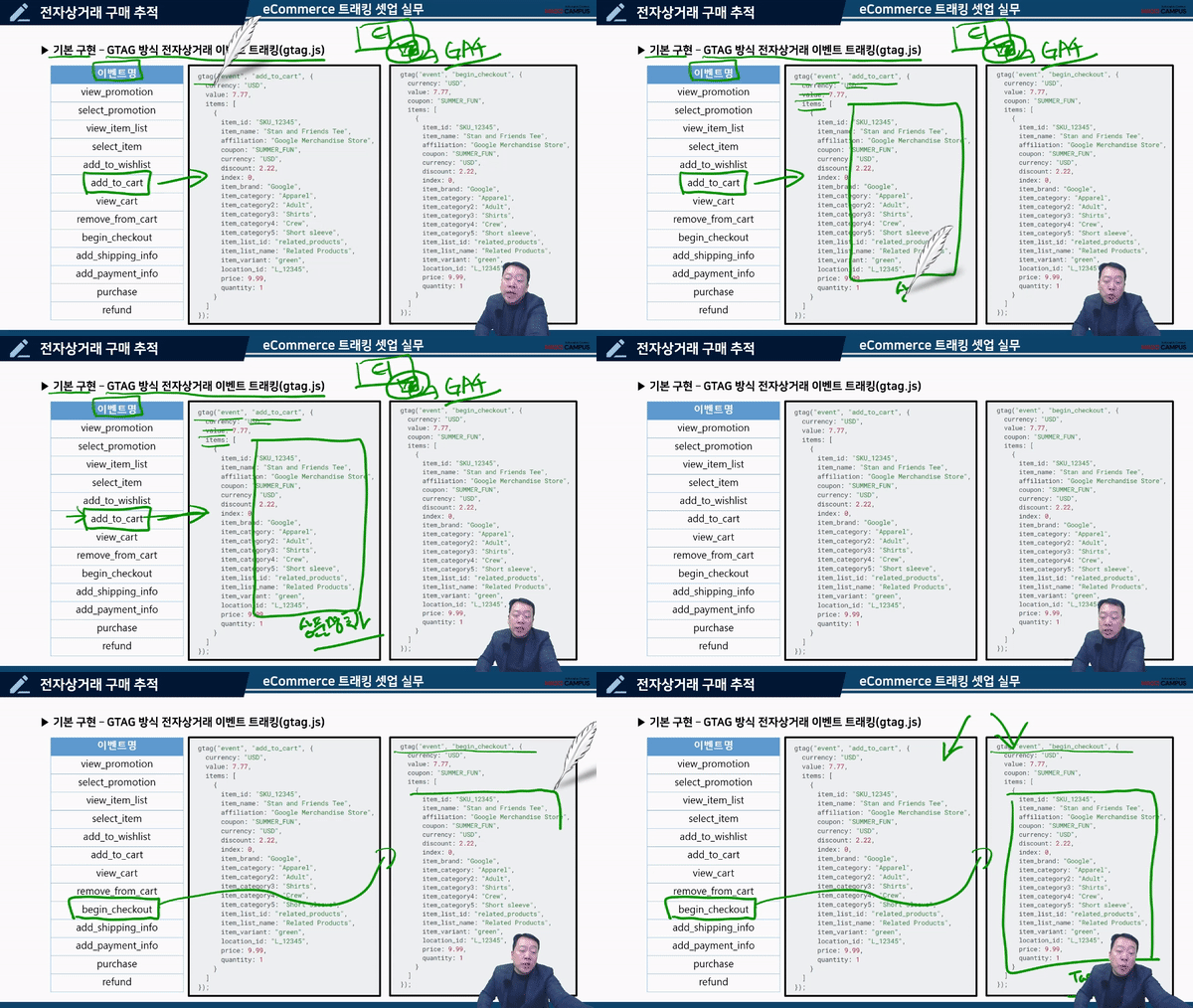
In GA4, you can manually implement events tailored to your business in addition to the events automatically measured by Google. We introduce how to track events using Gtag.js and make it easy to check e-commerce data.
By defining custom events, you can understand how your customers behave and where they come from within your website/app, allowing you to gain meaningful insights.
Step 3. Creating GA4 Custom Reports
You can design GA4 custom reports perfectly tailored to your company and organization, and derive insights by specifying segments from your desired perspectives.
Explore inflow paths through funnel analysis—from 'viewing a product and adding it to the cart to proceeding with payment and making the final purchase'—and verify your hypotheses firsthand through segment analysis reports. By utilizing GA4's greatest strength, the predictive feature, you can enhance your ability to set business goals and prepare for various issues.
Step 4. Analyzing Marketing Performance
How does the performance of this marketing campaign compare to the previous one? Which marketing channel had the highest contribution in the process of purchasing customers moving from other websites to our site/app?
After learning about GA4's attribution models, calculate the conversion contribution of inbound channels based on machine learning. You will find the answers to which channels and touchpoints to focus on and how to distribute your marketing budget.
Learning Content ✍️
#1
Tistory GA4 Acquiring Analysis Data
#2
Utilizing Machine Learning Insights Reports
#3
Tracking Ecommerce Events
#4
Create your own reports in a flash with exploratory data analysis
#5
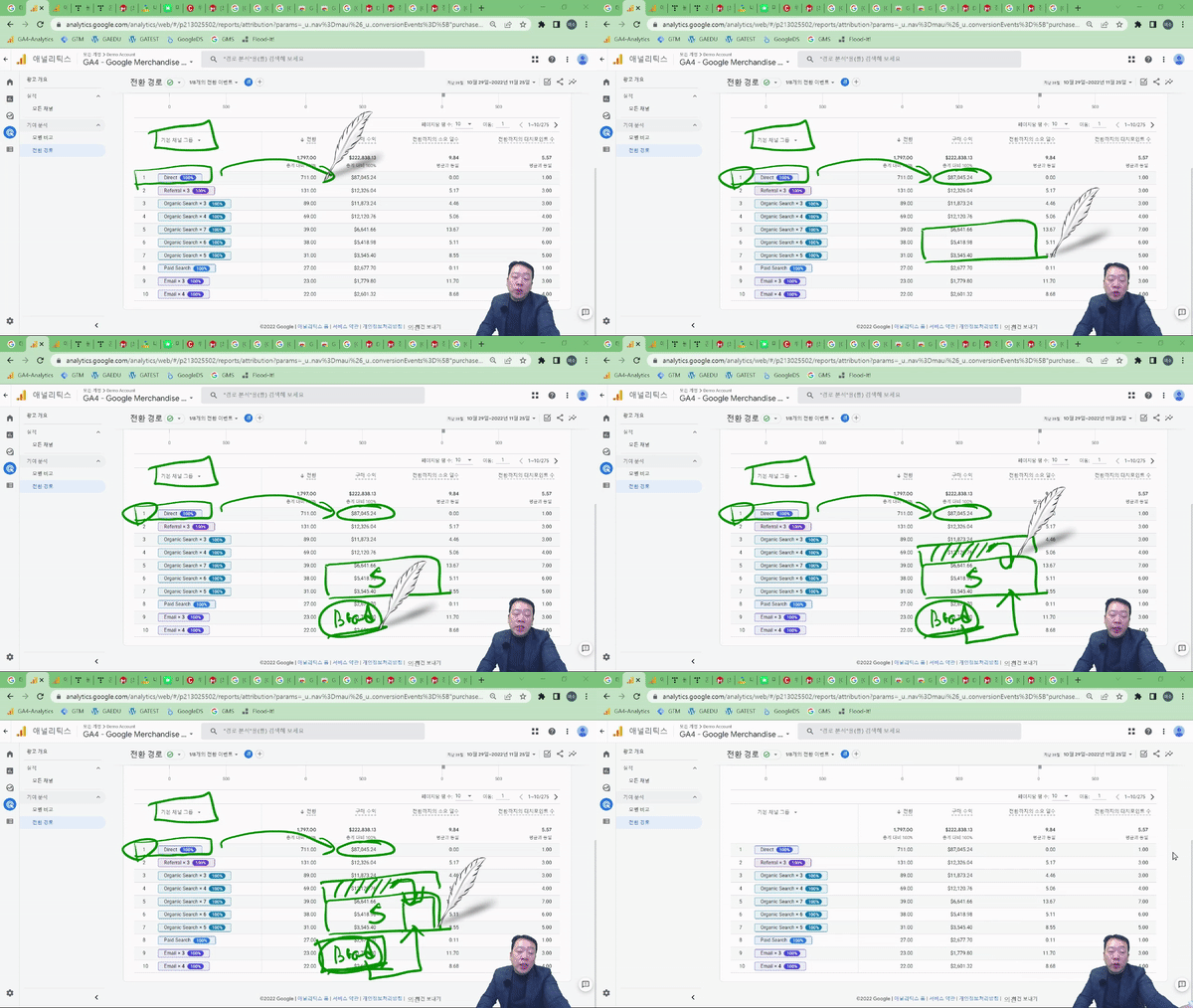
Analyzing channel contribution with conversion path reports
Anticipated Q&A
Q. Do I need prior knowledge of Google Analytics?
You can fully follow along even without prior knowledge! It is designed so that even those introducing GA4 for the first time can use it in practice immediately, and we will guide you step-by-step through important basic settings and integration methods during the initial setup.
Q. Are there any requirements or prerequisites for taking the course?
Since this is a practice-oriented course, it is recommended to have a dual monitor or an extra device to separate the lecture screen from the practice screen.
Q. I am a beginner who has never done data analysis before; will I have any trouble taking the course?
Yes, it's perfectly fine even for beginners! Through simulations, anyone can learn how to look at data and which segments to use for hypothesis testing.
🌀 Please check before taking the course!
Since this is a practice-oriented course, it is recommended to prepare a dual monitor or an extra device so you can separate the lecture screen from your practice screen. Additionally, as the exercises are based on Windows OS, we recommend taking the course in a Windows environment.
The lecture notes and practice files can be found in the <Textbook Download Center> section.
Instructor Introduction 👨💻
Recommended for these people
Who is this course right for?
Executives who are introducing GA4 for the first time or planning to transition from the existing UA to GA4
Marketers/Founders who want to actively utilize customer data
Marketers/planners who need data-driven performance analysis, such as performance marketing and growth hacking
Junior marketers looking for a GA4 course that can be applied directly to practical work rather than complex theories
Practitioners who want to create custom reports and apply various visualizations
E-commerce operators who want to understand consumer behavior patterns at each stage of the funnel
Job seekers who want to enhance their proficiency in Google Analytics, an essential tool in the job market.