Creating a messenger app with Flutter
DEV MOO
Build a messenger app using Flutter's Riverpod state management and Firebase.
Basic
Flutter, Firebase, riverpod
You can create your own app without coding! ๐ A no-code introductory course that even beginners can follow! Complete your app easily and quickly with practical app development using FlutterFlow.
56 learners
Level Beginner
Course period Unlimited
Reviews from Early Learners
5.0
DevXLNT
I'm leaving this course review hoping it will be helpful to other students. I became interested in app development and, as a non-major, I was considering no-code tools. I chose FlutterFlow over Bubble to utilize faster loading speeds and push notification features. After deliberating on learning methods, I took this course first. (There aren't many FlutterFlow courses in Korean available in Korea.) 1. What you can gain from this course - Understanding of how to use FlutterFlow - Creating a minimal app with bulletin board and comment features using FlutterFlow 2. What you cannot do with this course alone - Implementing features such as social login, phone number login, GPS authentication, push notifications, chat functionality, app store (Google Store) launch, etc. 3. What I hope for - I think most people making apps probably dream of apps like Karrot Market, Airbnb, or Instagram. I know these are super apps, but I think many people would want to implement features like social login, chat, photo and video uploads, not just bulletin boards and comments. Therefore, if possible, I think it would be very helpful to many people if you could create a course on clone app making of famous apps using no-code, similar to clone coding. To be honest, while taking the course, I wanted to understand why certain variable values should be used, why parameters need to be passed, and how to structure the DB to implement different features, but I couldn't. I know that explaining concepts would require several hours of content for just one topic, so I think of this as just a taste. However, I feel there are definitely parts that need to be understood, and I wish there was at least a minimal explanation of how to proceed with learning going forward. Honestly, after taking the course, I felt a bit lost about how to realistically create a launchable app. <Summary> - Please create a course on cloning famous apps. - Please add as the final lecture [To make better apps (chat, social login, phone number login, GPS authentication, importing APIs like weather, push notifications, chat features, app store launch, DB structure design and understanding, etc.), I want to know what learning approach is best going forward and how to fill in the gaps.] - I hope you can create a communication channel for students taking this course. (The FlutterFlow community seems too weak.) 4. Why I gave a 5-star rating - I chose FlutterFlow due to the specificity of the app I want to implement, but the Korean FlutterFlow community is very weak. I understand that globally, FlutterFlow has the highest market share among no-code tools, but most Korean open chat rooms only exist in form and aren't actively managed. In Korea, it seems more people choose Bubble as their no-code tool. Perhaps for this reason, there are very few FlutterFlow courses in Korean in Korea, making them precious. That's why there are currently only 3 on Inflearn. I plan to take all of them, but honestly, I'm so grateful just that you created this course. I know that knowledge sharing is difficult and requires a lot of effort. I sincerely want to express my gratitude. And if you have time in the future, I would appreciate it if you could consider the points I mentioned in my hopes. Happy New Year, and stay healthy. And to all other students taking this course, fighting!

5.0
์ฌ๋ฆผ
What was difficult every time I studied Kotlin and Flutter was... how quickly things kept changing, but it's so great that I can study without any problems as of now when I'm writing this review... And I think the lecture is even better because it pinpoints exactly what I wanted to know. One more thing, there's an issue around lecture 17... For non-experts, https://esanghanwooju.tistory.com/3 <--this has the most detailed explanation, so you can refer to it.
5.0
์์ผํธ
I have been steadily learning programming-related content as a hobby, albeit at a shallow level, and I've always wanted to establish myself as a solo developer someday. Until now, I felt a significant barrier to entry into the unknown world of backend integration, servers, security, and so on. This course was great because it provided concise explanations from basic UI to Firestore integration! What I noticed while watching various courses and YouTube videos was that there are plenty of basic courses and occasionally advanced courses for professionals, but I felt there weren't many courses targeting people in the middle ground. Through this course, I was able to break through the parts where I was stuck. I'm curious if you have plans to add 'code courses worth covering in FlutterFlow' such as custom functions~ I understand Dart/Flutter code at a basic level. I'm curious about how this feels when applied in FlutterFlow! For example, things that can be handled as actions within FlutterFlow wouldn't need separate code writing, and I'm curious about what custom code is frequently used outside of actions, what that boundary(?) is, and how experts utilize custom code~ +Additionally, I'm curious about responsive app design! I understand the concept to some extent, but I'm wondering if you have plans to cover practical content on how to best handle device size-appropriate design (padding, font size, etc.) for different devices!
Creating the App Screen UI
Building a Database
FlutterFlow Widget
How to use global variables
SNS-integrated membership registration
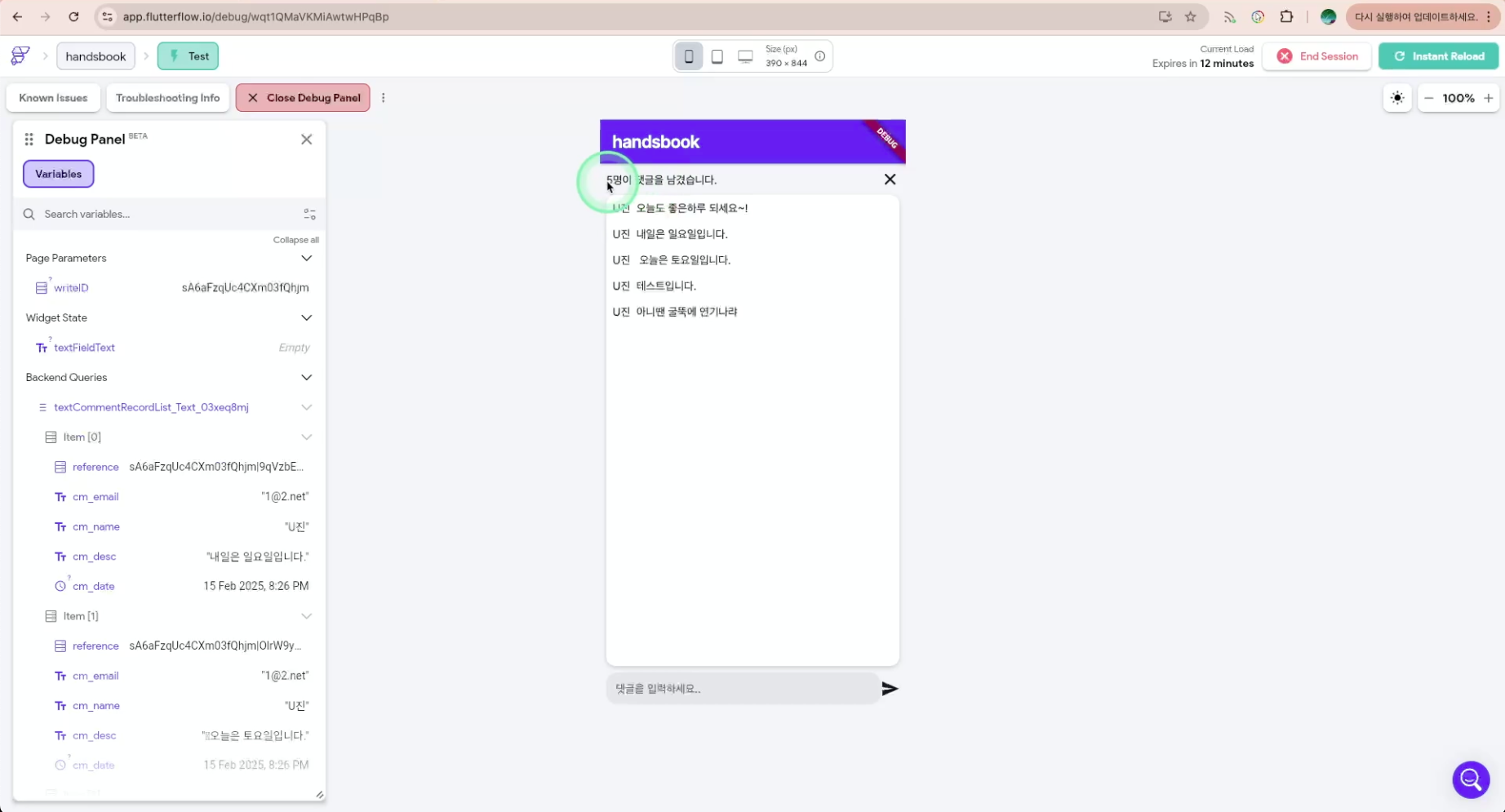
Implement comment functionality
Implement like functionality
Various ways to use conditional statements
FlutterFlow, a No-Code development tool, is a powerful tool that allows you to develop apps without coding. We have prepared this course so that even beginners can easily follow along, progressing step by step from basic concepts to completing app development.
โ From the basics of FlutterFlow to real-world app development, learn step by step
โ Follow step by step and anyone can complete an app - the course is prepared so you can do it
โ You can directly implement UI composition, database construction, member post management, comment and like features, and more.
๐ Through step-by-step learning, even beginners can create their own app by following along steadily.
๐ Composed of 10% theory and 90% practice, you'll learn fundamental knowledge and complete an app through hands-on practice.
๐ All features are tested and executed directly to confirm proper functionality as we proceed.

I want to develop an app quickly.
Can I create an app easily and quickly? For those who want to develop an app solo

I want to learn no-code.
Those who want to study powerful no-code platforms

I want to make an app but have no experience
Those with no coding experience, or those who have coding experience but are new to app development
We'll practice everything from UI composition needed for app development to Firebase integration, user registration, posts, and comment features,
and guide you step-by-step through emulating in a real environment.
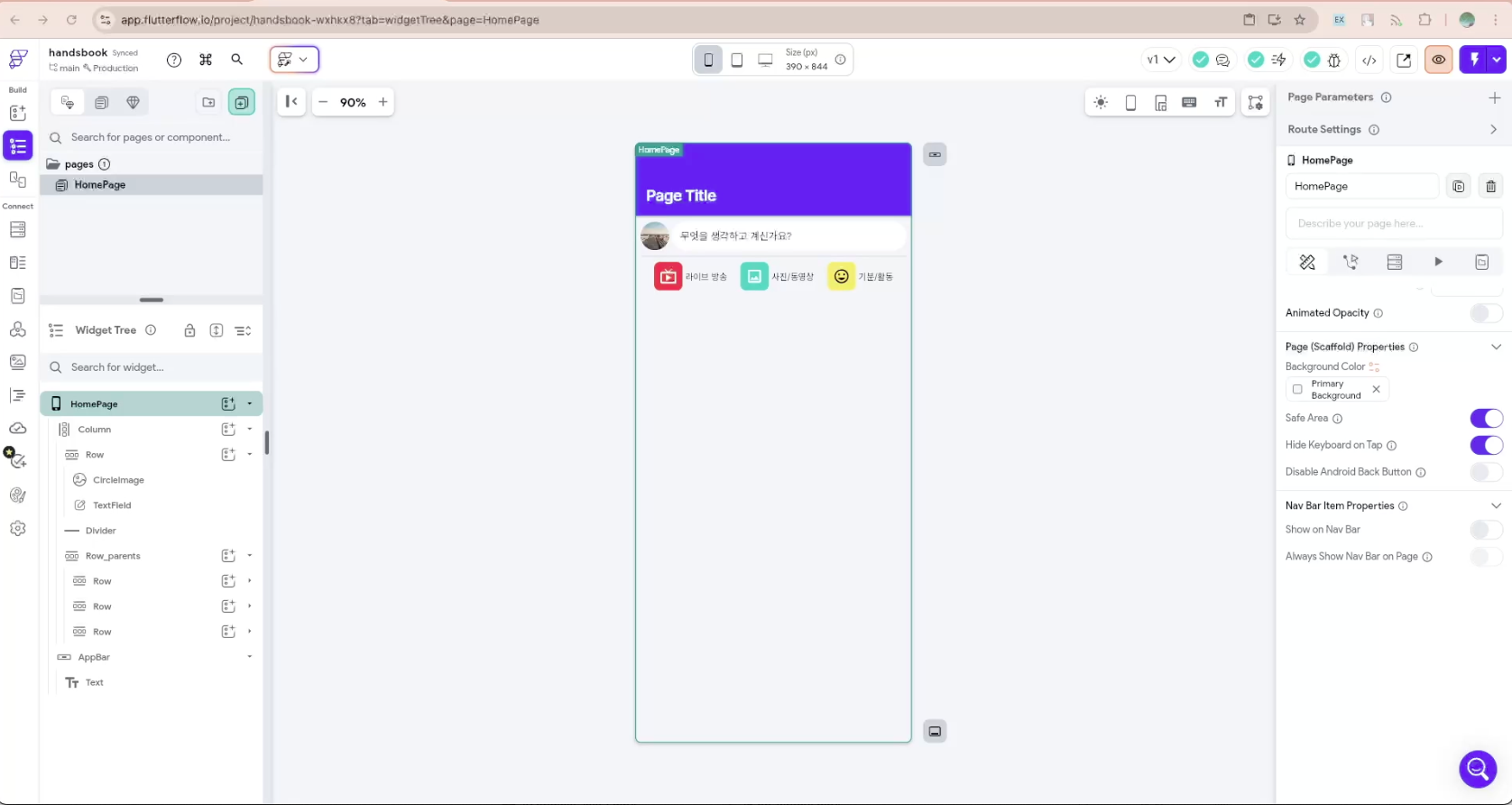
UI composition using various FlutterFlow widgets
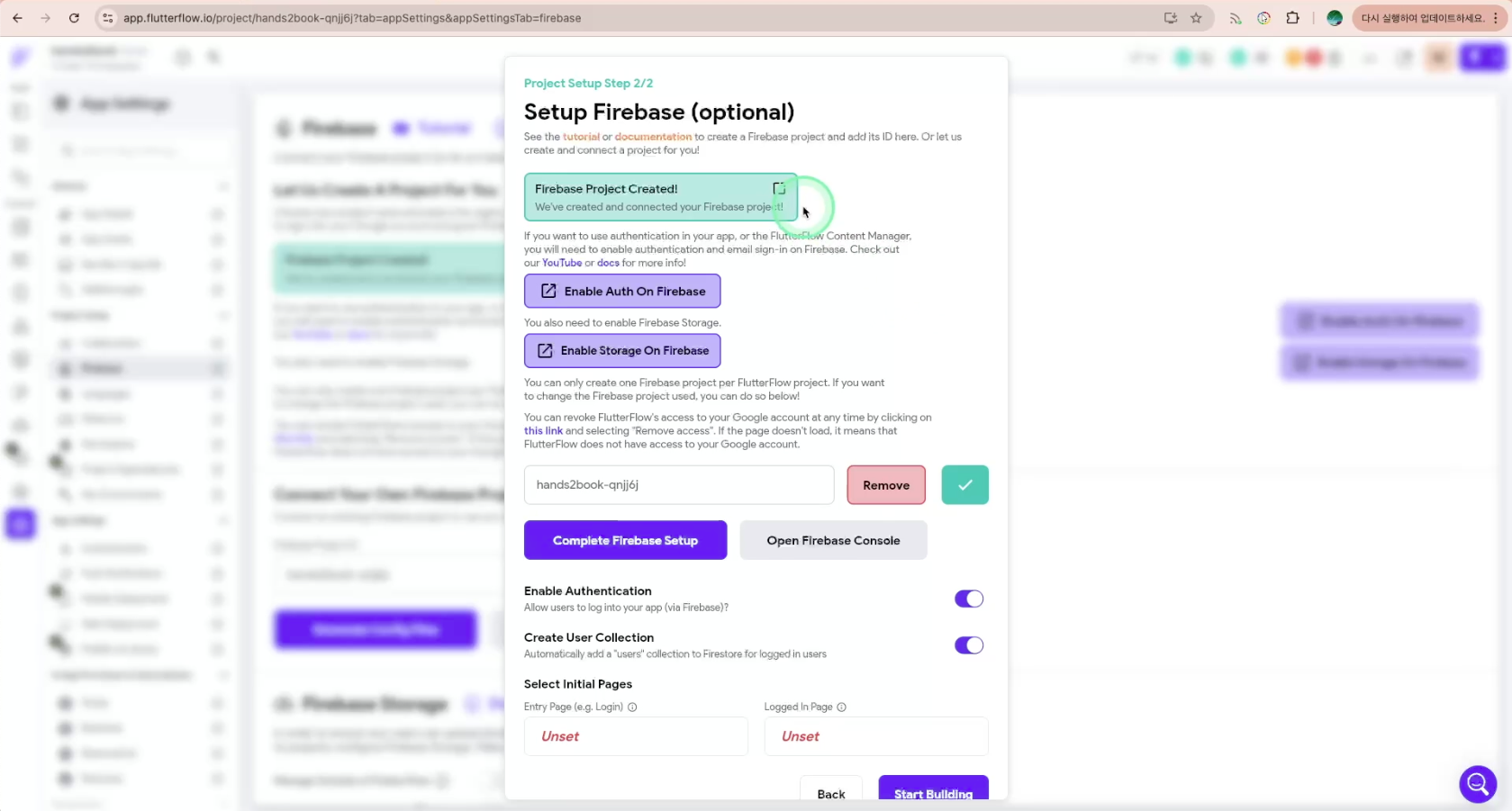
Firebase Database setup, permission management, and security configuration
Implementing no-code apps using conditional statements, variables, etc.
Practice with various types of execution modes
โ
Understanding FlutterFlow basics (learning widget structure and app development methods)
โ
UI composition and navigation (page transitions, ListView, Actions utilization)
โ
Firebase integration and data management (applying Firestore, Storage, Backend Query)
โ
Implementing sign-up and login (utilizing Firebase Authentication)
โ
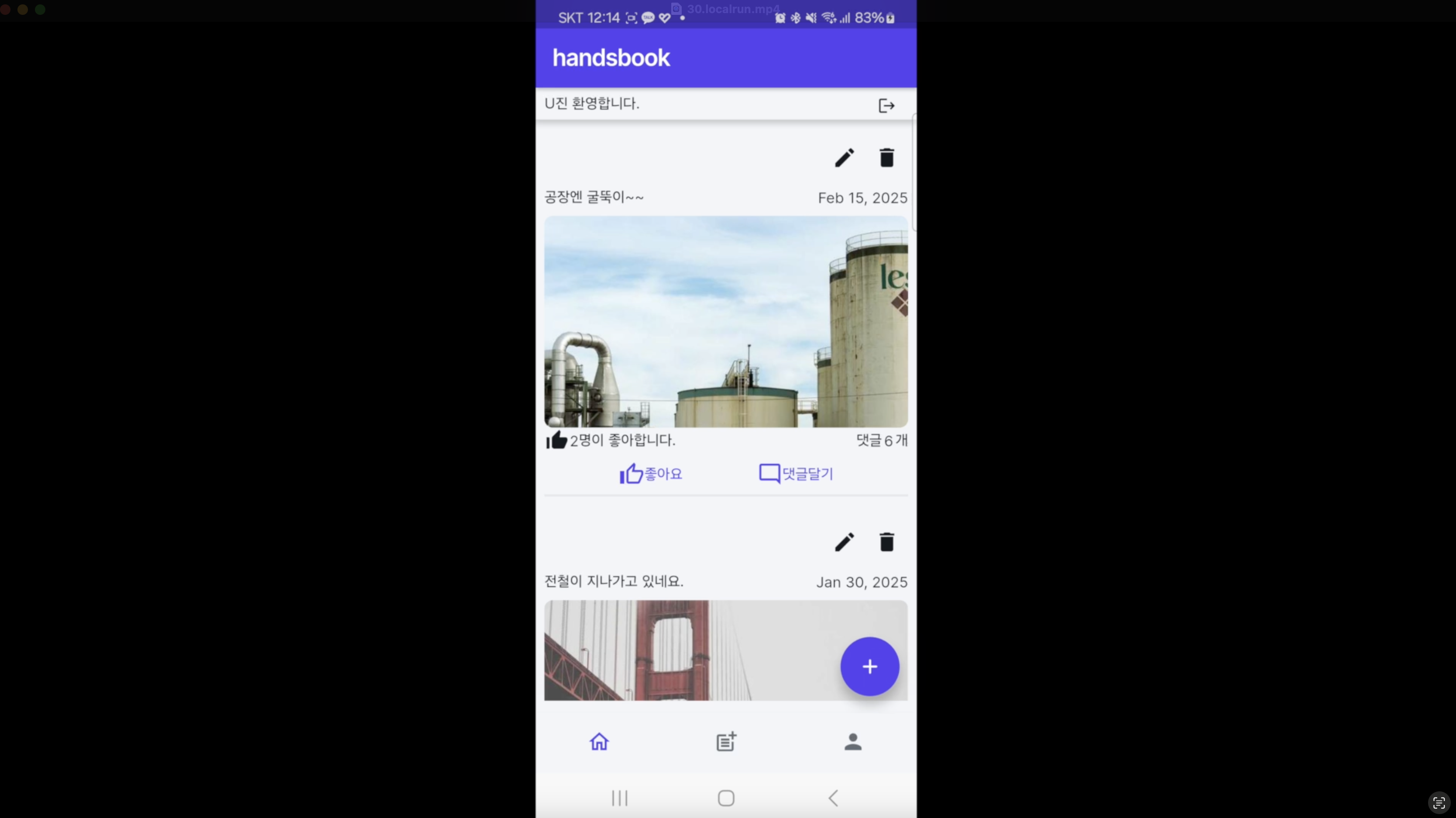
Post creation and editing features (adding, modifying, deleting, and uploading data)
โ
Adding comments and like features (setting up Subcollections and data relationships)
โ
Image upload and management (file storage through Firebase Storage)
โ
Controlling app behavior using conditional statements (applying Visibility, App State, Backend Logic)
โ
App security and Firestore rules configuration (Firestore Rules and access permission management)
โ
App deployment and operation strategy (learning iOS, Android, Web deployment processes)
๐ You can create apps on your own.
Rather than just following along, you'll understand the principles of how apps work and the flow of data.
Through this, after the course, you'll be able to utilize various features of FlutterFlow to plan and implement the apps you want
yourself.
๐ You'll be able to build and manage databases using Firebase.
You'll learn how to build and
utilize databases needed for real services, such as user registration, login, post management, and comment features. From NoSQL database concepts to Query utilization,
you'll gain hands-on experience and develop skills applicable in real-world scenarios.
๐ You can use the completed real-world app as your portfolio.
You'll learn through hands-on practice by directly creating an SNS-style app. By the time you finish the course, you'll be able to complete an app with user registration, post creation,
comment and like features, and by using it as your portfolio, you'll demonstrate your app development experience
and acquire skills that can be utilized in real-world work.
Yes! FlutterFlow is a drag-and-drop no-code tool, so you can create apps without programming. This course explains everything step by step from basic concepts to real-world projects, making it easy for beginners to follow along.
You can create a social network app that includes user registration, post creation, comments, and like features. Through hands-on practice, you'll learn how apps work and directly implement data storage and authentication features using Firebase.
To use database and user authentication features in FlutterFlow, Firebase integration is required. The course provides easy-to-understand explanations of Firebase integration, data storage, and authentication handling, so even first-time users can learn without any issues.
Yes! The course covers everything from testing apps in a virtual environment to testing methods in local environments needed for iOS, Android, and web deployment. By following along with the hands-on exercises, you can even launch your own app on the store.
You can quickly prototype apps without coding and save on development costs and time. It's an optimal tool especially for startups, individual developers, planners, and anyone who wants to quickly implement their ideas.
Hello, I'm U-jin.
I started with development and worked at companies for about 10 years, and now I mainly do management work.
A few years ago, the term no-code emerged and many tools were born. Actually, the no-code concept has existed for a long time. However, there were no no-code tools that could develop the backend.
Now, even if you're not a professional developer, anyone with just an idea can easily develop. I've prepared this course so you can practice while acquiring foundational knowledge, not just a theory-only lecture or a practice-only lecture.
The theoretical education content used in the lecture can be found at blog.naver.com/usavetime.
No prior knowledge required. Enthusiastic mindset welcome!
Who is this course right for?
People who want to develop apps easily and quickly
Someone who is just starting with FlutterFlow
Someone who has coding knowledge but is new to app development
Someone who wants to know about no-code platforms
56
Learners
18
Reviews
7
Answers
4.9
Rating
1
Course
I cover the entire spectrum of IT, ranging from development to security.
I am currently working at one of the top tech companies (NAVER, Kakao, or LINE) and am preparing useful lectures based on what I have learned throughout my career.
I will help you grow.
All
32 lectures โ (4hr 54min)
All
18 reviews
4.9
18 reviews
Reviews 4
โ
Average Rating 5.0
5
Because you explained it so easily, even beginners could follow along well and learn. Thank you. ^^
Hello, Bonobono-nim. Although I have many shortcomings, it's a great encouragement to hear that I can follow along and learn well. Thank you~
Reviews 1
โ
Average Rating 5.0
Reviews 2
โ
Average Rating 5.0
Edited
5
I'm leaving this course review hoping it will be helpful to other students. I became interested in app development and, as a non-major, I was considering no-code tools. I chose FlutterFlow over Bubble to utilize faster loading speeds and push notification features. After deliberating on learning methods, I took this course first. (There aren't many FlutterFlow courses in Korean available in Korea.) 1. What you can gain from this course - Understanding of how to use FlutterFlow - Creating a minimal app with bulletin board and comment features using FlutterFlow 2. What you cannot do with this course alone - Implementing features such as social login, phone number login, GPS authentication, push notifications, chat functionality, app store (Google Store) launch, etc. 3. What I hope for - I think most people making apps probably dream of apps like Karrot Market, Airbnb, or Instagram. I know these are super apps, but I think many people would want to implement features like social login, chat, photo and video uploads, not just bulletin boards and comments. Therefore, if possible, I think it would be very helpful to many people if you could create a course on clone app making of famous apps using no-code, similar to clone coding. To be honest, while taking the course, I wanted to understand why certain variable values should be used, why parameters need to be passed, and how to structure the DB to implement different features, but I couldn't. I know that explaining concepts would require several hours of content for just one topic, so I think of this as just a taste. However, I feel there are definitely parts that need to be understood, and I wish there was at least a minimal explanation of how to proceed with learning going forward. Honestly, after taking the course, I felt a bit lost about how to realistically create a launchable app. <Summary> - Please create a course on cloning famous apps. - Please add as the final lecture [To make better apps (chat, social login, phone number login, GPS authentication, importing APIs like weather, push notifications, chat features, app store launch, DB structure design and understanding, etc.), I want to know what learning approach is best going forward and how to fill in the gaps.] - I hope you can create a communication channel for students taking this course. (The FlutterFlow community seems too weak.) 4. Why I gave a 5-star rating - I chose FlutterFlow due to the specificity of the app I want to implement, but the Korean FlutterFlow community is very weak. I understand that globally, FlutterFlow has the highest market share among no-code tools, but most Korean open chat rooms only exist in form and aren't actively managed. In Korea, it seems more people choose Bubble as their no-code tool. Perhaps for this reason, there are very few FlutterFlow courses in Korean in Korea, making them precious. That's why there are currently only 3 on Inflearn. I plan to take all of them, but honestly, I'm so grateful just that you created this course. I know that knowledge sharing is difficult and requires a lot of effort. I sincerely want to express my gratitude. And if you have time in the future, I would appreciate it if you could consider the points I mentioned in my hopes. Happy New Year, and stay healthy. And to all other students taking this course, fighting!
Reviews 1
โ
Average Rating 5.0
Edited
5
What was difficult every time I studied Kotlin and Flutter was... how quickly things kept changing, but it's so great that I can study without any problems as of now when I'm writing this review... And I think the lecture is even better because it pinpoints exactly what I wanted to know. One more thing, there's an issue around lecture 17... For non-experts, https://esanghanwooju.tistory.com/3 <--this has the most detailed explanation, so you can refer to it.
Hello Olim. Thank you for your course review~ It's a great encouragement to hear that the lecture was helpful. Fighting until you complete the course!
Reviews 11
โ
Average Rating 5.0
Edited
5
I have been steadily learning programming-related content as a hobby, albeit at a shallow level, and I've always wanted to establish myself as a solo developer someday. Until now, I felt a significant barrier to entry into the unknown world of backend integration, servers, security, and so on. This course was great because it provided concise explanations from basic UI to Firestore integration! What I noticed while watching various courses and YouTube videos was that there are plenty of basic courses and occasionally advanced courses for professionals, but I felt there weren't many courses targeting people in the middle ground. Through this course, I was able to break through the parts where I was stuck. I'm curious if you have plans to add 'code courses worth covering in FlutterFlow' such as custom functions~ I understand Dart/Flutter code at a basic level. I'm curious about how this feels when applied in FlutterFlow! For example, things that can be handled as actions within FlutterFlow wouldn't need separate code writing, and I'm curious about what custom code is frequently used outside of actions, what that boundary(?) is, and how experts utilize custom code~ +Additionally, I'm curious about responsive app design! I understand the concept to some extent, but I'm wondering if you have plans to cover practical content on how to best handle device size-appropriate design (padding, font size, etc.) for different devices!
First, thank you so much for your precious course review! Your journey as a solo developer pursuing your dreams is admirable, and I sincerely support you to achieve success! Regarding the Custom Function you mentioned, it's used when processing data and when frequently used across multiple pages. Let me give you an example from a project I'm personally working on. There's logic that takes keywords like love and sadness as input and expresses them as colors. By processing them as shown below to express specific keywords as colors, if you use this frequently across multiple screens, using custom functions would be convenient. Color getEmotionColor(String emotion) { switch (emotion) { case '์ฌ๋': return Color(0xFFFF8A80); // Coral Pink case '์ฌํ': return Color(0xFF90CAF9); // Soft Blue } } You also inquired about responsive UI, which can definitely be implemented with custom functions. Regarding follow-up courses, I had considered it when first creating the course, but currently I don't have the capacity due to my main job and personal projects.๐ญ If the opportunity arises, I'll try to post related content on my blog. Thank you once again. Thank you.
Thank you for taking the time to leave a reply despite being busy~ Now that I think about it, responsive design was something I could have searched for sufficiently, and thank you for explaining about custom functions as well~ Thank you for the great lecture!
Explore other courses in the same field!