
inflearn logo

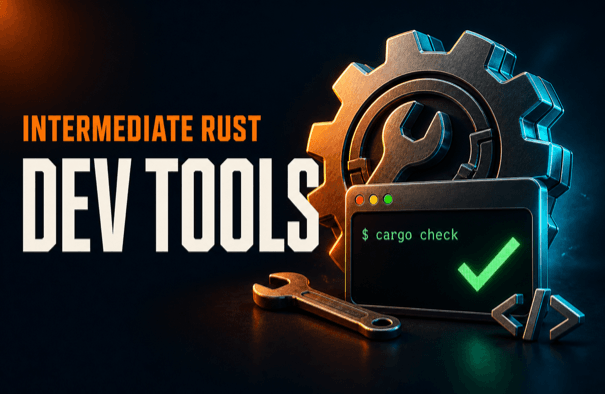
Elegant Rust Intermediate - Basic Development Tools Edition

Learn field-tested techniques for everything from toolchain configuration to formatting, linting, testing, and documentation, using Rust’s standard built-in tools to resolve environment differences and code quality issues. Become a better Rust developer.

2 learners are taking this course

Level Intermediate

Course period Unlimited

Rust
Rust
cargo
cargo
rustup
rustup
rustfmt
rustfmt
Rust
Rust
cargo
cargo
rustup
rustup
rustfmt
rustfmt

What you will gain after the course

  • Rust’s standard built-in tools can systematically verify your code’s formatting, linting, compilation, and tests.

  • You can correctly configure and manage the Rust toolchain, dependencies, and features for each project.

  • You can assess the compiler and Clippy’s suggestions and safely review the results of automatic fixes.

  • You can write API documentation that includes executable examples and validate it with documentation tests.

  • You can gain the confidence to build a stable development workflow on your own by becoming proficient with Rust development tools.

Robust Code Built with Rust’s Core Standard Tools

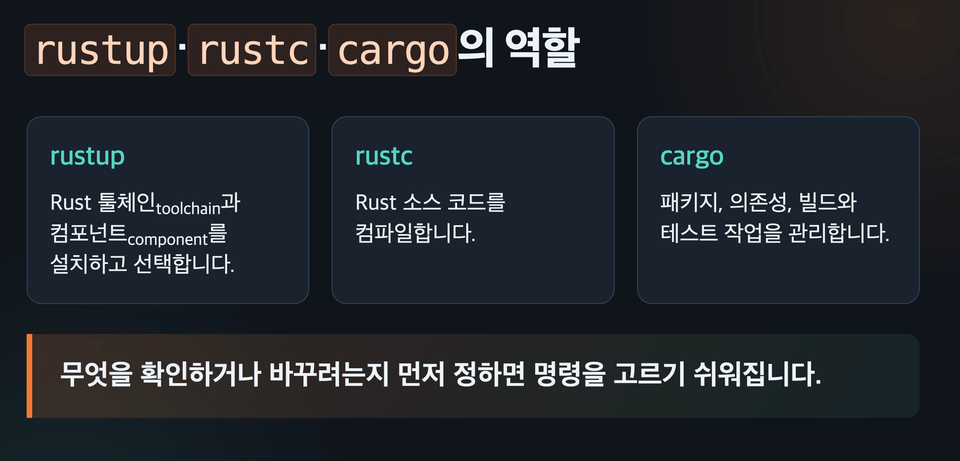
Learn rustup, cargo, rustfmt, clippy, and other development tools provided by Rust by following a single practical workflow. From toolchain management to formatting, linting, compiling, testing, and documentation, perform each step yourself and upgrade your ability to manage stable Rust projects.

  • You’re familiar with Rust development, but are you only using the basic features of the tools you always use?

  • Do you want to master the various features of basic tools and become a more productive Rust developer?

What you’ll learn Lasanble

(1) Create a Consistent Rust Development Environment for Every Project

Manage the project's Rust version and required components using rustup and rust-toolchain.toml. Clearly understand the difference between the development toolchain and the minimum supported Rust version (MSRV).

Distinguish and use the commands for updating the baseline Rust version used by the project and updating the versions of the libraries it uses.


Choosing the Core Tools

(2) Understanding Rust’s Unique Features and Targets

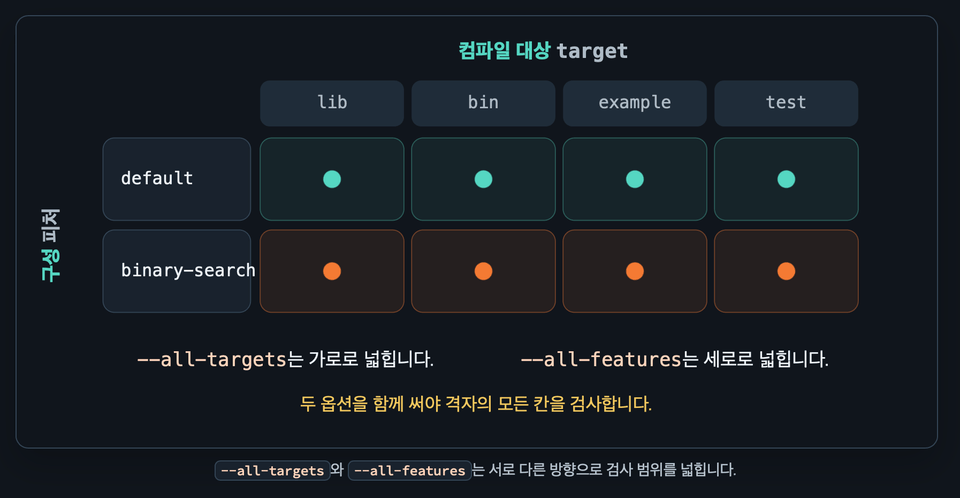
Clearly understand the difference between features and targets as distinguished by cargo and rustc, and maintain a robust project by building or testing against the correct target and features.

Distinguishing and Checking Features and Targets

(3) Sufficient Formatting and Linting with Basic Tools

Using rustfmt, the formatter included with Rust’s basic tools, and clippy, its linting tool, you can automatically standardize code formatting and apply lint recommendations to write consistent and efficient code.

Learn how to enable this feature in the editor, using VSCode and Zed as the primary examples.

(4) Unit Testing and Integration Testing

Clearly distinguish between unit tests and integration tests to conduct effective automated testing suited to each purpose.


Notes Before Taking the Course

Practice Environment

  • Operating system and version (OS): macOS, Windows, Linux

  • Required tools: A PC on which Rust and Cargo can be installed

  • Recommended editors: VS Code or Zed, or any other editor that supports Rust

  • No separate paid programs or high-spec PC are required.

Learning Materials

  • Course textbook and slides

  • Rust examples and practice code that allow you to run commands directly

  • Development Tool Command Cheat Sheet

  • Comprehensive Practice and Quiz

Prerequisites and Notes

  • It is intended for learners who understand Rust’s basic syntax and ownership concepts.

  • Introduction to and Practical Use of Rust, an Elegant High-Performance Programming Language It will be more beneficial to take this course after completing that course.

  • Rather than merely watching the lectures, we recommend running the commands yourself in the example repository.

  • Depending on the Rust version, some output or Clippy diagnostics may differ from those shown in the lecture.

  • Although the course is conducted on macOS, there are no major differences on Windows or Linux.

Recommended for
these people

Who is this course right for?

  • Beginner Rust programming language course participant

  • A developer who was weak on the details of standard tools while developing in Rust

  • A developer who used familiar Rust standard tools the way they always had.

Need to know before starting?

  • Rust's ownership concept

  • Rust Basics

Hello
This is hatemogi

2,082

Learners

168

Reviews

27

Answers

4.7

Rating

7

Courses

I am a backend developer with a strong interest in functional programming. I have led development teams as a development team manager at Kakao, a principal engineer at NHN, and a lead at LINE+. I also worked as the head of the development team at an AI startup called Dnotitia, where I worked on projects using Rust.

More

Curriculum

All

19 lectures ∙ (2hr 33min)

Published: 
Last updated: 

Reviews

Not enough reviews.
Please write a valuable review that helps everyone!

hatemogi's other courses

Check out other courses by the instructor!

Similar courses

Explore other courses in the same field!

Limited time deal

$16,500.00

50%

$26.40