

P2P Communication Using WebRTC That No One Tells You About
July
$36.30
Beginner / Go, webrtc, p2p, JavaScript, Socket.io
4.0
(10)
You can learn about implementing webcam and peer-to-peer communication using WebRTC.
Beginner
Go, webrtc, p2p
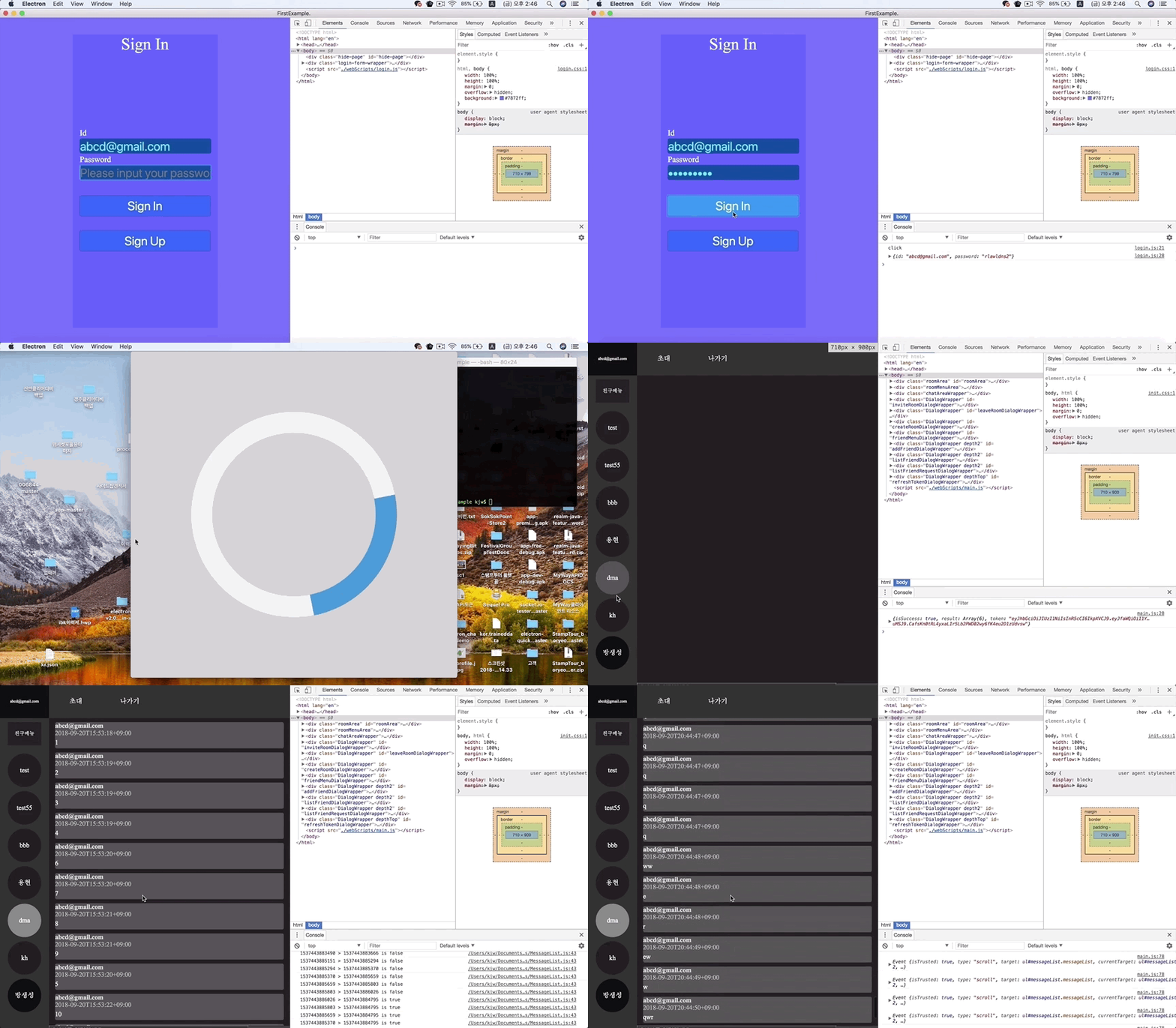
Based on the lecture content, you will learn how to write a basic chat application and the basic structure of Electron and NodeJS.
214 learners
Level Basic
Course period Unlimited

Reviews from Early Learners
5.0
Panamera Turbo
I was able to check the functional parts by dividing them into each dialogue, and I didn't copy and paste the comments from the person who left the review, but I listened to the class by copying and pasting the relevant parts by referring to the code provided, so it was okay! It was my first time using Electron, and I liked that I could easily create an app by running the client and server together for functions such as creating a room and inviting friends! However, even though I listened to it by referring to the comments, I was surprised when I turned up the volume because the coughing sound was louder than I thought because the voice was small! The keyboard was also good, so the rattling sound was really loud, and in the latter half of the lecture, the sound of the MacBook's fan was louder than I thought. (At first, I thought it was mine..) When implementing the backend socket, the video sound was broken, and there was a part where it sounded like a spaceship warping and a banging sound. I even had a small suspicion that you uploaded it without checking the lecture video.ㅠㅠ And since it was a lecture video, the screen shook a lot every time I typed a key because you used the power mode plugin, and when I pasted a lot of code, it would sometimes go BAM BAM, so I couldn't hide my laughter! (That's what it's for, but it was hard to see in the lecture video!) I had some inconveniences with the video and sound, but the code itself was well written, so after completing it all, I felt relieved and rewarded, thinking, 'Oh, I finished it well!' It was a different experience to take the class! I still want to take the class if there are additional lectures for the current project! Thank you!
5.0
도전적인 불가사리
It was a good lecture
5.0
bcu
My understanding of Electron has improved significantly. Thank you.
Developing Desktop Applications Using Electron
Implementing a real-time messaging application using Node.js and Socket.io
Implementing Express middleware functions and authenticating users
Developing UI components using HTML, CSS, and JavaScript
Deploying servers using IBM Bluemix
- Based on the lecture content, you will learn how to create a basic chat application and the basic structure of Electron and NodeJS.
It is a Javascript framework that runs on the Node JS runtime and is a library that helps create applications that run on desktop OSs (Linux, OSX, Window) using web technologies such as Javascript, HTML, and CSS .

Hello, I am Jiwoon Kim, who worked at THATZIT, a location-based mobile application development startup, in charge of Backend (NodeJS), iOS (Swift), and Android (Java) development. Now, I am an individual developer working on personal projects (map sharing service, chat application) and side jobs.
Who is this course right for?
Beginner in Programming
People interested in developing real-time chat applications
Anyone who wants to learn how to develop desktop applications using Electron
People interested in real-time communication using Node.js and Socket.io
People interested in developing desktop applications using web technologies.
All
29 lectures ∙ (13hr 59min)
All
11 reviews
3.8
11 reviews
Reviews 2
∙
Average Rating 5.0
Reviews 2
∙
Average Rating 5.0
Reviews 3
∙
Average Rating 4.7
Reviews 12
∙
Average Rating 5.0
Reviews 5
∙
Average Rating 5.0
5
I was able to check the functional parts by dividing them into each dialogue, and I didn't copy and paste the comments from the person who left the review, but I listened to the class by copying and pasting the relevant parts by referring to the code provided, so it was okay! It was my first time using Electron, and I liked that I could easily create an app by running the client and server together for functions such as creating a room and inviting friends! However, even though I listened to it by referring to the comments, I was surprised when I turned up the volume because the coughing sound was louder than I thought because the voice was small! The keyboard was also good, so the rattling sound was really loud, and in the latter half of the lecture, the sound of the MacBook's fan was louder than I thought. (At first, I thought it was mine..) When implementing the backend socket, the video sound was broken, and there was a part where it sounded like a spaceship warping and a banging sound. I even had a small suspicion that you uploaded it without checking the lecture video.ㅠㅠ And since it was a lecture video, the screen shook a lot every time I typed a key because you used the power mode plugin, and when I pasted a lot of code, it would sometimes go BAM BAM, so I couldn't hide my laughter! (That's what it's for, but it was hard to see in the lecture video!) I had some inconveniences with the video and sound, but the code itself was well written, so after completing it all, I felt relieved and rewarded, thinking, 'Oh, I finished it well!' It was a different experience to take the class! I still want to take the class if there are additional lectures for the current project! Thank you!
Thank you for listening to the lecture. It was my first time making it, and since the place I filmed was right next to a train track, I tried to avoid train times as much as possible, but it was difficult. I will pay more attention to the keyboard keystroke sounds and other sound-related points you pointed out in the next lecture or video shoot, and I will try to film a better quality video.
Explore other courses in the same field!
$40.70