

inflearn logo

Data Visualization & Insight Analysis with Power BI

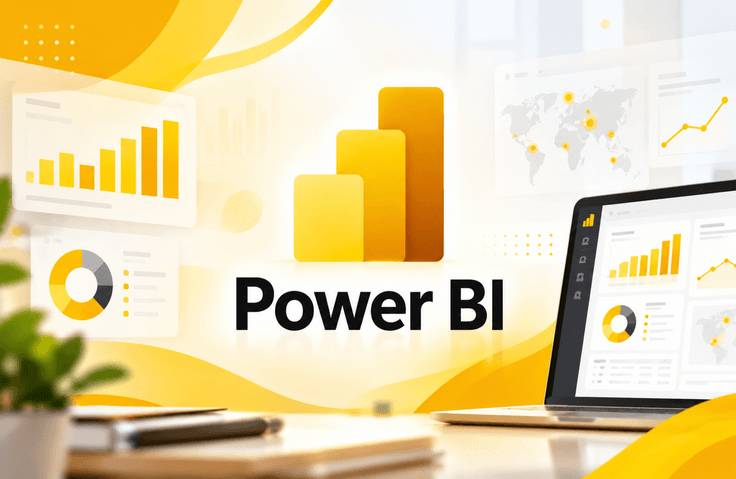
Hello, I’m Kyungdeok Park, currently responsible for RPA development and operations as well as data visualization training at Company P in the food industry. Following my Power Automate course, I have now officially launched my Power BI course on Udemy. [Complete Data Visualization & Insight Analysis with Power BI] Power BI is a free business intelligence (BI) tool provided by Microsoft. It is a powerful tool that enables you to analyze data visually and create dashboards optimized for practical business reports. Today, countless companies are adopting Power BI to make data-driven decisions beyond Excel. Power BI goes beyond being a simple graphing tool—it also supports data modeling, DAX calculations, and automated reporting systems. [Can Data Visualization Really Be This Easy to Learn?] This course is designed so that non-IT majors, data beginners, and professionals responsible for business reports can follow along with ease. Using sample data very similar to what is used in real-world companies, the course progresses step by step with a hands-on focus. In particular, the following areas are emphasized: A beginner-friendly roadmap starting with Power BI Desktop installation Practice using an intuitive, Excel-like interface and various visualization charts Practical skills that can be applied immediately, including hierarchies, conditional formatting, and dashboard creation A clear summary of the core concepts of DAX formulas to help you develop the ability to understand data Exporting reports to PowerPoint, PDF, Excel, and other formats Hands-on practice with report layouts and chart usage frequently featured in the practical exam for the Management Information Visualization Competency Test [Power BI Desktop Can Be Installed for Free by Anyone.] Even without a Microsoft365 account, you can install Power BI for free from the official Power BI website. The course also provides installation instructions at the beginning. [This Course Is Recommended for Those Who:] Want to present sales, customer, inventory, and operational data in reports Are new to Power BI Are tired of Excel PivotTables and VLOOKUP and need an automated visualization tool Are responsible for internal data analysis and need to present performance indicators and trends Want to master at least one BI tool for a career change or work portfolio Are preparing for the practical exam of the Management Information Visualization Competency Test Having used Power BI firsthand in the workplace and delivered training on it, I will guide you through Power BI in the most practical and intuitive way possible. Go beyond reports and discover insights! Start your Power BI journey with me today.

1 learners are taking this course

Level Beginner

Course period Unlimited

Power BI
Power BI
data-visualization
data-visualization
Excel PowerQuery
Excel PowerQuery
dax
dax
data-modeling
data-modeling
Power BI
Power BI
data-visualization
data-visualization
Excel PowerQuery
Excel PowerQuery
dax
dax
data-modeling
data-modeling

What you will gain after the course

  • You can install Power BI Desktop and connect to various data sources (Excel, Web, databases, etc.).

  • You can use DAX functions (measures and calculated columns) to calculate key metrics and build analytical models.

  • You can use Power Query to clean data and transform it into a format suitable for analysis.

  • You can create insight-driven visualization reports by configuring various charts, such as bar charts, doughnut charts, treemaps, and map visualizations.

  • You can publish reports to the Power BI Service and create, share, and set up subscriptions for dashboards.

  • You can design exploratory reports by applying interactive features such as drill-down, drill-through, and interactive editing.

  • You can deepen your analysis with advanced features such as finding insights, analyzing data increases and decreases, and conditional formatting.

Power BI Data Visualization & Insight Analysis: Creating a Practical Dashboard

From installing Power BI Desktop to connecting data, preprocessing data using Power Query, applying DAX functions and data modeling, and creating various visualization charts, you will learn step by step. You will also create interactive reports and dashboards using data applicable to real-world tasks, such as sales, customers, and inventory, and learn how to publish and share them through Power BI Service.

This course is practice-oriented, making it easy for beginners and non-majors who are new to Power BI to follow along. You will develop practical skills applicable to data analysis, business management, sales, marketing, finance, and operations, and learn how to effectively communicate data and derive insights needed for decision-making.

What You’ll Learn

Key Keywords and Learning Content

1. Power BI Desktop Basics
Learn everything from installing Power BI Desktop and understanding its interface to importing data and setting up a basic analysis environment.

2. Data Connection and Preprocessing
Learn how to connect to various data sources, such as Excel, the web, and databases, and use Power Query to clean and transform data.

3. Data Modeling and DAX
Learn how to establish relationships between tables and use DAX functions to create measures and calculated columns. Through this, you will learn how to calculate key business metrics such as sales, performance, and ratios.

4. Data Visualization and Chart Creation
Effectively represent data using bar charts, pie and doughnut charts, line charts, combo charts, waterfall charts, scatter plots, treemaps, and map visualizations.

5. Design Interactive Dashboards
Create reports that allow users to explore data themselves using slicers, filters, drill-downs, drill-throughs, bookmarks, buttons, and interactions between visual elements.

6. Data Analysis and Deriving Insights
Use conditional formatting, trend lines, decomposition trees, and data increase/decrease analysis features to identify key trends and performance differences, and derive insights that support business decisions.

7. Power BI Service and Report Sharing
Learn how to publish completed reports to Power BI Service, create, edit, and share dashboards, and configure subscriptions and export reports.

Key Learning Objectives: By the end of the course, you will be able to carry out the entire Power BI analysis process, from directly connecting and preprocessing data to data modeling, DAX calculations, visualization, creating interactive dashboards, and sharing reports.

Before You Enroll

Learning Materials and Delivery Format

This course is structured around video lectures and hands-on practice, making it easy to follow even for learners who are new to Power BI.

  • Video lectures: The course consists of 6 sections and 39 lessons, with a total lecture time of approximately 7 hours and 11 minutes.

  • Hands-on materials: Using data similar to real-world work environments, you will practice connecting data, preprocessing, data modeling, writing DAX functions, and creating visualizations.

  • Downloadable materials: One downloadable resource is provided for use in learning.

  • Practice software: Power BI Desktop is used, and a Windows-based PC or laptop is required. Power BI Desktop can be installed for free.

  • Learning support: You can watch the lectures on mobile devices and TVs, and use subtitles to understand the learning content.

Note: The course is provided in the form of online videos, allowing learners to review the material repeatedly at their own pace. Please check the course platform for the specific file formats and sizes of the downloadable materials.

Prerequisite Knowledge and Important Notes

1. Prerequisites and Preparations

  • Beginners who are new to Power BI can also take this course.

  • No programming or coding knowledge is required.

  • Basic experience using Excel can be helpful for learning, but it is not required.

  • You need a Windows-based PC or laptop on which Power BI Desktop can be installed. Power BI Desktop can be installed for free.

2. How to Watch and Learn from the Course

  • We recommend watching the video lectures in order while learning how to use each feature.

  • It is effective to follow along and practice hands-on with data connections, Power Query, DAX functions, data modeling, and visualization features.

  • For parts that are difficult to understand, watch the lecture repeatedly and try creating various charts and dashboards using data yourself.

  • For smooth learning, a stable internet connection and an environment where you can hear the audio clearly are recommended.

3. Questions and Learning Support

  • Questions about the course content can be submitted through the Q&A or question feature provided on the course platform.

  • When asking a question, providing specific details about the relevant lecture topic and the issue you encountered will help you receive a more accurate answer.

  • Please check the course platform’s announcements and course page for information on course updates and whether additional materials are provided.

4. Additional Information
This course combines theoretical explanations with hands-on practice to help learners understand Power BI's key features and apply them to their actual work. Improve your data analysis and visualization skills through consistent practice.

Recommended for
these people

Who is this course right for?

  • Those who need to build dashboards using Power BI, understand analytical workflows, and systematically learn the structure of visualization features

  • Those who want to create Power BI visualizations for reporting, persuasion, and presentations on their own

  • Working professionals who are just starting out in data analysis, non-majors, or anyone who wants to immediately apply visualizations for team reports in practice

  • Those who feel limited by Excel alone and want to create more intuitive data visualizations and reports.

  • Those who want to create insightful reports using data without complex coding.

Need to know before starting?

  • A Windows-based PC or laptop capable of installing Power BI Desktop

  • (Power BI Desktop can be installed for free—the course includes an installation guide.)

  • Basic experience using Excel is helpful for learning (not required).

  • No coding knowledge is required; anyone interested in data analysis and visualization can participate.

Hello
This is itgo1234

ITGO Co., Ltd., which operates ITGO, an IT e-learning website established in 2001, is a content production company that creates and distributes IT e-learning content.

ITGO produces courses by inviting practical experts and professional instructors from various IT fields, and continuously produces and provides approximately 150 new courses annually to keep pace with the ever-evolving and changing nature of the IT industry.

We also actively gather learners’ opinions and reflect them as much as possible in the planning and launch of new courses.

All our employees will continue striving to recruit excellent instructors and stay abreast of the latest trends in the IT field so that we can produce high-quality courses.

More

Curriculum

All

39 lectures ∙ (7hr 12min)

Course Materials:

Lecture resources
Published: 
Last updated: 

Reviews

Not enough reviews.
Please write a valuable review that helps everyone!

itgo1234's other courses

Check out other courses by the instructor!

Similar courses

Explore other courses in the same field!

Limited time deal

$25,740.00

10%

$22.00