Building Your Own AWS Cloud Infrastructure - Fundamentals
We will explore the detailed features and options of AWS's most fundamental and core services, and by implementing cloud architecture step-by-step using these services, we will understand the structure and operating principles of infrastructure while building both the capability and confidence to directly construct cloud infrastructure.


We will guide you through the new EC2 instance creation (Launch) screen!
Hello, this is Infraon Knowledge Sharer Nomad Content Lab.
· In April 2022, the screen for creating (launching) an EC2 instance in the AWS Management Console was changed. However, the change occurred at the time the renewal and video upload of this lecture were completed (April 2022), so it was not reflected in the lecture video.
· Since the curriculum of this course is continuous from beginning to end, it is difficult to produce a new video only for the EC2 instance creation (Launch) part, so we have created a guide document on using the new EC2 console. Please refer to it for your study. Thank you.
※ The guide document is attached as a 'New EC2 Creation (Launch) Screen Usage Guide.pdf' file in the [Note] Lecture Practice Notes (Please read before watching the video!) in the [Class Materials] compressed file of the lecture in the [LAMP Web Server and Application Load Balancer Configuration] chapter.)
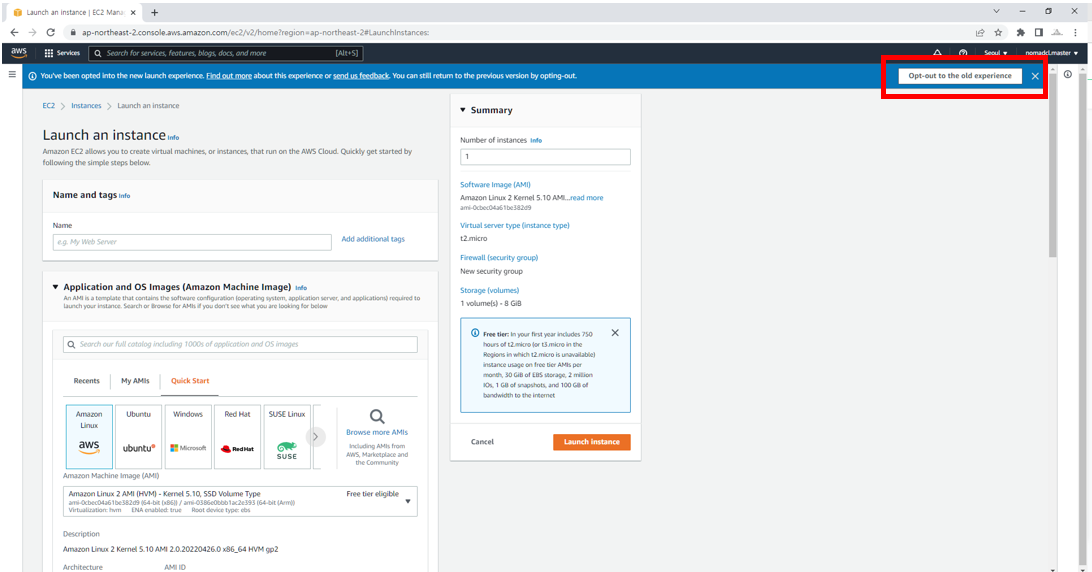
· For reference, if you click Opt-out to the old experience in the upper right corner of the Create New EC2 Instance (Launch) screen, you will be switched to the previous version of the screen and can proceed with the practice using the same screen (version) as the lecture.