

Building Your Own AWS Cloud Infrastructure - Fundamentals
We will explore the detailed features and options of AWS's most fundamental and core services, and by implementing cloud architecture step-by-step using these services, we will understand the structure and operating principles of infrastructure while building both the capability and confidence to directly construct cloud infrastructure.
News
9 articles
Hello, this is Inflearn Knowledge Sharer Nomad Content Lab.
As we announced last time, the [Build Your Own AWS Cloud Infrastructure - Basics] course has been renewed! 🎉
There are two main renewal contents:
① All videos have been changed to new lecture videos to reflect the latest AWS Management Console environment and updated features , and the lecture content and order have been organized in the same way as the existing videos to minimize disruption to the learning of existing students.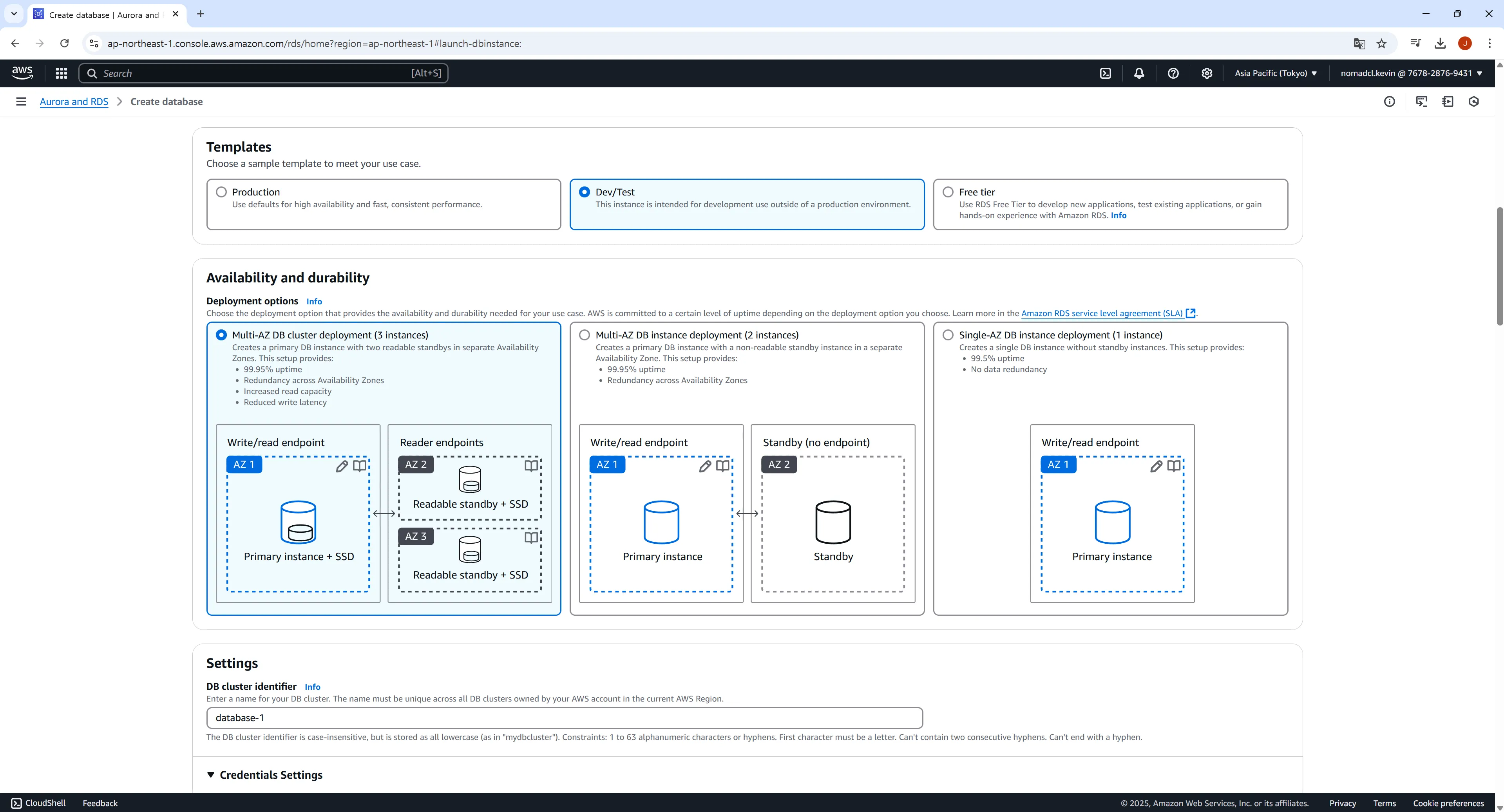
② To save on training costs and prevent excessive charges, we added a section for setting up budget alarms and organizing resources .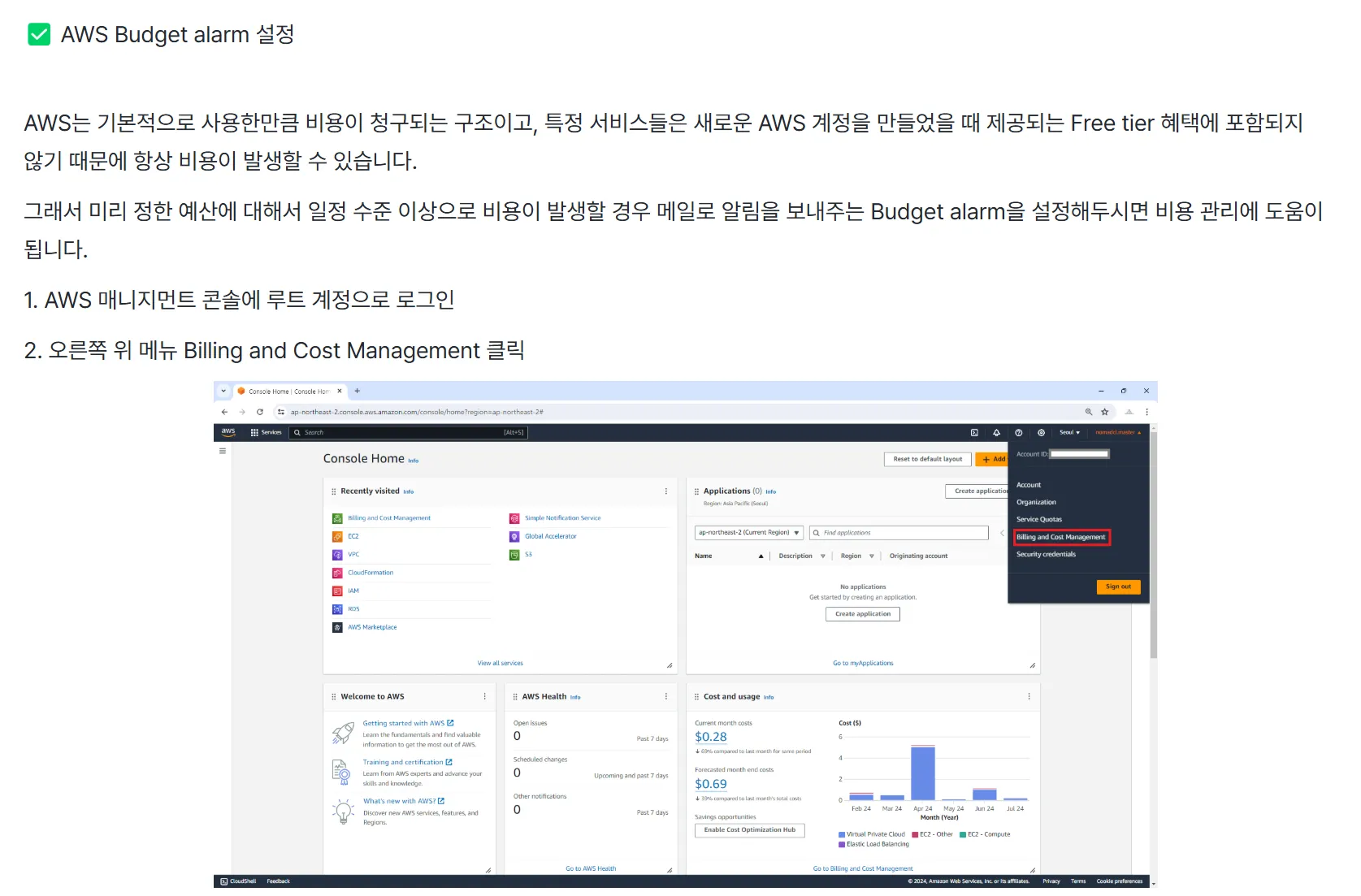
Thank you to everyone who is interested in the lecture and takes it, and I hope you will continue to support me in the future! 🙇♂・
Edited
Hello, this is Inflearn Knowledge Sharer Nomad Content Lab.
It's been a while since I've said hello. 🙇♂
[Build Your Own AWS Cloud Infrastructure - Basics] The course is renewed! 🎉■ What is the reason for the renewal?
① After the 2022 lecture renewal, many parts, such as the UI of the AWS Management Console, detailed functions and options of AWS services, have been updated. Some services have partially replaced the lecture videos with new screens or provided guidance through notices, but through this renewal, all videos have been updated.
[Past Load Balancer screen]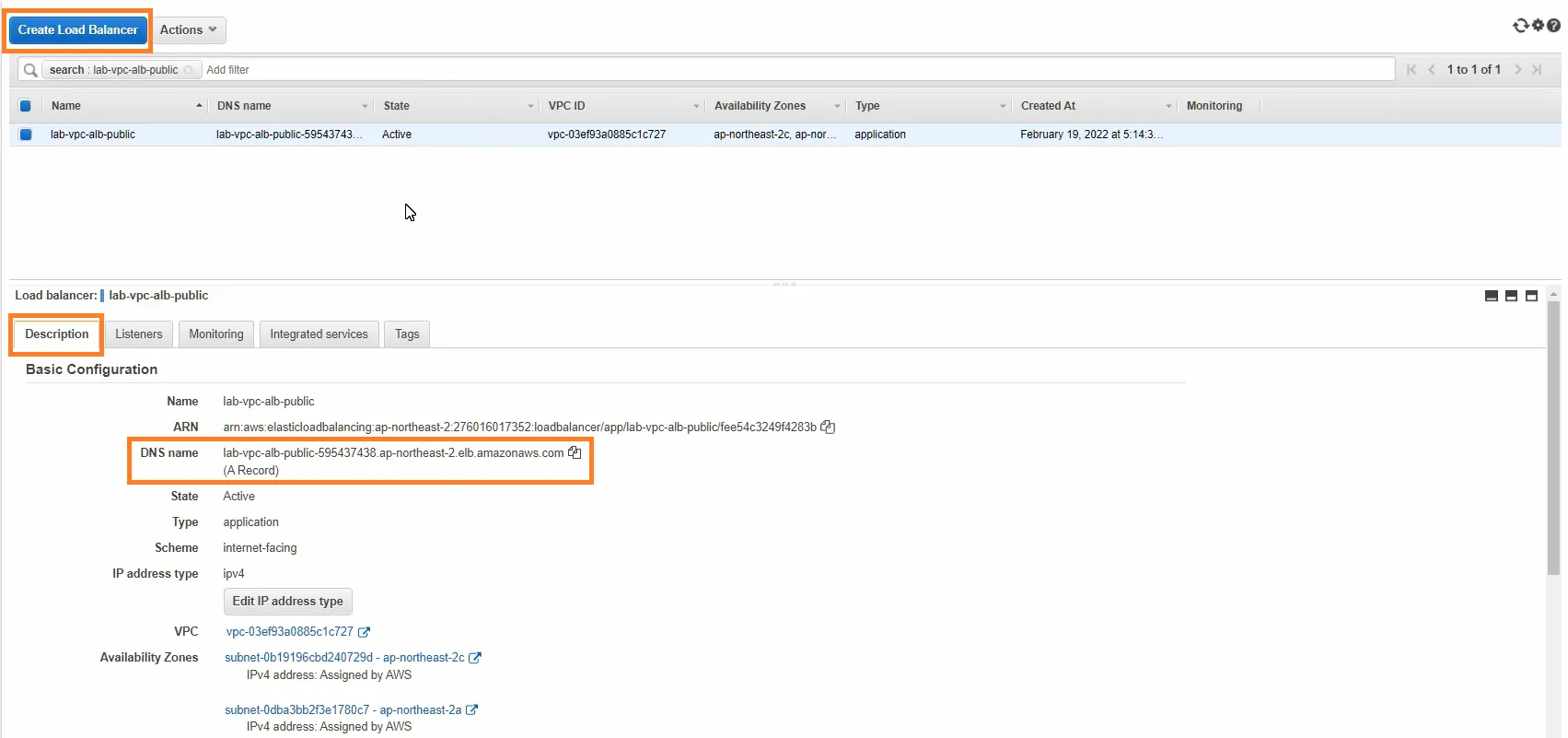
[Current Load Balancer screen]
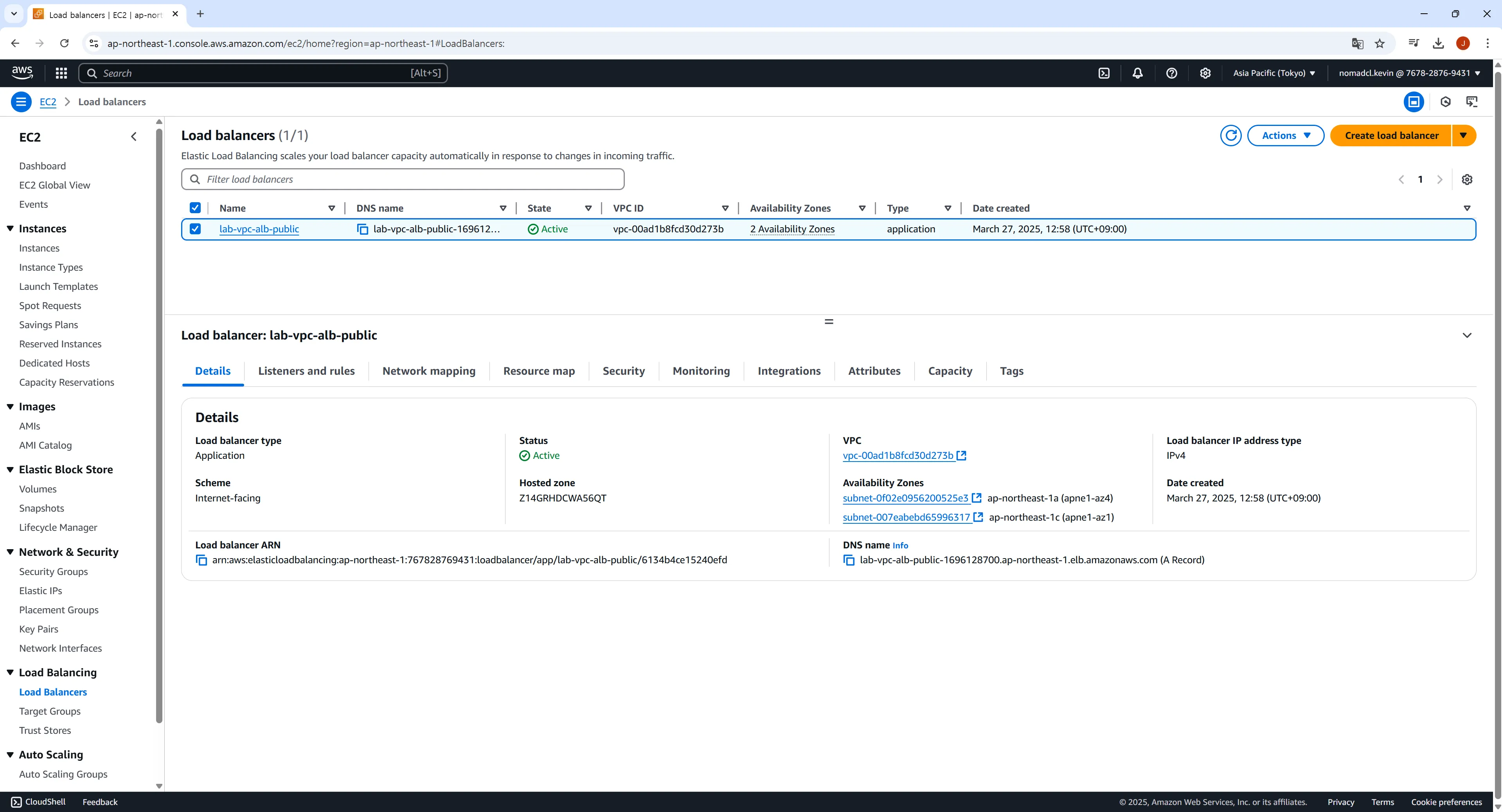
② Some resources used in the lecture are discontinued or scheduled to be discontinued. Some functions or services are still available, but they have all been updated to the current version (2025.03) for the convenience and effectiveness of learning.
※ Examples of deprecation or planned deprecation: Amazon Linux 2 scheduled to be deprecated in June 2026, RDS db.t2.micro to be deprecated, etc.
[Amazon Linux 2 End Of Life (EOL) Screen]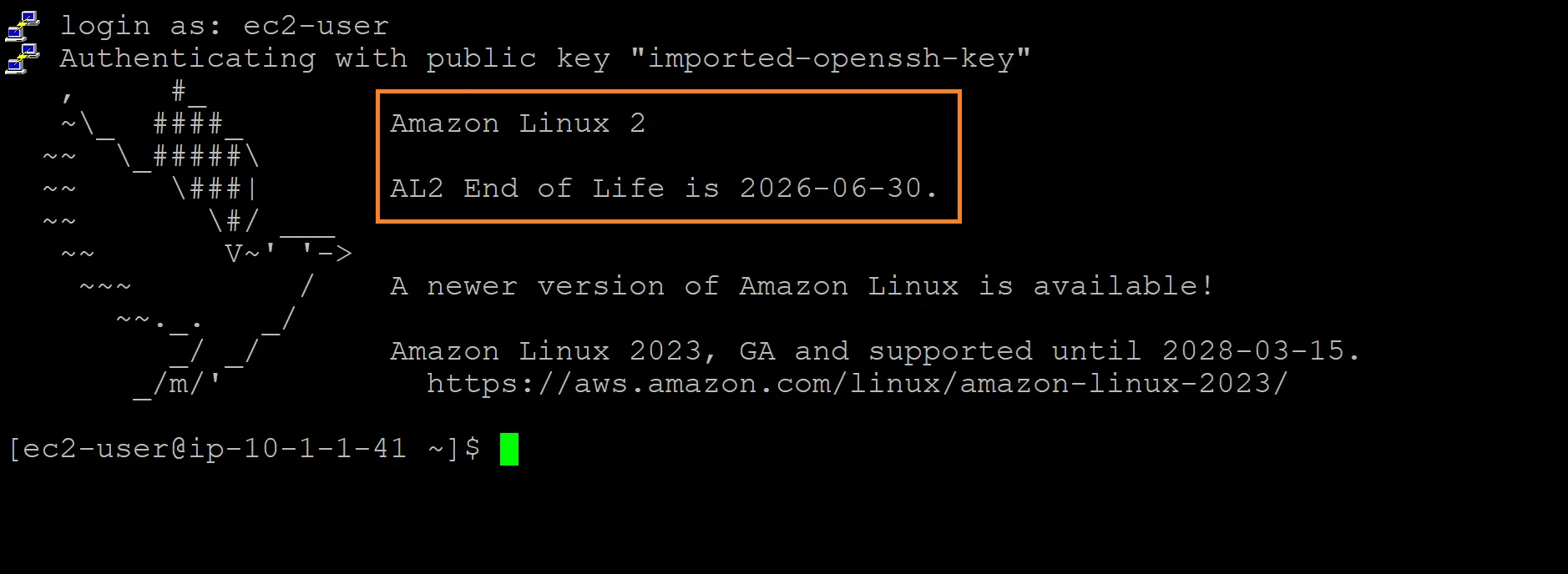
■ What changes have been made to the existing lectures after the renewal?① Although there are no changes to the external aspects of the lecture, such as the table of contents, structure, and content, all videos have been changed to new lecture videos to reflect the latest AWS Management Console environment and updated functions, and the lecture content and order have been organized in the same way as the existing videos to minimize disruption to the learning of existing students.
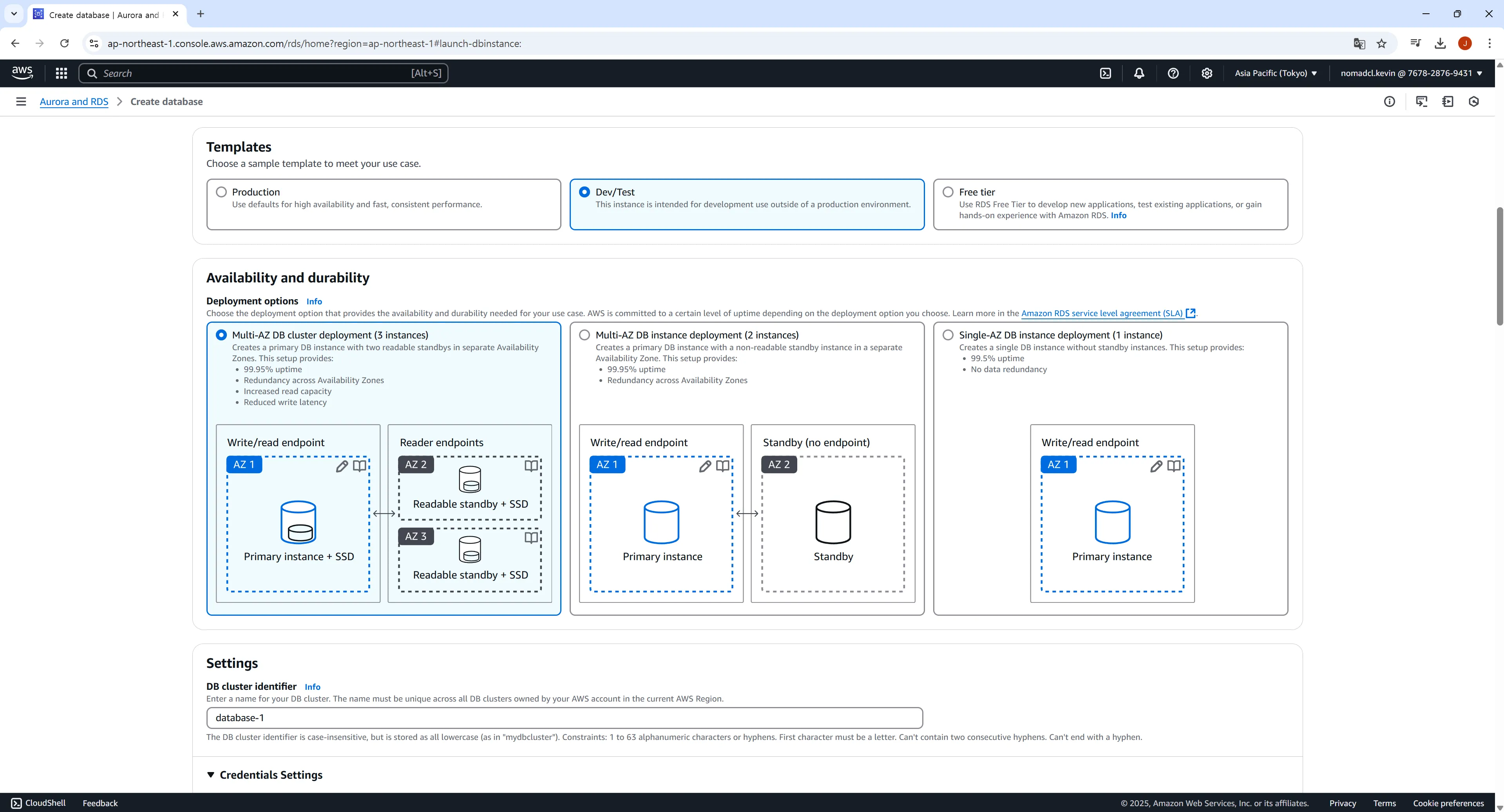
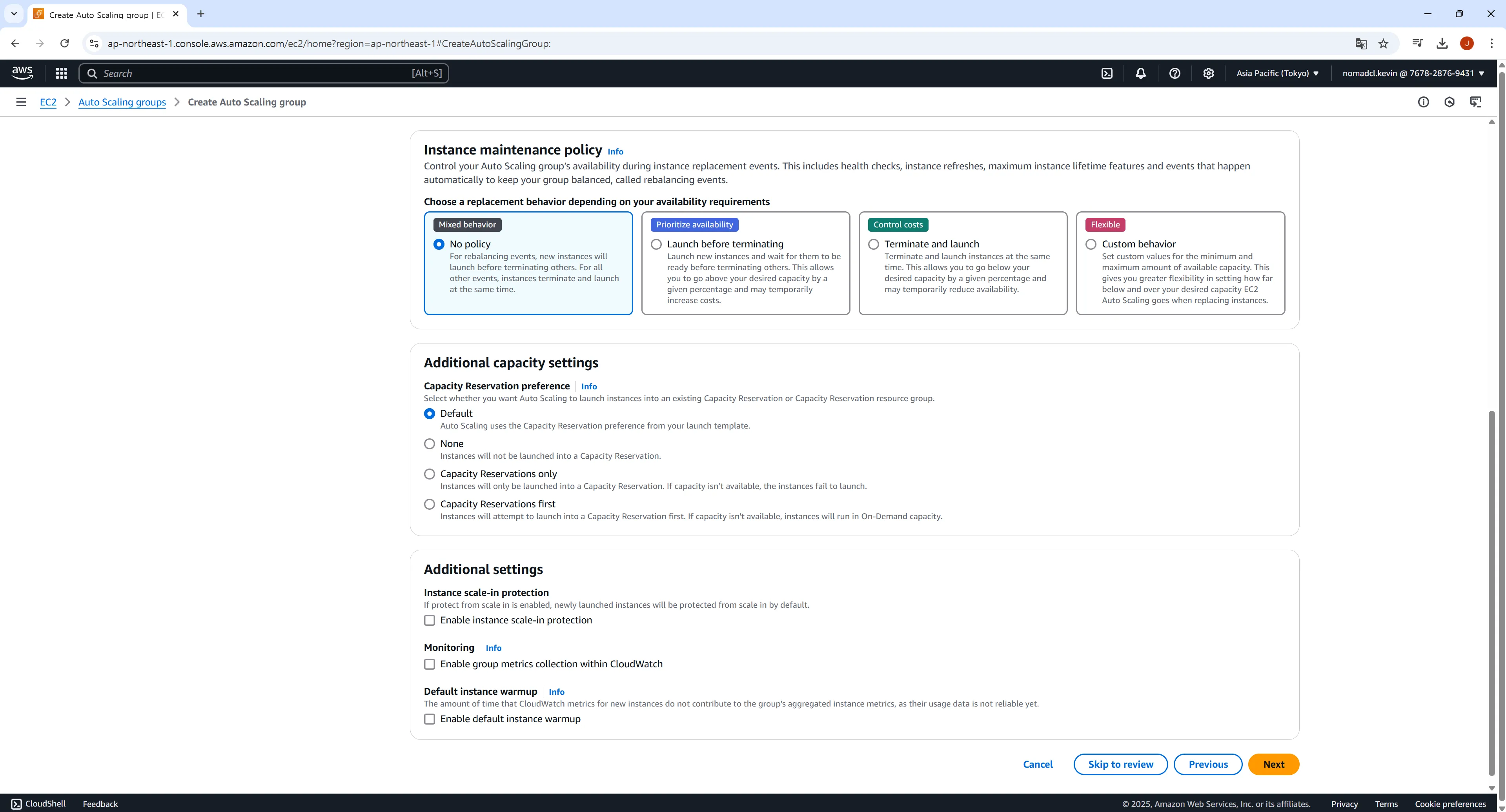
※ Video production and editing: March 2025
※ Please understand that AWS services and console UI are frequently updated without notice unless there is a large-scale update, so it is difficult to reflect them in real time. (For example... In the meantime, while I was producing a new video this month, the name of the RDS menu was changed to Aurora and RDS. 😭 )② To save on training costs and prevent excessive charges, we added a Budget alarm setting and resource management section (consisting of text and images) .
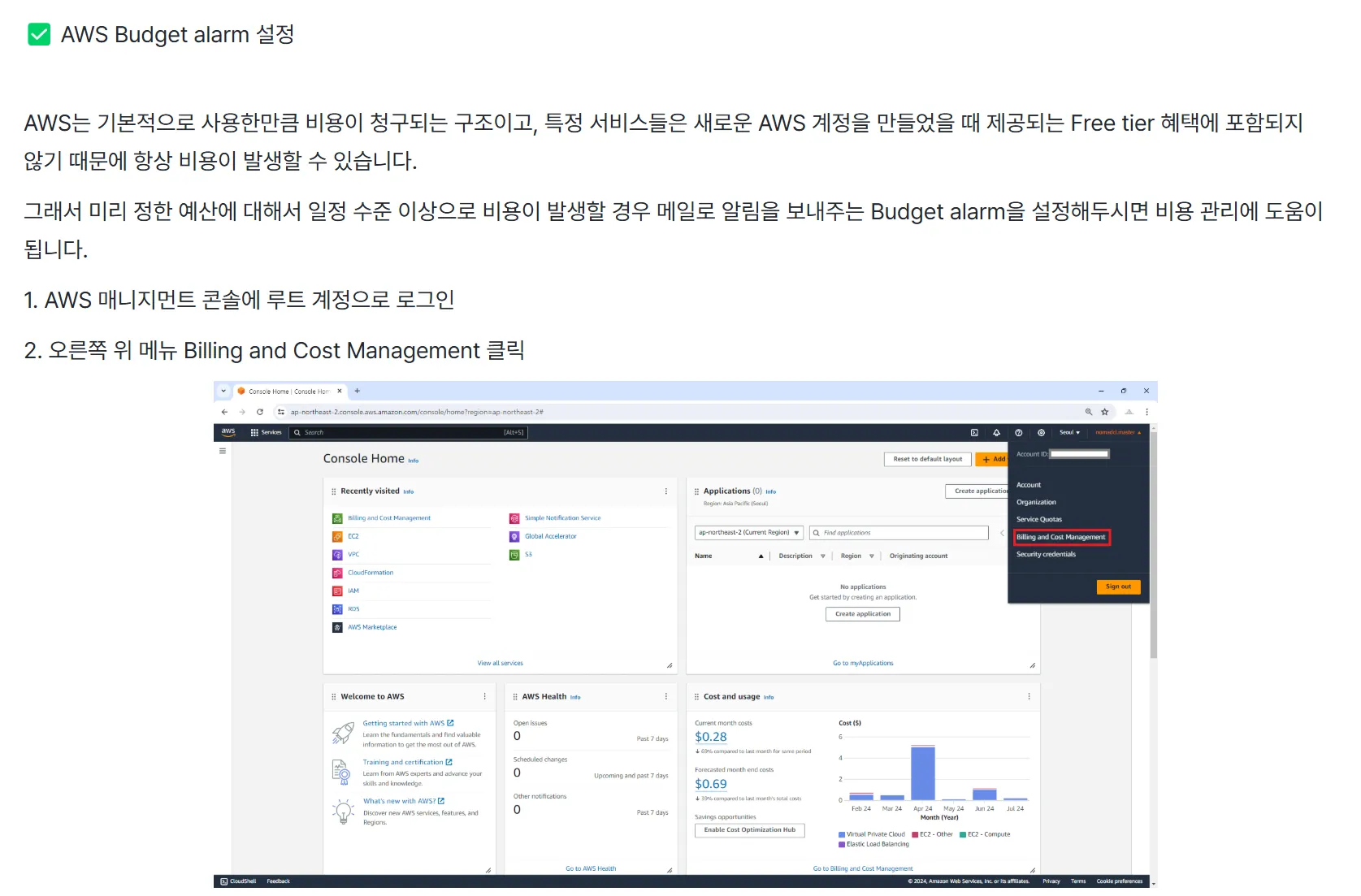
③ There is no change in tuition fees! 👍
■ What will happen to the existing lecture videos after renewal?
① Existing lecture videos will be deleted and replaced with new videos.
② As explained above, the lecture content and order of the new video are identical to those of the existing videos, so there is little disruption to learning.■ If the lecture video is replaced due to renewal, will it affect my learning progress or completion?
① After asking the person in charge of Inflearn, I was told that there will be almost no impact as there have been no structural changes to the lecture table of contents, chapters, etc.
② However, since learning may not be smooth while the video is being replaced, please refer to the renewal schedule below. Thank you.■ What is the renewal schedule?
① April 4th (Friday) 23:00 ~ April 5th (Saturday) 02:00
② April 5th (Sat) 23:00 ~ April 6th (Sun) 02:00
※ You can study the newly updated lecture videos immediately after the update is complete.
※ If there is a change in the schedule, we will notify you again.Thank you to everyone who took the class, and I'll see you soon with the renewed class! 😊
Hello, this is Infraon's knowledge sharing Nomad Content Lab.
· Regarding the news we informed you about on September 28 , the lecture video reflecting the changed EC2 console screen and menu was updated on October 7 of last month.
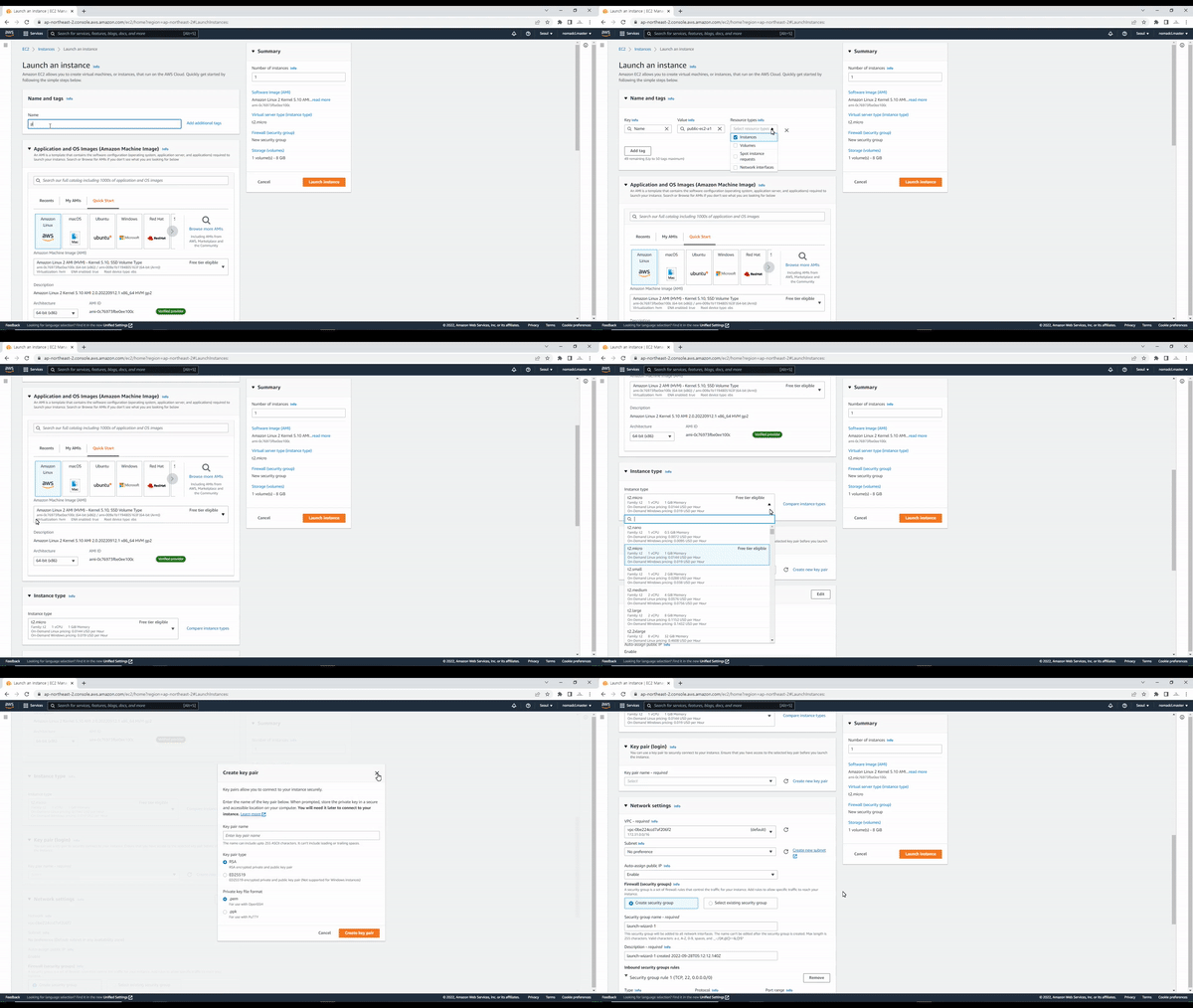
· The update was carried out by changing only a part of the existing lecture video that creates an EC2 instance, and the chapters that have been updated are as follows.
① Section 2. LAMP web server and Application Load Balancer configuration > Create a public EC2 instance and configure the LAMP web server
② Section 2. LAMP Web Server and Application Load Balancer Configuration > Creating Public EC2 Instances via Custom AM
③ Section 2. Configuring LAMP web server and Application Load Balancer > Configuring external communication of Private EC2 instance through Bastion host and NAT Gateway· We didn't provide any separate news after the update was completed, but some students and Inflearn management have contacted us, so we are sharing the news, albeit late. :)
Hello, this is Infraon's knowledge sharing Nomad Content Lab.
· In April 2022, the menu for creating EC2 instances (Launch) in the AWS Management Console menu was changed, and it was announced that only the new menu will be available starting October 1.
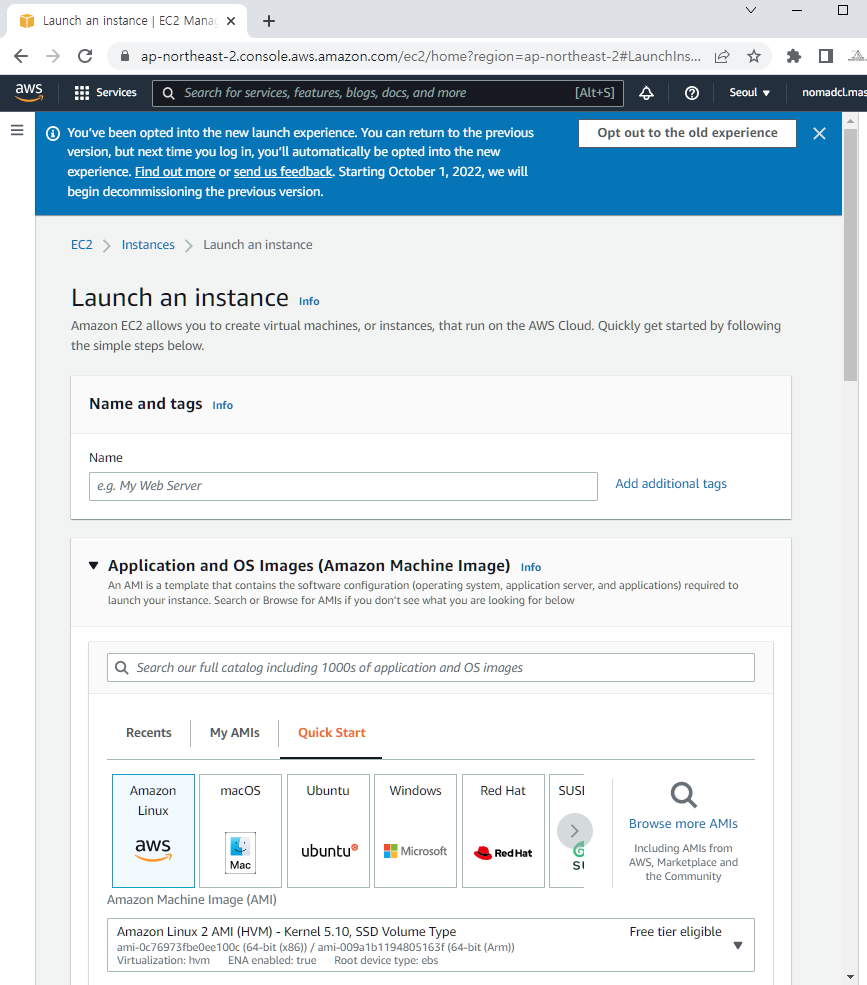
· As with other AWS services, the menu for creating new EC2 instances was continuously updated and changed based on feedback from users, so it could not be immediately reflected in the lecture video.
· We are currently producing a lecture video that reflects the new EC2 instance creation menu, and it is scheduled to be reflected in this lecture on October 7th.
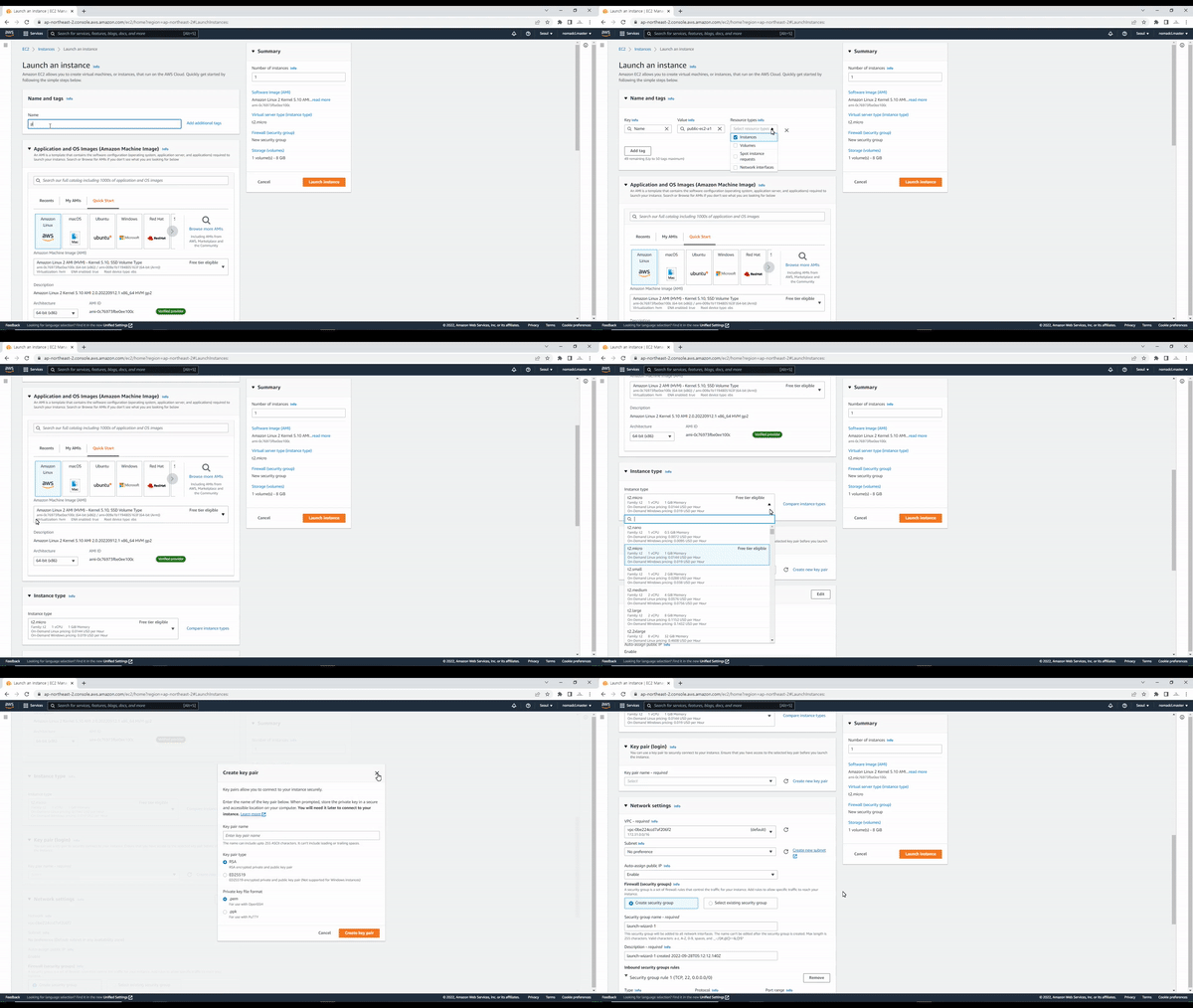
· Even if it is a little inconvenient, we would appreciate it if you could refer to the existing menu or guide document to proceed with your studies until the update is complete.
※ The guide document is attached as a 'New EC2 Creation (Launch) Screen Usage Guide.pdf' file in the [Note] Lecture Practice Notes (Please read before watching the video!) in the [Class Materials] compressed file of the lecture in the [LAMP Web Server and Application Load Balancer Configuration] chapter.)
Hello, this is Infraon Knowledge Sharer Nomad Content Lab.
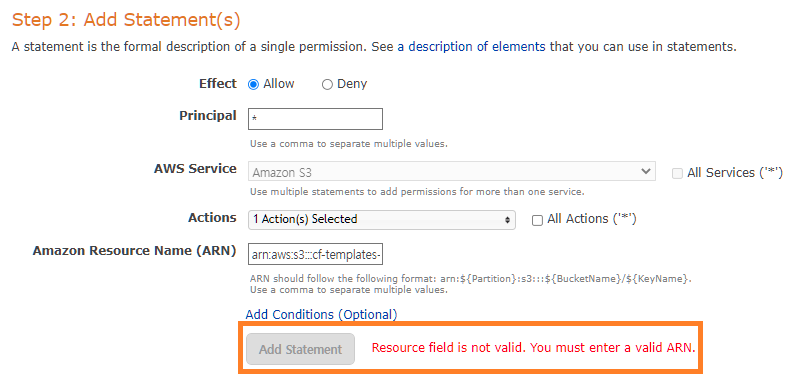
· In the [Hands-on] Creating S3 Buckets and Hosting Static Websites lecture course in the [Serverless Static Website Hosting and Performance Acceleration] chapter, an error occurs where the Add Statement button is not activated in the Policy Generator that creates an S3 Bucket policy.
· We are also checking and confirming whether this is a temporary or recurring issue with AWS.
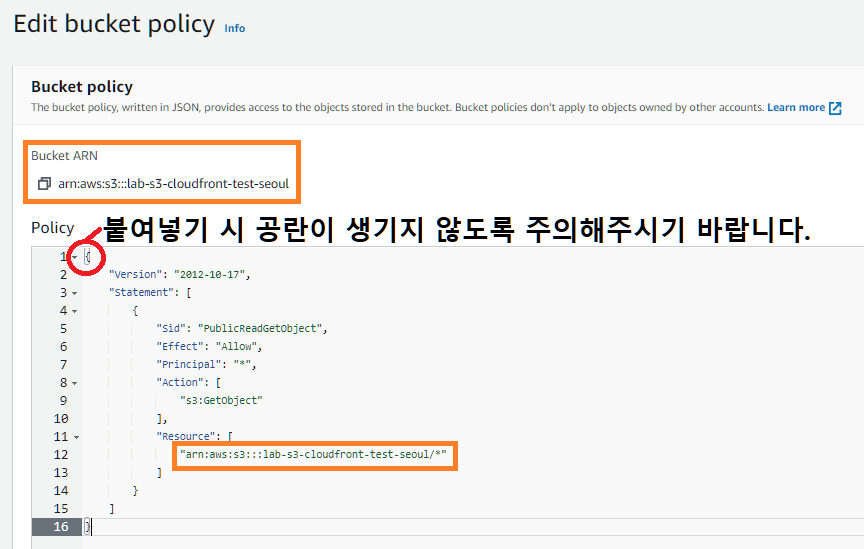
· Regarding the error, first, we recommend that you copy the policy below and paste it into the Bucket policy, and then change/write the ARN of the S3 Bucket to the ARN of the S3 Bucket you created and proceed. (※ Please be careful not to create blank spaces when pasting.)
· Policy
{
"Version": "2012-10-17",
"Statement": [
{
"Sid": "PublicReadGetObject",
"Effect": "Allow",
"Principal": "*",
"Action": [
"s3:GetObject"
],
"Resource": [
"ARN of S3 Bucket/*"
]
}
]
}· Error screen
· Policy application screen
· Related link: Add a bucket policy that makes bucket contents publicly available (click link)
Hello, this is Infraon Knowledge Sharer Nomad Content Lab.
· In April 2022, the screen for creating (launching) an EC2 instance in the AWS Management Console was changed. However, the change occurred at the time the renewal and video upload of this lecture were completed (April 2022), so it was not reflected in the lecture video.
· Since the curriculum of this course is continuous from beginning to end, it is difficult to produce a new video only for the EC2 instance creation (Launch) part, so we have created a guide document on using the new EC2 console. Please refer to it for your study. Thank you.
※ The guide document is attached as a 'New EC2 Creation (Launch) Screen Usage Guide.pdf' file in the [Note] Lecture Practice Notes (Please read before watching the video!) in the [Class Materials] compressed file of the lecture in the [LAMP Web Server and Application Load Balancer Configuration] chapter.)
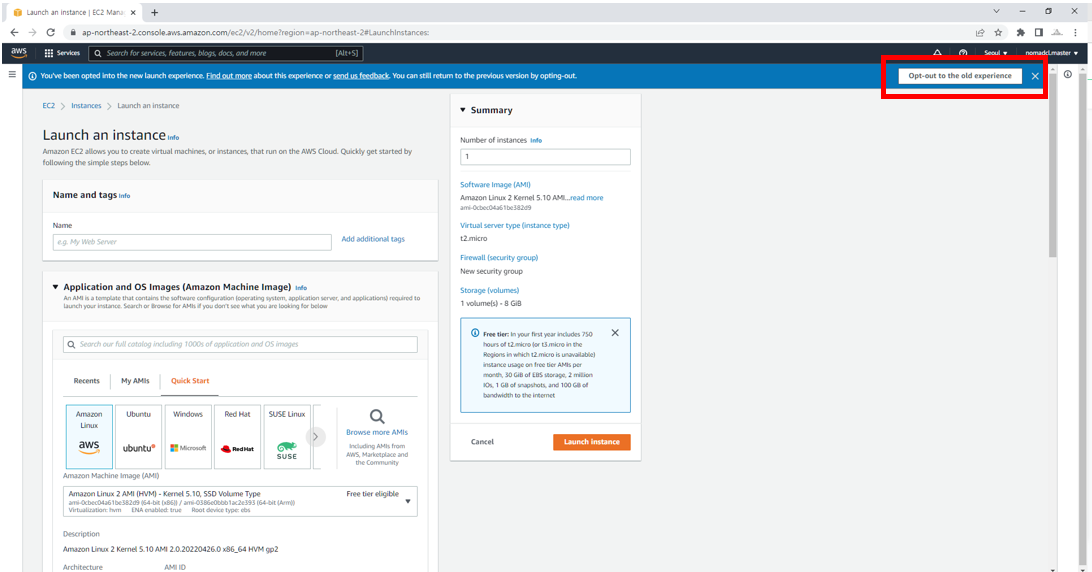
· For reference, if you click Opt-out to the old experience in the upper right corner of the Create New EC2 Instance (Launch) screen, you will be switched to the previous version of the screen and can proceed with the practice using the same screen (version) as the lecture.
Hello, this is Infraon Knowledge Sharer Nomad Content Lab.
■ [Old version lecture video] Period extended
In the previous news, it was announced that the [Old version lecture video] (lecture video before renewal) of [Building AWS Cloud Infrastructure Yourself - Basics] would be maintained only until May 20 (Fri) and would be deleted after that date.
After the news, Infraon requested that the maintenance period for [old version lecture videos] be extended by about one month, and in relation to this, it was decided to maintain [old version lecture videos] until June 24 (Fri) and delete them after that date .
I would appreciate it if you could help me with my studies! :)
■ [Old version lecture video] Guide
[Old version lecture video] This is a lecture video from before the lecture was renewed in April 2022, and is content uploaded when the lecture was first opened in September 2020.
The lecture videos renewed in April 2022 have supplemented or newly added content based on the basic lecture structure and flow of the [old version lecture videos], so even if you study with the new lecture videos, you can still study the contents of the [old version lecture videos].
And since there were no separate updates after the lecture opened in September 2020 and before the renewal in April 2022, [old version lecture video] may not reflect AWS's latest UI/UX or functions, so please note that learning may not be smooth. Thank you. :)
Hello, this is Infraon Knowledge Sharer Nomad Content Lab.
The existing lecture videos of [Build Your Own AWS Cloud Infrastructure - Basics] before renewal are classified and maintained as [Old Version Lecture Videos].
For content management and smooth learning, existing lecture videos will be maintained only until Friday, May 20th and will be deleted all at once after that date . Therefore, students who were learning with existing lecture videos would be grateful if you could finish learning by Friday, May 20th.
Thank you for taking the Nomad Content Lab course. We will continue to provide you with great content that can help you!
