inflearn logo

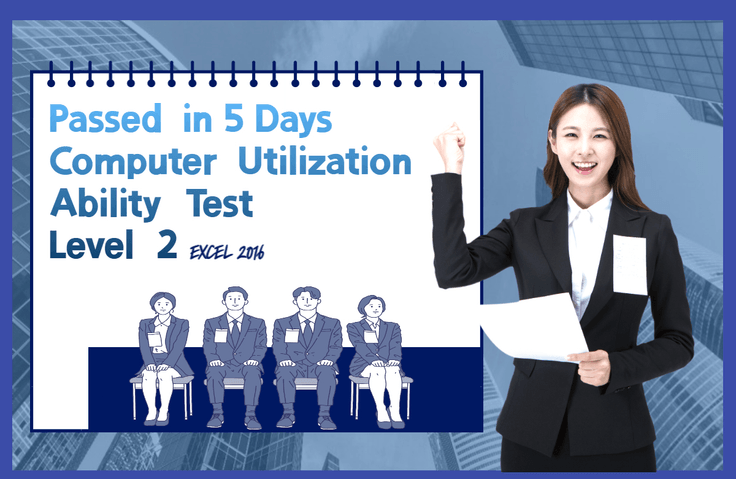
[Pass the Level 2 Computer Utilization Skills Practical Test in 5 Days]

If you are a job seeker who needs to study for the Level 2 Computer Skills Practical Test and want to obtain the practical qualification as quickly as possible, I will help you pass the Level 2 Computer Skills Practical Test in just 5 days!

(5.0) 2 reviews

52 learners

Level Basic

Course period Unlimited

Computer Specialist in Spreadsheet & Database
Excel
Excel
Computer Specialist in Spreadsheet & Database
Excel
Excel

What you will gain after the course

  • You can pass the level 2 computer skills practical test.

  • You can learn about the overall functions of Excel.

If you want an office job, essential qualifications are:
Get your Level 2 computer skills certification quickly and easily! 🧑‍💻

Level 2 computer skills
Even getting a job!

If you're a young job seeker preparing for employment, you've probably heard of the Level 2 Computer Proficiency Certificate!

Even during interviews, if someone has achieved Level 2 Computer Proficiency, people assume, "This person must be good at Excel!" This is because Level 2 Computer Proficiency = Excel proficiency. Companies also prefer new hires who can use Excel, as they don't have to explain its functions to them and can reduce training costs.

The Ministry of Employment and Labor (Minister Lee Jeong-sik) and the Korea Employment Information Service (Director Na Young-don) asked company officials in charge of actual recruitment questions about things young job seekers are curious about and announced the results.

The government asked corporate recruiters questions on behalf of job seekers about things they might be curious about but no one could clearly answer, and provided the answers.

1. Corporate recruiters chose work experience, internships, and other job experiences (69.1%) and training to improve job skills (59.8%) as the most important things liberal arts majors should strive for.

2. In particular, corporate recruiters found that work experience (89.1%) and qualifications (82.6%) that are highly related to the job they are recruiting for have a positive impact on hiring.

Pass in 5 days
Level 2 Computer Skills Practical Test 💻

  • Once you become accustomed to solving past exam questions, you can set the practical exam time to 40 minutes and repeat the practice of solving them in the above order.
    • When you first study, study in this order: Basic Task 1 → Basic Task 2 → Basic Task-3 → Calculation Task → Conditional Formatting → Analysis Task → Macro → Chart .
    • When solving past exam questions, study in this order: Basic Task 2 → Basic Task 3 → Analysis Task → Macro → Chart → Calculation Task → Basic Task 1 .
  • The most crucial part of the practical exam is the calculation section. Because it involves writing questions using functions, it carries a significant weighting and is the most crucial part. I recommend studying and mastering functions repeatedly to ensure you're fully prepared for the exam. It's best to leave the calculation section last. The exam is only 40 minutes long, so spending too much time on calculations will leave you with less time for analysis, macros, and charts.
  • The passing score for the Level 2 Computer Skills Practical Exam is 70 points or higher, so study with a goal of 79 points by answering at least 3 out of 5 questions on basic tasks (15 points), analysis tasks (20 points), macros (10 points), charts (10 points), and calculation tasks (24 points).
  • This course provides practical examples, study questions, and solutions for the Level 2 Computer Proficiency exam, along with PDF files containing two previous Level 2 Computer Proficiency exam questions. Particular attention has been paid to the computational functions section. Detailed explanations and examples for each function, along with solutions to five computational problems, make it easy to understand functions.

Q&A 💬

Q. Do you have any tips for passing the Level 2 Computer Proficiency Test?

To study for the Level 2 Computer Proficiency Practical Exam, I recommend attending an academy or attending online lectures rather than studying on your own. For the Level 2 Computer Proficiency Practical Exam, dedicate at least five hours a day to diligently preparing!
And it is recommended to prepare in this order: Basic Task 2 -> Basic Task 3 -> Analysis Task -> Macro -> Chart -> Calculation Task -> Basic Task 1. Since the most important part of the practical test is the calculation task part, you should focus on studying the calculation task.

Q. How does the practical difficulty compare to ITQ Excel?

The Level 2 Computer Proficiency Practical Exam is slightly more difficult than the ITQ Excel exam. The biggest difference between the two exams is the difficulty of the function questions. The Level 2 Computer Proficiency Practical Exam requires studying more functions, and the function questions are more difficult than those on the ITQ Excel exam, requiring more time to devote to calculations.

Q. I'm having trouble deciding between the Level 1 and Level 2 computer skills certifications. Which one should I pursue?

A Level 1 computer proficiency certificate can be considered a plus when applying for jobs at local public corporations, firefighters, or police officers. Completing Level 2 computer proficiency and obtaining certifications like ITQ Hangul, ITQ PowerPoint, or Word Level 1 can lead to office jobs. Ultimately, your decision depends on your career path.

Q. Please tell me about the Level 2 Computer Skills Exam, written and practical subjects, and passing criteria.

The Level 2 Computer Proficiency Test is a regular exam, so you can take it at any time, and the results are announced quickly, so you can quickly obtain a national technical qualification.

Application: Both written and practical tests are accepted by the Korea Chamber of Commerce and Industry Qualification Evaluation Division and Q-net. Application fees apply for written and practical tests.
Written Exam: 20 multiple-choice questions each on general computer and general spreadsheets, 40 minutes
Written exam passing criteria: An average of 60 points or higher in both subjects, and 40 points or higher in each subject
Announcement of written exam results: 10:00 AM the day after the exam
Practical subject: Spreadsheet practice ( MS Office 2016 version ) 40 minutes
Passing Criteria for the Practical Exam: Spreadsheet Practical Exam Score of 70 or higher
Announcement of practical exam results (final pass): Announcement 14 days after the practical exam date

💡 The secret to obtaining a Level 2 computer skills certificate as quickly as possible

The fastest way is to study the practical skills first, then take the written test, and then the practical test.

If you're thinking, "I haven't even taken the Level 2 Computer Proficiency written exam, so I should study for the practical exam?" the answer is yes. That's because the written exam includes "General Spreadsheet (Excel)" as its subject. Since the written exam covers the Excel content from the practical exam, if you already know Excel, you can jump right into the written exam for the General Spreadsheet section. For the other subject, for General Computer, you can simply read the summary two or three times and then repeatedly solve past exam questions.

Recommended for
these people

Who is this course right for?

  • Those who need to pass the Level 2 Computer Skills Practical Test

  • Job seekers preparing for the Level 2 Computer Proficiency Test

  • People who need to quickly pass the Level 2 Computer Skills Practical Test

  • People preparing for employment in an office job

  • Anyone who needs to know about the overall functions of Excel

Hello
This is dmsgml1030

458

Learners

51

Reviews

1

Answers

4.9

Rating

19

Courses


I am teaching office certification courses to help students preparing for employment with their self-development.

And I teach practical Excel classes for office workers to help them improve their job competencies

CEO of Eunhee-ssam Class

■ Professional Qualifications

Vocational Training Teacher Level 2 (General Administration & Office Work) Ministry of Employment and Labor

Vocational Training Instructor (Information Technology Operation & Management) Level 3 Ministry of Employment and Labor

Vocational Training Teacher Level 3 (General Administrative Affairs) Ministry of Employment and Labor

Computer Literacy Level 1 Korea Chamber of Commerce and Industry

ITQ Professional Training Instructor (PTI) Korea Productivity Center

ITQ Hangul A, Excel A, PowerPoint A, Internet A Korea Productivity Center

Computer Utilization Ability Level 2 Korea Chamber of Commerce and Industry

Industrial Engineer Information Processing Human Resources Development Service of Korea

■ Publications

85 Excel Functions to Pick and Use Like a Dictionary & Everything About Analysis Tasks (Bookk 2020)

■ Teaching Experience

Taught OA and ITQ certification courses at the Daechi 4-dong Information Education Center in Gangnam-gu as a member of GIT Academy, commissioned by Gangnam-gu Office 2009.03

Lectured on OA and ITQ certifications for people with disabilities and seniors at Gunpo Welfare Center for the Disabled, March 2011

Conducted OA lectures at the Geumcheon-gu Office Computer Training Center as part of Hanbit Computing, entrusted by Geumcheon-gu Office, 2012.03

Taught OA and ITQ certification courses for people with disabilities and seniors at Seodaemun Welfare Center for the Disabled 2013.03

Taught Computer Literacy Level 2 and ITQ OA Master courses for office workers and the general public at the Hwaseong U&I Center (Women's Vision Center) 2015.01

Taught Computer Literacy Level 2 and ITQ OA Master courses as part of the vocational training program for the unemployed at the Gyeonggi Vocational Education Center, 2015.03

Lectured Computer Literacy Level 1 and 2, and ITQ OA Master courses as vocational training programs for the unemployed at Green Computer Academy 2016.04

Obtained "A" grade in Office Administration Trainee Evaluation, Dec 2018

Awarded Star Instructor at Green Computer Academy 2020.10

Selling practical Excel and certification courses on Inflearn 2022.03

[Teacher Eunhee's Class] Launch of an online lecture site specializing in employment certifications, September 2022

[Mapo Youth Naru] Youth Employment Competency ITQ Excel Special Lecture



More

Curriculum

All

47 lectures ∙ (20hr 19min)

Course Materials:

Lecture resources
Published: 
Last updated: 

Reviews

All

2 reviews

5.0

2 reviews

  • duro875954님의 프로필 이미지
    duro875954

    Reviews 1

    Average Rating 5.0

    5

    30% enrolled

    Calmly, meticulously, Teaching. For beginners, It's perfect.

    • dmsgml1030
      Instructor

      Thank you. If you have any questions while studying for the Level 2 Computer Skills Test, please feel free to ask.

  • ktaehoon1264498님의 프로필 이미지
    ktaehoon1264498

    Reviews 1

    Average Rating 5.0

    5

    32% enrolled

    dmsgml1030's other courses

    Check out other courses by the instructor!

    Similar courses

    Explore other courses in the same field!

    Limited time deal

    $23,100.00

    30%

    $26.40