강의

멘토링

커뮤니티

NEW
Design

/

3D Modeling

Blender 4: The Modular and Kitbash Environment Guide

Dive deep into the world of 3D modeling and environment creation with our ambitious course, ‘Blender 4: The Modular and Kitbash Environment Guide’.

7 learners are taking this course

  • 3D Tudor
blender
3d모델링
3d-modeling
3d
Blender
3d-modelling

What you will gain after the course

  • Master the Art of Grey Boxing: Learn to efficiently plan and structure 3D environments using grey boxing techniques.

  • Lighting and Ambient Occlusion Setup: Set up basic lighting and ambient occlusion to add depth and realism to your 3D scenes.

  • Comprehensive Reference Library: Build and utilize a detailed reference library to guide your modeling process.

  • Modular Part Creation: Create over 50 modular parts, including roofs, supports, and water features.

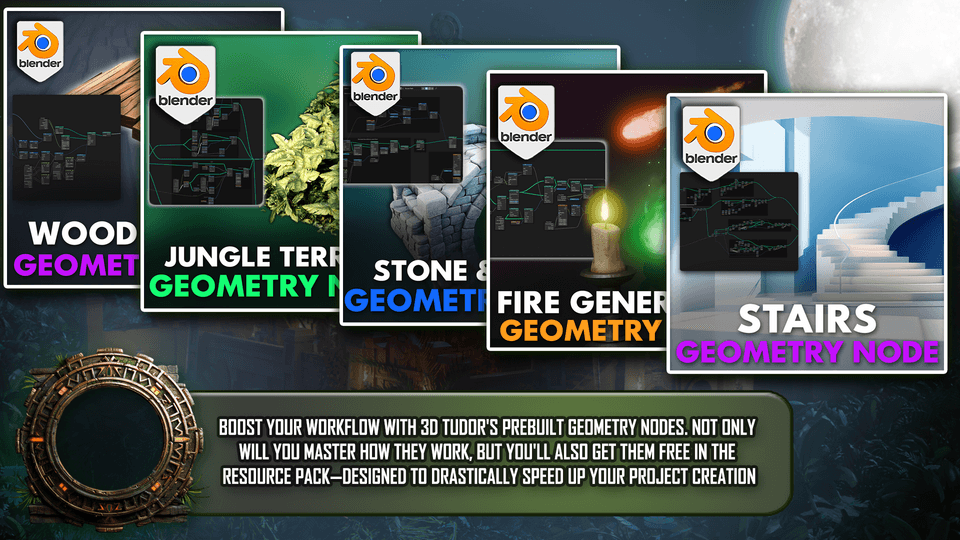
  • Advanced Geometry Nodes: Understand and apply advanced geometry nodes for efficient procedural modeling.

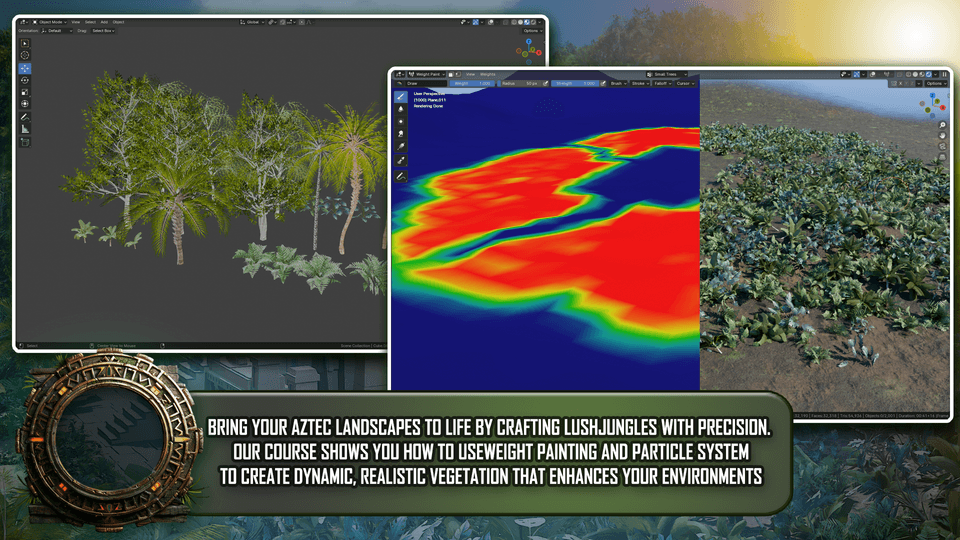
  • Jungle and Vegetation Crafting: Craft realistic jungles and vegetation using weight painting and particle systems.

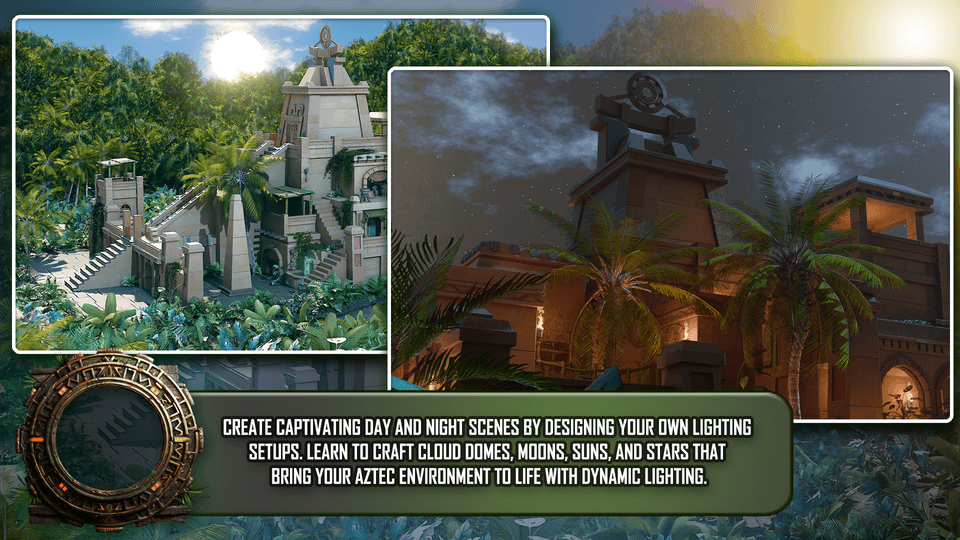
  • Dynamic Lighting Setups: Learn to create dynamic day and night lighting setups, including sun, moon, and star environments.

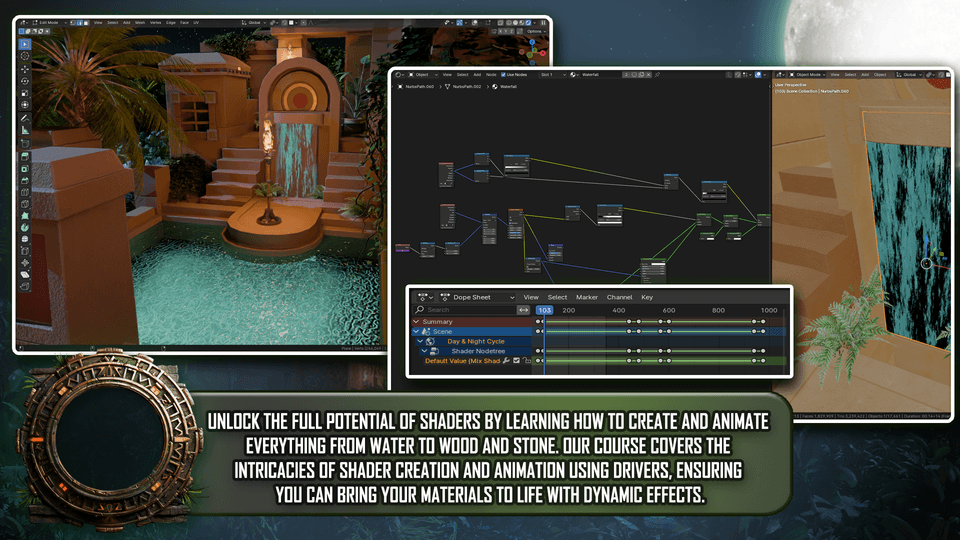
  • Shader Creation and Animation: Become proficient in shader creation, mastering both basic setups and complex animations using drivers and colour ramps.

  • UV Unwrapping Techniques: Master UV unwrapping, from simple models to complex structures.

  • Polygon Optimization: Optimize polygon counts and performance for large, detailed scenes.

  • Asset Management: Organize assets effectively using Blender’s asset manager and collections.

  • High-Quality Rendering: Render high-quality images using both Eevee and Cycles render engines.

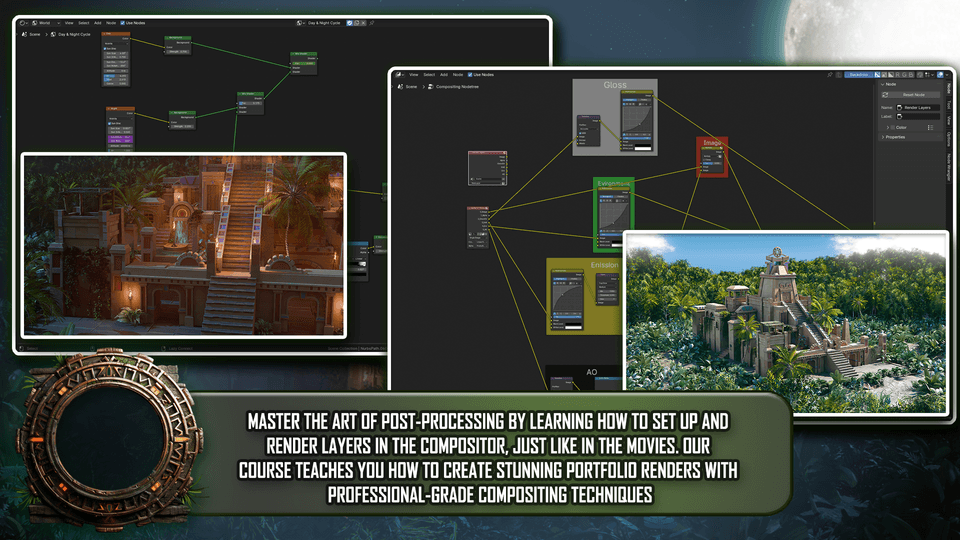
  • Professional Portfolio Renders: Create professional portfolio renders with advanced compositing techniques in Blender.

  • Effective Scene Composition: Develop storytelling skills through effective scene composition and design.

  • Camera Techniques and Presentations: Master camera techniques, including turntables.

Unlock Your Creative Potential with ‘Blender 4: The Modular and Kitbash Environment Guide’!

Dive deep into the world of 3D modeling and environment creation with our ambitious course, ‘Blender 4: The Modular and Kitbash Environment Guide’

Whether you're just starting or looking to elevate your skills, this course is designed to take you from basic modeling to professional-level environment design in Blender.

Are you ready to master the art of 3D environment creation?

We're launching a new course that will take you deep into the heart of an Aztec temple, surrounded by the lush and untamed beauty of an ancient world.

‘Blender 4: The Modular and Kitbash Environment Guide’ unlocks the full potential of Blender’s powerful toolkit. Whether you're looking to create stunning 3D environments for games, films, or your portfolio, this course is your gateway to mastering professional-level modeling. 

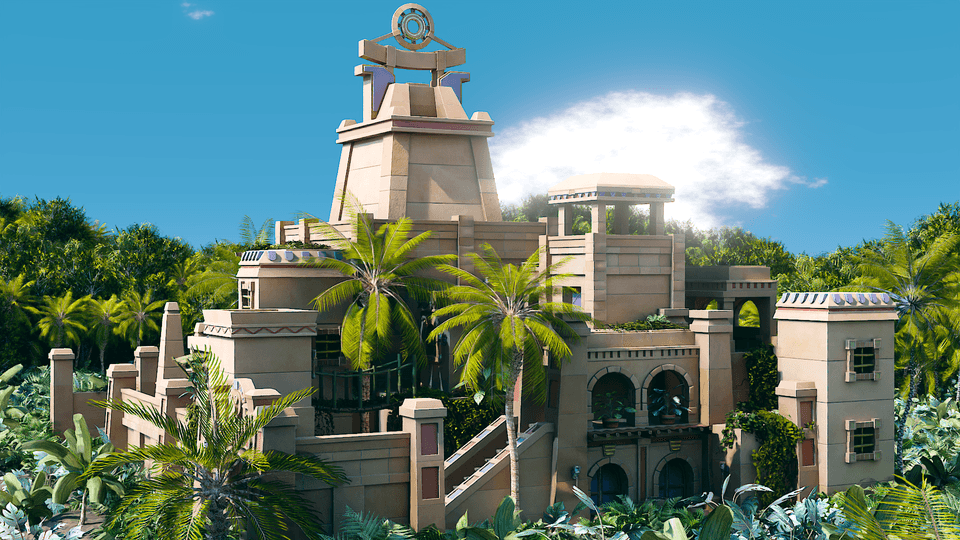
We're not just talking about any old environment here. Imagine intricate Aztec architecture, with sprawling terraces and grand staircases, all rendered in exquisite detail.

Now, what if you could create this yourself? 

In our upcoming course, you'll learn to harness the power of Blender’s Geometry Nodes to breathe life into this scene with rich foliage and dynamic environments.

‘Blender 4: The Modular and Kitbash Environment Guide’ is here to equip you with the tools and techniques needed to create expansive, dynamic environments. This comprehensive course will guide you step-by-step, from the fundamentals of grey boxing to advanced geometry nodes and shader creation.

Top 6 Points about ‘Blender 4: The Modular and Kitbash Environment Guide’:

1️⃣ Master Grey Boxing

Learn to efficiently plan and structure 3D environments with grey boxing techniques, ensuring your scenes are well-organized and functional from the start.

2️⃣ Comprehensive Resource Pack

Supercharge your creativity with nearly 100 high-quality assets, including trees, vines, foliage, terrain plants, custom shaders, and geometry nodes—everything you need to streamline your workflow.

3️⃣ Create 50+ Modular Parts

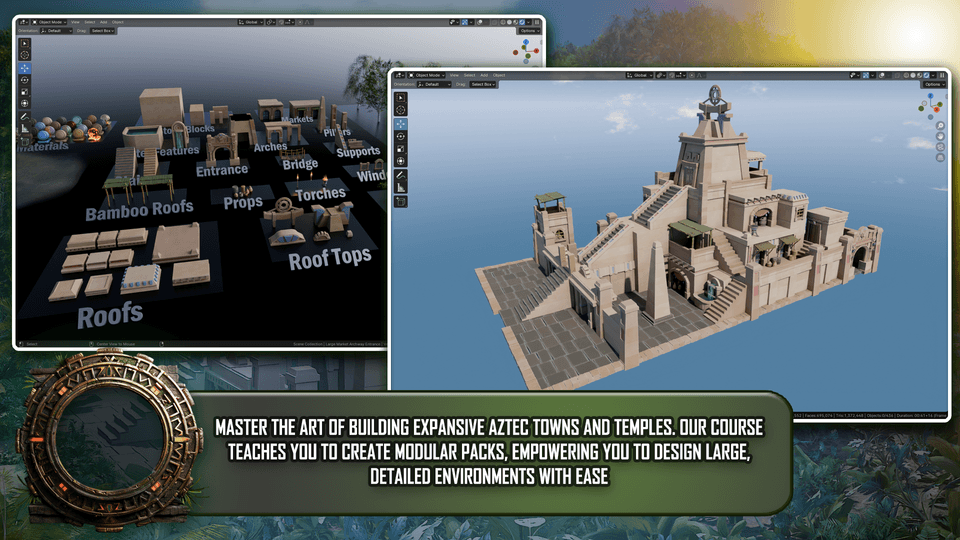
Design a wide variety of modular elements, from roofs to water features, enabling you to kitbash intricate Aztec temples and sprawling towns.

4️⃣ Advanced Geometry Nodes

Unlock the power of geometry nodes for efficient procedural modeling, drastically speeding up your project creation.

5️⃣ Professional-Grade Lighting

Master dynamic day and night lighting setups, including sun, moon, and star environments, to elevate the realism of your scenes.

6️⃣ Advanced Compositing Techniques

Take your renders to the next level with Blender’s compositor, integrating passes like ambient occlusion, gloss, and colour balance for professional-quality results.

💡 With over 50 modular parts, advanced geometry nodes, and a massive resource pack included, you'll have everything you need to build stunning 3D worlds!

Course Highlights

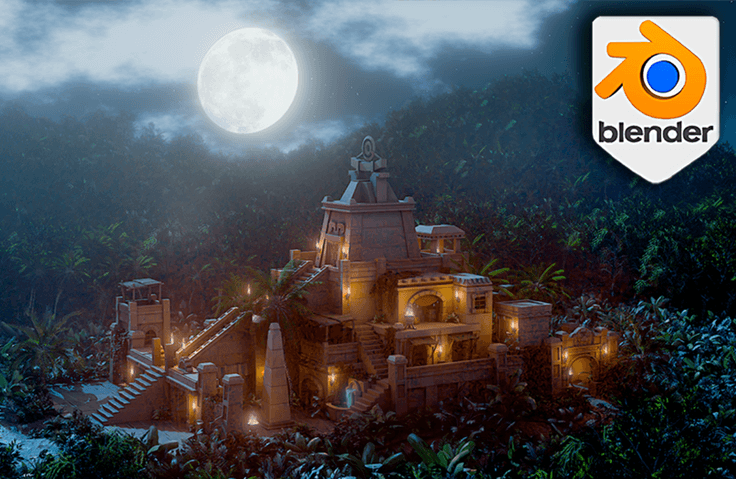
‘Blender 4: The Modular and Kitbash Environment Guide’  will take you on a spellbinding exploration of an Aztec temple, enshrouded in the mystical glow of the moonlight and secluded by the dense foliage of an untouched jungle.

Each element is meticulously placed to tell a story of ancient grandeur and forgotten worlds.

🎯 Your Objective

Your objective for this project is to design and model a large-scale, detailed 3D environment. You will start from the ground up, building, assembling, and bringing to life the modular assets and kitbash techniques taught in the course.

Blender Basics

  • Introduction to Blender’s interface and essential tools.

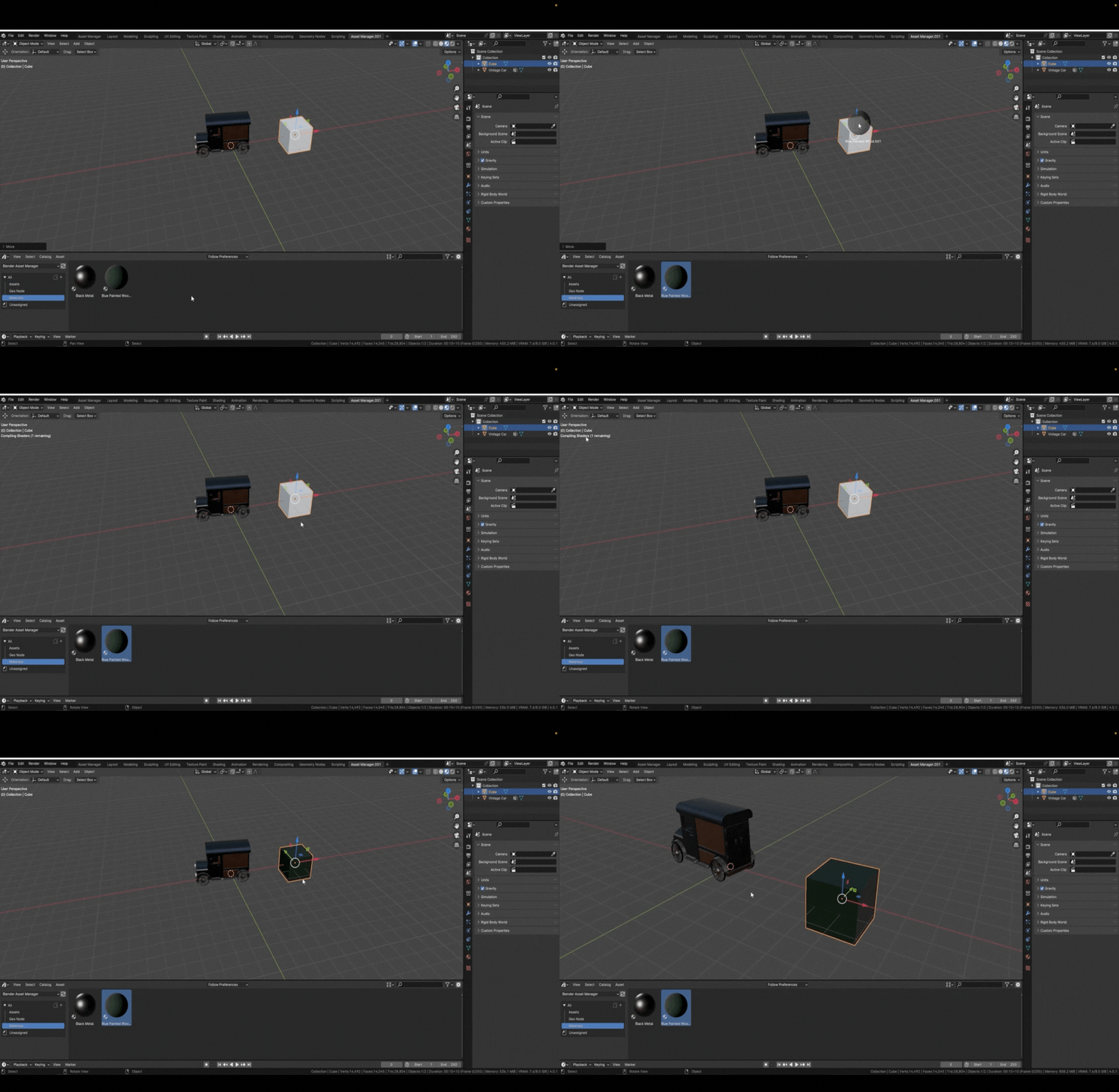
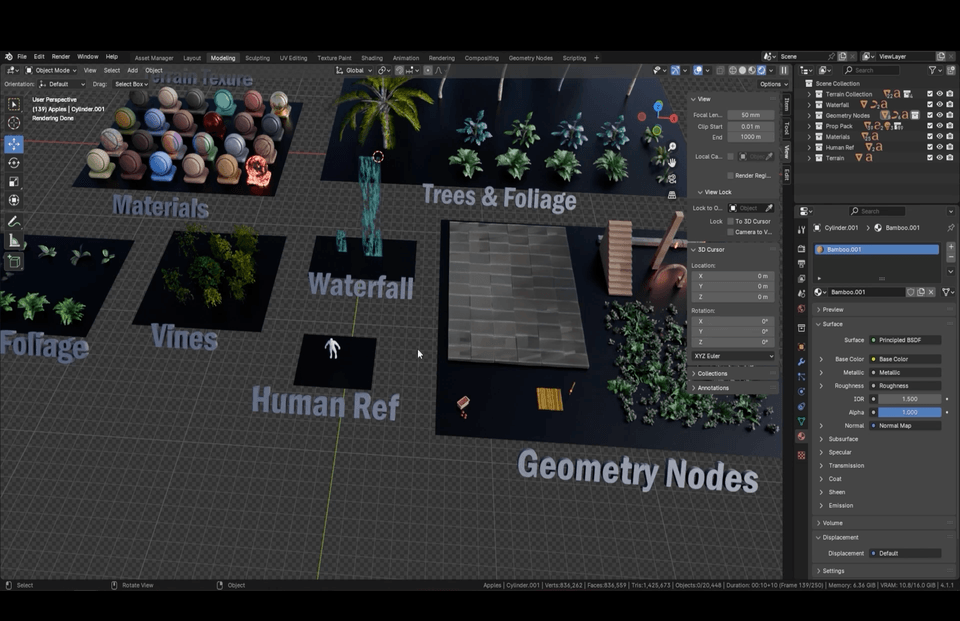
  • Familiarize yourself with the extensive resource pack, including human reference models, material shaders, and custom geometry nodes.


As you venture closer, the towering temple rises majestically against a backdrop of starry skies, its ancient stones casting long shadows over intricately carved staircases that lead to forgotten sanctuaries.

Grey Boxing and Scene Setup

  • Master grey boxing techniques to block out scenes and set up basic lighting.

  • Use ambient occlusion materials to add depth to your scenes from the start.


The temple, lit by flickering torches and the luminous moon overhead, reveals a series of platforms and terraces, each telling a story of civilizations long past but not forgotten.

Modular Part Creation

  • Learn to create over 50 modular parts, such as roofs, supports, and intricate water features, to build expansive environments.

  • Apply advanced techniques for sculpting and detailing modular assets.


Enveloped in a thick jungle canopy, the sounds of the nocturnal wilderness blend with the visual feast of flora that drapes over the weathered architecture.

Advanced Geometry Nodes

  • Dive deep into geometry nodes, understanding their function and how to use parameters to control them.

  • Using Blender's powerful Geometry Nodes, this course will teach you to populate scenes with rich plant life effortlessly. You'll learn to generate realistic flora dynamically, perfecting scenes that feel alive and breathing.

  • Implement these nodes to drastically speed up your workflow, all included for free in the resource pack.


With each module of this course, you’ll learn to harness the power of Blender to breathe life into such enthralling scenes—manipulating light and texture to emphasize the eerie yet captivating atmosphere of a moonlit jungle.

Shader Creation and Animation

  • Build and animate shaders replicating materials like water, wood, and stone.

  • Master everything from basic setups to complex shader animations using drivers and colour ramps.


This isn't just a course—it's an adventure into the heart of a mysterious civilization!

Lighting and Compositing

  • Create dynamic lighting setups for day and night scenes, utilizing Blender’s powerful toolkit.

  • Elevate your renders with advanced compositing, integrating multiple passes for professional-quality images.


These final images reveal the temple in its full glory, surrounded by lush vegetation and a mystical aura under the night sky.

Asset Management and Rendering


  • Organize and manage assets like a pro using Blender’s asset manager and collections.

  • Learn to use both Eevee and Cycles render engines to achieve stunning results.

Resource Pack

Receive a comprehensive resource pack to support your learning journey, including:

  • Nearly 100 trees, vines, foliage, and terrain plants.

  • A high-resolution moon image and two animated waterfalls with custom shaders.

  • A detailed human reference model and 24 material shaders.

  • 8 custom geometry nodes, including fire, stackers, stone blocks, stairs, archways, planks, and foliage scatter.

Summing it All Up

Imagine standing amidst a dense jungle, the air filled with the whispers of ancient spirits. Your path, lit only by the moon's glow, leads to an awe-inspiring Aztec temple. 

By the end of ‘Blender 4: The Modular and Kitbash Environment Guide’, you'll have the skills to create detailed, optimized, and expansive environments in Blender. Transform your 3D modeling aspirations into reality with this course and take your portfolio to the next level.

Start with ‘Blender 4: The Modular and Kitbash Environment Guide’ and begin your journey to becoming a 3D modeling expert.

Unveil the secrets hidden within these ancient walls and teach you how to create digital environments that are not only visually stunning but also rich in story and atmosphere. 

Your journey to mastering Aztec-inspired 3D environments begins here!

 The adventure awaits...


Until next time, happy modeling everyone!

Neil – 3D Tudor

Who is 3D Tudor

A 3D artist with over 9 years of experience, now recognized as a leading instructor
Become a 3D professional with 3D Tudor!

💡When you complete this course

This course provides a certification of completion in a format suitable for resumes and portfolios.

By completing the course, you can receive this, which can serve as official proof of your learning accomplishments.

💡Learn Smart with Language Options for Audio and Subtitles

You can switch both audio and subtitles according to your learning style. Select your preferred language.

Recommended for
these people

Who is this course right for?

  • Aspiring Environment Artists: Anyone passionate about 3D modeling and environment creation in Blender.

  • 3D Modelers and Visual Artists: Both beginners and seasoned artists looking to refine their skills in modular modeling, texture mapping, and environmental storytelling.

  • Game Designers and Developers: Professionals and indie developers focused on creating detailed, immersive environments for games.

  • Animation and VFX Professionals: Animators and visual effects artists who want to incorporate advanced 3D environment modeling and scene-building techniques into their workflows to improve visual storytelling.

  • Educators and Academic Professionals: Instructors, professors, and educators who teach 3D modeling, game design, or digital art, and are looking for comprehensive, up-to-date material on Blender’s latest tools and techniques.

  • DIY Creators and Hobbyists: Enthusiasts who enjoy building and visualizing intricate digital environments, from ancient temples to lush jungles.

Hello
This is

3D Tudor is a small and very active 3D training studio. Over the past few years 3D Tudor has taught more than a quarter of a million students how to build environments, props, and game worlds using Blender and Unreal Engine 5. Coming from a Computer Games Art background, Neil I. Bettison, 3D Tudor's lead instructor, prefers clear, production-minded lessons that stay close to real projects and avoid unnecessary jargon. Through 3D Tudor he and his team release complete courses, asset packs, and regular free tutorials, all aimed at making modern 3D workflows feel practical, achievable, and a bit more fun for beginners and working artists alike.

Curriculum

All

178 lectures ∙ (34hr 22min)

Published: 
Last updated: 

Reviews

Not enough reviews.
Please write a valuable review that helps everyone!

$77.00

Similar courses

Explore other courses in the same field!