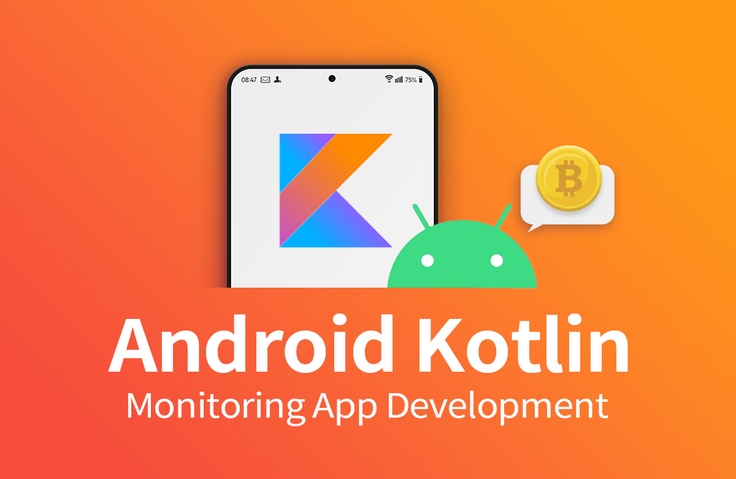
[Intermediate] Creating a Coin Price Monitoring App (Android Kotlin)
Are you tired of making the same old TODO list / CRUD example apps every time?
This is a course for hands-on practice with various technologies, building a Coin Price Monitoring App in a fun way.
I was studying Android by googling on my own, and Developer Gae Bok-chi's lecture was incredibly helpful.
I got to actually use the concepts I had studied, and because you didn't explain every concept perfectly, the process of looking up things I was curious about separately seems to be even more helpful.
Thank you for the great lecture!
5.0
i-lab
61% enrolled
As someone new to app development, this is very helpful! Thank you, instructor :)
5.0
pabeba
100% enrolled
I learned about so many interesting features!
What you will gain after the course
Android Splash API
Navigation
ViewModel
LiveData
Retrofit
DataStore
Lottie
Room
WorkManager
Foreground Service
BootReceiver
ViewBinding
Android Kotlin App Development, Now in Practice 📲
Learning through practice Implementing Android features!
Do you want to create a project with the skills necessary to implement Android Kotlin features? (ViewModel, WorkManager, Retrofit, Room, Coroutine...)
A simple To-Do app, instead of the obvious CRUD examples! Let's practice various techniques by creating a fun coin price monitoring app example.
💰 Implement your own coin price monitoring app
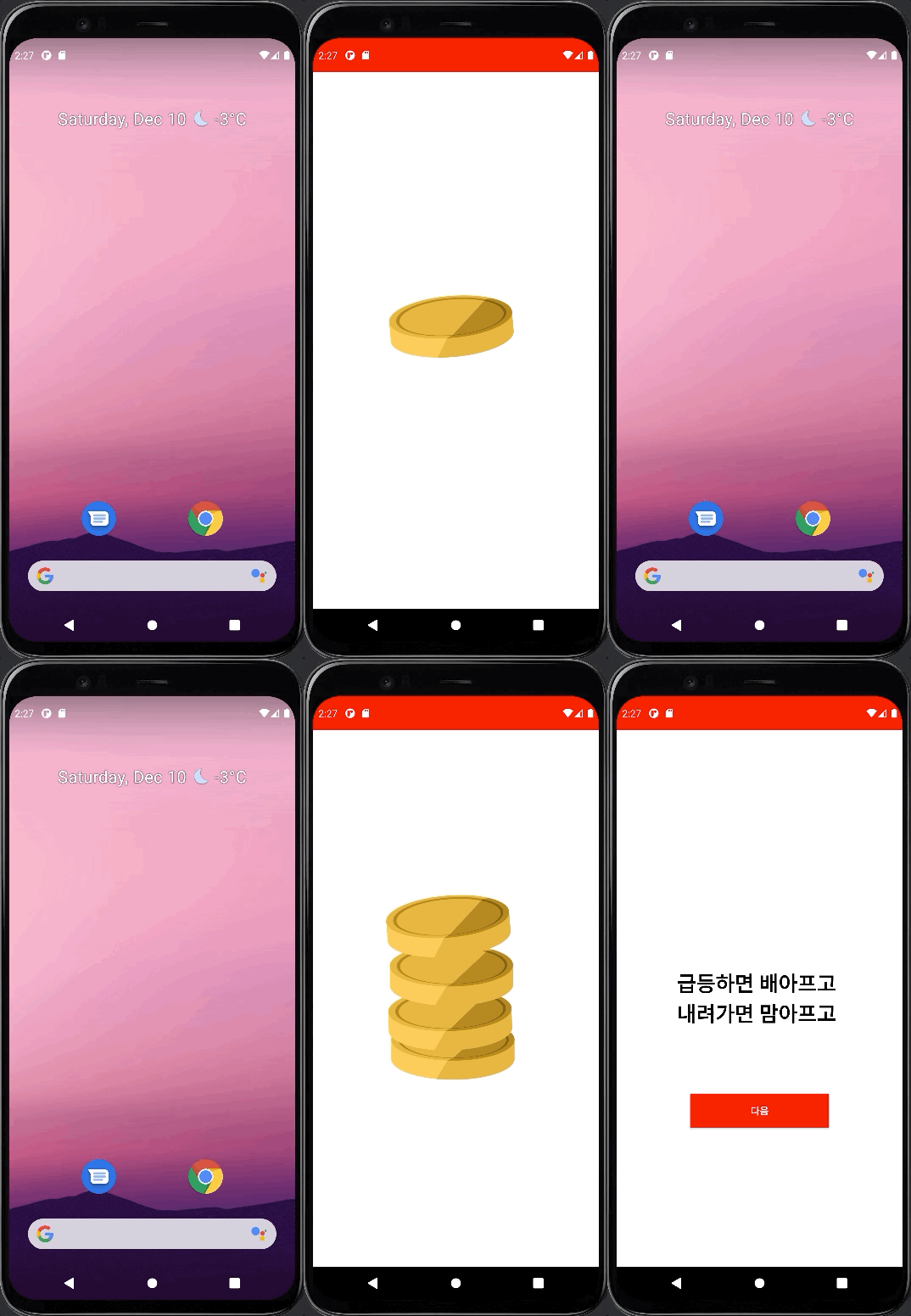
Implementing an intro screen using Splash Screen API & Lottie
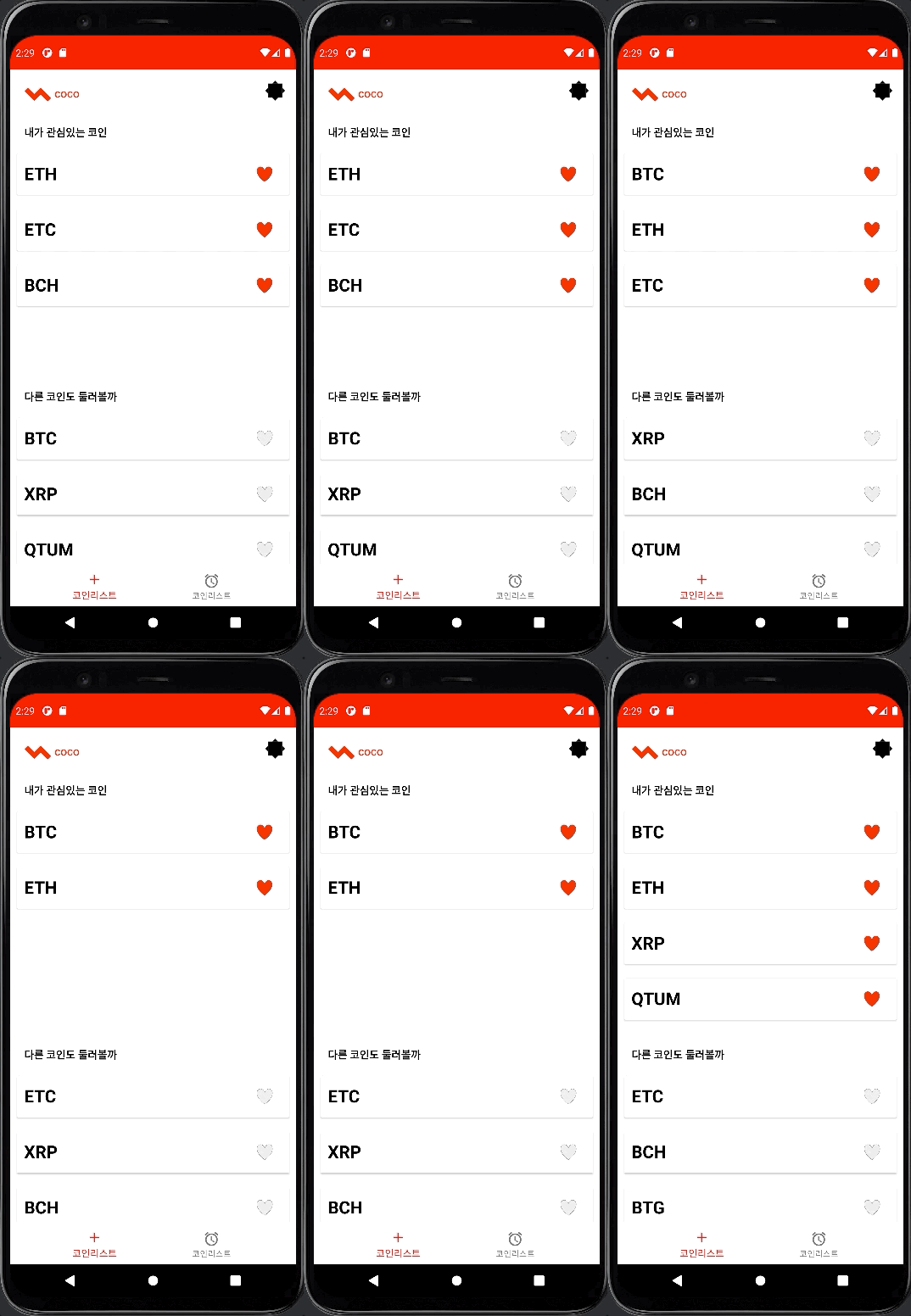
Implement distinctive screens using Navigation, Lottie, and DataStore.
Detecting DB changes using Room and Coroutine Flow
Detects real-time changes in [coins of interest / coins of no interest] data stored in the local DB and displays them to the user.
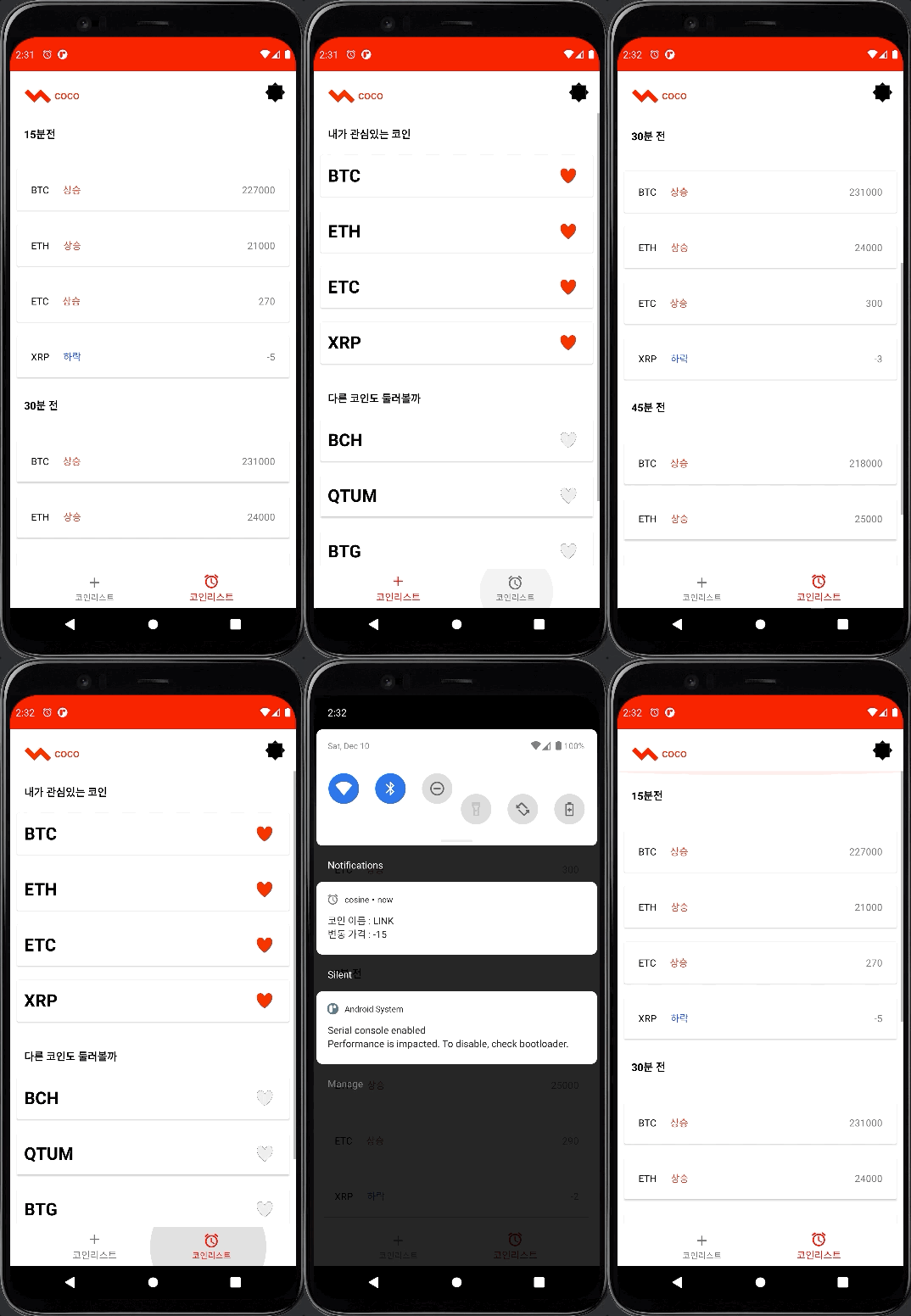
Collecting Coin of Interest Information in the Background with WorkManager
It calls the API in the background to save the price information of coins that the user is interested in, and compares the current data with previously saved data to show whether the coin price has risen or fallen.
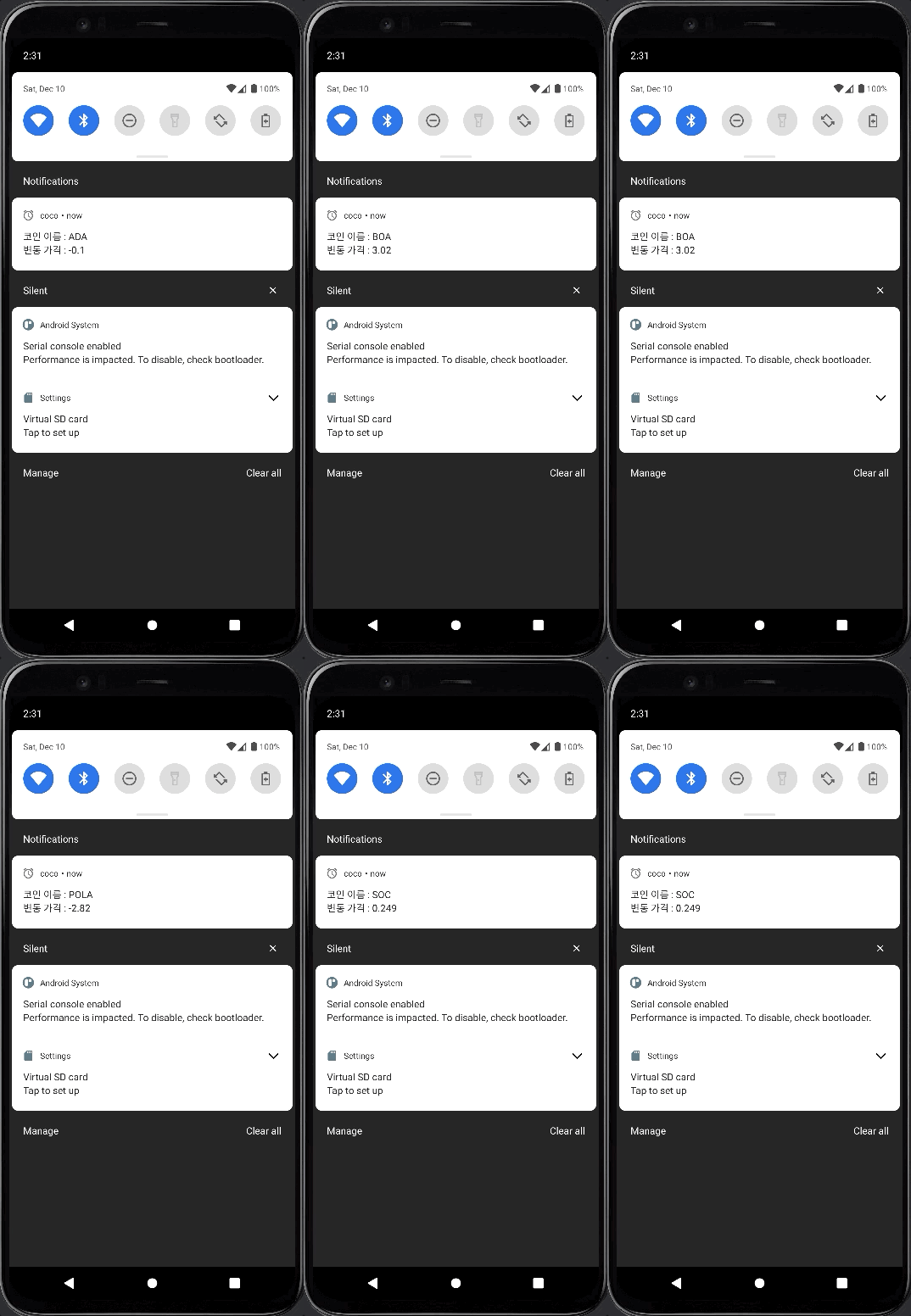
Creating an Always Floating Notification with Foreground Service
Let's implement a UI that always notifies users of coin price fluctuation information in the form of notifications.
This course is most helpful for these people 🙋♀️
Anyone who wants to implement various functions of commercial apps that we actually use
Anyone who wants to work on a project using Retrofit, Room, WorkManager, Foreground Service, BootReceiver, etc.
For those of you who are tired of seeing basic app creation examples every time.
This class won't help these people 🙅♂️
For those new to Android app development
For those who can't find what they don't know through search
For those who want to apply the strict design pattern M(Model) - V(View) - X(Whatever) (Most of them are in the live coding format, so they do not develop strictly following a specific design pattern.)
Just the essentials, quickly , More vivid live
💡 200% practical lectures to gain hands-on experience
This is a live coding-centered lecture with a focus on practice. We boldly omit repetitive parts and quickly proceed with technology implementation. Rather than covering theories in detail about the technologies used, we only mention the core outline of the general technologies and then proceed with the class focusing on 'how to use them directly'. Simple layout (XML) coding and adding dependencies are also saved through copy/paste.
If you are looking for a lecture that explains the theory in more detail, please refer to the lecture below.
Create an intro screen to introduce your app to users using Android Splash Screen / Lottie / Jetpack Navigation.
Section 2 - Preparing to move to the main screen
Use DataStore/Room to store user information in a local DB.
Section 3 - Customizing the Main Screen (List of Coins of Interest)
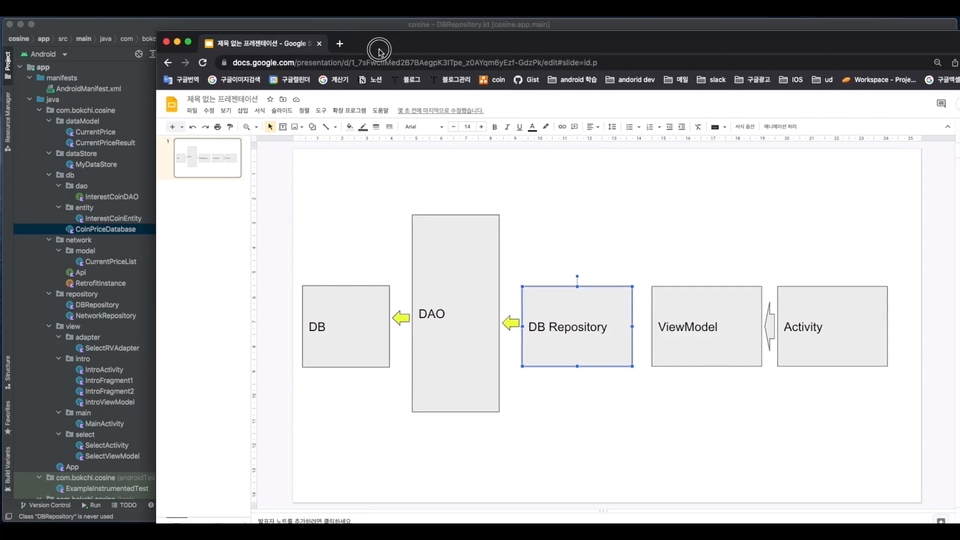
Use BottomNavigation / Room / LiveData / Fragment / Coroutine / ViewModel to configure the main screen that the user sees. Users can save and cancel desired coin information.
Section 4 - Customizing the Main Screen (Prices of Coins of Interest)
We use WorkManager / Retrofit / Room to store the coin price information that the user is interested in to the local DB. We compare the stored data with the current data and tell you whether the coin price has gone up or down.
Section 5 - Service/Receiver Application
We use Foreground Service and Receiver to provide users with coin price information in the form of notifications. We also use BootReceiver to detect events when the device is restarted.
Created this course Knowledge sharer is 👨💻
Gaebogchi developer
Since founding the startup in 2015, we have carried out various development projects. I am currently developing Android apps for a fintech company.
Q&A 💬
Q. Is player knowledge required?
Basic knowledge of Kotlin and Android is required. If you encounter an error or something you don't know, it would be best to take this course before working on a personal project if you are able to solve the problem and understand what you don't know by Googling.
Q. This is my first time developing an Android app. Is it okay if I give it a try?
If you are a beginner, you may find it difficult. We are currently creating lectures based on difficulty level, so please refer to them.
Q. Do you provide the source code and images used in the lecture?
At the end of each section, we provide you with a completed code. If you encounter any errors, compare it to the completed code. (You can download the source code by clicking on the cloud shape on the right side of the lecture video.)
Q. In the case of XML coding, there are cases where copy/paste is done in the lecture, so I would like to have a code that provides only this part.
Section 0. You can download it from Lesson 2 [Images/Layout Files Used in the Lecture].
Q. There are many online lectures that I cannot complete because I encountered errors before taking the class. Is this lecture different?
To help you complete the course, please leave a question in [Community] and we can help you. Please include the information below.
1) What part of the class are you taking? 2) What I tried 3) What error message appears?
Recommended for these people
Who is this course right for?
Those who want to do Android practical projects
Those wanting to quickly try various technologies before personal project development
Need to know before starting?
Understanding Android / Kotlin syntax
Self-directed learning of unknown lecture content.
I was studying Android by googling on my own, and Developer Gae Bok-chi's lecture was incredibly helpful.
I got to actually use the concepts I had studied, and because you didn't explain every concept perfectly, the process of looking up things I was curious about separately seems to be even more helpful.
Thank you for the great lecture!
Thank you for the review!
As it's a practical course, there isn't much theoretical explanation, but
https://www.inflearn.com/course/%ED%8F%AC%ED%8A%B8%ED%8F%B4%EB%A6%AC%EC%98%A4-%EC%95%88%EB%93%9C%EB%A1%9C%EC%9D%B4%EB%93%9C-%EC%95%B1%EA%B0%9C%EB%B0%9C-%EC%9D%B4%EB%A1%A0
If you'd like a theory course, you might find that course helpful!
Thank you!
This is the basic level of Kotlin.
It was very helpful when I was working as an Android developer.
Of course, each company uses it differently, so I think it would be good to listen to it thinking that you are learning the basics.









![[1 Hour] JavaScript for Developers (of other languages)Course Thumbnail](https://cdn.inflearn.com/public/files/courses/337877/cover/01jyvwkxfmyxtq5ny0e5fmwmqp?w=420)

![[Introductory] Kotlin Syntax for AndroidCourse Thumbnail](https://cdn.inflearn.com/public/courses/328032/cover/b566fea7-2dce-49cf-bd5a-911e33af1f31/328032-eng.png?w=420)

![[Portfolio] Creating an Android App - Practice SessionCourse Thumbnail](https://cdn.inflearn.com/public/files/courses/339622/cover/ai/1/ed686ab3-7df2-41f2-882e-c0996842fa8e.png?w=420)

![[LV4] Jetpack Compose - Design Patterns and CircuitCourse Thumbnail](https://cdn.inflearn.com/public/files/courses/339164/cover/01k79qy6g0xxp4f7zyfqmyhafy?w=420)
![[Portfolio] Creating an Android App - Theory EditionCourse Thumbnail](https://cdn.inflearn.com/public/courses/335258/cover/371a20a3-e586-4be2-b40e-addbf7fb3416/335258.png?w=420)
![[LV3] Jetpack Compose - Creating a Realistic Diet AppCourse Thumbnail](https://cdn.inflearn.com/public/courses/334088/cover/3c137d6e-568c-465d-a740-e2bf87db58d1/334088.png?w=420)
![Planner, how about learning this level of web development? [Theory + Practice]Course Thumbnail](https://cdn.inflearn.com/public/courses/333579/cover/5bfdb903-721c-4e32-803b-ed0d4cfc28b7/333579.png?w=420)
![[LV2] Jetpack Compose - UI and AnimationCourse Thumbnail](https://cdn.inflearn.com/public/courses/333062/cover/7664ae49-5e6f-402b-95fa-73cb2fd7f549/333062.png?w=420)
![[LV1] Jetpack Compose - UI PracticeCourse Thumbnail](https://cdn.inflearn.com/public/courses/331649/cover/38c7ca7b-90b5-410d-9bed-dd4153ba4850/331649-eng.jpg?w=420)
![[Intermediate] Friendly Introduction to JETPACK <Part 2> (Android Kotlin)Course Thumbnail](https://cdn.inflearn.com/public/courses/330922/cover/f82a0683-7fc3-49fb-b1a3-abebf05356d2/330922-eng.png?w=420)
![[Intermediate] Friendly Introduction to JETPACK <Part 1> (Android Kotlin)Course Thumbnail](https://cdn.inflearn.com/public/courses/328890/cover/f3412340-280b-42e6-aa53-3e43c79c4d0d/327096-eng.png?w=420)
![[Beginner Level] Learn Android Kotlin by Building 8 AppsCourse Thumbnail](https://cdn.inflearn.com/public/courses/327096/cover/fa1cbc3c-c0e8-4a3d-9f2a-1150b67f6457/327096-eng.png?w=420)
.png?w=420)