
[Free Vibe Coding Course / Beginner Edition] Learn Vibe Coding on Your Own with Claude Code

Please check the link (https://hanb.link/1blt) for updates as of September 2026. If you want to learn step by step—including features introduced since the book’s publication, such as harness engineering, Claude Design, and dynamic workflows—check out the 25-session hands-on course from Hanbit+. 🔍 Search for '혼자 공부하는 바이브 코딩' on Hanbit+ (hanbit.co.kr) · Lifelong Education Voucher accepted We live in an era when you can build apps without knowing how to code. If you have an idea, you can converse with Claude Code and implement the features you want. Rather than writing code directly, this book introduces a new development approach that involves communicating with AI to achieve the desired results. By following 15 hands-on projects, you will experience a variety of workflows with AI—from creating a personal webpage to handwriting recognition, quiz apps, image-based recommendations, AI summarization, Notion automation, and cloud deployment. Rather than simply following basic examples, the book provides the experience of completing the entire practical development process—from planning and design to testing and deployment—in collaboration with AI.

(4.9) 643 reviews

12,518 learners

Level Beginner

Course period Unlimited

AI
AI
Vibe Coding
Vibe Coding
AI
AI
Vibe Coding
Vibe Coding
Thumbnail

Reviews from Early Learners

4.9

5.0

이윤서

43% enrolled

That makes perfect sense!

5.0

송인자

43% enrolled

I liked that the explanation was calm and easy for beginners to follow quickly.

5.0

김용철

43% enrolled

It gives me strength~~~^^.

What you will gain after the course

  • If you know nothing about coding, reach a level where you can build a real-time web service integrated with a database.

  • For those with coding experience, dramatically improve development productivity through AI agent collaboration and effective use of MCP.

혼공바이브코딩_인프런배너_1000x600

A 25-session hands-on course tailored to the latest Claude Code

『혼자 공부하는 바이브 코딩 with 클로드 코드』의 검증된 학습 흐름은 살리고, 책 출간 이후 새롭게 등장한 Claude Code 기능과 활용법을 더했습니다. 기존 입문 내용도 새로운 예제로 업데이트 되었습니다.

From creating your first webpage to building a handwriting recognition program, quiz game, self-directed AI app, and collaborative project with sub-agents, you’ll build each one yourself step by step.

We systematically cover CLAUDE.md and project settings, custom commands and automated verification systems, various AI model APIs using OpenRouter, and everything from MCP, skills, plugins, to marketplaces.

We’ve added harness engineering, Claude Design, and dynamic workflows. Go beyond simply trying out Claude Code—experience how to systematically manage projects and collaborate with AI agents.

Instructor Jo Tae-ho · 25 sessions · Unlimited access period · Lifelong Education Voucher accepted
▶ Learn more about the Hanbit+ course

혼자 공부하는 바이브 코딩 with 클로드 코드_입체 - 복사본

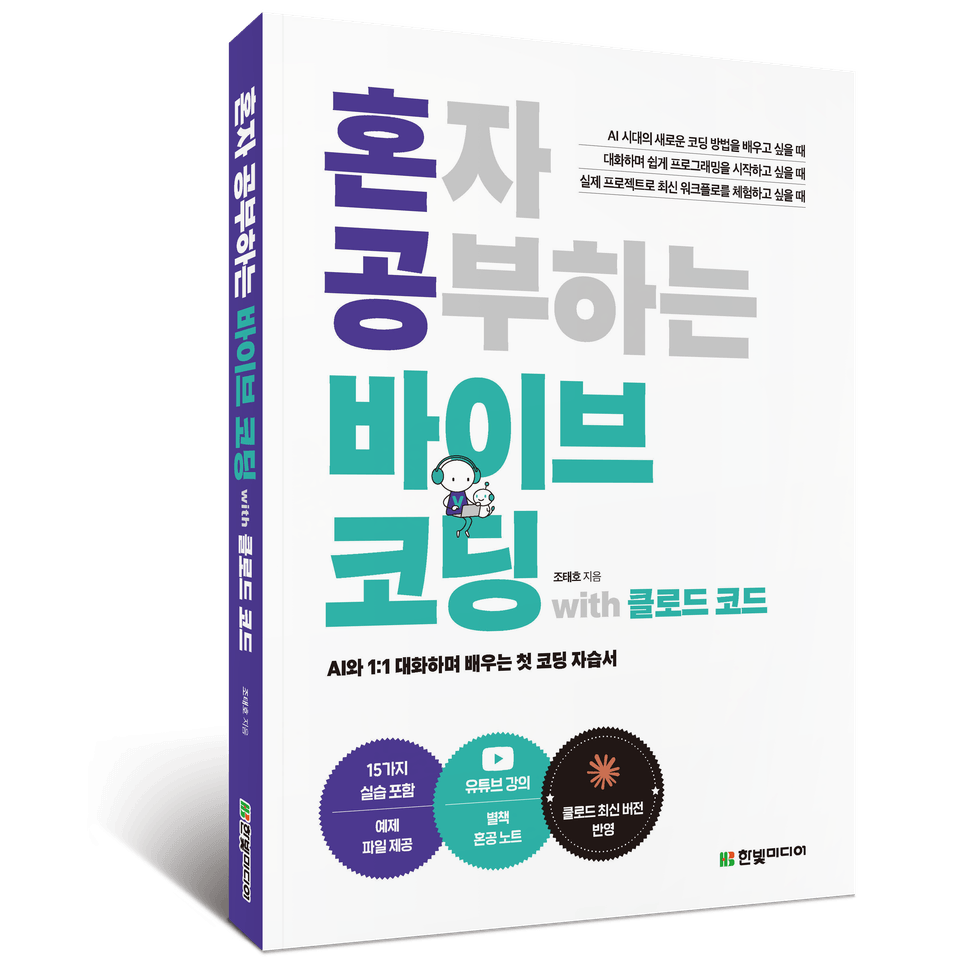
This course was created based on the content of 『Vibe Coding on Your Own with Claude Code』.

Introduction Video for 『Vibe Coding on Your Own with Claude Code』


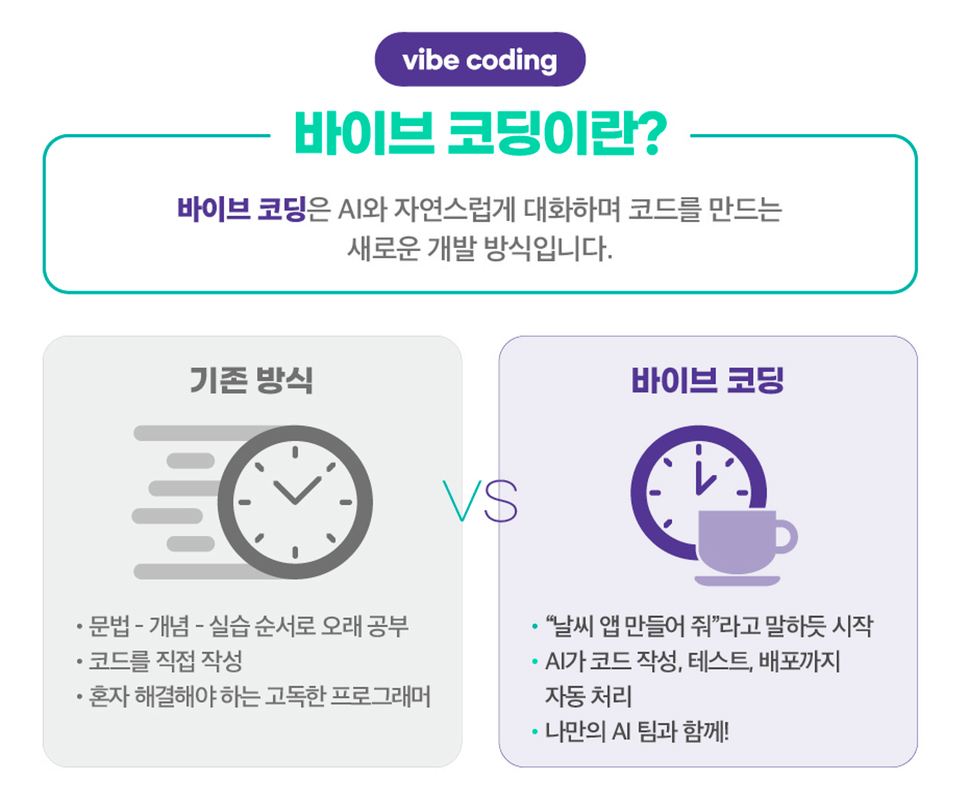
We live in an era when you can build apps without knowing how to code. If you have an idea, you can talk with Claude Code and implement the features you want. This course introduces vibe coding, a new development approach that focuses less on writing code yourself and more on communicating with AI to achieve the results you want.

By following 15 hands-on projects, you will explore a variety of workflows with AI—from creating a personal webpage to handwriting recognition, quiz apps, image-based recommendations, AI summarization, Notion automation, and cloud deployment. Rather than simply following along with basic examples, this course gives you the experience of completing the entire real-world development process—from planning and design to testing and deployment—in collaboration with AI.

The moment you focus on 'what you want to build', Claude Code starts moving alongside you. Enter your first prompt now. ୧( “̮ )୨

Key Contents

A curriculum covering the fundamentals → hands-on practice → expansion → automation through 15 projects


라이브 데모


PROJECT 1 | My First Webpage
Your first web project is completed instantly when you tell AI, “Create a personal page that includes weather, news, and search functions”! Start vibe coding by creating a landing page through conversation alone, without any prerequisites.

PROJECT 2 | Marketing Portfolio
Learn how to write high-quality prompts for collaborating accurately with AI, and experience the process of turning abstract ideas into fully functional webpages. Along the way, you will naturally learn the basic syntax of webpages and how to use Claude effectively.

PROJECT 3 | Handwriting Recognition Program (Desktop Version)
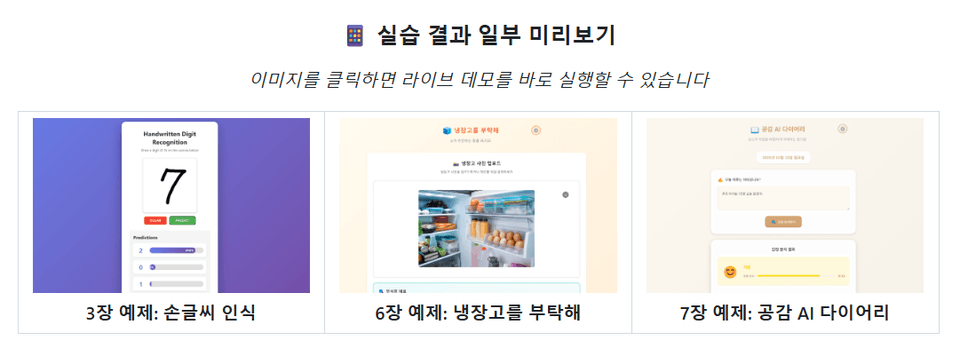
Use Claude Code in earnest to complete an AI program in the terminal. Without complex deep learning theory, you can create a handwriting recognition program using only natural conversation and commands.

PROJECT 4 | Handwriting Recognition Program (Web Version)
Expand the desktop application you created into a web version. Through this process, you will learn how to structure and manage projects systematically.

PROJECT 5 | To-Do App (Mobile Web Version)
Learn useful commands for long-term project development while managing Claude Code sessions and context. Experience a real development workflow by planning the app systematically with a step-by-step PRD, fixing errors, and improving its design and functionality.

PROJECT 6 | To-Do App (Desktop Version)
Expand the app designed for mobile environments into a desktop version. This time, you do not even need to write a long prompt. Simply capture the screen and send it to Claude Code to specify your requirements without lengthy explanations.

• PROJECT 7 | General Knowledge Quiz Game
By setting a few rules to filter out incorrect information generated by AI, the program checks and verifies whether the information is factual on its own. You can have AI handle not only program development but also error detection, verification, correction, and updates, allowing you to maintain applications efficiently without repetitive work.

• PROJECT 8 | General Knowledge Quiz Game (Teacher Mode)
Connect multiple commands to create more powerful automation. Combine the key stages of game development into a single pipeline so that AI automatically handles everything from “adding questions, verification, and statistics to report generation.”

• PROJECT 9 | Please Take Care of My Refrigerator
Create a program that solves everyday problems using multimodal AI. Build practical AI skills, from API integration to switching AI models, and learn how to instruct AI to develop features step by step from start to finish, just like a real-world project.

• PROJECT 10 | AI Empathy Diary
Create five AI agents—a product planner, frontend developer, backend developer, QA engineer, and AI integration specialist—to simulate a small startup. You will realize that even on your own, you can automate the entire project process with an AI team by your side.

• PROJECT 11 | PDF Summarization AI
Create your own AI assistant to read reports, academic papers, and manuals for you. No need to worry. Just instruct the personal AI development team you have already built in Claude Code, and it will be completed in under 30 minutes!

• PROJECT 12 | Notion MCP
Use MCP to connect Claude Code to Notion and actually create pages and write documents. By following the process of integrating Claude Code with external services, you can learn how to connect AI to real-world productivity tools and work with them.

• PROJECT 13 | Strategy for Increasing Visitor Dwell Time
Use a local MCP to reason through complex problems step by step. Compare the results with and without MCP, and experience how much MCP expands Claude Code’s capabilities.

• PROJECT 14 | Context7 MCP
Learn how to find and install the MCP you want. Use a remote MCP to ensure that Claude Code always references the latest documentation, while checking the quality and security of your code.

• PROJECT 15 | Shopping List App
Deploy an app created by AI and automate everything from database integration to version control using MCP. Experience deploying a local application that previously worked only on your computer as a real service accessible to anyone, anywhere in the world. In this one exercise, you can experience deployment, cloud services, and databases all at once. Of course, you will not need to write a single line of code. From writing code to testing, database integration, and deployment, AI completes it all.

Recommended for
these people

Who is this course right for?

  • People who have no programming experience but want to build an app themselves using AI

  • Office workers seeking to automate their work and improve personal productivity

  • Aspiring developers and creators who want to quickly experiment with side projects

  • (Prospective) developers who want to maximize productivity through AI agent collaboration and the use of MCP

Need to know before starting?

  • No prior knowledge is required.

Hello
This is hanbit

59,173

Learners

1,591

Reviews

18

Answers

4.8

Rating

19

Courses

Hanbit Media publishes books on AI, programming, computer science, and IT essays for IT professionals, as well as practical IT books on QA, graphics, and more for general users, under the motto “Opening the world of IT through books.”


More
Published: 
Last updated: 

Reviews

All

643 reviews

4.9

643 reviews

  • ijsong9098님의 프로필 이미지
    ijsong9098

    Reviews 4

    Average Rating 4.8

    5

    43% enrolled

    I liked that the explanation was calm and easy for beginners to follow quickly.

    • yckim00871님의 프로필 이미지
      yckim00871

      Reviews 11

      Average Rating 5.0

      5

      43% enrolled

      It gives me strength~~~^^.

      • himyme695348님의 프로필 이미지
        himyme695348

        Reviews 1

        Average Rating 5.0

        5

        43% enrolled

        That makes perfect sense!

        • yangtackoh2688님의 프로필 이미지
          yangtackoh2688

          Reviews 1

          Average Rating 5.0

          5

          71% enrolled

          Thank you.

          • solana님의 프로필 이미지
            solana

            Reviews 2

            Average Rating 5.0

            Edited

            5

            100% enrolled

            Thank you.

            hanbit's other courses

            Check out other courses by the instructor!

            Similar courses

            Explore other courses in the same field!

            Free